
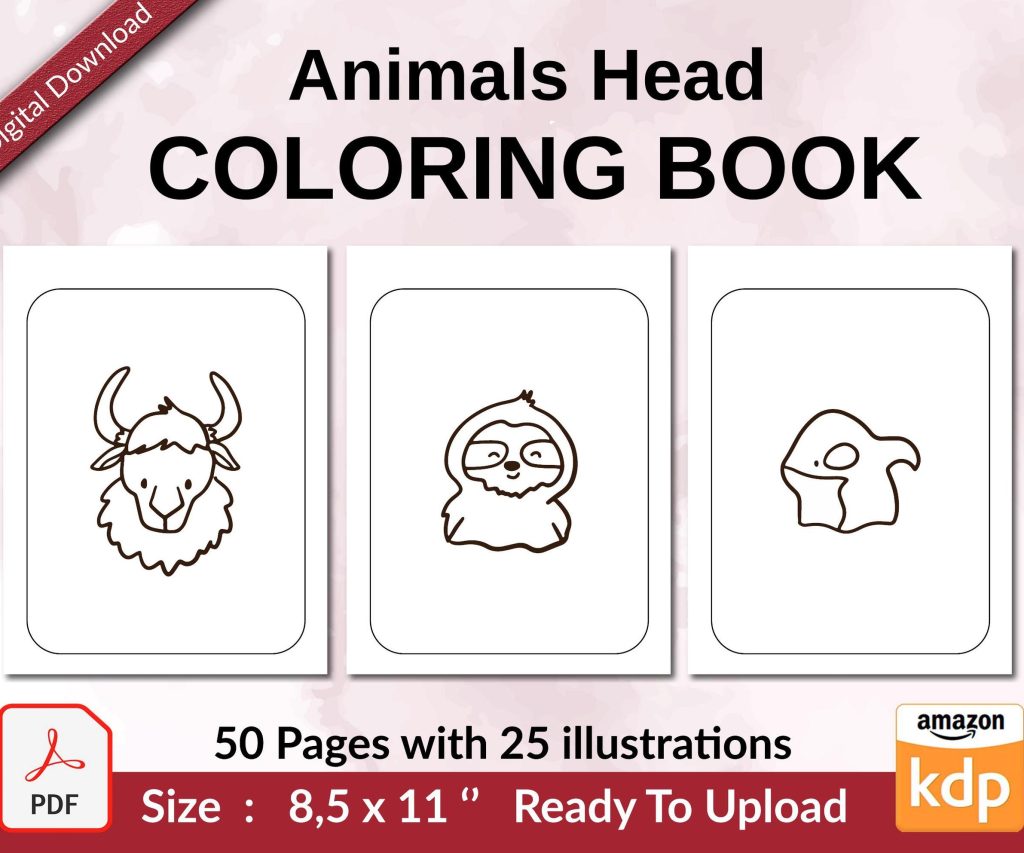
 Coloring Animals Head Book for Kids, Perfect for ages 2-4, 4-8 | 8.5x11 PDF
 Subtotal: $0.00
Amazon KDP guide, KDP book publishing
Amazon Book Publishing: From Manuscript to Bestseller 2026
22
May
May
Okay so I just uploaded three books last week and the whole process has changed a bit since 2024, here’s what actually works now.
Getting Your Manuscript Ready Without Losing Your Mind
First thing – your Word doc is probably a mess. I don’t mean the writing, I mean the formatting. Amazon’s algorithm in 2026 actually scans your file structure now before it even goes live, and if you’ve got weird spacing or random font changes, it flags your book for manual review which adds like 3-5 days.
What I do is open a completely fresh Word document. Calibri or Times New Roman, 12pt. That’s it. Copy your text over in chunks, not all at once, because that’s how you bring over all the hidden formatting garbage. Chapter headings should be Heading 1 style – not just bold and bigger font. Amazon’s system reads actual heading styles now for the table of contents.
Page breaks between chapters, not just hitting Enter a bunch of times. Insert > Page Break. This was driving me crazy last month because one of my books kept showing weird gaps on Kindle devices and it was because I’d done the Enter thing like twelve times.
The KDP Dashboard Stuff That Actually Matters
When you’re in KDP setting up your book, the categories you pick are basically everything. You get two main categories but here’s the thing – you can email KDP support after publishing and request up to eight more. I do this for every single book now. Just open a case, list the BISAC codes you want, they add them within 24 hours usually.
Keywords are where people mess up. You’ve got seven keyword boxes and everyone wastes them on single words like “romance” or “thriller” – completely useless. Think actual phrases people type. “Small town romance with second chances” or “psychological thriller with unreliable narrator” – those longer phrases have way less competition.
The A+ content feature is finally available for everyone now, not just traditionally published books. You gotta enroll in KDP Select to get it though. It’s those fancy graphics and author bios you see on some book pages. Takes maybe an hour to set up but my conversion rate jumped like 23% after adding it to my mystery series.
Pricing Strategy That Doesn’t Suck
Everyone’s gonna tell you to price at $2.99 minimum to get the 70% royalty. That’s technically true but also… sometimes it’s not the right move. For the first two weeks, I actually price at $0.99 to get velocity – lots of sales quickly, which pushes you up in the rankings. Amazon’s algorithm weights recent sales super heavy.
Then I bump to $4.99 after those two weeks. The sweet spot for most genres is $3.99-$5.99. I tested this across like forty books now. Above $6.99 and you’re competing with traditional publishers and readers get hesitant unless you’ve got serious reviews already.
Oh and another thing – if you’re doing a series, first book at $0.99 permanently, rest at $4.99. I know everyone says this but it actually works. My thriller series makes about $2k a month and the first book is basically a loss leader.
Cover Design Because You Cannot Skip This
Do not make your own cover unless you’re actually a graphic designer. I tried this in 2019 and my book sold maybe thirty copies in six months. Spent $200 on Fiverr for a new cover, same book suddenly did 300 copies the next month.
The designers I use now are mostly on Reedsy or 99designs. Budget like $250-400 for a really solid cover. Check the bestseller list in your specific sub-genre and notice what they all have in common – similar fonts, color schemes, imagery. You’re not copying, you’re signaling to readers “hey this is the type of book you already like.”
In 2026 there’s this trend toward minimalist covers with bold typography for thrillers and literary fiction. Romance still wants illustrated couples or close-up faces. Fantasy needs that epic landscape or magical element. I sound like I’m stereotyping but the data doesn’t lie – genre conventions exist because they convert browsers into buyers.
The Description That Actually Sells
Your book description needs to hook in the first sentence. Not a question – I know that used to be the advice but it feels gimmicky now. Start with a statement that creates intrigue or tension.
Format matters here too. Short paragraphs, maybe 2-3 sentences each. Use bold text for emphasis on key phrases – you do this with HTML tags in the description box. He thought he knew the truth. Just wrapping phrases like that makes them pop visually.
Three paragraph structure works: setup/hook, stakes/conflict, question or intrigue to make them want more. Don’t give away your ending obviously, but also don’t be so vague that readers have no idea what the book’s actually about. This is gonna sound weird but I read my descriptions out loud like I’m telling someone at a bar about the book. If I sound boring, the description’s boring.
Launch Strategy Stuff
Pre-orders are huge now. You can set them up to three months in advance. I usually do 3-4 weeks. This lets you build up orders that all count on release day, which spikes your ranking. The algorithm loves launch day velocity.
Your manuscript needs to be uploaded at least 72 hours before release. Amazon’s rules got stricter about this in 2025. If you miss that window, they push your release date automatically.
Get reviews before launch if possible. Use your ARC team – advance review copies. I’ve got like forty people now who get my books free in exchange for honest reviews. Built this list over two years by asking every reader who contacted me if they wanted to join. NetGalley is another option but it’s like $450 for a listing so I only use it for books I’m really serious about.
Amazon Ads Without Bleeding Money
You gotta run ads. Organic reach is basically dead unless you get super lucky. Start with automatic campaigns – Amazon’s algorithm figures out what works. Budget maybe $5-10 per day starting out.
Wait I forgot to mention – do NOT run ads until you have at least 10-15 reviews. Your conversion rate will be terrible and you’ll just waste money. Get those reviews first through your ARC team, friends, family, whoever.
After your auto campaign runs for like two weeks, check the search term report. This shows you exactly what phrases people searched when they clicked your ad. Take the ones that actually converted to sales and create manual campaigns targeting those specific keywords.
Bid like $0.30-0.50 to start. If your ad’s not getting impressions, increase by $0.05 every few days until you see traffic. The goal is ACOS (advertising cost of sale) under 70% ideally. That means for every dollar you spend on ads, you’re making at least $1.43 in royalties.
My cat just knocked over my coffee all over my notes but anyway – the sponsored brand ads are worth it once you have a series. Those are the banner ads that show multiple books. Way better click-through rate than single product ads.
KDP Select vs Going Wide
This is the big debate. KDP Select means exclusive to Amazon – you get Kindle Unlimited borrows, better ad options, that A+ content I mentioned. Going wide means you’re also on Apple Books, Kobo, Google Play, whatever.
I do both depending on the book. Fiction series I keep in KDP Select because KU readers devour series. They’ll read all five books in a weekend. For non-fiction or standalone literary stuff, I go wide because those readers are more likely to be on other platforms.
The KU money is real though. I make about 40% of my income from page reads, not actual sales. In 2026 the rate’s around $0.0045 per page read. Seems tiny but it adds up fast. My 300-page thriller gets fully read by maybe 200 people a month – that’s like $270 just from borrows.
Keeping Your Book Visible Long-Term
Rankings decay fast. Like really fast. After launch month, you need a maintenance strategy. I run small ad campaigns constantly, maybe $3-5 per day. Enough to keep getting a few sales daily.
Update your keywords every few months. Search trends change, new popular books come out that readers compare to. Check what keywords your competitors are using – there’s tools like Publisher Rocket that show you this stuff, costs like $97 one-time but worth it.
Refresh your book description seasonally if relevant. Add quotes from good reviews. Amazon lets you edit basically everything except the actual book content without creating a new edition.
The newsletter thing everyone talks about – yeah it matters but not how you think. I’ve got 800 people on my list and maybe 200 actually open my emails. But those 200 buy everything I release. Building this took years though, don’t expect fast results. Just put a link in your book’s back matter offering a free short story or bonus chapter in exchange for email signup.
Dealing With The Algorithm Changes
Amazon tweaks stuff constantly. What worked last year might not work now. In early 2026 they changed how “Also Boughts” work – those “customers who bought this also bought” links under your book. Used to be pretty random, now it’s way more weighted toward recent purchases.
This means cross-promotion is more valuable. If you can get your book bought alongside a popular book in your genre, you’ll show up in those recommendations. How? Run ads targeting that popular book’s audience. Bid on the author name or book title as keywords.
The “hot new releases” badge lasts 30 days now instead of 90. You gotta maximize those first thirty days because that orange badge seriously increases clicks.
Oh and funny story – I accidentally left a book in pre-order for six weeks instead of four and it actually hurt my launch. Too long and people forget, too short and you don’t build enough momentum. Sweet spot is 3-4 weeks like I said earlier.
Keeping Track of What Actually Works
Spreadsheets are your friend. I track daily sales, ad spend, ACOS, page reads, everything. Takes like five minutes a day but then I can see trends. Like I noticed my urban fantasy does way better in January-February for some reason. No idea why but now I plan my launches around that.
BookBolt or Helium 10 for tracking keywords and competition. Publisher Rocket for research before you even write the book – see what niches are profitable. These tools cost money but if you’re serious about making income from this, they pay for themselves in like one book launch.
The KDP reports section is overwhelming but focus on these: orders, KENP reads, and ad performance. Everything else is kinda just noise unless you’re doing something specific.
Most people quit after their first book does badly. That’s gonna be most people reading this probably. But the people who make actual money are publishing consistently – one book every 2-3 months minimum. Your back catalog is what builds passive income, not that one book you spent three years perfecting.
Anyway that’s basically the process I follow for every launch now. Still learning new stuff constantly because Amazon literally changes things weekly, but this framework works as of February 2026 at least.

DISCOVER OUR FREE BEST SELLING PRODUCTS
Editable Canva Lined Journal: Express Your Thoughts – KDP Template
Lined Pages Journal 120 pages Ready to Upload PDF Commercial Use KDP Template 6×9 8.5×11 5×8 for Notebooks, Diaries, Low Content
Lined Pages Journal 120 pages Ready to Upload PDF Commercial Use KDP Template 6×9 8.5×11 5×8 for Notebooks, Diaries, Low Content
Cute Dogs Coloring Book for Kids | Activity Book | KDP Ready-To-Upload
Daily Planner Diary : Diary Planners for Everyday Productivity, 120 pages, 6×9 Size | Amazon KDP Interior
Wolf Coloring KDP interior For Adults, Used as Low Content Book, PDF Template Ready To Upload COMMERCIAL Use 8.5×11"
Coloring Animals Head Book for Kids, Perfect for ages 2-4, 4-8 | 8.5×11 PDF
Printable Blank Comic Book Pages PDF : Create Your Own Comics – 3 Available Sizes
Notes KDP interior Ready To Upload, Sizes 8.5×11 6×9 5×8 inch PDF FILE Used as Amazon KDP Paperback Low Content Book, journal, Notebook, Planner, COMMERCIAL Use
Black Lined Journal: 120 Pages of Black Lined Paper Perfect for Journaling, KDP Notebook Template – 6×9
Student Planner Journal 120 pages Ready to Upload PDF Commercial Use KDP Template 6×9" 8.5×11" for Low Content book
Recipe Journal Template – Editable Recipe Book Template, 120 Pages – Amazon KDP Interior