-
×
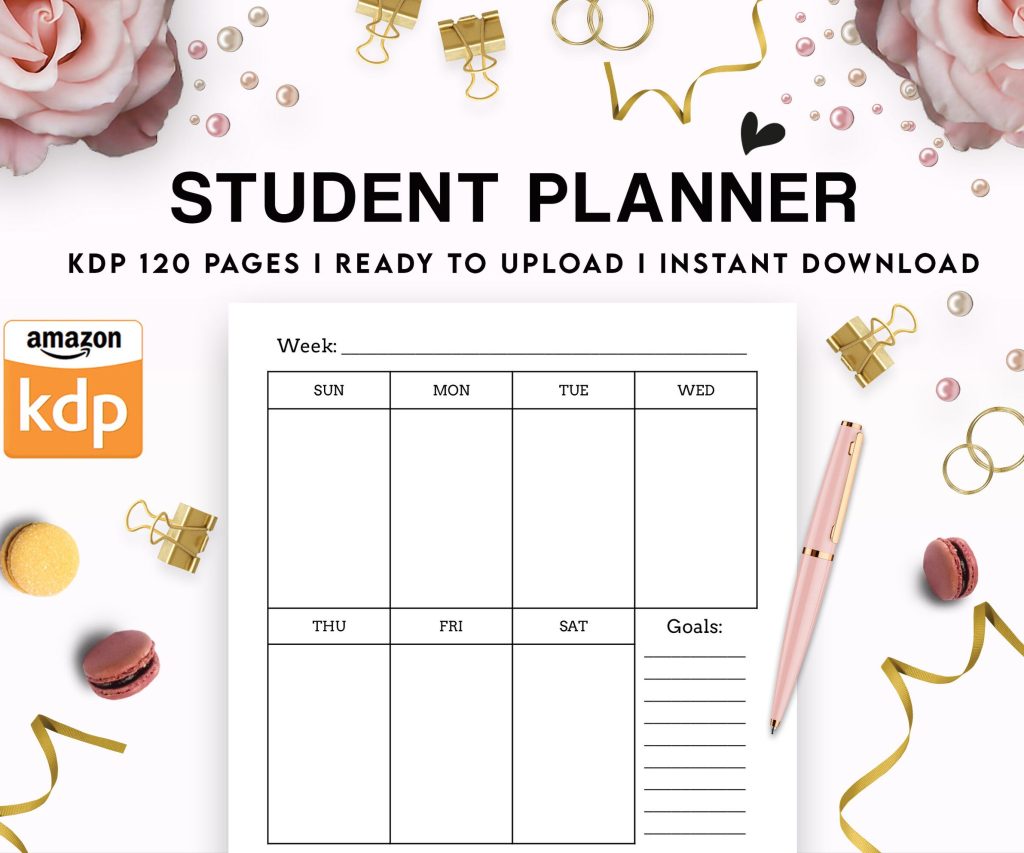 Student Planner Journal 120 pages Ready to Upload PDF Commercial Use KDP Template 6x9" 8.5x11" for Low Content book
1 × $0.00
Student Planner Journal 120 pages Ready to Upload PDF Commercial Use KDP Template 6x9" 8.5x11" for Low Content book
1 × $0.00
Subtotal: $0.00

Okay so I just uploaded three new titles last week and the whole process is still fresh in my mind, here’s what you actually need to know about getting started with Amazon digital publishing.
First thing – you need a KDP account which is free, just go to kdp.amazon.com and sign up. They’re gonna ask for tax info right away which yeah, feels invasive but it’s IRS requirements. I use my SSN but if you have an EIN that works too. Takes like 24 hours to verify usually, sometimes faster.
The mistake everyone makes is overthinking the first upload. Your first book is gonna be awkward no matter what, so just get something up there to learn the system. I published a terrible 30-page notebook about meal planning in 2017 and it taught me more than any course I bought.
Start with ebooks, seriously. Audiobooks through ACX sound cool but they’re a whole different animal and honestly the barrier to entry is way higher. With ebooks you can literally format in Word, export to PDF, use Kindle Create (Amazon’s free tool), and you’re done.
Wait I should back up – there are basically two types of ebooks you can do. Regular content books (novels, how-to guides, whatever) and low-content books (journals, planners, notebooks). Low-content is easier to start with because you’re not writing 40,000 words, you’re just designing interiors.
So you go to your KDP dashboard and click “Create New Title” and it walks you through everything. They ask for:
The cover needs to be at least 1000px on the shortest side, I usually do 2560×1600 for ebooks. For paperbacks it’s different but we’ll get to that.
This is gonna sound weird but pricing is where most people screw up. Amazon’s royalty structure is 35% if you price under $2.99 or over $9.99, but 70% if you’re between $2.99-$9.99. So obviously you want that 70% tier.
I price most of my ebooks at $4.99 or $5.99. Low-content stuff I go lower, like $3.99 for journals. The sweet spot for nonfiction seems to be $5.99-$7.99 based on what I’ve tested.
Oh and another thing – you can enroll in KDP Select which makes your book exclusive to Amazon but gives you access to Kindle Unlimited. This means you earn money when people read your pages, usually about $0.004 per page. I do this for everything except books that are already selling well on other platforms.
Okay so formatting… this is where my dog literally knocked over my coffee during my first upload and I almost gave up. But it’s actually not that hard.
For ebooks you want:
The easiest way is to write in Word, use heading styles for your chapters, then let Word auto-generate a TOC. Then save as filtered HTML or use Kindle Create to import your Word doc. Kindle Create is honestly pretty good now, they’ve improved it a lot.
For low-content books I design everything in Canva or PowerPoint, export as PDF, then upload. The interior quality needs to be at least 300 DPI if you’re doing print, but for ebook only you can go lower.
Your seven keywords are crucial. Don’t waste them on single words like “cookbook” or “journal.” Use full phrases that people actually search for. I use Publisher Rocket to research these but you can also just search Amazon and look at what auto-completes.
For example instead of “weight loss” I’d use “weight loss for women over 40” or “intermittent fasting for beginners cookbook.”
Categories are tricky because Amazon only shows you some of them during upload. There are hundreds of hidden categories you can only access by emailing KDP support after publishing. I usually launch in the basic categories, then email support asking to add my book to more specific ones. They’re pretty quick about it.
Write your description in HTML because you want formatting. Bold text, bullet points, spacing – it all matters. I use a template now but basically:
Hook sentence that addresses their pain point
Brief paragraph about what the book solves
Bullet points of what they’ll learn/get
Another paragraph building urgency or social proof
Call to action like “Scroll up and click Buy Now”
Yeah it’s formulaic but it works. My conversion rate went up like 30% when I started using proper formatted descriptions instead of just plain text paragraphs.
Alright so audiobooks… I avoided these for three years because they seemed complicated. They kinda are, but not impossible.
ACX is Amazon’s audiobook platform – same content goes to Audible, Amazon, and iTunes. You’ve got three options:
I’ve done royalty share for most of mine because I’m cheap and honestly it works fine for books that aren’t gonna be huge bestsellers anyway. You list your book on ACX, narrators audition, you pick one, they record it, you approve it, done.
The technical requirements are annoying though – specific audio format, room tone requirements, peak levels, all this stuff. But any decent narrator knows how to handle it. I tried recording my own once and gave up after realizing my house is too noisy.
Wait I forgot to mention – you can add paperback to any ebook with like three extra clicks. Same KDP dashboard, there’s a paperback option. You need:
A print-ready PDF (includes cover + interior in one file for the cover, separate for interior)
Proper bleed settings if you have images to the edge
ISBN – Amazon provides free ones or you can buy your own
The cover is the tricky part. Amazon has a cover calculator that tells you exact dimensions based on your page count. For a 200-page 6×9 book the cover might be like 12.5 inches wide by 9 inches tall or whatever. You need to account for the spine width.
I design covers in Canva using their book cover templates, but you gotta download the specific dimensions from KDP first. Their cover creator tool is also free and honestly decent if you’re not picky.
Paperback royalties are lower because printing costs money. For a 200-page book priced at $12.99 I might make $3-4 per sale depending on where it sells (US vs Europe vs whatever).
After you upload everything, KDP reviews your book. Usually takes 24-72 hours. They check for:
I’ve had books rejected for weird reasons – once because my cover image was too low resolution even though it met their specs. Just fix whatever they mention and resubmit. Don’t argue with them, it’s not worth it.
Oh and another thing – you can order author copies of your paperback at printing cost, which is cool for having physical books to show people or sell locally. I keep a few of each title in my office.
This is gonna sound obvious but your book doesn’t magically get sales just because it exists. You need either:
I run Amazon ads on most of my books. Start with automatic campaigns at like $5/day, see what works, then create manual campaigns targeting those winning keywords. It’s a whole thing but basically you’re bidding on keywords and paying when people click.
For low-content books honestly organic ranking is enough if you nail your keywords. I’ve got planners that sell 3-5 copies daily without any ads just from people searching for specific planner types.
Terrible covers – seriously spend $50 on Fiverr if you can’t design. A bad cover kills sales
Pricing too low – you’re not Walmart, don’t race to the bottom
No description formatting – plain text descriptions convert way worse
Ignoring categories – this is free visibility you’re leaving on the table
Publishing once and giving up – I didn’t make real money until book 15 or so
The other thing is people overthink niches. Yeah competition exists but there are like 6 million books on Amazon, there’s room for yours. I’ve published in “saturated” niches and still made money because my keywords were specific enough.
You don’t need all this stuff starting out. I published my first 20 books with just Word and free Canva.
Real talk – most books make like $20-100/month. That’s fine if you have 50 books, less fine if you have 3. My best seller makes about $800/month, my worst makes $2. It averages out.
The strategy is volume plus optimization. Publish consistently, learn what works, double down on winning topics. I publish 2-3 new titles monthly and update old ones. Some people go faster but honestly I was watching The Last of Us last night instead of working and that’s fine too.
Your first month you’ll make almost nothing. By month 6 if you’ve published 10+ books and learned the system you should be at a few hundred monthly. Scale from there. I hit $5k months in year 2, now some months are $15k+ but that’s with 200+ titles and knowing what sells.
Don’t quit your job to do this unless you’ve got serious runway. Treat it like a side business that compounds over time.
DISCOVER OUR FREE BEST SELLING PRODUCTS
Editable Canva Lined Journal: Express Your Thoughts – KDP Template
Lined Pages Journal 120 pages Ready to Upload PDF Commercial Use KDP Template 6×9 8.5×11 5×8 for Notebooks, Diaries, Low Content
Lined Pages Journal 120 pages Ready to Upload PDF Commercial Use KDP Template 6×9 8.5×11 5×8 for Notebooks, Diaries, Low Content
Cute Dogs Coloring Book for Kids | Activity Book | KDP Ready-To-Upload
Daily Planner Diary : Diary Planners for Everyday Productivity, 120 pages, 6×9 Size | Amazon KDP Interior
Wolf Coloring KDP interior For Adults, Used as Low Content Book, PDF Template Ready To Upload COMMERCIAL Use 8.5×11"
Coloring Animals Head Book for Kids, Perfect for ages 2-4, 4-8 | 8.5×11 PDF
Printable Blank Comic Book Pages PDF : Create Your Own Comics – 3 Available Sizes
Notes KDP interior Ready To Upload, Sizes 8.5×11 6×9 5×8 inch PDF FILE Used as Amazon KDP Paperback Low Content Book, journal, Notebook, Planner, COMMERCIAL Use
Black Lined Journal: 120 Pages of Black Lined Paper Perfect for Journaling, KDP Notebook Template – 6×9
Student Planner Journal 120 pages Ready to Upload PDF Commercial Use KDP Template 6×9" 8.5×11" for Low Content book
Recipe Journal Template – Editable Recipe Book Template, 120 Pages – Amazon KDP Interior