Okay so the first thing you gotta understand about Amazon ebook publishing is that formatting is where most people completely screw themselves before they even start. I was watching The Last of Us last week while formatting a client’s manuscript and almost missed this – Word docs are NOT your friend for this. Everyone thinks they can just upload their Word file and Amazon will figure it out, but KDP’s conversion tool is basically held together with duct tape.
Here’s what actually works. Export everything to HTML or use Calibre to convert to EPUB first. I know that sounds like extra steps but trust me, you’ll spend way less time fixing conversion errors this way. The KDP previewer tool shows you what your book will look like on different devices and you need to check ALL of them because what looks fine on Kindle Paperwhite might be a disaster on the Fire tablet.
For formatting basics – keep it simple. Use standard paragraph indents (0.3 inches works), don’t double-space between paragraphs unless that’s your style choice, and for the love of god don’t use tabs or multiple spaces to create indents. Use actual paragraph formatting. Page breaks between chapters – insert actual page breaks, not just hitting enter twenty times.
The Cover Thing Everyone Gets Wrong
Your cover needs to be readable as a tiny thumbnail because that’s how 90% of people will first see it on Amazon search results. I see so many authors spend $500 on these gorgeous detailed covers that look amazing at full size but become a muddy blob at thumbnail size. Test your cover by shrinking it down to like 120 pixels wide. Can you still read the title? Does it still catch your eye?
Specs are 2560 x 1600 pixels minimum but I always go with 3000 x 1800 because why not. File size under 50MB but honestly if your cover is over 5MB something’s wrong with your export settings. Use 72 dpi for RGB color mode – don’t overthink the technical stuff, Canva or Photoshop presets usually get this right.
Oh and another thing – your cover needs to match your genre expectations. I published a thriller last year with this artsy minimalist cover because I thought it looked sophisticated and it tanked. Redid it with a darker moodier cover with the title in bold red and sales jumped like 300%. Readers have expectations for what romance looks like versus what horror looks like versus what business books look like. Fight those expectations at your own risk.
Metadata Is Where The Money Actually Is
Most people think writing the book is the hard part but honestly the metadata setup is what determines if anyone ever finds your book. Your seven keywords slots on KDP? Those are gold. Don’t waste them on single words like “romance” – use full phrases that people actually search for.
I use Publisher Rocket to research keywords but you can also just start typing in Amazon’s search bar and see what autocompletes. “Romance books with” and then it’ll suggest “strong female lead” or “enemies to lovers” or whatever. Those suggestions are real search terms people use.
For categories you get to pick two but here’s the trick – you can email KDP support and ask to be added to up to eight additional categories. Not everyone knows this. Just send them your ASIN and the exact category paths you want (like “Kindle Store > Kindle eBooks > Business & Money > Marketing & Sales > Marketing”). They usually add you within 24 hours.
Your book description needs to hook people in the first two sentences because that’s all that shows before the “read more” cut-off on mobile. I use a formula that’s kinda cheesy but works – start with a question or bold statement, then three bullet points of what the book delivers or what problems it solves, then a mini story or scenario, then a call to action. Also you can use basic HTML in your description for bold and italics which most people don’t bother with but it makes your description stand out.
Pricing Strategy That Actually Makes Sense
The 70% royalty tier seems like a no-brainer but it only applies to books priced between $2.99 and $9.99 AND there’s delivery fees based on file size. For a text-only ebook those fees are negligible but if you’ve got a lot of images you might actually make more money on the 35% tier at a lower price point. Do the math for your specific book.
I price most of my ebooks at $4.99 because it’s low enough that people impulse buy but high enough that I’m making decent money per sale. The $0.99 price point is a race to the bottom – yeah you might get more sales but you’re only making 35 cents per sale and Amazon’s algorithm doesn’t actually favor cheap books as much as people think.
Wait I forgot to mention – if you’re in KDP Select (which means exclusive to Amazon) you get access to Kindle Countdown Deals and Free Book Promotions. These are huge for getting initial reviews and visibility. My strategy is usually to launch at full price for two weeks, then run a 99 cent countdown deal for 5 days while pushing it to my email list and social media. That sales spike helps your ranking which then leads to more organic sales after you go back to full price.
The KDP Select Exclusivity Decision
Okay so this is gonna sound weird but I flip-flop on this constantly. KDP Select means you can’t publish your ebook anywhere else – no Apple Books, no Kobo, no Google Play. In exchange you get KU (Kindle Unlimited) page reads, access to promotional tools, and a share of the KDP Select Global Fund.
For me personally, about 60% of my income comes from KU page reads rather than sales. Romance and fantasy readers LOVE KU. Business book readers? Not so much. So it depends on your genre. I keep most of my fiction in KDP Select but I go wide with non-fiction.
Going wide means using Draft2Digital or PublishDrive to distribute to other platforms. More work to manage but you’re not putting all your eggs in Amazon’s basket. Amazon can and does close accounts sometimes for weird reasons and if that’s your only income source you’re screwed.
The Actual Publishing Process Step By Step
Log into KDP dashboard, click “Create new Kindle eBook” – this part is straightforward. Enter your title, subtitle if you have one, author name. For series books use the Series field because that links all your books together which is huge for discoverability.
Upload your manuscript file – EPUB is best, MOFI or DOC also work but you’ll have more formatting issues. Use the previewer to check every single page. I mean it, every page. I once published a book where Chapter 7 was completely missing because of a conversion error and didn’t notice until someone left a 1-star review about it.
Upload your cover as a separate file. Don’t use KDP’s cover creator unless you absolutely have no other option because those covers scream amateur hour.
The ISBN thing confuses people – you don’t need one for Kindle ebooks. Amazon assigns a free ASIN. You only need an ISBN if you’re doing paperback or going wide to other platforms. Bowker sells them in the US but they’re expensive ($125 for one, $295 for ten). If you’re going wide I’d get the ten pack because you’ll use them eventually.
Content That Actually Matters For Non-Fiction
If you’re doing non-fiction your Table of Contents needs to be hyperlinked. This is non-negotiable. Readers expect to tap chapter titles and jump to that chapter. In Word you do this with the heading styles – format your chapter titles as Heading 1, then insert a Table of Contents using the References tab. Most conversion tools will preserve this.
Front matter should be minimal – title page, copyright page, table of contents, maybe a brief introduction. Don’t put a giant author bio at the beginning, save that for the back.
Back matter is where you make your real money long-term. Always include a “If you enjoyed this book please leave a review” page with simple instructions because most readers don’t know how. Then an author bio, then a “Also by [Your Name]” section with your other books. If you only have one book published, mention your upcoming books or link to your website to join your email list.
Oh and speaking of email lists – this is gonna sound like a tangent but it’s not – you need to be building an email list from day one. Include a link to a free bonus resource in exchange for signing up. Like for a cookbook ebook offer a free meal planning template or something. That email list is yours forever whereas your Amazon account could theoretically disappear tomorrow.
Reviews And The Algorithm
Amazon’s algorithm is a black box but we know some things for sure. Sales velocity matters – a book that sells 10 copies in one day will rank better than a book that sells 10 copies over a month. Reviews matter but not as much as people think – I’ve seen books with 5 reviews outsell books with 500 reviews because the algorithm favored them for other reasons.
Getting those first reviews is brutal though. You can’t offer free copies in exchange for reviews anymore – that’s against Amazon’s TOS. What you CAN do is use Amazon’s “Request a Review” button in your KDP dashboard 5-30 days after someone purchases. That’s a direct Amazon email asking for a review and it’s totally legit.
Also use your launch team – friends, family, existing readers if you have any. Send them advance copies and ask for honest reviews on launch day. Don’t tell them what to say, just ask for honest feedback. Amazon can detect fake or incentivized reviews and will remove them.
My cat just knocked over my coffee while I was typing this, cool cool.
The Stuff Nobody Talks About
Taxes – you need to fill out tax information in KDP or they’ll withhold 30% of your royalties. US authors need a W-9, international authors need a W-8BEN. It takes like 5 minutes.
Payment threshold is $10 for direct deposit or $100 for check. You get paid 60 days after the end of the month in which the sale occurred. So a sale in January gets paid out end of March. Yeah, it’s slow.
Reports and data – check your sales dashboard obsessively at first then try to wean yourself off because it’ll drive you crazy. KDP reports update roughly every 24 hours. The “Months to Date” column is your friend for tracking current performance.
Also gonna mention really quick that paperback publishing through KDP is basically the same process but you need an ISBN, your cover needs a spine and back cover, and your interior margins need to account for the gutter (the binding area). Use KDP’s templates for this or you’ll mess it up. Paperback royalties are lower because of printing costs but having a paperback option usually boosts your ebook sales too for some psychological reason.
The biggest mistake I see new publishers make is publishing one book and then waiting to see what happens. You need multiple books. Your second book sells your first book, your third book sells your first and second. I didn’t start making consistent money until I had about 8-10 books published. That’s when the compounding effect really kicks in.
Don’t obsess over perfection. Published and imperfect beats unpublished and perfect every single time. You can update your ebook files anytime through KDP – I’ve updated books months after publishing to fix typos or add new chapters. Just upload the new file and it pushes to everyone who bought it.


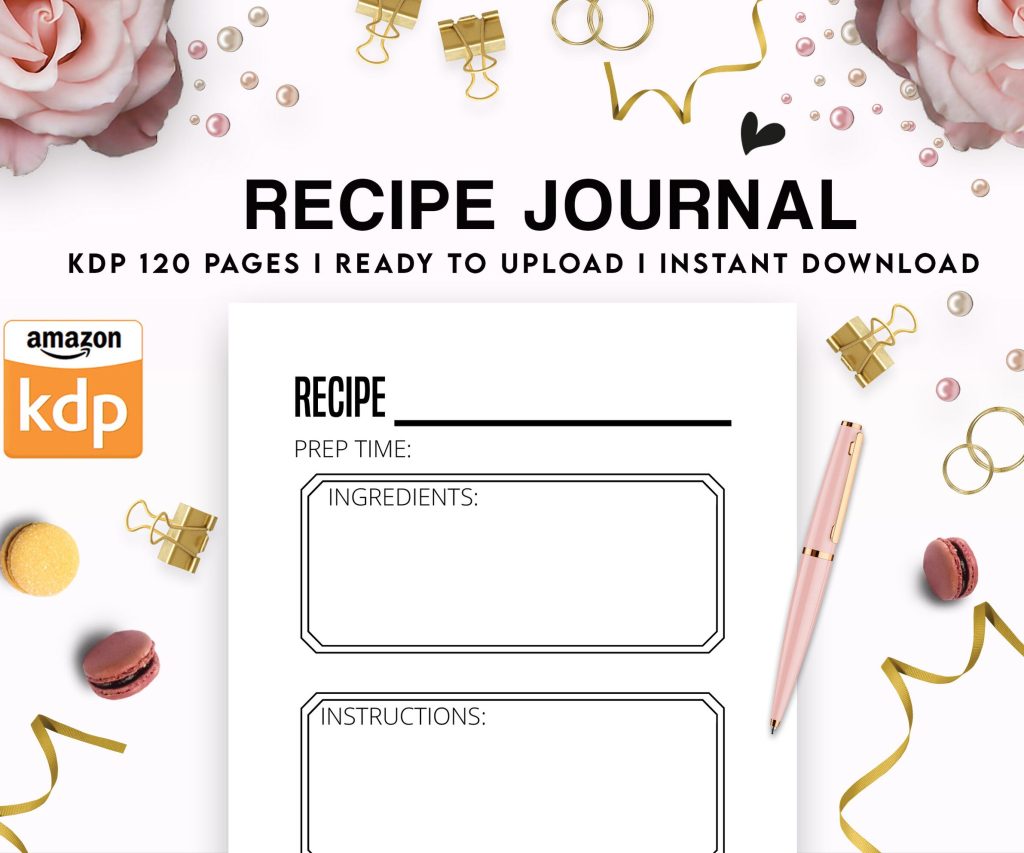 Recipe Journal Template - Editable Recipe Book Template, 120 Pages - Amazon KDP Interior
1 × $0.00
Recipe Journal Template - Editable Recipe Book Template, 120 Pages - Amazon KDP Interior
1 × $0.00 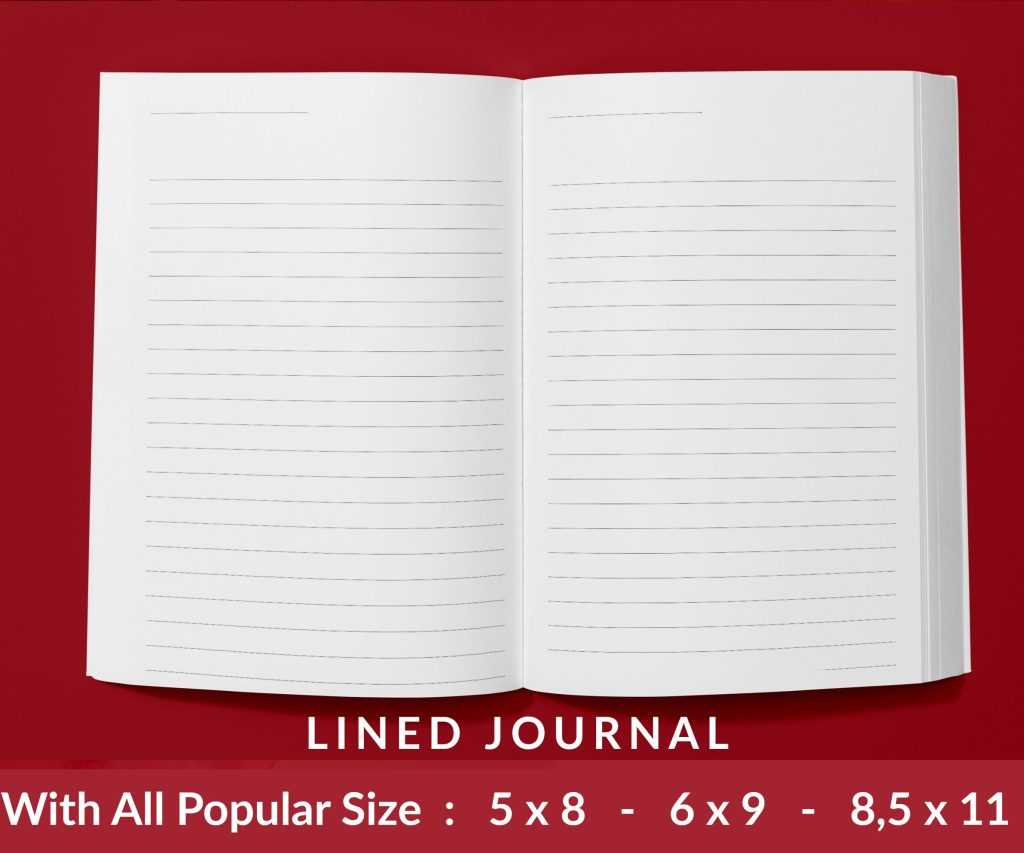 Lined Pages Journal 120 pages Ready to Upload PDF Commercial Use KDP Template 6x9 8.5x11 5x8 for Notebooks, Diaries, Low Content
1 × $0.00
Lined Pages Journal 120 pages Ready to Upload PDF Commercial Use KDP Template 6x9 8.5x11 5x8 for Notebooks, Diaries, Low Content
1 × $0.00 
DISCOVER OUR FREE BEST SELLING PRODUCTS
Editable Canva Lined Journal: Express Your Thoughts – KDP Template
Lined Pages Journal 120 pages Ready to Upload PDF Commercial Use KDP Template 6×9 8.5×11 5×8 for Notebooks, Diaries, Low Content
Lined Pages Journal 120 pages Ready to Upload PDF Commercial Use KDP Template 6×9 8.5×11 5×8 for Notebooks, Diaries, Low Content
Cute Dogs Coloring Book for Kids | Activity Book | KDP Ready-To-Upload
Daily Planner Diary : Diary Planners for Everyday Productivity, 120 pages, 6×9 Size | Amazon KDP Interior
Wolf Coloring KDP interior For Adults, Used as Low Content Book, PDF Template Ready To Upload COMMERCIAL Use 8.5×11"
Coloring Animals Head Book for Kids, Perfect for ages 2-4, 4-8 | 8.5×11 PDF
Printable Blank Comic Book Pages PDF : Create Your Own Comics – 3 Available Sizes
Notes KDP interior Ready To Upload, Sizes 8.5×11 6×9 5×8 inch PDF FILE Used as Amazon KDP Paperback Low Content Book, journal, Notebook, Planner, COMMERCIAL Use
Black Lined Journal: 120 Pages of Black Lined Paper Perfect for Journaling, KDP Notebook Template – 6×9
Student Planner Journal 120 pages Ready to Upload PDF Commercial Use KDP Template 6×9" 8.5×11" for Low Content book
Recipe Journal Template – Editable Recipe Book Template, 120 Pages – Amazon KDP Interior