Okay so the KDP and Amazon.com integration thing is actually way simpler than people think but also weirdly complex in spots you wouldn’t expect. Let me break down what’s actually happening behind the scenes.
The Basic Connection Most People Miss
When you publish something on KDP, it doesn’t just sit in some separate KDP universe. Your book automatically gets listed on Amazon.com (or whatever your marketplace is – .co.uk, .de, whatever). Like, the second your book goes live after review, it’s a real product page on Amazon. That’s the integration everyone talks about but doesn’t really understand.
The ISBN thing trips people up constantly. If you use Amazon’s free ISBN, your book is locked to Amazon basically forever. If you bring your own ISBN, you technically own it but the KDP listing still controls the Amazon.com page. I learned this the hard way when I tried to… wait I’m getting ahead of myself.
How the Product Page Actually Works
Your KDP dashboard is basically the backend control panel for your Amazon product page. Every time you update your book description in KDP, it pushes to Amazon.com within like 24-72 hours usually. Sometimes faster, sometimes it takes a week and you’re sitting there refreshing like an idiot (guilty).
The categories you pick in KDP determine where your book shows up in Amazon’s browse structure. Most people don’t realize you can contact KDP support after publishing and get added to additional categories that aren’t available during upload. I’ve got books sitting in 10 categories when the interface only lets you pick two during setup.
Pricing Sync and the 70% Royalty Thing
Your pricing in KDP controls the Amazon.com price obviously, but there’s this whole royalty calculation that people mess up constantly. The 70% royalty option requires your ebook to be priced between $2.99-$9.99 in the US market. Below or above that, you’re stuck at 35%.
But here’s where it gets weird – Amazon can discount your book for promotions without asking you. They still pay your royalty based on your list price, but customers see a lower price. This actually happened to one of my planners last Christmas and sales went crazy for like three weeks. I had no idea why until I checked the actual product page.
The Review System Integration
Amazon reviews live on the product page, not in KDP. You can’t moderate them, you can’t delete them (well, Amazon can if they violate policy but you can’t). The review system is completely separate from KDP but obviously impacts your book’s visibility.
Verified purchase reviews carry more weight algorithmically. These come from people who actually bought through Amazon.com. If someone gets your book through KDP Select free promos, their review is verified. If they buy elsewhere or you gift them a copy some other way, it’s not verified.
Oh and another thing – the “Report abuse” button on reviews is actually useful. I had someone leave a 1-star review on a journal that said “pages are blank.” Like… yeah dude, it’s a journal. Reported it, Amazon removed it within a week.
KDP Select and the Amazon Ecosystem
KDP Select is where the integration gets really tight. When you enroll, your ebook has to be exclusive to Amazon – can’t sell it on your website, can’t put it on Draft2Digital or anywhere else. In exchange you get:
- Kindle Unlimited borrows (paid per page read)
- Free promotion days (up to 5 every 90 days)
- Countdown deals
- Access to Kindle Owners’ Lending Library
The page read system is fascinating and kinda broken. Amazon pays from a global fund that fluctuates monthly. Right now it’s hovering around $0.004 per page. My coloring books get “read” through entirely even though nobody’s actually reading them obviously – they’re just flipping through. Still counts, still pays.
The Countdown Deal Mechanics
Countdown deals only work if you’re in KDP Select AND enrolled in the 70% royalty tier. The deal lets you temporarily discount your book while keeping the 70% royalty rate. Normally if you drop below $2.99, you’d fall to 35%, but countdown deals bypass that.
You schedule these through KDP, they appear on Amazon.com with a little countdown timer showing the deal ending. I’ve found Tuesday mornings work best for starting these, no idea why. Tested it like 15 times and Tuesday always outperforms weekend starts.
Print Books and the Expanded Distribution Confusion
Print books through KDP automatically list on Amazon.com too, but there’s this “Expanded Distribution” checkbox that confuses everyone. Checking it supposedly gets your book into bookstores and libraries and academic institutions.
Reality check – it barely does anything. I’ve had books in expanded distribution for three years and can count on one hand the sales that came from outside Amazon. The expanded distribution takes a bigger cut of your royalty too. For most low-content publishers, it’s not worth it.
The Printing Network Thing
Amazon prints your book from facilities near the customer. This is huge for shipping speeds but means print quality can vary slightly between facilities. I’ve ordered copies of my own books and gotten slightly different color saturation depending on which warehouse fulfilled it.
There’s no way to control which facility prints your book. It’s automatic based on customer location and inventory algorithms. Kinda frustrating when customers complain about quality differences and you can’t really fix it.
Author Central Integration
Wait I forgot to mention Author Central – this is separate from KDP but integrates with your Amazon.com presence. You claim your author page, add a bio, link your books together, track sales rankings across all your titles.
The sales dashboard in Author Central shows more detailed ranking info than KDP reports. You can see your books’ rankings in every category they’re in, updated hourly. I probably check this too much while watching Netflix… my dog judges me for it.
Linking Books Together
In Author Central you can create a “series page” that groups related books. This is clutch for getting “customers also bought” recommendations working in your favor. Amazon’s algorithm picks up on the series connection and cross-promotes your books to each other’s audiences.
You gotta manually add books to your series page though. It doesn’t happen automatically even if you put “Book 1” in the title. Took me embarrassingly long to figure this out.
The Search Algorithm Connection
Your KDP keywords determine how your book appears in Amazon.com search results. You get seven keyword phrases during upload. Most people waste these on single words or obvious terms.
Better strategy: use long-tail phrases that customers actually type. “Bullet journal for work planning” performs way better than just “journal” or “planner.” Amazon’s search looks at your title, subtitle, and keywords together.
The subtitle field is massively underutilized. You can stuff like 200 characters in there. I treat it as extended keyword space basically. My actual titles are short and catchy, subtitles are keyword-heavy descriptors.
A+ Content and Amazon’s Enhanced Features
If you’re enrolled in KDP Print and selling paperbacks, you might be eligible for A+ Content (they call it Enhanced Brand Content sometimes). This lets you add fancy formatted sections to your product page with images, comparison charts, fancy text layouts.
Getting approved for this is weirdly inconsistent. You need a registered trademark usually, but I’ve heard of people getting it without one. I applied with three different pen names – approved for one, rejected for two, no clear pattern why.
The Look Inside Feature
Amazon automatically generates the “Look Inside” preview from your uploaded manuscript. For ebooks, it’s usually the first 10% of your book. For print, it’s slightly different.
You can’t directly control what shows up in Look Inside, but you can optimize it. Front-load your best content. For low-content books, make your first few pages really showcase the interior design. That preview is selling for you 24/7.
Advertising Integration Through AMS
Amazon Marketing Services (now called Amazon Ads) lets you run sponsored product ads for your books. These show up on Amazon.com search results and product pages. The integration with KDP is pretty seamless – you just need your book’s ASIN.
Automatic targeting campaigns let Amazon’s algorithm decide where to show your ads. Manual targeting lets you pick specific keywords or competitor ASINs to target. I run both simultaneously for new releases.
The ASIN targeting thing is powerful but ethically questionable maybe? You can literally target your competitors’ product pages. Your ad shows up as an alternative when someone’s looking at their book. Works incredibly well for books in the same subgenre.
The Reporting Time Lag
KDP reports sales with about a 1-2 day delay usually. Your dashboard shows estimated sales that aren’t finalized yet. Returns and refunds get clawed back later, sometimes weeks after the original “sale.”
This screwed up my tracking initially because I’d celebrate hitting some milestone, then two weeks later the numbers would be different. Now I mentally discount my current month’s sales by about 10% to account for eventual returns.
Page Reads Reporting
Page reads from Kindle Unlimited show up faster than sales usually. But the actual payment calculation happens at the end of the month. You won’t know exactly what you earned per page until Amazon announces the global fund distribution.
Some months it’s $0.0045 per page, sometimes $0.0038. This variability makes income projecting kinda annoying. My KU income swings 20-30% month to month even with stable page read numbers.
The Marketplace Expansion Thing
When you publish on KDP, you can select which Amazon marketplaces get your book. US, UK, Germany, France, Spain, Italy, Netherlands, Japan, Canada, Mexico, Australia, India, Brazil.
They’re all separate storefronts but managed through one KDP account. Pricing converts automatically but you can override with custom pricing per marketplace. I’ve found books sell better in UK when priced at £2.99 vs the converted US price.
International sales report separately in your dashboard. The payment threshold is per marketplace too, so you might get paid from Amazon.com but still be under the threshold for Amazon.co.uk.
Customer Service Disconnect
Here’s something annoying – customers contact Amazon.com support about issues, but those support reps can’t access your KDP account. If there’s a problem with the file or book description, they tell customers to contact the publisher (you), but customers don’t know how.
I put my email in the book interior now for low-content books. “If there’s any issue, email me directly.” Bypasses the whole Amazon support loop and I can actually help fix problems.
The Mobile App Ecosystem
Your books integrate with Amazon’s Kindle apps automatically. Customers can read across devices with syncing, highlighting, notes – all that carries over. You don’t do anything special to enable this, it just works.
The Kindle app has this “send to Kindle” feature where people can email documents to their Kindle library. Doesn’t apply to your published books directly but understanding how customers use the ecosystem helps with formatting decisions.
Okay so the core thing to understand is KDP and Amazon.com aren’t really separate platforms. KDP is the publishing backend, Amazon.com is the storefront. Everything you do in KDP directly impacts how your book appears and performs on Amazon.com. They’re integrated at every level – from the initial upload to ongoing sales reporting to customer reviews to advertising options. The system’s designed to be relatively hands-off once you publish, but knowing these connections lets you optimize way better than just uploading and hoping for the best.

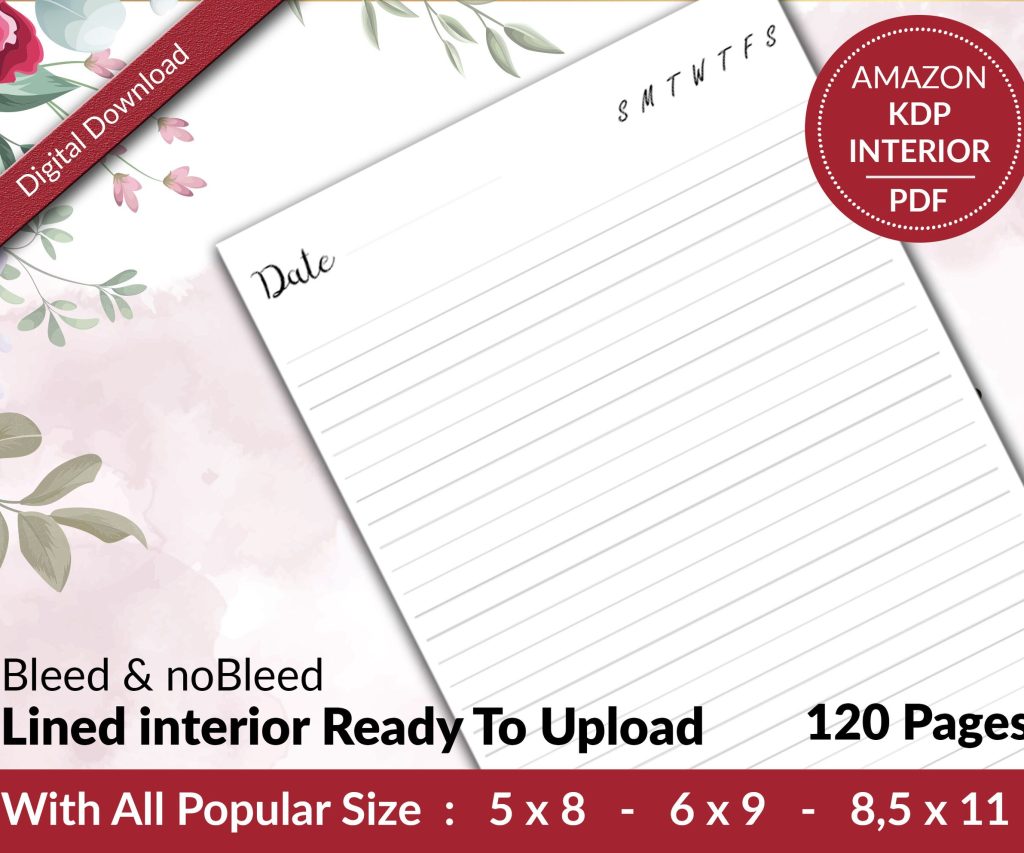 Lined Pages Journal 120 pages Ready to Upload PDF Commercial Use KDP Template 6x9 8.5x11 5x8 for Notebooks, Diaries, Low Content
1 × $0.00
Lined Pages Journal 120 pages Ready to Upload PDF Commercial Use KDP Template 6x9 8.5x11 5x8 for Notebooks, Diaries, Low Content
1 × $0.00  Cute Dogs Coloring Book for Kids | Activity Book | KDP Ready-To-Upload
1 × $0.00
Cute Dogs Coloring Book for Kids | Activity Book | KDP Ready-To-Upload
1 × $0.00 
DISCOVER OUR FREE BEST SELLING PRODUCTS
Editable Canva Lined Journal: Express Your Thoughts – KDP Template
Lined Pages Journal 120 pages Ready to Upload PDF Commercial Use KDP Template 6×9 8.5×11 5×8 for Notebooks, Diaries, Low Content
Lined Pages Journal 120 pages Ready to Upload PDF Commercial Use KDP Template 6×9 8.5×11 5×8 for Notebooks, Diaries, Low Content
Cute Dogs Coloring Book for Kids | Activity Book | KDP Ready-To-Upload
Daily Planner Diary : Diary Planners for Everyday Productivity, 120 pages, 6×9 Size | Amazon KDP Interior
Wolf Coloring KDP interior For Adults, Used as Low Content Book, PDF Template Ready To Upload COMMERCIAL Use 8.5×11"
Coloring Animals Head Book for Kids, Perfect for ages 2-4, 4-8 | 8.5×11 PDF
Printable Blank Comic Book Pages PDF : Create Your Own Comics – 3 Available Sizes
Notes KDP interior Ready To Upload, Sizes 8.5×11 6×9 5×8 inch PDF FILE Used as Amazon KDP Paperback Low Content Book, journal, Notebook, Planner, COMMERCIAL Use
Black Lined Journal: 120 Pages of Black Lined Paper Perfect for Journaling, KDP Notebook Template – 6×9
Student Planner Journal 120 pages Ready to Upload PDF Commercial Use KDP Template 6×9" 8.5×11" for Low Content book
Recipe Journal Template – Editable Recipe Book Template, 120 Pages – Amazon KDP Interior