-
×
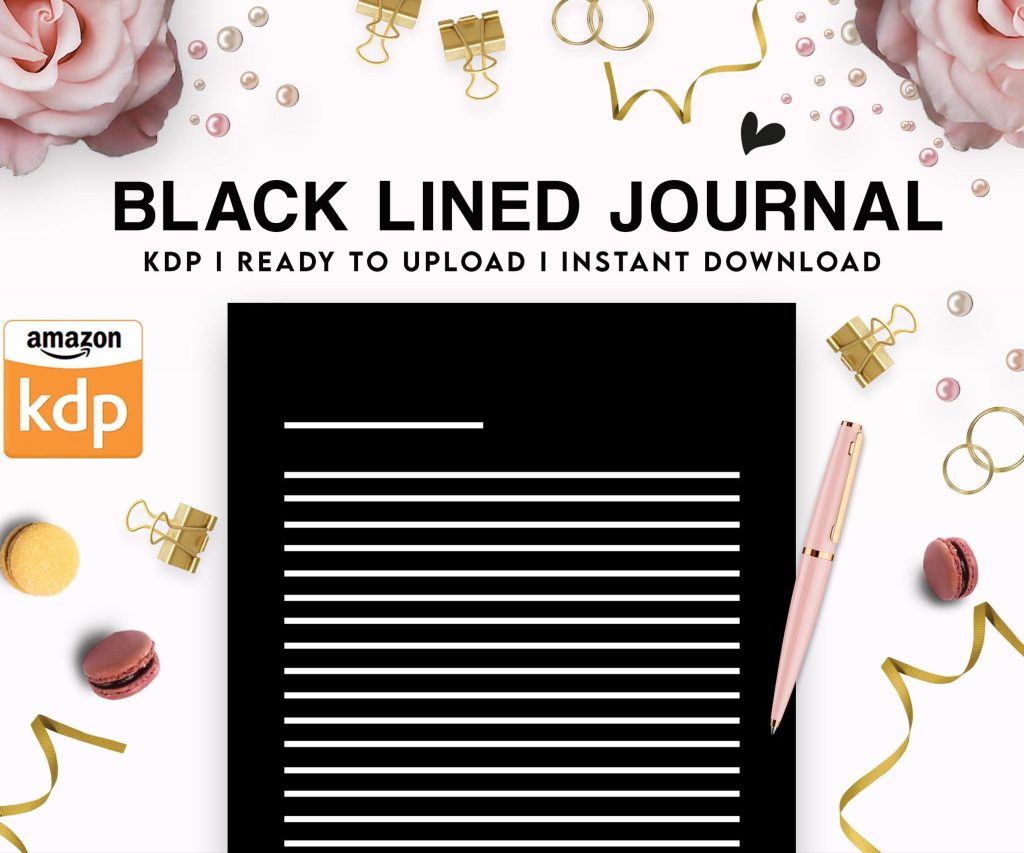 Black Lined Journal: 120 Pages of Black Lined Paper Perfect for Journaling, KDP Notebook Template - 6×9
1 × $0.00
Black Lined Journal: 120 Pages of Black Lined Paper Perfect for Journaling, KDP Notebook Template - 6×9
1 × $0.00
Subtotal: $0.00
 Black Lined Journal: 120 Pages of Black Lined Paper Perfect for Journaling, KDP Notebook Template - 6×9
1 × $0.00
Black Lined Journal: 120 Pages of Black Lined Paper Perfect for Journaling, KDP Notebook Template - 6×9
1 × $0.00 Subtotal: $0.00
Okay so here’s the thing with KDP templates – most people overthink this so badly and honestly I did too when I started back in 2016. Just last week I was helping someone in a Facebook group and they were freaking out about trim sizes and I’m like dude, it’s actually not that complicated once you understand what Amazon actually wants.
So Amazon supports like 40+ trim sizes or whatever but realistically you’re gonna use maybe 5 of them. For paperbacks the most common ones are 6×9 which is your standard book size, 8.5×11 for workbooks and planners, and then 5×8 if you’re doing like fiction or smaller books. I publish mostly in 6×9 because it’s just… it works for everything from journals to how-to guides.
The 8.5×11 is where I make most of my money though – activity books, coloring books, planners. People expect that size for those niches. I tried doing a 7×10 planner once thinking I’d be different and sales were terrible until I switched it to 8.5×11. Sometimes different isn’t better, it’s just annoying to customers.
This confused me forever so let me save you the headache. Bleed means your design extends past the trim line so when they cut the book there’s no white edges if the cut is slightly off. You need 0.125 inches (that’s .125″ in design software) of bleed on all sides.
But here’s what nobody tells you – you don’t always NEED bleed. If your book is just text with white margins like a regular novel or journal with prompts, skip the bleed. It makes your life easier and the file uploads faster. I only use bleed when I have:
My dog just knocked over my coffee while I’m writing this… anyway yeah so if you’re doing a simple lined journal or a text-heavy book, the no-bleed template is your friend.
Okay so you gotta start with the actual dimensions Amazon wants. Don’t just google “6×9 template” and use whatever you find because I’ve seen templates floating around with wrong margins and gutter settings.
For a 6×9 paperback with bleed your document should be 6.25″ x 9.25″ – that’s the trim size plus the bleed on all sides. Your margins should be at MINIMUM 0.375″ on the outside, top, and bottom. The inside margin (the gutter where the binding is) needs to be bigger – I use 0.5″ for books under 150 pages and 0.625″ for thicker books.
Wait I forgot to mention – page count affects your gutter margin because thicker books need more room for the curve of the binding. Amazon’s calculator will tell you the minimum but I always add a bit extra. Better to have text too far from the spine than having words disappear into the binding.
I use a mix depending on what I’m making. For low content books (journals, planners, logbooks) I’m in Affinity Publisher like 80% of the time. It’s $70 one-time payment and honestly does everything InDesign does for KDP purposes. I tried Canva for a while because everyone raves about it but for print books it’s… it’s not great for precision work.
For coloring books I’m in Affinity Designer. Sometimes Illustrator if I’m doing something complex but Adobe’s subscription model is annoying when you’re bootstrapping.
Microsoft Word actually works fine for text-heavy books and it’s what I used for my first 30 books. Just set your page size custom to 6×9, set your margins, and write. Export as PDF. Done. People complicate this.
Your PDF needs to be one continuous file with all pages in order. Sounds obvious but I’ve seen people try to upload front matter separately from the main content. Amazon wants one PDF file, RGB or CMYK color mode (I use RGB), and it needs to be flattened.
Page numbers – put them at least 0.5″ from any edge. I center mine at the bottom usually or do the alternating outside corner thing for fancier books. For low content books honestly you don’t always need page numbers but if you’re doing a workbook or planner they help people navigate.
Oh and another thing – if you’re doing a book with prompts or lines, make sure your lines aren’t too close together. I learned this the hard way when someone left a review saying they couldn’t write in the spaces. Now I do 0.35″ line spacing minimum for writing journals.
Same as paperback actually. The interior template is identical. The only difference is the cover template which I’ll get to in a sec. Hardcovers just need to be at least 75 pages and you’re limited on trim sizes – basically 6×9, 7×10, and 8.5×11 are your main options.
I didn’t publish hardcovers for like 3 years because I thought it was complicated but it’s literally the same interior file. Just generate a different cover template.
This is gonna sound weird but ebook formatting is almost harder than print because reflowable text is finicky. For fiction or text books I export from Word as EPUB or use Calibre to convert. The key things:
For low content books converted to ebook (like guided journals or workbooks) I usually just make a PDF and upload that as a Kindle book. It won’t reflow but for that type of content you want it fixed layout anyway.
Okay so funny story – my first cover I made it the size of the front cover only. Just 6×9. Uploaded it and KDP was like “uh this needs to be a full wrap cover” and I had no idea what that meant. A wrap cover includes the front, spine, and back all in one image.
Amazon has a cover calculator – USE IT. You input your trim size, page count, and paper type (white or cream) and it spits out the exact dimensions you need. The spine width changes based on page count which is why you can’t just use a generic template.
For a 6×9 book with 120 pages on white paper, your cover is gonna be roughly 12.5″ wide by 9.25″ tall. That width includes front (6″), spine (like .27″), and back (6″) plus bleed.
Make sure any important text or images stay at least 0.125″ away from the trim lines AND the spine. I usually keep things 0.25″ away to be safe. Barcodes go on the back lower right – Amazon adds those automatically so leave that space blank.
Your spine needs to be readable but don’t put critical info there on thin books. If your book is under 100 pages the spine is so thin that text is hard to read anyway.
Colors on covers – use CMYK if you want color accuracy but honestly RGB usually prints fine. I’ve done both and can’t really tell the difference on most books. Bright colors sometimes look more muted in print than on screen no matter what you do.
KDP requires minimums: 24 pages for paperback (but honestly don’t go under 60 or it looks cheap), 75 pages for hardcover. There’s no maximum but printing costs go up obviously and shipping gets expensive for customers.
For low content I usually aim for 100-120 pages. It’s thick enough to feel substantial but not so thick that production costs eat your royalties. My planners are usually 150-180 pages which is the sweet spot for a yearly planner.
Oh wait I should mention – your page count must be divisible by 2 obviously since pages are printed on both sides. Amazon’s system will reject odd page counts. If you end up with 99 pages add a blank page or a notes page.
Order a proof copy EVERY TIME especially if it’s a new trim size or format you haven’t used. It’s like $5 and will show you if your margins are off or if colors look weird. I still order proofs on book 200+ because I’ve caught issues that would’ve gotten bad reviews.
Things to check on your proof:
I was watching The Bear on Hulu the other night and got distracted but yeah – proof copies have saved me so many times. Once I had an entire activity book where the lines were printing way too light and I didn’t notice until the physical proof arrived.
Before you upload make sure your PDF:
For images inside the book use at least 300 DPI. I’ve gotten away with 250 for some interior graphics but 300 is safer. Cover images should definitely be 300 DPI minimum.
Just so you know what works for what:
5 x 8: Fiction novels, memoirs, smaller non-fiction. Good for keeping printing costs down.
6 x 9: The standard. Works for almost everything – non-fiction, journals, workbooks, guides, cookbooks. This is my default.
7 x 10: Photography books, textbooks, some cookbooks. Bigger images look better in this size.
8 x 10: Coloring books, activity books, some planners. Good middle ground.
8.5 x 11: Workbooks, planners, activity books, coloring books. This is where the money is for low content but shipping costs are higher for customers.
5.5 x 8.5: Pocket planners, small journals. Cute size but limited audience.
I rarely use anything outside these six sizes. You could do square books or larger formats but they’re specialty and limit your market.
The manuscript I’m working on right now is 6×9 because it’s a guided journal and that just feels right for the content. I tested 7×10 and it felt too big like there was too much empty space on the pages.
Anyway that’s basically it – templates aren’t as scary as they seem you just gotta use Amazon’s specs exactly and test with proof copies before going live.
DISCOVER OUR FREE BEST SELLING PRODUCTS
Editable Canva Lined Journal: Express Your Thoughts – KDP Template
Lined Pages Journal 120 pages Ready to Upload PDF Commercial Use KDP Template 6×9 8.5×11 5×8 for Notebooks, Diaries, Low Content
Lined Pages Journal 120 pages Ready to Upload PDF Commercial Use KDP Template 6×9 8.5×11 5×8 for Notebooks, Diaries, Low Content
Cute Dogs Coloring Book for Kids | Activity Book | KDP Ready-To-Upload
Daily Planner Diary : Diary Planners for Everyday Productivity, 120 pages, 6×9 Size | Amazon KDP Interior
Wolf Coloring KDP interior For Adults, Used as Low Content Book, PDF Template Ready To Upload COMMERCIAL Use 8.5×11"
Coloring Animals Head Book for Kids, Perfect for ages 2-4, 4-8 | 8.5×11 PDF
Printable Blank Comic Book Pages PDF : Create Your Own Comics – 3 Available Sizes
Notes KDP interior Ready To Upload, Sizes 8.5×11 6×9 5×8 inch PDF FILE Used as Amazon KDP Paperback Low Content Book, journal, Notebook, Planner, COMMERCIAL Use
Black Lined Journal: 120 Pages of Black Lined Paper Perfect for Journaling, KDP Notebook Template – 6×9
Student Planner Journal 120 pages Ready to Upload PDF Commercial Use KDP Template 6×9" 8.5×11" for Low Content book
Recipe Journal Template – Editable Recipe Book Template, 120 Pages – Amazon KDP Interior