
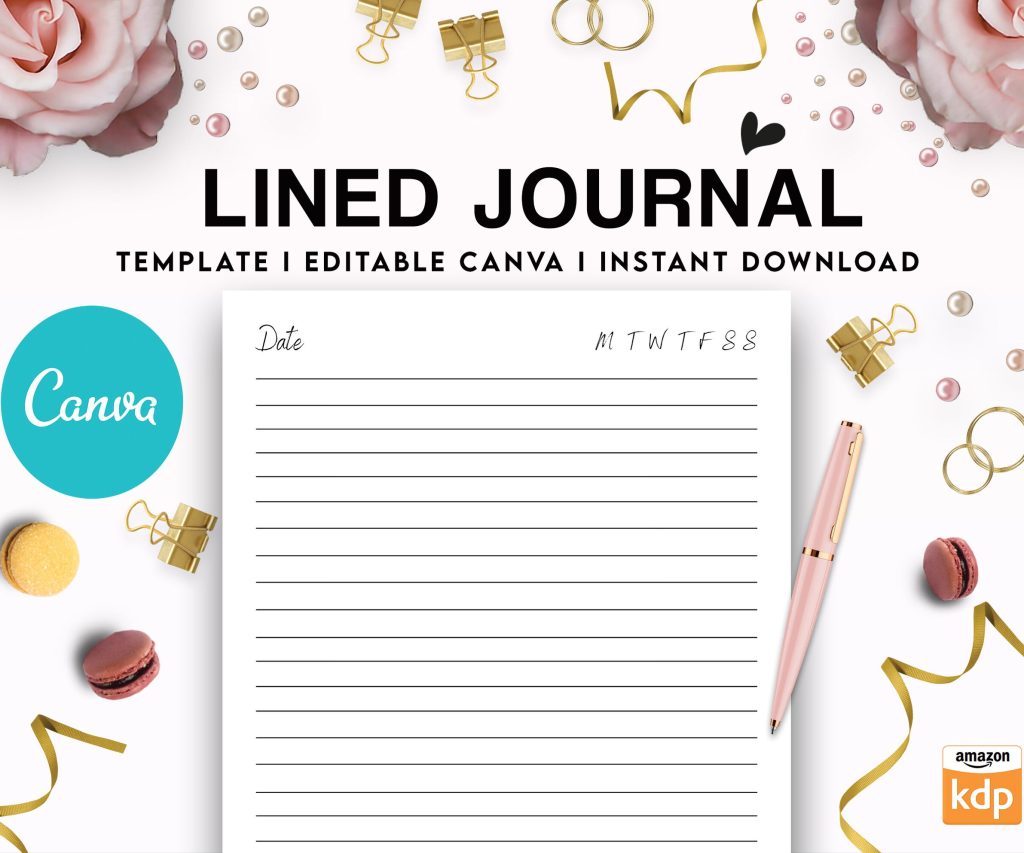
 Editable Canva Lined Journal: Express Your Thoughts - KDP Template
 Subtotal: $0.00
Amazon KDP guide, KDP book publishing
Amazon KDP Publishing: Profit-Maximizing Strategies
17
Mar
Mar
Okay so I just tested this pricing thing last week and here’s what actually moved the needle for me – you gotta stop pricing your books at $2.99 just because some YouTube guru said that’s the sweet spot. I’ve got like 47 low-content books right now and the ones at $6.99 are outselling the cheaper ones because people literally associate higher price with better quality, even if it’s a damn planner.
The real money in KDP isn’t where everyone thinks it is. Everyone’s obsessed with getting that first sale but I’m gonna be straight with you – your first 30 days don’t matter. What matters is month 4 through 12 when Amazon’s algorithm actually decides if you’re worth showing to people. I had this dog training log book that got maybe 3 sales the first month and I almost unpublished it, then month 5 it just exploded to like 40 sales and I still don’t know why.
Niche Research That Actually Works
So here’s where most people screw up – they use Book Bolt or whatever and just look at BSR numbers without understanding what they mean. A book ranked #50,000 in the Kindle store sounds good right? Wrong. That book is making maybe $100 a month if you’re lucky. You want to find books ranked between #5,000 and #30,000 because that’s the zone where there’s demand but not insane competition.
I use this method where I search Amazon for “[topic] journal” or “[topic] planner” and then I sort by newest first, not by bestseller. This shows me what people are currently uploading, which tells me what niches are hot RIGHT NOW. If I see 20 new gratitude journals uploaded this week, that niche is saturated, move on.
Wait I forgot to mention – check the review counts. If the top 10 books in a niche all have less than 50 reviews, that’s actually a good sign because it means the niche is newer or the competition isn’t established. I found this password tracker niche last year where the #1 book had 12 reviews and I got in there with my version and now it’s doing like $400/month consistently.
The BSR Math Nobody Explains
Okay so this is gonna sound complicated but stick with me. BSR (Best Seller Rank) refreshes every hour on Amazon. A book at #10,000 is selling roughly 15-20 copies per day. A book at #50,000 is selling maybe 3-5 copies per day. A book at #100,000 is selling 1-2 copies per day. These are rough numbers but I’ve tracked my own books for years and this holds pretty true.
So when you’re doing niche research, you want to find 10 books in your target niche and average their BSRs. If the average is above #200,000, the niche is probably dead. If it’s below #30,000, you’re gonna need a really good angle to compete. That sweet spot for me is #40,000 to #80,000 average BSR.
Interior Design That Converts
Your interior is where you actually make money because it’s what stops returns. Amazon’s return rate for low-content books is insane, like 15-20% sometimes, and if your return rate is high, Amazon will literally stop showing your book. I learned this the hard way when I had a notebook with margins that were too small and people kept returning it saying they couldn’t write in it properly.
Here’s what works: 120 pages minimum for journals and planners. Don’t go below that because people feel ripped off. For notebooks, you can do 100 pages. For logbooks and trackers, 100-150 pages depending on the niche. I use 6×9 size for almost everything because it’s the easiest to design for and it feels substantial in people’s hands.
The actual page design should be simple. Like stupid simple. I see people trying to make these elaborate designs with graphics on every page and honestly? People want functionality. My best-selling budget planner is literally just lines and boxes. That’s it. It does $800/month because it WORKS, not because it’s pretty.
Oh and another thing – bleed. You gotta understand bleed if you’re doing paperbacks. Amazon requires 0.125 inches of bleed on all sides, which means your design needs to extend past the trim line. I spent my first month getting proofs rejected because I didn’t get this right. Just set up your document in Canva or whatever at 6.125 x 9.125 if you’re doing a 6×9 book, and make sure important stuff stays 0.25 inches inside the trim line.
Cover Design Secrets
Your cover needs to be readable as a thumbnail because 90% of people will see it at like 180×280 pixels. I test this by designing the cover, then shrinking it down on my phone and seeing if I can read the title. If I can’t, the font’s too small or too fancy.
Color psychology is real but not how people think. You don’t need to use “calming blues” for a meditation journal or whatever. What you need is CONTRAST. Your book needs to stand out when someone scrolls through a page of 48 books. I use complementary colors – orange and blue, purple and yellow, that kind of thing.
The title should be 3-5 words MAX on the front cover. Subtitle can be longer but keep it under 10 words. I see people putting entire paragraphs on their covers and it’s just… no. Nobody’s reading that. My best covers are usually two colors, one big font, maybe a simple graphic or pattern.
This is gonna sound weird but
I actually look at Etsy when designing KDP covers. Etsy sellers have figured out what converts for printables and planners, and you can get inspiration from their style without copying. Just browse top sellers in the planner category and notice patterns – lots of florals, lots of minimalist line art, lots of marble textures right now.
Keywords That Actually Get Traffic
Okay so Amazon gives you 7 keyword boxes and most people waste them. Here’s the framework I use: 3 broad keywords, 3 specific keywords, 1 long-tail keyword.
Broad example: “gratitude journal” or “meal planner”
Specific example: “gratitude journal for women” or “weekly meal planner with grocery list”
Long-tail example: “gratitude journal with prompts for anxiety and depression”
Don’t repeat words between your title and keywords – Amazon indexes all of it anyway. So if your title is “Gratitude Journal: Daily Prompts for Women” then don’t use “gratitude journal” in your keywords again. Use that space for related terms like “thankfulness diary” or “positive thinking notebook.”
I use Publisher Rocket for keyword research but honestly you can do it manually by just typing into Amazon’s search bar and seeing what autocompletes. Those suggestions are literally what people are searching for RIGHT NOW.
Wait I forgot to mention backend keywords versus title keywords. Your title should have your MAIN keyword, the one with the most search volume. Backend keywords are for variations and related terms. I had this camping journal that wasn’t selling, changed the title to include “RV camping journal” instead of just “camping journal” and sales tripled because RV camping is more specific and has less competition.
Pricing Strategy That Maximizes Profit
Most of my books are priced between $6.99 and $8.99 for paperbacks. Hardcover I go $16.99 to $22.99. Amazon’s royalty structure means you make about 60% of the list price minus printing costs. A 120-page 6×9 paperback costs about $2.50 to print, so if you sell it for $7.99, you make about $2.30 per sale.
Here’s where it gets interesting – I test every price point. I’ll launch a book at $6.99 for two weeks, then bump it to $7.99 for two weeks, then $8.99. Whichever price point gives me the most PROFIT (not sales, profit) is where I leave it. Sometimes selling 10 copies at $8.99 makes more money than selling 15 copies at $6.99.
Oh and funny story, I was watching The Last of Us last month while adjusting prices on my books and accidentally set one to $89.99 instead of $8.99. Didn’t notice for three days. Someone actually bought it. I refunded them obviously but like… what?
The Seasonal Pricing Trick
I adjust prices seasonally for relevant books. My wedding planning books go up $2 from April to October (wedding season). My tax organization planners go up $1 from January to April. My Christmas card tracker goes up in November and December. This is free money that most people ignore.
Launch Strategy
When I launch a new book, I run Amazon ads immediately. I know people say to wait and let organic traffic build but that’s nonsense for low-content books. You need to signal to Amazon that your book is worth showing to people, and the fastest way is through sales velocity.
I start with automatic campaigns at $0.30 per click. Budget of $5 per day. Run it for a week. Then I look at the search term report and see what actually converted. Those converting terms become my manual campaign keywords at $0.25 per click. I’m usually profitable on ads by week 3 or 4.
The goal isn’t to make money from ads immediately – it’s to boost your organic rank so Amazon starts showing your book to people naturally. Once you’re ranked in the top 20 or 30 of your niche, you can scale back ads or turn them off entirely.
The Series Strategy
This is where you start printing money – create a series of related books. I have a “life admin” series with 8 books: password tracker, bill payment tracker, subscription tracker, important documents organizer, etc. People buy one, like it, search my author name, buy three more.
Amazon’s algorithm also shows your other books in the “customers also bought” section, so you’re basically getting free advertising for your other products. My conversion rate on second purchases is like 25%, which is insane.
Make sure your covers all have a similar style so people recognize they’re part of a series. Same color scheme, same fonts, similar layouts. I use a banner at the top of each cover that says “LIFE ADMIN SERIES” so it’s obvious.
The Stuff Nobody Talks About
Returns are gonna happen, just accept it. My return rate is usually 8-12% and there’s nothing you can do about some people. They order the wrong thing, or they print it themselves (yeah people do this), or they’re just serial returners.
Keep your account health above 95%. If it drops below that, Amazon starts limiting your publishing. I check my account health dashboard every Monday morning like clockwork. My cat usually knocks stuff off my desk while I’m doing this, so that’s fun.
Tax stuff – you need an EIN even if you’re a sole proprietor. Makes everything easier. Track every expense: software subscriptions, ISBNs if you buy them, ads, proof copies, everything. I use a simple spreadsheet and just add stuff as I buy it.
ISBNs are optional for KDP but I buy them in bulk (like $295 for 10) because it makes me look more professional and I can publish wide if I want to later. Free KDP ISBNs lock you into Amazon only.
Upload at least one new book per month. Amazon favors active publishers. Even if it’s just a simple notebook or journal, get something new up there. I batch-create books – spend one weekend making 4-5 interiors, then another weekend doing covers, then upload them over the next month.
Oh wait, one more thing about ads – negative keywords are your friend. If you’re selling a “wedding planner book” you need to negative match “wedding planner jobs” and “wedding planner career” because those clicks cost money and never convert. Check your search terms weekly and add negatives religiously.
DISCOVER OUR FREE BEST SELLING PRODUCTS
Editable Canva Lined Journal: Express Your Thoughts – KDP Template
Lined Pages Journal 120 pages Ready to Upload PDF Commercial Use KDP Template 6×9 8.5×11 5×8 for Notebooks, Diaries, Low Content
Lined Pages Journal 120 pages Ready to Upload PDF Commercial Use KDP Template 6×9 8.5×11 5×8 for Notebooks, Diaries, Low Content
Cute Dogs Coloring Book for Kids | Activity Book | KDP Ready-To-Upload
Daily Planner Diary : Diary Planners for Everyday Productivity, 120 pages, 6×9 Size | Amazon KDP Interior
Wolf Coloring KDP interior For Adults, Used as Low Content Book, PDF Template Ready To Upload COMMERCIAL Use 8.5×11"
Coloring Animals Head Book for Kids, Perfect for ages 2-4, 4-8 | 8.5×11 PDF
Printable Blank Comic Book Pages PDF : Create Your Own Comics – 3 Available Sizes
Notes KDP interior Ready To Upload, Sizes 8.5×11 6×9 5×8 inch PDF FILE Used as Amazon KDP Paperback Low Content Book, journal, Notebook, Planner, COMMERCIAL Use
Black Lined Journal: 120 Pages of Black Lined Paper Perfect for Journaling, KDP Notebook Template – 6×9
Student Planner Journal 120 pages Ready to Upload PDF Commercial Use KDP Template 6×9" 8.5×11" for Low Content book
Recipe Journal Template – Editable Recipe Book Template, 120 Pages – Amazon KDP Interior