Okay so here’s the thing about KDP templates – I literally spent like three hours last Tuesday organizing all my template files because they were everywhere and I kept downloading the same trim size over and over. Let me just dump everything I know about where to actually get these things and what’s worth your time.
The Official Amazon KDP Templates Nobody Talks About Enough
First off, Amazon has their own templates right on the KDP website and like… most people skip right past them? Go to kdp.amazon.com and look for the “formatting resources” section. They’ve got manuscript templates for basically every trim size you can publish in. The 6×9 is probably what you’ll use most for books, and they have Word versions and also these pre-formatted docs that honestly saved me so much time when I was starting out.
The interior templates come with proper margins already set up – and this matters way more than you’d think because Amazon’s different about margins than like, a normal printer. They need that extra space for binding which is called the gutter margin and if you don’t account for it your text looks weird near the spine.
I remember this one time I uploaded a planner without checking the gutter and every left-hand page looked slightly off-center. Had to redo the whole thing. My cat knocked over my coffee right in the middle of fixing it too, whole thing was a disaster.
Cover Templates Are Actually Critical
Amazon’s cover calculator tool – this is non-negotiable, you gotta use this. It’s not really a template but it generates the exact dimensions you need based on your page count and paper type. Because here’s what they don’t tell you upfront: the spine width changes depending on how many pages your book has. A 100-page book on white paper has a different spine width than 100 pages on cream paper.
The calculator spits out a PDF with guides showing you exactly where your front cover, spine, and back cover go. Plus the bleed area which is that extra 0.125 inches on all sides that gets trimmed off. You need to extend your background images into the bleed or you’ll get these ugly white lines on the edges.
I use this for literally every single book. Even after seven years, I don’t trust myself to remember the spine calculations.
Where I Actually Get My Working Templates
So beyond Amazon’s basic stuff, there’s a whole ecosystem of templates people have created. Some free, some paid, and honestly the quality varies wildly.
Canva has KDP templates now and they’re actually pretty decent for low-content books. Search for “KDP interior” or whatever your book type is – journals, planners, notebooks, coloring books. They’ve got the dimensions pre-set which is nice. The free version has enough to get started but I ended up paying for Canva Pro because the extra elements and the ability to resize designs is worth it when you’re doing volume.
Oh and another thing – Creative Fabrica has thousands of KDP templates. It’s a subscription service, like $19/month or something, but if you’re planning to publish regularly it pays for itself fast. They’ve got everything from gratitude journals to recipe books to those weird niche planners that somehow sell really well. I found a chicken coop maintenance log template there once. Who knew that was a thing people needed?
The Etsy Template Situation
Etsy sellers have tons of KDP templates and this is where it gets tricky. Some are amazing, some are total garbage that won’t even upload to KDP properly. Here’s what I look for:
- Reviews mentioning they actually published with it successfully
- Sellers who specify the exact trim size and if it includes bleed
- Whether it’s editable in software you actually have – some require specific versions of Illustrator or InDesign
- If they show the interior pages clearly in the preview images
I’ve bought probably 50+ templates from Etsy over the years. My hit rate is maybe 70% good, 30% had to modify heavily or couldn’t use at all. The cheap ones under $5 are usually pretty basic but sometimes that’s all you need.
Free Resources That Don’t Suck
BookBolt has free interior generators – you can create basic lined pages, dot grid, blank pages, stuff like that. It’s not gonna give you fancy designed planners but for simple notebooks it works great. They also have a paid version with more features but I honestly haven’t needed it.
Wait I forgot to mention – PowerPoint is weirdly good for making KDP interiors? Like nobody thinks of PowerPoint but you can set custom slide dimensions to match your book size, add text boxes, images, whatever. Then export as PDF. I made my first 20 books this way before I learned better tools.
Affinity Publisher is what I use now instead of InDesign because it’s like $50 one-time instead of Adobe’s subscription nonsense. There are free templates floating around on forums specifically made for Affinity. The learning curve is real though, not gonna lie.
Google Docs Templates
You can find KDP manuscript templates for Google Docs if you search around. The main limitation is Google Docs doesn’t handle page size customization as well as Word does. Like you can make it work for standard sizes but anything unusual gets finicky. And forget about bleed settings – you’ll need to do that part manually.
I still use Google Docs for my initial writing and outlining, then transfer to a proper template later. Just easier to work that way for some reason.
Niche-Specific Template Sources
For coloring books, there’s this whole community on Facebook where people share and sell line art and templates. “KDP Coloring Book Publishers” or something like that – there’s a few groups. Some artists post free samples of their work that you can use.
Log books and trackers – I usually just make these myself in Excel then convert to PDF. Set your page size in Excel’s print settings to match your KDP trim size, design your tracker layout, boom done. Easier than messing with design software for simple grid layouts.
Recipe books and cookbooks – these need more careful formatting because you want them to look good and be functional. I found some solid templates on Creative Market for these. They run $15-40 usually but they’re professionally designed with nice typography and layout options.
The Technical Stuff Nobody Explains Clearly
Okay so when you download a template, here’s what you need to check immediately:
Trim size matches what you’re publishing – sounds obvious but I’ve definitely downloaded a 6×9 template thinking it was 8.5×11. Always verify the document properties.
Bleed settings – most KDP books need 0.125″ bleed on all sides. Your template should either include this already or give you clear instructions. The document will be slightly larger than the final trim size to account for bleed.
Color mode – should be CMYK for print, not RGB. RGB colors look different when printed and sometimes won’t upload correctly. This bit me hard on my first coloring book – all the colors looked washed out in the proof.
Resolution – images need to be at least 300 DPI for print. Templates with pre-placed images should specify this. If you’re adding your own images to a template, check the DPI before you upload.
Margins and safe zones – Amazon requires minimum margins (usually 0.5″ on top/bottom/outside, more on the inside for the gutter). Good templates have these marked with guides.
My Actual Template Organization System
This is gonna sound boring but I have a whole folder structure now:
- Master Templates folder
- Subfolders for each trim size (6×9, 8.5×11, etc.)
- Within those, folders for different book types (journals, planners, coloring books, manuscripts)
- A “Modified” folder for templates I’ve customized
- A “Testing” folder for new downloads I haven’t used yet
I also keep a spreadsheet tracking which templates I’ve used for which books, the source where I got them, and any notes about issues or modifications needed. Sounds obsessive but when you’re managing dozens of books it’s necessary.
The Templates I Use Most Often
For basic notebooks and journals, I have like three go-to templates I’ve modified over time. One for lined pages, one for dot grid, one for blank pages with minimal design elements. I just swap out covers and maybe adjust the interior design slightly for each new book.
Planners are more complex – I bought a big template pack from Etsy that had daily, weekly, and monthly layouts. Cost me $35 but I’ve used variations of it for probably 30 different planner books. You can mix and match pages to create different combinations.
Coloring books I usually compile from different sources – buy line art from various artists, then use a basic template to arrange them with proper margins and bleed. The template part is simple, finding good artwork is the harder part.
Custom Template Creation
Sometimes you just can’t find what you need and you gotta make it yourself. I use Affinity Publisher for this now but started with Canva and PowerPoint like I mentioned.
The process is basically: set up your document with correct dimensions and bleed, add margin guides, design your page layout, create a master page so formatting stays consistent, then duplicate pages as needed. Export as PDF with the right settings for KDP.
It’s time-consuming the first time but then you have it forever. I’ve got templates I made three years ago that I still use regularly.
Common Template Mistakes That’ll Mess You Up
Using templates designed for different platforms – like there’s templates for IngramSpark or Lulu that have different specs than KDP. They might be close but not exact. Always verify it matches KDP’s requirements.
Not checking the font licenses – some templates come with fancy fonts but you might not have the license to use them commercially. Safer to replace with fonts you know are okay or buy the license.
Forgetting about odd/even page layouts – books have left and right pages with different margin requirements. Some templates don’t account for this properly and your gutters end up wrong.
This is gonna sound weird but… not testing with actual content before publishing. I always do a test upload with placeholder content to make sure the formatting works. Saved me multiple times from publishing books with wonky layouts.
Recent Template Discoveries
I just found out Book Brush has template options now too – they’re mainly known for marketing stuff but they added interior creation tools. Haven’t fully tested it yet but might be worth checking out.
Also there’s this site called Tangent Templates that specializes in KDP stuff. They’re newer, prices are reasonable, and the few I’ve tried worked without issues. Not sponsored or anything, just genuinely useful.
Oh and PublishDrive has some free resources including templates, though they’re trying to get you to use their distribution platform. The templates themselves are solid though, you can download and use them without signing up for anything else.
The KDP community on Reddit sometimes shares free templates too – r/selfpublish and r/KDPNichePub both have resource threads occasionally. Quality varies obviously since it’s user-submitted but I’ve grabbed some decent stuff there.

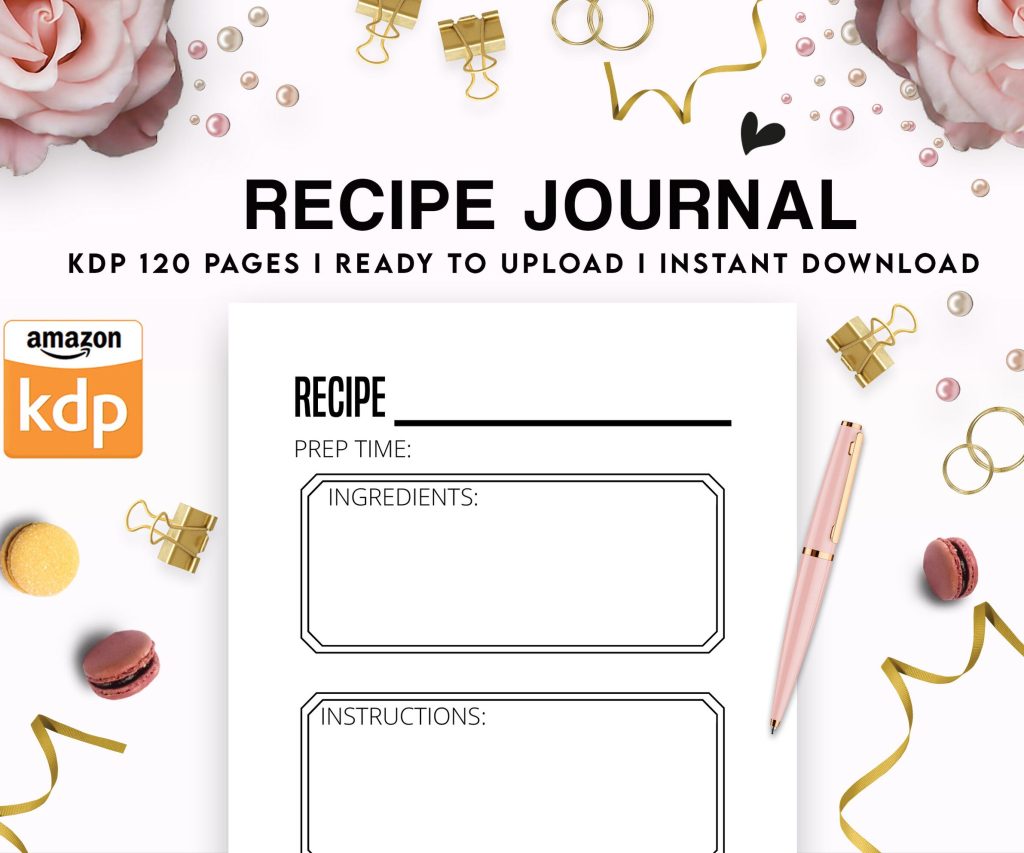 Recipe Journal Template - Editable Recipe Book Template, 120 Pages - Amazon KDP Interior
2 × $0.00
Recipe Journal Template - Editable Recipe Book Template, 120 Pages - Amazon KDP Interior
2 × $0.00  Daily Planner Diary : Diary Planners for Everyday Productivity, 120 pages, 6×9 Size | Amazon KDP Interior
1 × $0.00
Daily Planner Diary : Diary Planners for Everyday Productivity, 120 pages, 6×9 Size | Amazon KDP Interior
1 × $0.00 
DISCOVER OUR FREE BEST SELLING PRODUCTS
Editable Canva Lined Journal: Express Your Thoughts – KDP Template
Lined Pages Journal 120 pages Ready to Upload PDF Commercial Use KDP Template 6×9 8.5×11 5×8 for Notebooks, Diaries, Low Content
Lined Pages Journal 120 pages Ready to Upload PDF Commercial Use KDP Template 6×9 8.5×11 5×8 for Notebooks, Diaries, Low Content
Cute Dogs Coloring Book for Kids | Activity Book | KDP Ready-To-Upload
Daily Planner Diary : Diary Planners for Everyday Productivity, 120 pages, 6×9 Size | Amazon KDP Interior
Wolf Coloring KDP interior For Adults, Used as Low Content Book, PDF Template Ready To Upload COMMERCIAL Use 8.5×11"
Coloring Animals Head Book for Kids, Perfect for ages 2-4, 4-8 | 8.5×11 PDF
Printable Blank Comic Book Pages PDF : Create Your Own Comics – 3 Available Sizes
Notes KDP interior Ready To Upload, Sizes 8.5×11 6×9 5×8 inch PDF FILE Used as Amazon KDP Paperback Low Content Book, journal, Notebook, Planner, COMMERCIAL Use
Black Lined Journal: 120 Pages of Black Lined Paper Perfect for Journaling, KDP Notebook Template – 6×9
Student Planner Journal 120 pages Ready to Upload PDF Commercial Use KDP Template 6×9" 8.5×11" for Low Content book
Recipe Journal Template – Editable Recipe Book Template, 120 Pages – Amazon KDP Interior