-
×
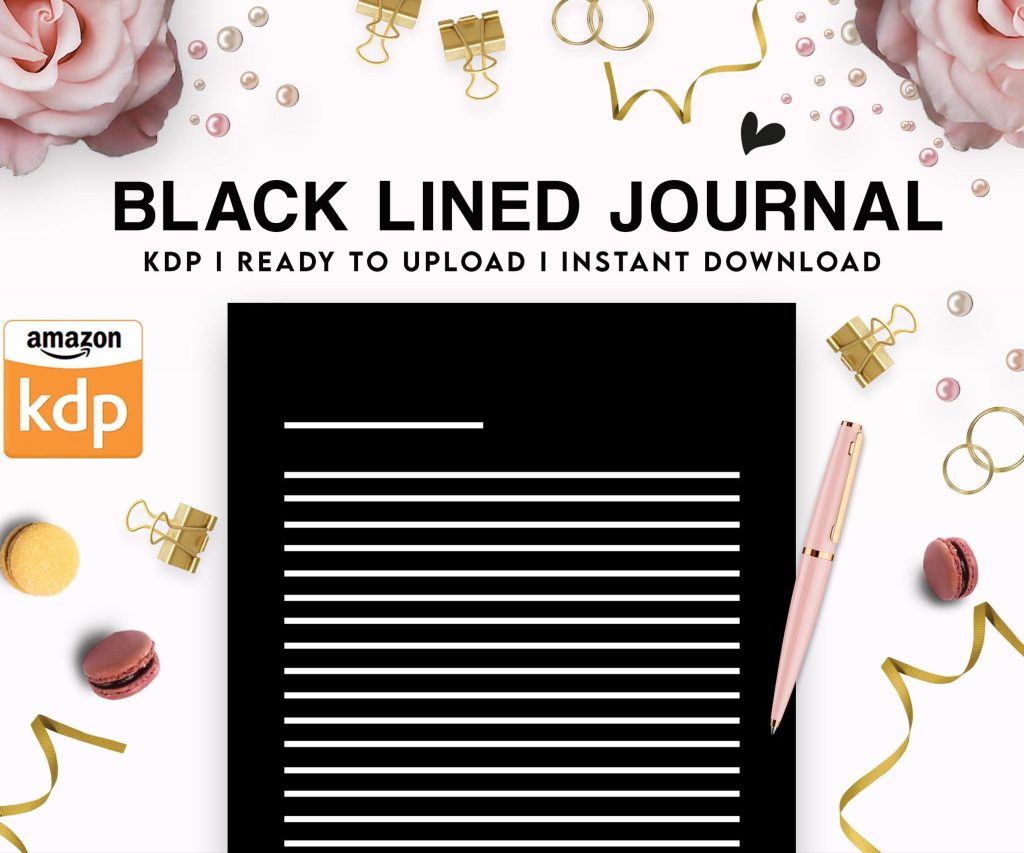 Black Lined Journal: 120 Pages of Black Lined Paper Perfect for Journaling, KDP Notebook Template - 6×9
1 × $0.00
Black Lined Journal: 120 Pages of Black Lined Paper Perfect for Journaling, KDP Notebook Template - 6×9
1 × $0.00
Subtotal: $0.00
 Black Lined Journal: 120 Pages of Black Lined Paper Perfect for Journaling, KDP Notebook Template - 6×9
1 × $0.00
Black Lined Journal: 120 Pages of Black Lined Paper Perfect for Journaling, KDP Notebook Template - 6×9
1 × $0.00 Subtotal: $0.00

Okay so here’s the deal with building an actual Kindle business because I see so many people starting this completely backwards and wondering why they’re not making money after three months.
First thing – and I cannot stress this enough – you need to stop thinking about this as “writing books” and start thinking about it as product development. That shift in mindset literally changed my entire approach back in like 2018. I was pumping out coloring books thinking volume was the answer and making maybe $300 a month. Then I started treating each book like a product with market research, competitor analysis, all that stuff, and suddenly things clicked.
Most people skip this part because it’s boring but it’s literally where 80% of your success comes from. You gotta use tools like Publisher Rocket or Helium 10 to find niches that actually have demand. I usually spend about 2-3 hours researching before I even think about creating anything.
What you’re looking for is that sweet spot – decent search volume (at least 3k-5k searches per month) but not so competitive that you’re fighting 50,000 other books. BSR under 100k in the paid store is usually a good sign there’s money being made.
Oh and another thing – don’t just look at one keyword. Build out a whole keyword map. Like if you’re doing a planner, you want to know all the related terms people search for. “Daily planner” “productivity planner” “goal setting planner” – map out maybe 20-30 related keywords and see which ones have the best opportunity.
So there’s basically two paths here and honestly you probably want to do both eventually but start with one.
Low-content books are things like journals, planners, notebooks, logbooks. These are easier to produce but the market is insanely saturated. I still make about $8k-$12k monthly from low-content but I have like 150+ books and it took years to build that catalog.
The advantage is you can create these fast. I can knock out a decent journal interior in like 4-6 hours using BookBolt or Tangent Templates. Cover design maybe another 2-3 hours if I’m doing it myself in Canva or hiring someone on Fiverr for $15-30.
Content books (actual ebooks with written content) take way more time but there’s less competition in specific niches. I’ve got a series of beginner guides in a hobby niche that consistently makes $2k-3k monthly from just 8 books. But each one took me like 40-60 hours to research and write or I paid ghostwriters $200-500 per book.
Alright so once you’ve found your niche, you gotta actually make the thing. For low-content interiors, I use a mix of tools. BookBolt is like $10 monthly and honestly worth it just for the interior templates alone. You can customize them enough that they don’t look like everyone else’s.
For covers, here’s what actually works – you need to look professional but also stand out in thumbnails. Remember people are seeing your cover at like 120 pixels wide on mobile. I screwed this up for my first year using these elaborate designs that looked great full-size but were mud in thumbnail view.
Use bold text, high contrast colors, and for the love of everything don’t use more than 2-3 fonts. I see people using like 5 different fonts and it just looks messy.
Wait I forgot to mention – always check the top 10 books in your category and see what the visual patterns are. Not to copy them but to understand what buyers expect. If all the top planners use floral covers, there’s a reason. You can differentiate but you gotta stay within the general aesthetic buyers expect.
This is gonna sound weird but formatting is where a lot of people mess up and get rejections. Amazon is super picky about margins, bleeds, all that technical stuff.
For paperbacks, you need to use their templates. Download the Word template for your trim size or use the KDP Cover Creator for covers. I wasted so much time trying to do custom sizes before I realized Amazon’s templates just… work. They’re designed specifically for their printing specs.
Interior margins – always use at least 0.5 inches on all sides, but for books over 150 pages you need wider inside margins (like 0.75-1 inch) because of the binding. Nobody tells you this and then you get a proof copy where half the text disappears into the spine.
For ebooks, convert everything to EPUB or use Kindle Create. DOC files can work but they’re unpredictable. I learned this after publishing an ebook where all my formatting went completely haywire because I just uploaded a Word doc.
Okay so you get 7 keyword boxes on KDP and most people waste them. Here’s my approach after testing like hundreds of different strategies.
Don’t use single words. “Planner” as a keyword is useless. Use 2-4 word phrases that are specific. “Undated daily planner women” or “productivity planner for entrepreneurs” – these actually help you show up in specific searches.
And don’t repeat words across your 7 keyword slots if you can help it. Amazon’s algorithm is smart enough to mix and match. So if you use “daily planner” and “goal setting journal” in different slots, you’ll potentially show up for “daily goal setting planner” too.
Categories matter too but Amazon only lets you pick two during upload. Then you gotta email KDP support to get added to more categories. I usually aim for 6-8 categories per book. More visibility = more chances for sales.
Everyone obsesses over pricing but honestly it’s pretty straightforward. For low-content books, $6.99-$8.99 is the sweet spot for most formats. You make about $2-3 per sale depending on page count.
Ebooks can be cheaper – $2.99-$4.99 for shorter guides works well. You get 70% royalty between $2.99-$9.99 which is why most people price in that range.
But here’s something I tested last year – slightly higher prices can actually increase sales sometimes because people perceive more value. I had a planner at $7.99 selling maybe 3 copies a day. Raised it to $8.99 and sales went to 4-5 per day. Not sure if that’s universal but it worked for that specific product.
So you’ve got your book uploaded, everything looks good. Now what? Just waiting for sales is not a strategy I learned the hard way.
Run Amazon ads from day one. I know ads are scary and confusing but you gotta get some velocity going. Start with automatic campaigns at like $5-10 daily budget. Let it run for a week and see what keywords Amazon finds for you.
Then create manual campaigns targeting those keywords that actually converted. This is basic stuff but it works. I’m spending about $400-600 monthly on ads now across my catalog and it generates like $2k-3k in additional sales.
Oh and another thing – reviews matter so much. You need to get those first 5-10 reviews quickly. I use advanced reader teams where you give away copies to people who might review. It’s totally within Amazon’s TOS as long as you’re not paying for reviews or telling people what to say.
After you get your first few books up and making some money, you gotta think about systematizing. This isn’t sustainable if you’re doing every single step yourself forever.
I started outsourcing cover design around book 20. Then interiors around book 50. Now I have a team of like 3-4 freelancers I work with regularly. A cover designer who charges $25-40 per cover, an interior formatter who does low-content books for $20-30, and a couple ghostwriters for content books.
Your job becomes more about research, strategy, and managing the business rather than actually creating every product. That’s when you can really scale.
Look, I’m gonna be real with you because I see so many people quit after two months thinking this doesn’t work. My first six months I made maybe $500 total. It took a full year to hit $2k monthly consistently. Now I’m at $15k-25k depending on the month but I have over 200 products and I’ve been doing this for 7+ years.
This is not passive income at first. It’s very active. You’re researching, creating, uploading, managing ads, testing prices, getting reviews. It becomes more passive once you have a catalog of 50+ books that are all bringing in money consistently.
Also Amazon changes stuff all the time. They update their algorithms, their ad platform, their content guidelines. You gotta stay informed and adapt. I’m in like three Facebook groups and follow several KDP blogs just to keep up with changes.
Once you’ve got the basics down, there’s so many ways to expand. Hardcover versions of your paperbacks usually sell at higher prices with better margins. Large print editions for certain niches. Bundling books together.
I’ve also started doing merchandise through Merch by Amazon – shirts, mugs, phone cases with designs related to my book niches. It’s all connected to the same Amazon account and cross-promotes.
Some people do audiobooks through ACX but honestly I haven’t gone deep into that yet. It’s on my list for 2024 though because the margins can be good if you find the right narrator.
The key is to build an actual publishing business not just “make a book and hope.” Think about your catalog as a portfolio of products that work together. Series work really well for this – if someone buys book 1 and likes it, they’ll buy books 2, 3, 4.
Wait I should mention – track everything in a spreadsheet. Every book’s production cost, launch date, monthly sales, ad spend, royalties. I use a simple Google Sheet and update it monthly. You need this data to see what’s actually working and what’s just eating up time without returns.
My dog just knocked over my coffee but anyway – the main thing is just start. Your first book will probably not be great and that’s fine. My first 20 books were honestly pretty rough looking back. But you learn by doing and each one gets better. Just pick a niche this week, create something, and get it uploaded. Then do another one. That’s literally how you build this thing.

DISCOVER OUR FREE BEST SELLING PRODUCTS
Editable Canva Lined Journal: Express Your Thoughts – KDP Template
Lined Pages Journal 120 pages Ready to Upload PDF Commercial Use KDP Template 6×9 8.5×11 5×8 for Notebooks, Diaries, Low Content
Lined Pages Journal 120 pages Ready to Upload PDF Commercial Use KDP Template 6×9 8.5×11 5×8 for Notebooks, Diaries, Low Content
Cute Dogs Coloring Book for Kids | Activity Book | KDP Ready-To-Upload
Daily Planner Diary : Diary Planners for Everyday Productivity, 120 pages, 6×9 Size | Amazon KDP Interior
Wolf Coloring KDP interior For Adults, Used as Low Content Book, PDF Template Ready To Upload COMMERCIAL Use 8.5×11"
Coloring Animals Head Book for Kids, Perfect for ages 2-4, 4-8 | 8.5×11 PDF
Printable Blank Comic Book Pages PDF : Create Your Own Comics – 3 Available Sizes
Notes KDP interior Ready To Upload, Sizes 8.5×11 6×9 5×8 inch PDF FILE Used as Amazon KDP Paperback Low Content Book, journal, Notebook, Planner, COMMERCIAL Use
Black Lined Journal: 120 Pages of Black Lined Paper Perfect for Journaling, KDP Notebook Template – 6×9
Student Planner Journal 120 pages Ready to Upload PDF Commercial Use KDP Template 6×9" 8.5×11" for Low Content book
Recipe Journal Template – Editable Recipe Book Template, 120 Pages – Amazon KDP Interior