
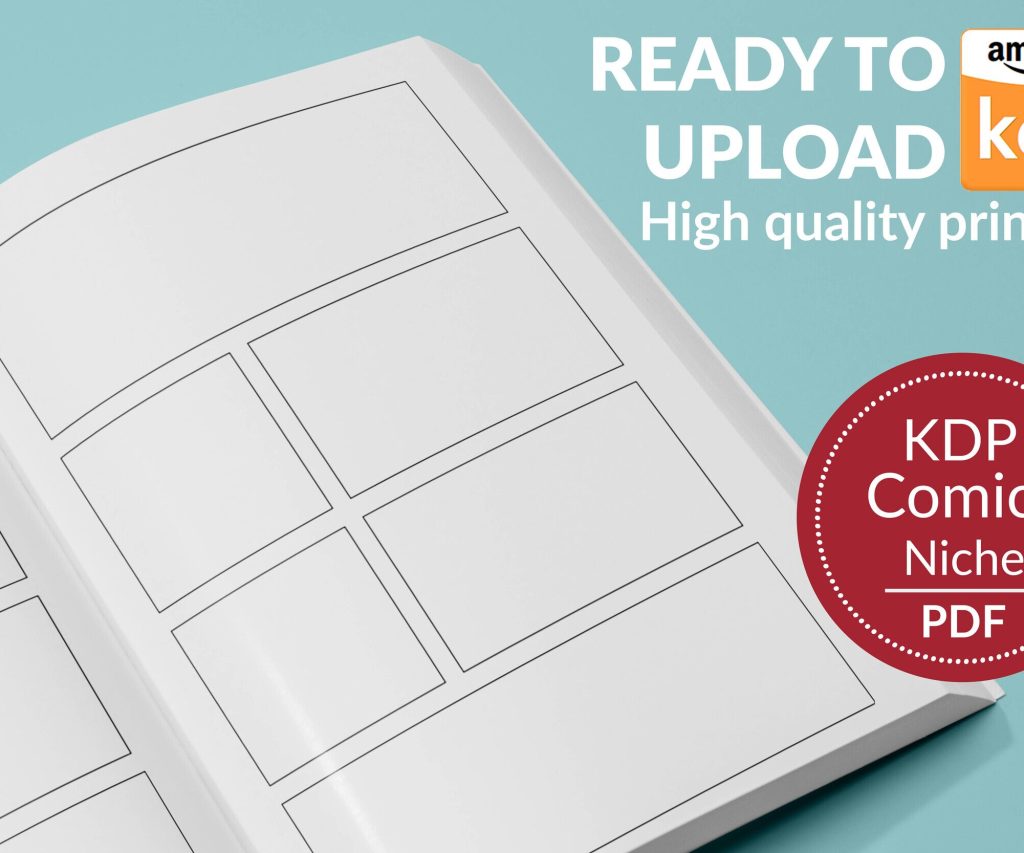
 Printable Blank Comic Book Pages PDF : Create Your Own Comics - 3 Available Sizes
 Subtotal: $0.00
Amazon KDP guide, KDP book publishing
Amazon Kindle Direct Publishing Cost: Hidden Fees Revealed
21
May
May
Okay so here’s the thing about KDP costs that nobody really tells you upfront – Amazon makes it sound completely free but there’s like… layers to this that’ll hit your wallet if you’re not paying attention.
First off yeah publishing is technically free. You upload your manuscript, slap a cover on it, and boom it’s live. But that’s kinda like saying cooking dinner is free because you own a stove, you know? The actual reality is way more complicated and I learned this the hard way back in 2017 when I thought I was being so smart.
The Printing Cost Nobody Explains Properly
So for paperbacks this is where it gets messy. Amazon charges you a printing cost that comes directly out of your royalty. They calculate it based on page count and ink type – black and white is obviously cheaper than color. The formula is like $0.85 for a paperback plus $0.012 per page for black ink or $0.06 per page for color.
I was watching this documentary about printing presses last week and it made me realize how much Amazon is actually making on this but anyway…
Here’s what that actually means. Say you’ve got a 200-page book. That’s $0.85 + (200 x $0.012) = $3.25 printing cost. Amazon takes that OFF THE TOP before you see any royalty. So if you price your book at $9.99 and you’re on the 60% royalty plan, you’re not getting $5.99. You’re getting $5.99 minus $3.25 = $2.74 per sale.
And this is where people mess up constantly – they price their books too low thinking they’re being competitive but then they’re making like fifty cents per sale and wondering why they can’t pay rent.
The Expanded Distribution Tax
Oh and another thing – if you tick that expanded distribution box (which sends your book to libraries and bookstores theoretically), your royalty drops to 40% instead of 60%. Amazon doesn’t exactly highlight this. I had expanded distribution turned on for like eight months on one of my planners before I realized I was leaving money on the table for literally three extra sales.
ISBNs Are Technically Optional But Also Not Really
Amazon gives you free ISBNs which sounds great until you realize they own those numbers. If you ever want to sell anywhere besides Amazon you gotta start over with a new ISBN.
Buying your own ISBNs costs money though. In the US it’s like $125 for one or $295 for ten through Bowker. I always tell people to buy the ten-pack because you’re gonna need multiple eventually – different formats count as different books (ebook vs paperback vs hardcover).
Wait I forgot to mention – if you’re in other countries this varies wildly. Canada they’re free from the government. UK charges. It’s a whole thing.
Cover Design Is Where Everyone Bleeds Money
You can technically make covers yourself using KDP’s cover creator tool but let’s be real those look exactly like what they are – free template covers. I tried this for my first three books and sales were absolutely dismal.
Decent pre-made covers run $50-150 on places like GoOnWrite or SelfPubBookCovers. Custom covers start around $200 and go up to like… I’ve seen people pay $2000 which is insane to me but different markets I guess.
For low-content books like journals and planners you can usually get away with simpler designs. I use Canva Pro ($120/year) and make most of my own now but it took probably six months to get decent at it. My cat keeps walking across my keyboard when I’m designing which has led to some interesting accidental color choices actually.
The Typography Problem
Fonts are another hidden cost. Commercial licenses for fonts can run $20-$500 depending on what you need. A lot of “free” fonts aren’t actually licensed for commercial use. I got a scary email once from a font foundry because I’d used something in a book cover that I thought was free but wasn’t. Had to pay $85 for the retroactive license.
Creative Fabrica has a subscription ($6-10/month) with commercial licenses included which is what I use now for both fonts and graphics.
Formatting Costs That Sneak Up On You
You can format books yourself in Word or Google Docs but it’s tedious and honestly kinda technical if you want it to look professional. Vellum is the gold standard for formatting – $250 for ebooks only or $350 for ebooks and print. Mac only though which is annoying.
Atticus is newer and works on PC, about $150 one-time. I switched to this last year and it’s pretty solid.
Or you can hire formatters on Fiverr or Reedsy – usually $50-200 per book depending on complexity. For low-content books this matters less since you’re usually working with simpler interiors.
Delivery Fees For Ebooks That Make No Sense
This is gonna sound weird but Amazon charges delivery fees on ebooks based on file size. It’s $0.15 per megabyte on the 70% royalty option. For text-only books this is negligible like maybe $0.01-0.03. But if you’ve got a photography book or something with lots of images you can easily hit $3-5 in delivery fees.
And here’s the kicker – this only applies if you choose 70% royalties. The 35% royalty option has no delivery fee. So sometimes depending on your file size and price point you actually make MORE money on the 35% option which is completely backwards from what you’d think.
I spent a whole weekend last month running calculations on this for a recipe book with tons of photos. The math got ridiculous.
The 70% Royalty Trap
Speaking of which – that 70% royalty option has requirements most people don’t fully read. Your book has to be priced between $2.99-9.99. It has to be available in specific territories. And Amazon can price-match it down if they find it cheaper elsewhere and you still only get 70% of their reduced price not your list price.
The 35% option lets you price from $0.99 up to $200 with no restrictions. For box sets or special editions this matters.
Advertising Costs Are The Real Monster
Okay so this isn’t technically a “publishing” cost but you basically can’t succeed on KDP anymore without running Amazon ads. Like yes some people get organic traction but it’s rare and getting rarer.
Amazon ads are pay-per-click. You bid on keywords and pay when someone clicks – whether they buy or not. CPCs (cost per click) range from like $0.10 to over $3.00 depending on your niche.
For fiction especially romance or thriller you’re looking at $0.40-0.80 per click typically. For low-content in competitive niches like planners or journals it can hit $1-2 per click. Non-fiction varies wildly.
I budget about $300-500/month in ad spend across my catalog now. When I was starting out I tried to do $5/day which is $150/month and it was honestly too little to generate useful data.
The ACoS Nightmare
ACoS is “Advertising Cost of Sale” – basically what percentage of your revenue goes to ads. You want this under 50% ideally under 30%. But when you’re launching new books you’re often running at 70-100% ACoS or even losing money just to get visibility and reviews.
I had one planner that ran at 85% ACoS for the first two months before finally finding profitable keywords. Lost like $400 but then it became profitable and has made back that plus $3k so… worth it? But you gotta have runway money.
Software Subscriptions Add Up Fast
Beyond the obvious ones I mentioned there’s all these tools people say you “need”:
- Publisher Rocket for keyword research – $97 one-time
- Book Bolt for low-content research and creation – $10-30/month
- Helium 10 if you’re doing keyword stuff – $29-99/month
- Grammarly Premium for editing – $12/month
- ProWritingAid as alternative – $120/year
You don’t actually need all of these. I rotate through them honestly. Like I’ll subscribe to something for a month, do a bunch of research, then cancel until I need it again.
The Editing Cost You Can’t Skip
For actual books with words (not low-content) you really gotta hire an editor. Proofreading runs $0.01-0.02 per word typically. Copy editing is $0.02-0.04 per word. Developmental editing can be $0.05-0.10 per word.
So a 60,000-word novel could cost:
– Proofreading: $600-1200
– Copy editing: $1200-2400
– Developmental editing: $3000-6000
Yeah it’s expensive. Some people use beta readers and editing software to cut costs. I’m gonna be honest – my first few books had typos because I couldn’t afford proper editing. Sales reflected that.
For low-content books this doesn’t apply obviously since there’s minimal text.
The Review Copy Cost Nobody Mentions
You need reviews to succeed. Getting reviews means sending out review copies. For ebooks this is “free” – you just use Amazon’s author copies or send files. For paperbacks you’re paying printing cost plus shipping for each review copy.
I usually send out 10-20 print copies when launching a paperback. At $3-5 per book printing plus $4-6 shipping… that’s $70-220 right there. And maybe half of people actually leave reviews so the cost per review is actually doubled.
ARC Services
Some people use ARC (advance review copy) services like NetGalley or BookSirens. NetGalley is expensive – like $450 for a single title listing. BookSirens is cheaper at $20-40 depending on the plan.
I’ve had mixed results with these honestly. Better response rate than cold outreach but still not amazing.
International Marketplace Withholding
Wait I forgot to mention earlier – if you’re selling in international Amazon marketplaces (.co.uk, .de, .fr etc) there’s tax withholding unless you fill out tax forms.
For the UK they withhold 20% VAT. For other EU countries it varies. You can get this reduced or eliminated with proper tax documentation but it’s paperwork and sometimes you need tax ID numbers from foreign countries which costs money to obtain.
I just eat the withholding on most international sales because it’s not worth the hassle for the volume I do there. But if you’re huge internationally this matters.
The Kindle Unlimited Calculation
KU pays per page read from a shared fund. Currently it’s around $0.004-0.005 per page. So a 200-page book fully read earns about $0.80-1.00.
People think KU is free money but you have to be exclusive to Amazon – no selling on Apple Books, Kobo, etc. So there’s an opportunity cost. Plus KU borrows often cannibalize sales. I had a book that sold 50 copies/month before KU and after enrolling it got 500 borrows but only 10 sales. Revenue went down actually.
It’s complicated math that depends on your genre and price point.
The Hidden Time Cost
This isn’t money directly but your time has value right? Learning KDP, formatting books, creating covers, researching keywords, managing ads… I probably spent 200+ hours before making my first dollar.
Even now I spend 10-15 hours per week managing my catalog. If you value your time at even minimum wage that’s significant cost that doesn’t show up on any invoice.
Some people outsource everything which costs more upfront but saves time. Others DIY everything which saves money but costs time. There’s no right answer it depends on your situation.
Random Other Stuff That Cost Me Money
Trademark searches before settling on pen names or series names – $50-100 per search through USPTO or hiring someone.
Business entity setup if you form an LLC – $100-500 depending on state plus annual fees.
Accounting software or bookkeeper – I use QuickBooks Self-Employed at $15/month.
Website hosting and domain if you build an author site – $50-200/year.
Email marketing software once you build a list – starts free but scales with subscribers. Mailchimp, ConvertKit, whatever.
Stock photos for marketing or book interiors – $10-50 per image unless you subscribe to a service.
The costs genuinely never stop. But the thing is once you’ve got systems and a backlist working, the marginal cost of each new book goes down. My first book probably cost $1500 all-in. Now I can launch a low-content book for under $100 because I have templates and workflows and existing ads I can leverage.
Just gotta get over that initial hump which honestly sucks but it’s reality.
DISCOVER OUR FREE BEST SELLING PRODUCTS
Editable Canva Lined Journal: Express Your Thoughts – KDP Template
Lined Pages Journal 120 pages Ready to Upload PDF Commercial Use KDP Template 6×9 8.5×11 5×8 for Notebooks, Diaries, Low Content
Lined Pages Journal 120 pages Ready to Upload PDF Commercial Use KDP Template 6×9 8.5×11 5×8 for Notebooks, Diaries, Low Content
Cute Dogs Coloring Book for Kids | Activity Book | KDP Ready-To-Upload
Daily Planner Diary : Diary Planners for Everyday Productivity, 120 pages, 6×9 Size | Amazon KDP Interior
Wolf Coloring KDP interior For Adults, Used as Low Content Book, PDF Template Ready To Upload COMMERCIAL Use 8.5×11"
Coloring Animals Head Book for Kids, Perfect for ages 2-4, 4-8 | 8.5×11 PDF
Printable Blank Comic Book Pages PDF : Create Your Own Comics – 3 Available Sizes
Notes KDP interior Ready To Upload, Sizes 8.5×11 6×9 5×8 inch PDF FILE Used as Amazon KDP Paperback Low Content Book, journal, Notebook, Planner, COMMERCIAL Use
Black Lined Journal: 120 Pages of Black Lined Paper Perfect for Journaling, KDP Notebook Template – 6×9
Student Planner Journal 120 pages Ready to Upload PDF Commercial Use KDP Template 6×9" 8.5×11" for Low Content book
Recipe Journal Template – Editable Recipe Book Template, 120 Pages – Amazon KDP Interior