
-
×
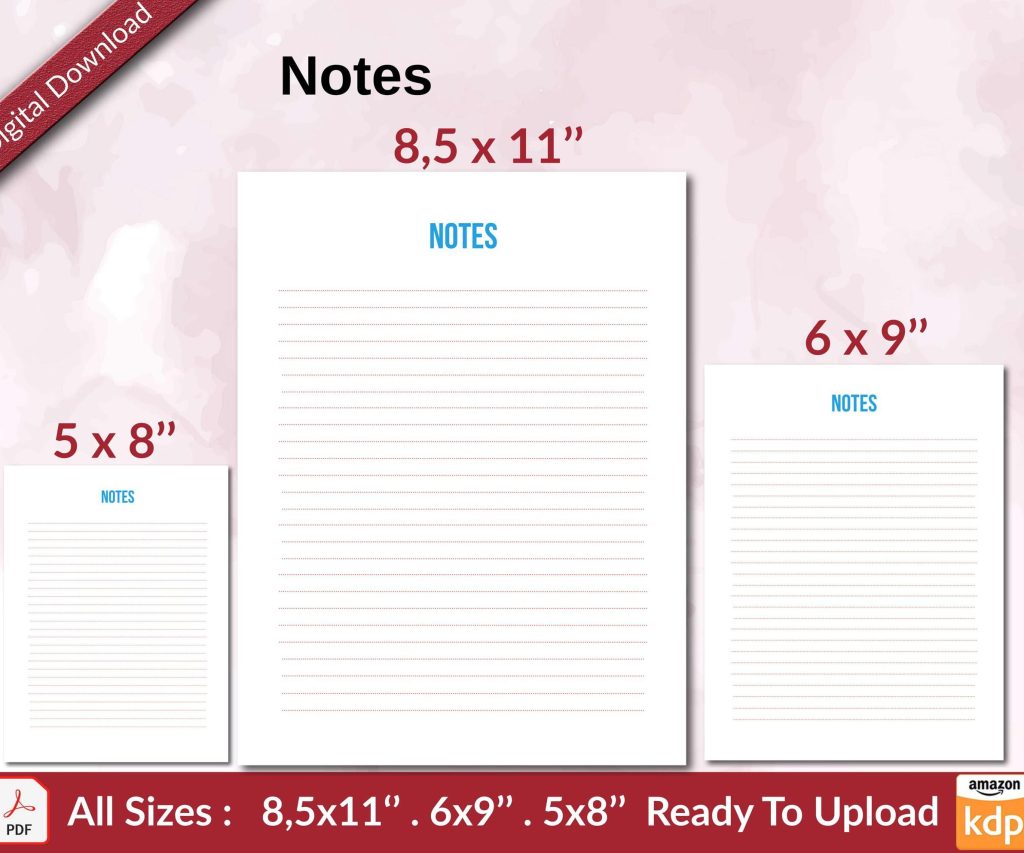 Notes KDP interior Ready To Upload, Sizes 8.5x11 6x9 5x8 inch PDF FILE Used as Amazon KDP Paperback Low Content Book, journal, Notebook, Planner, COMMERCIAL Use
1 × $0.00
Notes KDP interior Ready To Upload, Sizes 8.5x11 6x9 5x8 inch PDF FILE Used as Amazon KDP Paperback Low Content Book, journal, Notebook, Planner, COMMERCIAL Use
1 × $0.00
Subtotal: $0.00
Okay so the biggest advantage nobody really talks about is the speed, like you can literally have a book live on Amazon in less than 48 hours if you know what you’re doing. I published a journal last Tuesday around 11pm because I couldn’t sleep and it was live Wednesday afternoon. Traditional publishing? You’re looking at 12-18 months minimum, and that’s if someone even accepts your manuscript.
The royalty structure is honestly pretty straightforward once you wrap your head around it. You get 70% royalties on ebooks priced between $2.99 and $9.99, but there’s delivery costs they deduct based on file size. For anything outside that range or in certain countries, you’re at 35%. Paperbacks through KDP Print are different – you get 60% of list price minus printing costs. So like a 120-page paperback might cost $2.50 to print, you price it at $8.99, you’re getting roughly $3.89 per sale. The math gets easier after you do it a few times.
Wait I forgot to mention – you retain 100% of your rights. This is huge. Traditional publishers want everything, your firstborn, global rights, audio, translation, the whole thing. With KDP you can pull your book tomorrow if you want, publish it somewhere else, make it into a course, whatever. You own it.
The whole KDP Select thing confuses people but here’s the deal. If you enroll in Select, your ebook has to be exclusive to Amazon for 90 days. In return you get access to Kindle Unlimited borrows (you get paid per page read), free promo days, and Countdown Deals. I’ve made like $4,000 in a single month just from KU page reads on a coloring book, which sounds insane but those pages add up. The current rate fluctuates but it’s around $0.004 per page read.
Is Select worth it? Depends on your genre honestly. Romance and sci-fi authors kill it in KU because readers binge series. My low-content books do really well there too – planners, journals, logbooks. But if you’re writing business non-fiction or something super niche, you might make more going wide to Apple Books, Kobo, Barnes & Noble. I usually test both ways.
Oh and another thing about the dashboard – it’s not as intuitive as it should be but you get used to it. Your sales reports update every few hours, not real-time, which drove me crazy at first. I’d refresh like a maniac at 3am wondering why numbers weren’t moving. They batch process everything. Royalties get paid about 60 days after the end of the month, direct deposit or check, minimum threshold is $10 for direct deposit or $100 for checks.
The categories thing is where most people mess up. Amazon only lets you choose two categories when you upload, but you can email KDP support and request up to 10 total. This is basically free visibility. I’ve got a fitness journal sitting in like 8 different categories right now. Just email them with your ASIN and the category paths you want. They usually do it within 24 hours.
Keywords are the other half of discoverability and you get seven keyword phrases. Don’t waste them on single words – use the full phrase. Instead of “recipes” use “quick dinner recipes for busy families” or whatever. Think about what someone would actually type into the search bar at 6pm on a Wednesday when they’re tired. Amazon’s algorithm looks at your keywords, your categories, your sales velocity, and your reviews to determine where you rank.
This is gonna sound weird but I learned more about keywords from watching my cat knock stuff off my desk than from any course. Like she’s persistent, tries different angles, doesn’t give up. Same with keyword research – you gotta try different combinations, see what sticks, pivot when something doesn’t work. I use Publisher Rocket mostly, costs like $97 one-time, shows you search volume and competition for keywords.
The cover thing is non-negotiable. Your cover needs to look professional and it needs to work as a thumbnail because 90% of people see it tiny on their phone. I spent years trying to design my own covers in Canva and my sales were trash. Started paying $50-150 for professional covers from designers on Fiverr or 99designs and sales jumped immediately. We’re talking like 3x-4x increase just from a better cover.
Interior formatting depends on what you’re publishing. For ebooks you want clean, simple formatting. I use Vellum for fiction ebooks – it’s Mac only and costs $249 but it’s worth every penny if you’re serious. For low-content books I’m usually designing in PowerPoint or Adobe InDesign, exporting to PDF. KDP has free templates too which work fine for beginners.
Oh wait, paperback setup is different than ebook. You gotta account for bleed (that’s the extra 0.125 inches on all sides that gets trimmed), and your spine width changes based on page count and paper type. Amazon has a cover calculator that does the math for you. I still mess this up sometimes and have to reupload. Just last month I published a planner and forgot to extend my design elements into the bleed area – looked like crap when it printed with white borders everywhere.
The proof copy thing – always always order a physical proof before you approve it for sale. It’s like $5 plus shipping. I’ve caught so many issues this way. Text too close to the margins, colors printing darker than they looked on screen, weird pixelation. Screen RGB and print CMYK are different color modes and what looks good on your monitor might look muddy in print.
One advantage people don’t think about is the global reach. Your book is automatically available in Amazon stores across like 15 countries. I’ve sold journals to people in Japan, Germany, Australia, places I’ll never visit. Amazon handles all the currency conversion and tax stuff. You do need to fill out tax information – if you’re in the US that’s a W-9, outside the US it’s a W-8BEN. Takes like 5 minutes.
Marketing is where it gets tricky because Amazon doesn’t do it for you unless you’re already selling a ton. You gotta drive your own traffic at first. Amazon ads work well if you know what you’re doing – I typically run Sponsored Product ads at like $5-10/day budget, targeting competitor ASINs or relevant keywords. There’s a learning curve though and you can burn through money fast if you’re not watching your ACoS (advertising cost of sale).
The review situation is… look, reviews matter a lot for ranking and conversions. A book with 50 reviews sells way better than the same book with 3 reviews. But Amazon’s strict about how you get them. You can’t offer incentives, can’t ask family members (they track IP addresses), can’t swap reviews with other authors. Basically you gotta actually provide value and hope people leave honest reviews. I use the “Request a Review” button in my KDP dashboard for every sale – it’s a one-click thing and Amazon sends a templated email. Gets me maybe 1 review per 50 requests.
This probably sounds overwhelming but here’s the thing – you can start with literally one book. Test the whole process. I tell everyone to start with something simple, like a notebook or a guided journal or a short ebook on something you know. Get it published, see how the system works, then scale up. My first KDP book was a fishing log book that took me maybe 4 hours to make and it still sells a few copies every month three years later.
The passive income aspect is real but also kinda overhyped. Yeah, I’ve got books that I published in 2019 that still generate sales without me touching them. But the market’s also way more competitive now than it was even two years ago. You gotta keep publishing new stuff, updating old stuff, staying relevant. I’ve got like 200+ books live right now and maybe 30 of them generate 80% of my income.
Series work really well for keeping that momentum. If someone buys book one of your planner series or your recipe collection or whatever, they’re more likely to buy book two and three. Plus Amazon’s “also bought” algorithm starts recommending your other books to people. I’ve got a whole series of activity books for kids that just feed into each other.
Seasonal stuff is another strategy – publish planners in October/November for the new year rush, publish summer activity books in March/April, publish Halloween stuff in August. You gotta think a few months ahead because it takes time to gain traction. I’m literally working on 2026 planners right now in my basement while watching The Office for the hundredth time.
The analytics Amazon provides are pretty detailed once you dig in. You can see which keywords are driving sales, which ad campaigns are profitable, geographic data, all of it. I check my dashboard probably too much, like multiple times a day. It’s addicting seeing the numbers update.
Pricing strategy matters more than people think. You can price lower to gain reviews and rank, then raise prices later. Or price high and position yourself as premium. I’ve experimented with both. Generally for low-content I’m in the $6.99-9.99 range for paperbacks, $2.99-4.99 for ebooks. But I’ve got some specialized planners at $14.99 that sell fine because the perceived value is there.
The content itself doesn’t have to be revolutionary. Seriously. My best-selling book is a mileage log for tracking car trips. Super basic, nothing fancy, but people need it and it solves a problem. That’s really what you’re doing – finding problems people will pay $7 to solve. Travel journals, password logbooks, budget planners, gratitude journals, all that stuff sells consistently.
Customer service is mostly automated through Amazon but occasionally you’ll get contacted about an issue. Like someone’s book arrived damaged or they can’t download their ebook. Amazon handles returns and refunds automatically – you don’t lose your royalty if it’s within the return window but after that it’s on Amazon. Honestly the customer support side is pretty hands-off for publishers.
Updates and revisions are easy – you can upload a new version anytime. Fix typos, update content, refresh your cover, whatever. The new version usually goes live within 72 hours and replaces the old one. Your reviews and rank stay the same. I update my annual planners every year with new dates, takes maybe an hour per book.
One thing I gotta mention – the rules. Amazon’s really strict about copyright, trademarks, prohibited content. Don’t use brand names you don’t own, don’t copy other people’s interiors, don’t publish anything illegal or offensive. They’ll terminate your account and keep your royalties. I’ve seen it happen. Just stay in your lane and create original content.
The community aspect is underrated too. There’s Facebook groups, Reddit communities, Discord servers full of other KDP publishers sharing what’s working. I’ve learned so much just from lurking and asking questions. People are surprisingly helpful once you get past the gurus trying to sell courses.
Honestly the biggest advantage is the low barrier to entry. You don’t need an agent, a publisher, connections, nothing. Just an Amazon account and something to publish. I started this whole thing seven years ago with zero experience and figured it out as I went. Made plenty of mistakes, wasted money on bad covers and failed ads, but eventually got the hang of it. Now it’s a legit income stream that keeps growing.
DISCOVER OUR FREE BEST SELLING PRODUCTS
Editable Canva Lined Journal: Express Your Thoughts – KDP Template
Lined Pages Journal 120 pages Ready to Upload PDF Commercial Use KDP Template 6×9 8.5×11 5×8 for Notebooks, Diaries, Low Content
Lined Pages Journal 120 pages Ready to Upload PDF Commercial Use KDP Template 6×9 8.5×11 5×8 for Notebooks, Diaries, Low Content
Cute Dogs Coloring Book for Kids | Activity Book | KDP Ready-To-Upload
Daily Planner Diary : Diary Planners for Everyday Productivity, 120 pages, 6×9 Size | Amazon KDP Interior
Wolf Coloring KDP interior For Adults, Used as Low Content Book, PDF Template Ready To Upload COMMERCIAL Use 8.5×11"
Coloring Animals Head Book for Kids, Perfect for ages 2-4, 4-8 | 8.5×11 PDF
Printable Blank Comic Book Pages PDF : Create Your Own Comics – 3 Available Sizes
Notes KDP interior Ready To Upload, Sizes 8.5×11 6×9 5×8 inch PDF FILE Used as Amazon KDP Paperback Low Content Book, journal, Notebook, Planner, COMMERCIAL Use
Black Lined Journal: 120 Pages of Black Lined Paper Perfect for Journaling, KDP Notebook Template – 6×9
Student Planner Journal 120 pages Ready to Upload PDF Commercial Use KDP Template 6×9" 8.5×11" for Low Content book
Recipe Journal Template – Editable Recipe Book Template, 120 Pages – Amazon KDP Interior