
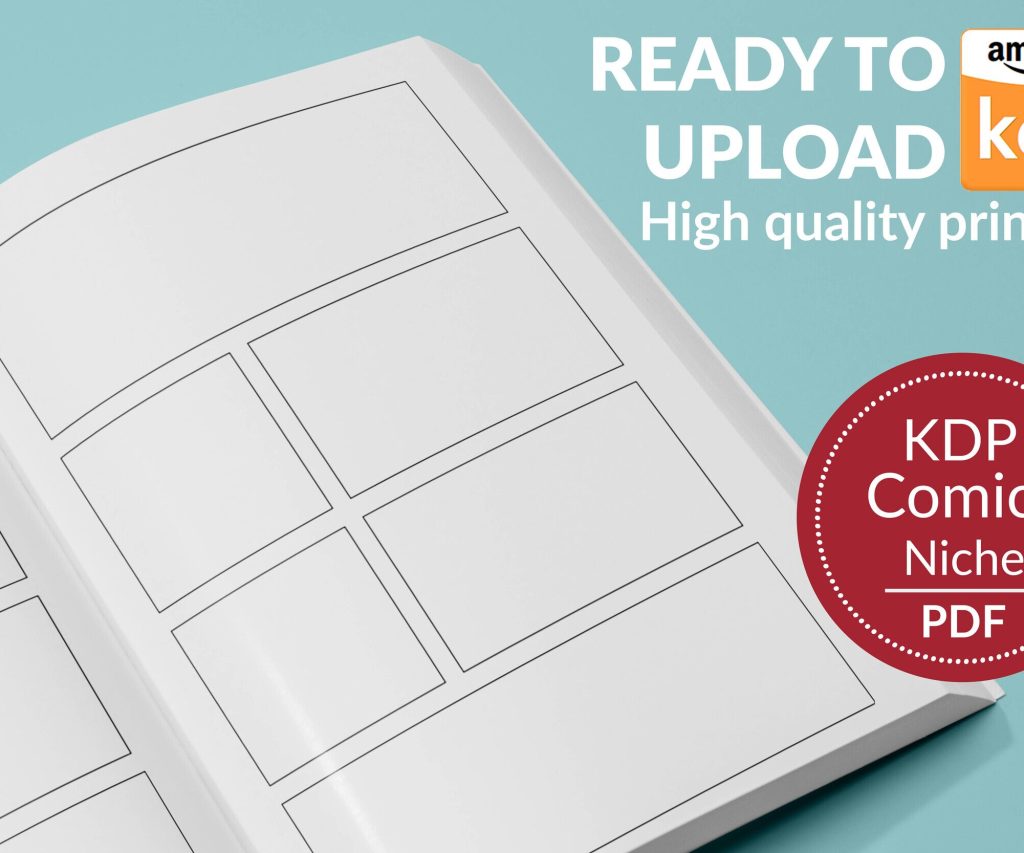
 Printable Blank Comic Book Pages PDF : Create Your Own Comics - 3 Available Sizes
 Subtotal: $0.00
Amazon KDP guide, KDP book publishing
Amazon Kindle Self Publishing: Indie Author Blueprint
23
May
May
Okay so here’s the deal with Kindle self-publishing – I literally just helped someone set up their first book last week and we made like $87 in the first three days which sounds small but that’s actually pretty solid for a complete beginner.
First thing you gotta understand is Amazon KDP isn’t one thing, it’s basically three different business models and people mix them up all the time. You’ve got low-content books (notebooks, planners, journals), you’ve got ebooks (fiction, non-fiction, the stuff people actually read), and then print-on-demand paperbacks. I started with low-content back in 2017 because the barrier to entry was stupid low and I was broke.
Setting Up Your KDP Account The Right Way
So you go to kdp.amazon.com and create an account – straightforward stuff. But here’s where people mess up immediately. They use their personal name for everything when they should be thinking about pen names or publishing company names from day one. I didn’t do this at first and now I’ve got like 40 books under “Daniel Harper” when I should’ve created different author identities for different niches.
The tax interview part freaks everyone out but it’s just a W-9 if you’re in the US. Takes five minutes. They need to know where to send your money and how to report it to the IRS. If you’re international it’s a W-8BEN and there’s tax treaty stuff that honestly I had to Google three times before I understood it.
Payment threshold is $100 for direct deposit or check, but you can get paid via wire transfer at lower amounts if you’re impatient. I always just wait for the $100 because wire fees are annoying.
The Low-Content Path (Easiest Money)
This is where I made my first real income. Low-content books are basically interiors that people fill in themselves – lined notebooks, gratitude journals, password logbooks, that kind of thing. The margins aren’t huge but you can pump out volumes once you have a system.
You need interior templates which you can make in Word or Google Docs honestly, or buy them from places like Tangent Templates or Creative Fabrica. I spent like $200 on a lifetime membership to a template site in 2018 and it’s paid for itself a thousand times over.
Covers are crucial though – way more important than people think. A crappy cover on a notebook will get zero sales even if your interior is perfect. I use Canva Pro ($13/month) for most of my covers now. Before that I was hiring designers on Fiverr for $5-15 per cover which worked fine but took longer.
The title and subtitle game for low-content is all about keywords. Like you can’t just call something “Notebook” – it needs to be “College Ruled Notebook: 120 Pages, 8.5 x 11 inches, Blue Marble Design for Students, School, Work and Office” or whatever. Stuff the subtitle with searchable terms but make it readable.
Ebook Publishing (Where The Real Money Lives)
Okay so funny story – I avoided ebooks for two years because I thought you needed to be a “real writer” and I’m definitely not that. Turns out non-fiction ebooks in specific niches absolutely print money if you know what you’re doing.
The secret is finding a problem people will pay $2.99-$9.99 to solve. I made a stupid ebook about optimizing Etsy listings in 2019 that still makes me $300-500 monthly on autopilot. It’s only 8,000 words. Took me a weekend to write.
For formatting you need to understand that Kindle uses its own format. You can upload a Word doc and it converts it automatically which works fine for basic books. For anything more complex I use Vellum ($250 one-time for Mac, totally worth it) or you can use Draft2Digital’s free formatter which is actually pretty decent.
The cover for an ebook is even MORE important than low-content because it’s the only thing people see when they’re scrolling. Spend money here or learn design yourself. Those $5 premade covers on Creative Market can work if you customize them enough that they don’t look like everyone else’s.
Pricing Strategy That Actually Works
This is where people overthink everything. For low-content books you’re usually pricing between $5.99-$9.99 for a standard notebook. Your royalty is the list price minus Amazon’s cut minus printing costs. A typical 120-page notebook costs about $2.50 to print, so if you price it at $7.99 you’re making maybe $2-3 per sale.
For ebooks the royalty structure is different and honestly more favorable. If you price between $2.99-$9.99 you get 70% royalty (minus a tiny delivery fee based on file size). Below $2.99 or above $9.99 you only get 35%. So there’s a sweet spot.
Most of my ebooks are priced at $4.99 which feels impulse-buy-able but still serious enough that people value it. My low-content stuff is usually $6.99-$7.99 depending on the niche.
Oh and another thing – you can run Kindle Countdown Deals if you’re enrolled in KDP Select (more on that in a sec) where you temporarily discount your book. I’ve had ebooks at $0.99 for three days and made more money from the volume spike than I would’ve at full price because it shoots you up the rankings.
KDP Select vs Going Wide
This is gonna sound weird but this decision matters more than almost anything else. KDP Select means your ebook is exclusive to Amazon for 90 days. In exchange you get access to Kindle Unlimited (people can read your book “free” and you get paid per page read), free promos, countdown deals, and you show up in KU searches.
Going wide means you publish on Amazon, Apple Books, Kobo, Google Play, everywhere. You get more potential readers but way less visibility per platform.
I keep probably 70% of my stuff in KDP Select because honestly Amazon is still where 80% of ebook sales happen in the US. The page reads from KU add up – I make about 40% of my ebook income from page reads. But if you write fiction with an international audience, going wide might make more sense.
Low-content books can’t be in KDP Select anyway so that’s only an ebook decision.
Keywords and Categories (Boring But Critical)
You get seven keyword phrases when you upload. Don’t waste them on obvious stuff. If your book is “Keto Diet Cookbook” you don’t need to use “keto diet cookbook” as a keyword because it’s already in your title.
Use them for related searches people might actually type. Like “low carb recipes for beginners” or “easy ketogenic meal prep” or whatever. I use Publisher Rocket ($97 one-time, used to be called KDP Rocket) to research keywords. There’s a free Chrome extension called KDP Spy that gives you basic data too.
Categories are even weirder because you can only pick two during upload but you can email KDP support and ask to be added to up to eight additional categories. People don’t do this and it’s free visibility. I literally just send an email like “Hey can you add my book to these categories” with the BISAC codes and they do it within 24 hours.
The trick is finding categories that are specific enough that you can rank in the top 20. Being #1 in “Crafts & Hobbies > Needlework > Embroidery” is way better than being #50,000 in “Crafts & Hobbies” overall.
Book Descriptions That Don’t Suck
Your book description is basically a sales page. Don’t write it like a back-cover blurb. Write it like you’re convincing someone to click “buy.”
I use a formula that works pretty consistently:
– Hook (one sentence that grabs attention)
– Problem agitation (remind them why they’re looking for this book)
– Solution preview (what they’ll learn/get)
– Bullet points of benefits or features
– Call to action (scroll up and click buy now)
You can use basic HTML in descriptions – bold, italic, headers, underline. Makes it way more readable than a wall of text. Most people don’t bother with formatting and it shows.
Wait I forgot to mention – your first line of the description is what shows up in search results before people click “read more” so make it count. Don’t waste it on “This is a book about…” Just hook them immediately.
The Content Creation Reality
People ask me all the time how long it takes to make a book. For low-content once you have templates it’s maybe 30-60 minutes per book (mostly cover design and keyword research). For ebooks it depends wildly – I’ve done 3,000-word guides in a day and 20,000-word books that took me three weeks.
You don’t need to write novels. Seriously. Some of my best-selling non-fiction ebooks are under 10,000 words. People want solutions not length.
For low-content I literally have a spreadsheet where I track niche ideas, seasonal opportunities, and competition levels. Right now I’m seeing planner books absolutely dominate in Q4 every year so I load up on those in September-October. Password logbooks sell steady year-round. Gratitude journals spike in January.
My cat keeps walking on my keyboard while I’m working which is super annoying but also she’s cute so whatever.
Marketing Without Spending Your Whole Budget
Amazon PPC ads are the main way to get traction but they’re also a money pit if you don’t know what you’re doing. Start with automatic campaigns at like $5/day and let Amazon figure out what works. After a week or two you’ll have data on which keywords are converting.
Then create manual campaigns with your best keywords. I usually bid $0.30-$0.60 per click depending on the niche. Your ACoS (advertising cost of sale) should ideally be under 40% but honestly for a new book I’m okay with 60-70% just to build momentum and reviews.
Reviews are the hardest part. You need them but you can’t buy them or trade them or do anything shady. I use Amazon’s “Request a Review” button for every sale – it’s built into KDP now and automated. Gets you maybe a 1-3% review rate which is actually decent.
Some people do launch teams where they give the book to friends/family/email list in exchange for honest reviews. That works if you have an audience already. I didn’t when I started so I just grinded it out with ads and patience.
The Actual Numbers You Can Expect
Real talk – most KDP publishers make under $100/month. But that’s because most people upload 1-3 books and give up. If you treat it like an actual business and publish consistently you can absolutely hit $1,000-$5,000 monthly within a year.
My first year I made maybe $3,000 total. Second year was $18,000. Now I’m in the $60k-$120k range annually depending on how much new stuff I publish. This isn’t passive income though – I’m constantly tweaking ads, uploading new books, updating old ones.
Low-content books typically make $50-200 per book per month once they’re ranked. Ebooks are more volatile – I’ve got some that make $10/month and others that make $800/month. The winners subsidize the losers which is fine.
Tools I Actually Use Daily
Besides what I mentioned already:
– Helium 10 for keyword research (overkill but I use it for other stuff too)
– BookBolt for low-content research and listing analysis
– Grammarly because my spelling is terrible
– Google Sheets for tracking everything obsessively
You don’t need any paid tools to start though. Amazon’s own search bar is a free keyword tool – just type in your topic and see what autocompletes. The categories are all browsable on the site. You can design covers in the free version of Canva.
Common Mistakes That Kill Accounts
Amazon will suspend you if you violate their content policies. The big ones are trademark infringement (don’t use brand names in your titles), copyright issues (don’t steal content or images), and public domain confusion (just because something is old doesn’t mean it’s public domain).
I’ve never been suspended but I’ve had books rejected and it’s annoying. Usually it’s because an interior had a word or phrase Amazon’s bots flagged. You just fix it and re-upload.
Also don’t keyword stuff to the point of ridiculousness. Your title needs to be readable by humans not just algorithms. Amazon has cracked down on that in the last couple years.
The other thing is placeholder content – if you’re doing low-content books your interior can’t be totally blank. It needs to have lines or prompts or something. A completely blank interior will get rejected.
So yeah that’s basically the blueprint. Upload books consistently, research keywords before you publish, price strategically, run some ads once you’ve got reviews, and don’t expect overnight success. It’s a volume game combined with continuous optimization. Some of my books from 2019 still sell daily without me touching them which is pretty cool honestly.
DISCOVER OUR FREE BEST SELLING PRODUCTS
Editable Canva Lined Journal: Express Your Thoughts – KDP Template
Lined Pages Journal 120 pages Ready to Upload PDF Commercial Use KDP Template 6×9 8.5×11 5×8 for Notebooks, Diaries, Low Content
Lined Pages Journal 120 pages Ready to Upload PDF Commercial Use KDP Template 6×9 8.5×11 5×8 for Notebooks, Diaries, Low Content
Cute Dogs Coloring Book for Kids | Activity Book | KDP Ready-To-Upload
Daily Planner Diary : Diary Planners for Everyday Productivity, 120 pages, 6×9 Size | Amazon KDP Interior
Wolf Coloring KDP interior For Adults, Used as Low Content Book, PDF Template Ready To Upload COMMERCIAL Use 8.5×11"
Coloring Animals Head Book for Kids, Perfect for ages 2-4, 4-8 | 8.5×11 PDF
Printable Blank Comic Book Pages PDF : Create Your Own Comics – 3 Available Sizes
Notes KDP interior Ready To Upload, Sizes 8.5×11 6×9 5×8 inch PDF FILE Used as Amazon KDP Paperback Low Content Book, journal, Notebook, Planner, COMMERCIAL Use
Black Lined Journal: 120 Pages of Black Lined Paper Perfect for Journaling, KDP Notebook Template – 6×9
Student Planner Journal 120 pages Ready to Upload PDF Commercial Use KDP Template 6×9" 8.5×11" for Low Content book
Recipe Journal Template – Editable Recipe Book Template, 120 Pages – Amazon KDP Interior