Okay so pricing on Amazon KDP is honestly where most people mess up right out of the gate and I’ve been testing this stuff for seven years now so lemme just walk you through what actually works.
The Royalty Structure Thing You Gotta Understand First
Amazon gives you two royalty options and this is where everyone gets confused because it seems simple but it’s not. You’ve got 35% royalty or 70% royalty and the difference isn’t just the percentage obviously.
For the 70% royalty you need to price between $2.99 and $9.99. That’s your range. Anything below $2.99 or above $9.99 automatically drops you to 35% royalty. But wait there’s more complications because Amazon also charges delivery fees on the 70% option based on your file size. So if you’ve got a massive ebook with tons of images you’re paying like 15 cents per download or whatever and that eats into your actual take-home.
The 35% royalty has no delivery fees and you can price from $0.99 up to $200 technically though I’ve never tested anything above like $49.99 personally.
Where I Actually Start With New Books
So when I launch something new I almost always start at $2.99 or $3.99 depending on the niche. This gets me into that 70% royalty bracket and it’s low enough that people will impulse buy without thinking too hard about it.
Last month I launched this productivity planner and started it at $3.99. Made about $2.75 per sale after Amazon’s cut. Sold maybe 40 copies in the first week which isn’t crazy but it’s decent for a brand new book with zero reviews.
The thing is you want data before you start moving prices around. I see people changing their price every three days and it’s like… you’re not giving Amazon’s algorithm enough time to figure out where to place your book. The algorithm needs at least a week or two to stabilize.
Testing Higher Price Points
After about two weeks at $3.99 I bumped that planner to $5.99. Sales dropped a bit maybe down to 25 copies that week but I was making $4.19 per sale so actually made more money overall. This is the thing people don’t calculate they just see fewer sales and panic.
You gotta do the math. 40 sales at $2.75 = $110. But 25 sales at $4.19 = $104.75. Okay bad example that’s basically the same but you see what I mean. Sometimes fewer sales at higher margins is way better.
The Competitive Pricing Research Nobody Does Right
Okay so everyone tells you to check your competition’s prices and match them or go slightly lower. That’s not wrong but it’s incomplete advice.
What I actually do is open like 20 tabs of similar books in my niche. Then I dump all their prices into a spreadsheet yeah I know that sounds tedious but my cat literally jumped on my keyboard once and closed all the tabs and I had to start over so now I just screenshot everything too.
You’re looking for clusters. Maybe 15 books are priced between $2.99 and $4.99 then there’s like three outliers at $9.99 and one weird one at $0.99. The clusters tell you what the market will accept. Those outliers are either idiots or they know something you don’t.
I usually test in the main cluster first then after I’ve got some reviews and sales history I’ll test being one of those higher-priced outliers. Sometimes it works especially if your cover and description are better than everyone else’s.
The Premium Positioning Play
This is gonna sound weird but sometimes pricing higher actually increases sales. I had this happen with a journal I published about two years ago. Started at $3.99 and sales were okay maybe 10-15 per week. Bumped it to $7.99 just to see what would happen and sales went UP to like 20-25 per week.
My theory is people associated the higher price with higher quality. The journal had a really professional cover and the preview pages looked good so people assumed expensive = better. Doesn’t always work but it’s worth testing.
Print Book Pricing Is A Whole Different Animal
Oh and another thing print books have completely different math. Amazon charges you a printing cost based on page count and whether it’s black and white or color. You can see this in your KDP dashboard when you’re setting up the book.
For a 120-page paperback the printing cost is usually around $2.50 or something. Then Amazon takes their cut which is 40% of the list price for books sold on Amazon.com or 60% for expanded distribution.
So if you price a paperback at $9.99 here’s the math: Amazon takes $4.00 (40% of $9.99) plus the $2.50 printing cost. You get $3.49. That’s actually not bad.
But I see people pricing their paperbacks at like $6.99 trying to be competitive and they’re making pennies per sale. Don’t do that unless you’re using the book as a loss leader to build your email list or something.
My sweet spot for most paperbacks is between $9.99 and $14.99 depending on page count. At $14.99 for a 200-page book I’m usually clearing around $5-6 per sale which feels good.
Seasonal Pricing Changes That Actually Work
I adjust prices throughout the year and this is something I didn’t start doing until like year three but it makes a difference.
November and December I usually bump prices UP by a dollar or two because people are buying gifts and they’re less price sensitive. A journal that’s normally $12.99 might go to $14.99 in November. Sales stay pretty consistent but I make more per unit.
January I drop prices because everyone’s broke after the holidays and looking for deals. That same journal might go down to $10.99 or even $9.99 for January and February.
Wait I forgot to mention you can also run Kindle Countdown Deals which let you temporarily discount your ebook for up to 7 days and still get the 70% royalty on the discounted price. I run these maybe once a quarter on older books that have slowed down. Drop the price from $4.99 to $0.99 for five days watch the sales spike then bring it back to regular price.
The Psychology Price Points
Okay so funny story I was watching this thing on Netflix about retail pricing while I was eating dinner one night and they talked about how $9.99 sells better than $10.00 even though it’s one cent difference. Obviously everyone knows this but they also said $7.99 and $12.99 are magic numbers.
I started testing $7.99 for my ebooks instead of $7.49 or $8.99 and honestly couldn’t tell much difference. But $12.99 for paperbacks definitely seems to perform better than $12.49 or $13.49. Something about that .99 ending signals value.
For low-content books like planners and journals I almost always use .99 endings. For higher-priced informational ebooks sometimes I’ll use .97 or .95 just to stand out a tiny bit but I don’t think it matters much.
When To Use The $0.99 Price Point
The 99 cent price is interesting because you only get 35% royalty so you’re making like 35 cents per sale. But the volume can be insane.
I use $0.99 for three situations. First when I’m launching the first book in a series and I want people to discover me. Price book one at 99 cents then books two through five at $3.99 or whatever. You lose money on book one but make it up on the sequels.
Second when I’m trying to revive a dead book that hasn’t sold in months. Drop it to 99 cents for a month run some ads to it and hope the sales velocity gets it ranking again. Then raise the price back up.
Third when I’m building my email list and the book is basically a lead magnet. At 99 cents with a strong call-to-action to join my email list inside the book I’m essentially paying 65 cents to acquire an email subscriber which is pretty good.
The Testing Framework I Actually Use
So here’s my process and I’m gonna try to keep this organized but my brain doesn’t really work that way.
Launch at a moderate price in the $2.99 to $4.99 range for ebooks or $9.99 to $12.99 for paperbacks. Leave it there for minimum two weeks ideally a month. Track your sales and royalties obviously.
Then test one price change at a time. Either go up by a dollar or two or down by a dollar. Leave the new price for another two weeks minimum. Compare the total royalties not just the unit sales.
If the higher price made you more money overall keep it there or test going even higher. If it killed your sales and revenue drop back down or try a price between your original and the higher test.
Keep a spreadsheet because you will forget what you tested when. I’ve got books where I’ve tested like eight different price points over two years and without my notes I’d have no idea what worked.
The Books That Break All The Rules
I’ve got this one low-content book it’s a simple gratitude journal that I priced at $19.99 as a paperback just to see what would happen. It’s got like 47 reviews averaging 4.7 stars and it sells consistently at that price. Maybe 5-10 copies per month but that’s $60-120 in royalties from one book.
Meanwhile I’ve got another planner priced at $8.99 that sells way more copies but makes less total money because the margins are tighter.
There’s no perfect formula it really depends on your niche your competition and honestly just luck sometimes. The algorithm is gonna algorithm and we’re all just guessing half the time.
Print Plus Ebook Pricing Strategy
When you’ve got both formats available you gotta think about the relationship between them. Usually I price the ebook at about 30-40% of the paperback price.
So paperback at $12.99 means ebook at $3.99 or $4.99. Paperback at $19.99 means ebook at $6.99 or $7.99. This feels proportional to buyers and neither format cannibalizes the other too much.
Some people only buy ebooks some only buy print. You want both available to maximize your market but the pricing has to make sense together.
Oh and if you enroll in KDP Select you can’t sell your ebook anywhere else but you get access to Kindle Unlimited. That’s a whole other pricing consideration because KU readers don’t pay your list price they read for free through their subscription and you get paid per page read. Usually works out to like $0.004 per page or something.
For books in KU I sometimes price the ebook higher like $5.99 or $6.99 because the KU readers aren’t looking at price anyway and the people who do buy it outright are clearly willing to pay more.
What I’d Do If I Started Over Tomorrow
If I was launching my first book tomorrow I’d probably start at $3.99 for an ebook or $11.99 for a paperback. Those prices are low enough to get initial traction but high enough that I’m making decent money per sale.
I’d leave the price alone for at least a month while I focused on getting reviews and running some cheap ads. Then I’d test bumping it up by $1-2 and see what happens.
The biggest mistake I made early on was changing prices too frequently and never letting anything stabilize. Also pricing too low because I was scared nobody would buy. Turns out people will pay reasonable prices for good products who knew.
Just test stuff track your results and adjust. Pricing isn’t permanent you can change it whenever you want that’s the beauty of digital publishing. Some of my best-selling books are at prices I never would’ve guessed would work until I tried them.


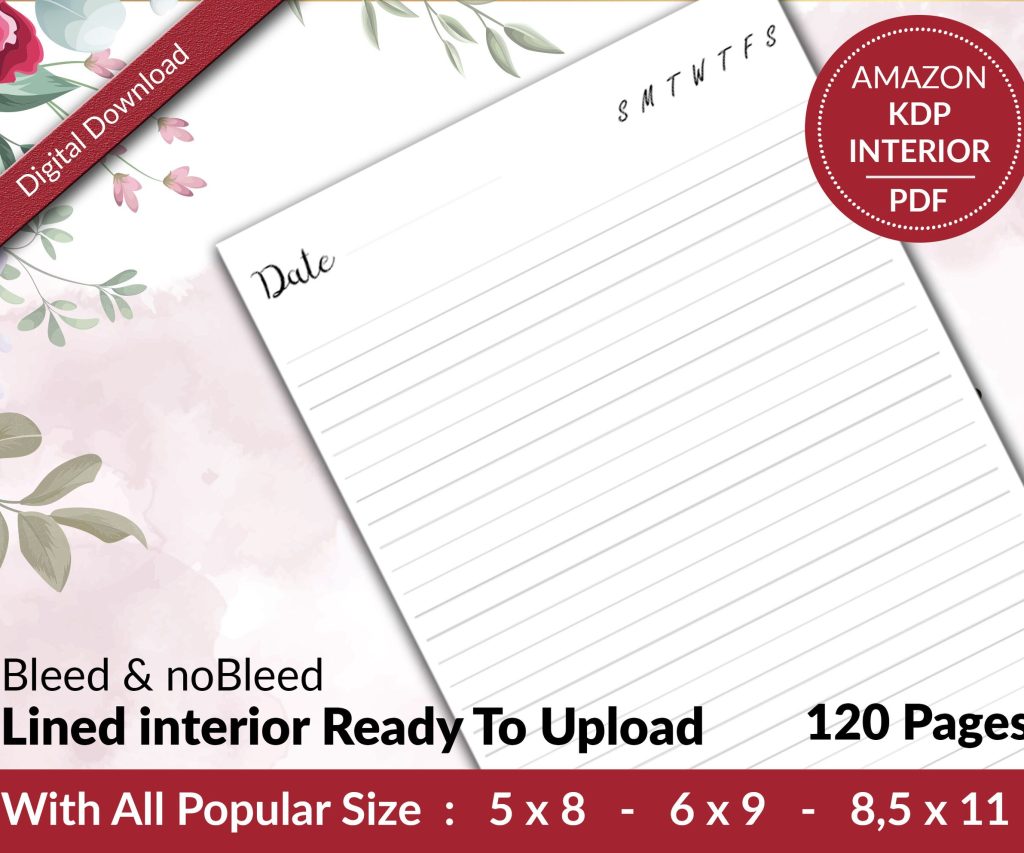 Lined Pages Journal 120 pages Ready to Upload PDF Commercial Use KDP Template 6x9 8.5x11 5x8 for Notebooks, Diaries, Low Content
1 × $0.00
Lined Pages Journal 120 pages Ready to Upload PDF Commercial Use KDP Template 6x9 8.5x11 5x8 for Notebooks, Diaries, Low Content
1 × $0.00  Cute Dogs Coloring Book for Kids | Activity Book | KDP Ready-To-Upload
1 × $0.00
Cute Dogs Coloring Book for Kids | Activity Book | KDP Ready-To-Upload
1 × $0.00 
DISCOVER OUR FREE BEST SELLING PRODUCTS
Editable Canva Lined Journal: Express Your Thoughts – KDP Template
Lined Pages Journal 120 pages Ready to Upload PDF Commercial Use KDP Template 6×9 8.5×11 5×8 for Notebooks, Diaries, Low Content
Lined Pages Journal 120 pages Ready to Upload PDF Commercial Use KDP Template 6×9 8.5×11 5×8 for Notebooks, Diaries, Low Content
Cute Dogs Coloring Book for Kids | Activity Book | KDP Ready-To-Upload
Daily Planner Diary : Diary Planners for Everyday Productivity, 120 pages, 6×9 Size | Amazon KDP Interior
Wolf Coloring KDP interior For Adults, Used as Low Content Book, PDF Template Ready To Upload COMMERCIAL Use 8.5×11"
Coloring Animals Head Book for Kids, Perfect for ages 2-4, 4-8 | 8.5×11 PDF
Printable Blank Comic Book Pages PDF : Create Your Own Comics – 3 Available Sizes
Notes KDP interior Ready To Upload, Sizes 8.5×11 6×9 5×8 inch PDF FILE Used as Amazon KDP Paperback Low Content Book, journal, Notebook, Planner, COMMERCIAL Use
Black Lined Journal: 120 Pages of Black Lined Paper Perfect for Journaling, KDP Notebook Template – 6×9
Student Planner Journal 120 pages Ready to Upload PDF Commercial Use KDP Template 6×9" 8.5×11" for Low Content book
Recipe Journal Template – Editable Recipe Book Template, 120 Pages – Amazon KDP Interior