Okay so I was literally updating a client’s author profile last Tuesday at like 11pm and realized most people are completely screwing this up, so let me just walk you through what actually matters.
The Author Central Account Setup Nobody Tells You About
First thing – you gotta claim your Author Central profile if you haven’t already. Go to authorcentral.amazon.com and link it to your KDP account. Sounds obvious but you’d be shocked how many people publish 15 books before doing this. I didn’t do mine until I had like 30 books out there because I thought it didn’t matter for low-content stuff. Wrong.
The profile photo is where everyone overthinks it. Just use a decent headshot, doesn’t need to be professional studio quality. I literally used one my wife took on our back porch with an iPhone. The key is looking approachable and like an actual human who writes books. If you’re doing pen names – and honestly you should be for different niches – you can either use stock photos or those AI-generated… wait, let me rephrase. You can use stock photos that look natural. I have one pen name where I bought a stock photo of someone who just looked like they’d write romance novels, works fine.
The Bio Section That Actually Converts
Your bio needs to do one thing: make people trust you enough to click on another one of your books. That’s it. Not win a Pulitzer for creative writing.
I structure mine like this and it’s been working since 2019:
- One sentence about what you write and why
- Something personal but brief (I have a golden retriever named Biscuit, he shows up in my bios sometimes)
- Your credentials if relevant – “published 200+ books” sounds impressive
- Call to action to check out your other work
Keep it under 200 words. Nobody’s reading your life story. Oh and another thing – update it every 6 months with your current book count. I set a calendar reminder because I always forget.
The Pen Name Strategy
So here’s where it gets interesting. If you’re doing multiple niches – let’s say you’ve got coloring books AND budget planners AND some weird poetry thing – you probably want separate pen names. Amazon doesn’t care, you can have unlimited Author Central accounts.
I’ve got four active ones right now. Each has its own:
- Unique bio focused on that niche
- Different profile picture
- Only books in that category linked
- Specific social media links (or none if I’m being lazy)
The reason this matters is branding consistency. Someone buying a gratitude journal doesn’t wanna see that you also publish sudoku books for seniors. It dilutes the… I dunno, the expertise vibe? Makes you look scattered.
Editorial Reviews and How to Get Them Fast
This is gonna sound weird but editorial reviews are stupidly powerful for conversions. That section on your book page where it says “From the Author” or shows review quotes – that’s Author Central territory.
You can add these yourself through the Author Central dashboard. I usually write a short “From the Author” section for each book explaining who it’s for. Takes 2 minutes, adds credibility. Something like:
This planner was designed for busy moms who need simple daily organization without the overwhelm. No complicated tracking systems, just practical pages you’ll actually use.
For actual review quotes, if you’ve gotten any good ones from customers, you can pull those in. Amazon lets you feature them. I spent an entire Saturday last month going through all my 4-5 star reviews and adding the best quotes to each book’s editorial section. Sales bumped up maybe 10-15% across the board. Not life-changing but definitely worth the time.
The Follow Button Psychology
There’s a “Follow” button on your author page. Most authors have like 3 followers because they never mention it exists. I put a note in the back matter of every single book: “Follow me on Amazon to get notified of new releases.”
Currently sitting at around 800 followers on my main pen name, maybe 200-300 on the others. When I launch a new book, those people get notified. It’s basically a free email list that Amazon manages for you. The launch day velocity from followers helps with the algorithm too.
Book Series Linking
If you’ve got series – like Gratitude Journal Volume 1, 2, 3 – you NEED to set up the series page in Author Central. It groups them visually and makes it brain-dead easy for customers to find the next one.
Go to the Books tab, click Series, add a new series. Name it something clear. I’ve got series for “Simple Budget Planners” and “Mindfulness Journals for Beginners” and a bunch of others. Game changer for getting people to buy multiple books.
My cat just knocked over my coffee cup so I gotta pause… okay back.
The Sneaky Also-Bought Manipulation
This isn’t really profile optimization but it’s related. Your author page shows all your books together. If someone’s browsing your catalog and buys 2-3 at once, it strengthens the also-bought connections between your books. Amazon starts recommending your other titles more.
So in your author bio, actually encourage people to check out your full catalog. I say something like “Browse my complete collection below – many readers enjoy combining multiple planners for different areas of their life.”
Works especially well with low-content where the price point is low enough people impulse-buy several.
Social Media Links (But Not How You Think)
Author Central lets you link Twitter, Facebook, Instagram, blog, whatever. Here’s the truth: most customers don’t click them. I’ve got Google Analytics on my author website and the traffic from my Amazon author page is maybe 10 visits a month.
But having them there looks professional. It signals you’re a real person/brand. So I’d say set them up even if you barely use them. I have an Instagram for one pen name that I post to maybe once a month, it’s literally just book covers. Still worth having linked.
The Video Section You’re Ignoring
You can upload videos to Author Central. Book trailers, intro videos, whatever. I tested this last year and honestly the ROI wasn’t great for low-content. For ebooks or actual novels, probably worth it. I made a 30-second video for one of my planners and it got like 40 views in 6 months.
Unless you’ve already got video content ready to go, I’d skip this and focus on the bio and series stuff first.
Updating Your Profile During Launches
Here’s something I started doing in 2022 that helps: right before a big launch, I update my author bio to mention “latest release” or whatever. It keeps the profile fresh and gives me an excuse to… wait I forgot to mention this earlier but Amazon indexes your author bio content.
If you naturally include keywords from your niche in your bio – “specializing in budget planners and financial organization tools” – it can help with discoverability. Don’t keyword stuff like a crazy person, but be intentional about the language you use.
The Analytics Dashboard You Should Check
Author Central has this sales dashboard that shows you which books are selling, rankings, reviews. It’s not as detailed as KDP dashboard but it’s a nice overview. I check it weekly just to spot trends.
If one book is suddenly selling way more, I’ll go update its editorial review section or make sure the series is properly linked. Gotta capitalize on momentum when you’ve got it.
Oh and another thing – you can track reviews across all your books in one place. When I hit 100 total reviews I updated my bio to mention it. Social proof matters.
Anyway that’s the core stuff. Most people set up their Author Central once and never touch it again, but treating it like an actual marketing asset makes a difference. Not gonna 10x your income overnight but it’s part of the whole professional presence thing that adds up over time.

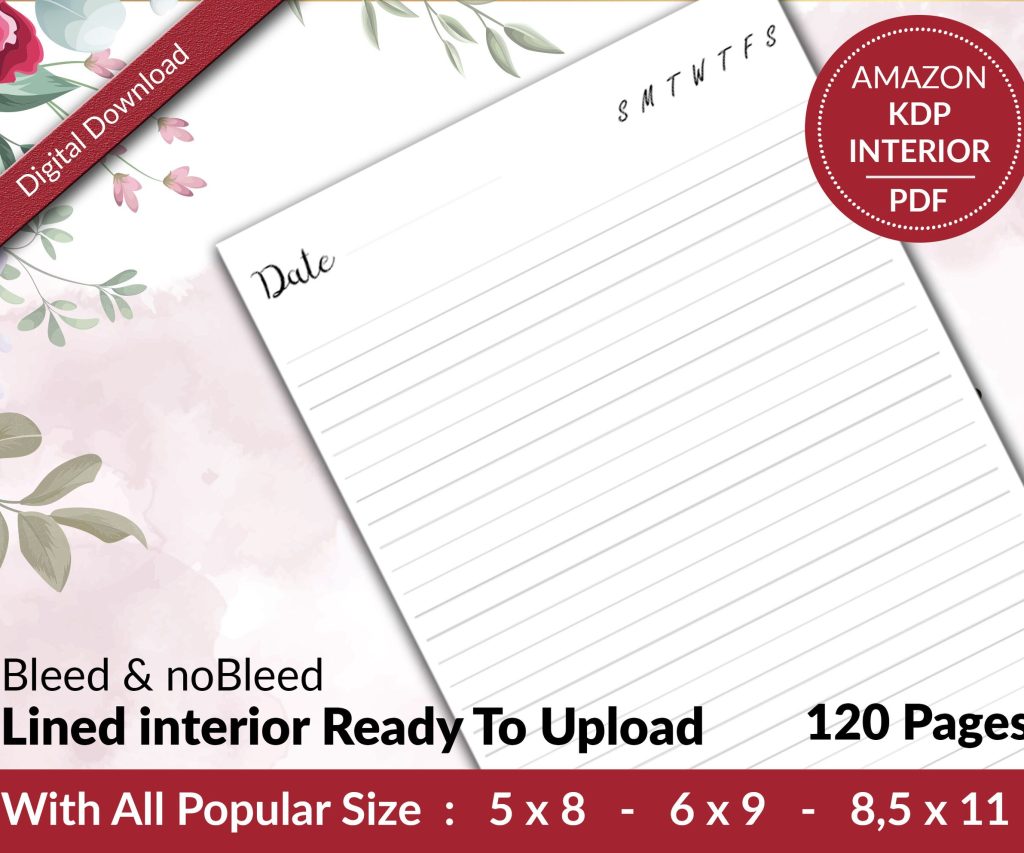 Lined Pages Journal 120 pages Ready to Upload PDF Commercial Use KDP Template 6x9 8.5x11 5x8 for Notebooks, Diaries, Low Content
1 × $0.00
Lined Pages Journal 120 pages Ready to Upload PDF Commercial Use KDP Template 6x9 8.5x11 5x8 for Notebooks, Diaries, Low Content
1 × $0.00  Cute Dogs Coloring Book for Kids | Activity Book | KDP Ready-To-Upload
1 × $0.00
Cute Dogs Coloring Book for Kids | Activity Book | KDP Ready-To-Upload
1 × $0.00 
DISCOVER OUR FREE BEST SELLING PRODUCTS
Editable Canva Lined Journal: Express Your Thoughts – KDP Template
Lined Pages Journal 120 pages Ready to Upload PDF Commercial Use KDP Template 6×9 8.5×11 5×8 for Notebooks, Diaries, Low Content
Lined Pages Journal 120 pages Ready to Upload PDF Commercial Use KDP Template 6×9 8.5×11 5×8 for Notebooks, Diaries, Low Content
Cute Dogs Coloring Book for Kids | Activity Book | KDP Ready-To-Upload
Daily Planner Diary : Diary Planners for Everyday Productivity, 120 pages, 6×9 Size | Amazon KDP Interior
Wolf Coloring KDP interior For Adults, Used as Low Content Book, PDF Template Ready To Upload COMMERCIAL Use 8.5×11"
Coloring Animals Head Book for Kids, Perfect for ages 2-4, 4-8 | 8.5×11 PDF
Printable Blank Comic Book Pages PDF : Create Your Own Comics – 3 Available Sizes
Notes KDP interior Ready To Upload, Sizes 8.5×11 6×9 5×8 inch PDF FILE Used as Amazon KDP Paperback Low Content Book, journal, Notebook, Planner, COMMERCIAL Use
Black Lined Journal: 120 Pages of Black Lined Paper Perfect for Journaling, KDP Notebook Template – 6×9
Student Planner Journal 120 pages Ready to Upload PDF Commercial Use KDP Template 6×9" 8.5×11" for Low Content book
Recipe Journal Template – Editable Recipe Book Template, 120 Pages – Amazon KDP Interior