
 Editable Canva Lined Journal: Express Your Thoughts - KDP Template
 Subtotal: $0.00
Amazon KDP guide, KDP book publishing
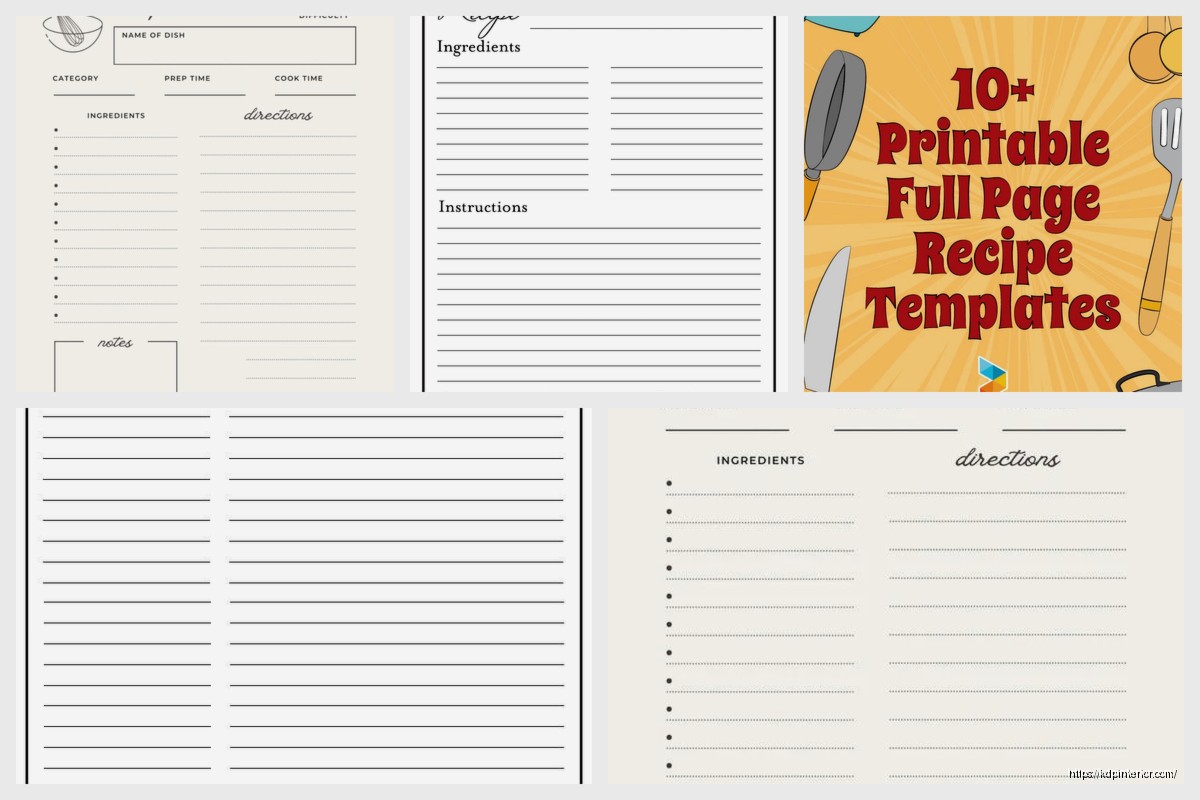
Blank Recipe Pages: Cookbook Fill-In Templates
17
Apr
Apr
Okay so I just tested like 15 different blank recipe page templates last month and here’s what actually works if you’re thinking about making these for KDP.
First thing – people are searching for these like crazy. “Blank recipe pages” gets decent volume, but also “recipe cards to fill in” and “cookbook templates blank” and honestly I was surprised how many variations there are. The market isn’t totally saturated yet which is kinda rare these days.
What People Actually Want in These Templates
So the basic structure you need is pretty straightforward but there’s details that matter. You want:
- Recipe title area at the top – make it big enough for longer names
- Prep time, cook time, total time fields
- Servings or yield section
- Ingredients list with enough lines (I usually do 15-20)
- Instructions section – this needs to be BIGGER than you think
- Notes area at the bottom
Wait I forgot to mention – some people want a rating system too. Like little stars or circles they can fill in. Test both versions because some customers hate that stuff cluttering the page.
The ingredients section is where I see people mess up most. Don’t make the lines too close together. I use 0.25 inch spacing minimum because people write big when they’re cooking and their hands are covered in flour or whatever. Also my cat knocked over my coffee while I was testing line spacing at 2am and it actually showed me that the pages need good margins – if someone spills something the text doesn’t get totally destroyed.
Size Variations That Sell
You gotta make these in different sizes because everyone wants something different:
8.5 x 11 inches – This is your bread and butter. Most people want full page templates they can put in a binder. I sell probably 60% of my recipe templates in this size.
6 x 9 inches – Smaller cookbook size. Good for people who want a more compact recipe book. These do okay but not amazing.
5 x 8 inches – Recipe card size basically. Some people prefer these for index card style organization.
Oh and another thing – you can also do half-page templates that print two per sheet. I made a version of these and they sell surprisingly well to people who want to save paper or make smaller recipe cards.
Design Styles That Actually Move Units
This is gonna sound weird but the simpler designs often outsell the fancy ones. I spent like two weeks making these elaborate templates with decorative borders and botanical illustrations and… they performed okay but not great.
What sells better:
Clean lined templates with minimal decoration. Just professional looking forms basically. People want something that looks organized and easy to fill out, not something that’s trying to be cute.
BUT – and this is important – having ONE signature design element helps. Like a simple herb illustration in the corner or a clean geometric border. Just don’t go overboard.
I also make versions with:
- Grid paper background (super popular with the bullet journal crowd)
- Vintage/farmhouse style with subtle textures
- Modern minimalist with just thin lines
- Floral borders for people who want something prettier
The vintage farmhouse style is probably my best seller right now but trends change. Six months ago everyone wanted the minimalist versions.
Interior Layout Mistakes to Avoid
Okay so funny story – my first recipe template book had the ingredients section on the left page and instructions on the right. Seemed logical to me. Got reviews saying people hated flipping back and forth while cooking. Everything needs to be on ONE page unless you’re specifically making a two-page spread template.
Also don’t make the header sections too fancy or complicated. People just want boxes to write in. I see templates with like “Difficulty Level” and “Season” and “Cuisine Type” and honestly most people don’t fill that stuff out. Keep it functional.
The notes section at the bottom – make this at least 4-5 lines. People use this for substitutions, where they got the recipe, modifications they made, all kinds of stuff. Too many templates skimp on this area.
Font Choices That Work
Use readable fonts for the labels. I usually go with:
– Open Sans for modern clean templates
– Playfair Display for fancier ones
– Courier or similar for vintage vibes
Keep the actual writing lines simple. Just lines. Don’t use decorative fonts for the “Ingredients:” label or whatever – people need to read this while they’re cooking and probably not wearing their reading glasses.
Putting Together the Full Book
Most of my recipe template books are between 100-120 pages. That gives you about 50-60 usable recipe templates if you include some extra pages.
What to include besides the blank templates:
Title page and copyright – obviously
How to use this book page – quick instructions, maybe measurement conversions
Table of contents pages – this is HUGE. People want 5-10 pages where they can list out their recipes with page numbers. Don’t skip this.
Category divider pages – like “Appetizers” “Main Dishes” “Desserts” etc. Even though the pages are blank, people like having these sections marked.
Conversion charts – temperature, measurements, substitutions. Takes up 2-3 pages but adds value.
Blank notes pages – throw in 5-10 of these at the back for meal planning or shopping lists or whatever.
Wait I forgot to mention – some people make themed recipe books like “Blank Recipe Pages for Soups and Stews” or “Dessert Recipe Organizer” with specific fields for those recipe types. These can work but the general purpose ones sell more consistently.
Formatting for KDP
Use the 8.5 x 11 or 6 x 9 trim sizes on KDP. Set up your document with:
– 0.5 inch margins on all sides for 8.5 x 11
– Bleed isn’t necessary since these are line art basically
– Black and white interior (way cheaper to print)
– White paper (cream paper makes the lines harder to see)
Export as PDF with high quality settings. I use 300 DPI for any decorative elements even though it’s mostly just lines and text.
Your page count needs to hit KDP’s minimums – I think it’s 24 pages minimum but honestly you want at least 100 pages to make the book feel substantial and justify a decent price point.
Pricing Strategy
I price my 100-120 page recipe template books around $6.99-$8.99. The printing cost on an 8.5 x 11 book that size is gonna be around $3-3.50, so you’re making like $2-3 per sale depending on your royalty setup.
Some people go lower thinking it’ll sell more copies but honestly these books have real printing costs. Don’t undersell yourself. Plus there’s a quality perception thing – too cheap and people think it’s gonna be low quality.
The 6 x 9 versions I price slightly lower, maybe $5.99-$6.99 since they’re smaller.
Keyword Research Real Quick
Besides the obvious “blank recipe pages” and “recipe template book,” look at:
- cookbook journal
- recipe organizer book
- make your own cookbook
- blank cookbook
- recipe keeper
- family recipe book
- personalized recipe book
The “family recipe” angle is huge. People want these to preserve grandma’s recipes or whatever. Play that up in your description and subtitle.
Cover Design Tips
Your cover needs to clearly show what this is. I use mockup images that show the interior pages or at least make it obvious these are blank templates to fill in.
Text on the cover should be super clear:
“Blank Recipe Book” or “Recipe Pages to Fill In” right in the title. Don’t be clever here – be obvious.
Subtitles like “100 Pages to Write Your Favorite Recipes” or “Personalized Cookbook Journal” help with search and clarity.
The cover design style should match your interior. If you went farmhouse vintage inside, the cover should reflect that. If it’s modern minimalist, keep the cover clean and simple.
Oh and another thing – show what’s inside on the back cover if you can. Like a small preview of the template layout. People look at the back cover before buying.
Variations That Create Multiple Products
Once you have one template design you like, you can create variations:
Different themes – farmhouse, modern, floral, masculine/BBQ focused, holiday recipes, etc.
Different categories – baking specific templates (with fields for oven temp and baking time), slow cooker recipes, instant pot, etc.
Different sizes – take that same design and format it for 6 x 9, then 8.5 x 11, maybe even square formats.
I probably have like 30 different recipe template books up and they’re all basically variations of the same core layouts. Some months they each sell 5-10 copies which adds up.
What Customers Complain About
Based on reviews and feedback I’ve gotten:
Lines too close together – fix this by increasing spacing
Not enough space for instructions – make this section at least half the page
No table of contents – always include this
Pages bleed through – this is usually because they’re using markers but mention “works with pen or pencil” in description
Binding too tight – can’t really fix this but mention laying flat if you can
The bleeding issue is real though. You can’t control what paper Amazon uses but I mention in my books “best used with pen or pencil” to manage expectations.
Quick Production Notes
I make these in Affinity Publisher but Canva works fine too honestly. InDesign if you have it. Even Word or Google Docs can work for super simple versions.
Create one master template page, then duplicate it 50 times or whatever. Add your front matter and back matter. Export. Upload. Done.
The whole process for a new recipe template book takes me maybe 3-4 hours now that I have templates to work from. Most of that time is fine-tuning spacing and making sure everything aligns properly.
Don’t overthink the design. I wasted so much time when I started making these super elaborate. The simple clean versions outsell them every time.
Also test your templates yourself. Print out a page and actually try writing a recipe on it. You’ll catch spacing issues and layout problems you wouldn’t notice otherwise. I keep a printed copy in my kitchen and actually use it which… sounds dorky but whatever it works for quality control.
The market for these is consistent year-round with a bump around Christmas when people are making them as gifts. They’re not gonna make you rich but they’re solid passive income products that keep selling month after month once you get them ranked.
DISCOVER OUR FREE BEST SELLING PRODUCTS
Editable Canva Lined Journal: Express Your Thoughts – KDP Template
Lined Pages Journal 120 pages Ready to Upload PDF Commercial Use KDP Template 6×9 8.5×11 5×8 for Notebooks, Diaries, Low Content
Lined Pages Journal 120 pages Ready to Upload PDF Commercial Use KDP Template 6×9 8.5×11 5×8 for Notebooks, Diaries, Low Content
Cute Dogs Coloring Book for Kids | Activity Book | KDP Ready-To-Upload
Daily Planner Diary : Diary Planners for Everyday Productivity, 120 pages, 6×9 Size | Amazon KDP Interior
Wolf Coloring KDP interior For Adults, Used as Low Content Book, PDF Template Ready To Upload COMMERCIAL Use 8.5×11"
Coloring Animals Head Book for Kids, Perfect for ages 2-4, 4-8 | 8.5×11 PDF
Printable Blank Comic Book Pages PDF : Create Your Own Comics – 3 Available Sizes
Notes KDP interior Ready To Upload, Sizes 8.5×11 6×9 5×8 inch PDF FILE Used as Amazon KDP Paperback Low Content Book, journal, Notebook, Planner, COMMERCIAL Use
Black Lined Journal: 120 Pages of Black Lined Paper Perfect for Journaling, KDP Notebook Template – 6×9
Student Planner Journal 120 pages Ready to Upload PDF Commercial Use KDP Template 6×9" 8.5×11" for Low Content book
Recipe Journal Template – Editable Recipe Book Template, 120 Pages – Amazon KDP Interior