-
×
 Black Lined Journal: 120 Pages of Black Lined Paper Perfect for Journaling, KDP Notebook Template - 6×9
1 × $0.00
Black Lined Journal: 120 Pages of Black Lined Paper Perfect for Journaling, KDP Notebook Template - 6×9
1 × $0.00
Subtotal: $0.00
 Black Lined Journal: 120 Pages of Black Lined Paper Perfect for Journaling, KDP Notebook Template - 6×9
1 × $0.00
Black Lined Journal: 120 Pages of Black Lined Paper Perfect for Journaling, KDP Notebook Template - 6×9
1 × $0.00 Subtotal: $0.00
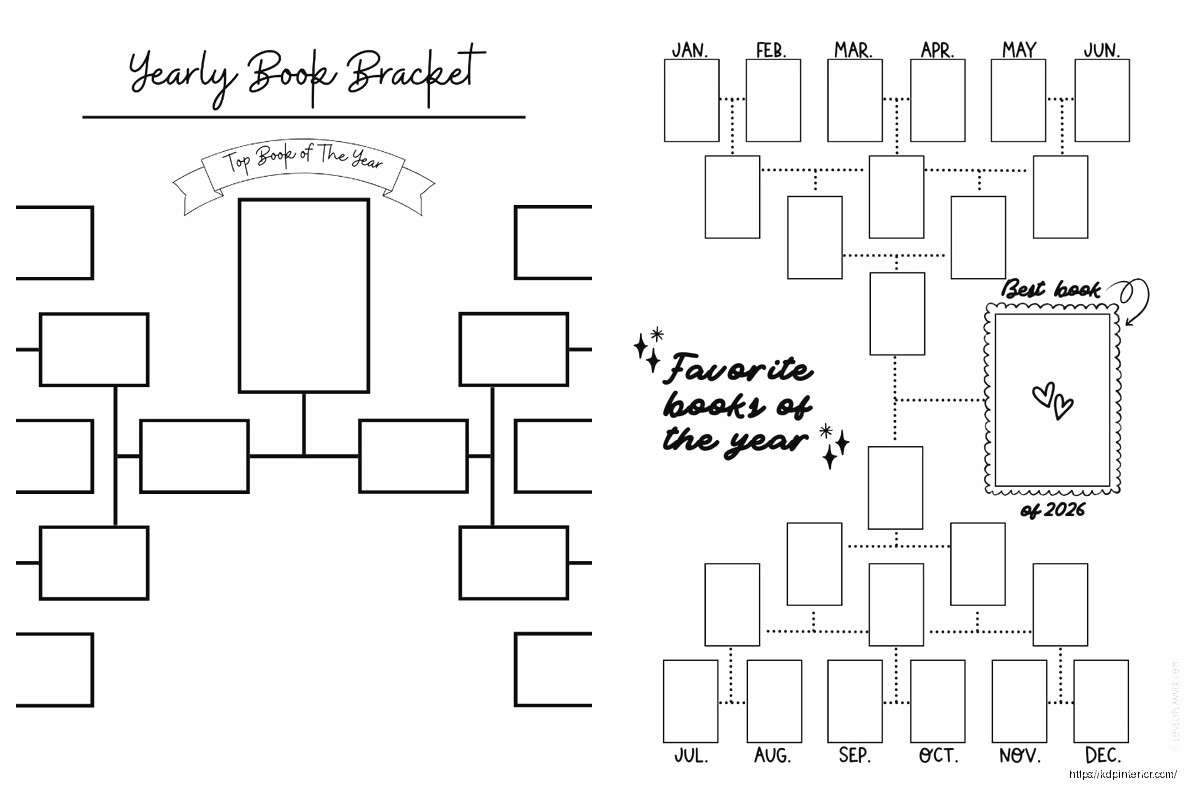
Okay so I just finished setting up three different book bracket tournaments for my kids’ reading groups last month and honestly it’s way easier than people make it sound but there’s definitely some stuff you gotta know upfront.
So first thing – you need to figure out your bracket size before you do literally anything else. Most people jump straight into picking books and then realize they have 23 books and brackets don’t work that way. You need powers of two: 8, 16, 32, 64 books. I usually stick with 16 because it’s enough to be interesting but not so many that people lose steam halfway through.
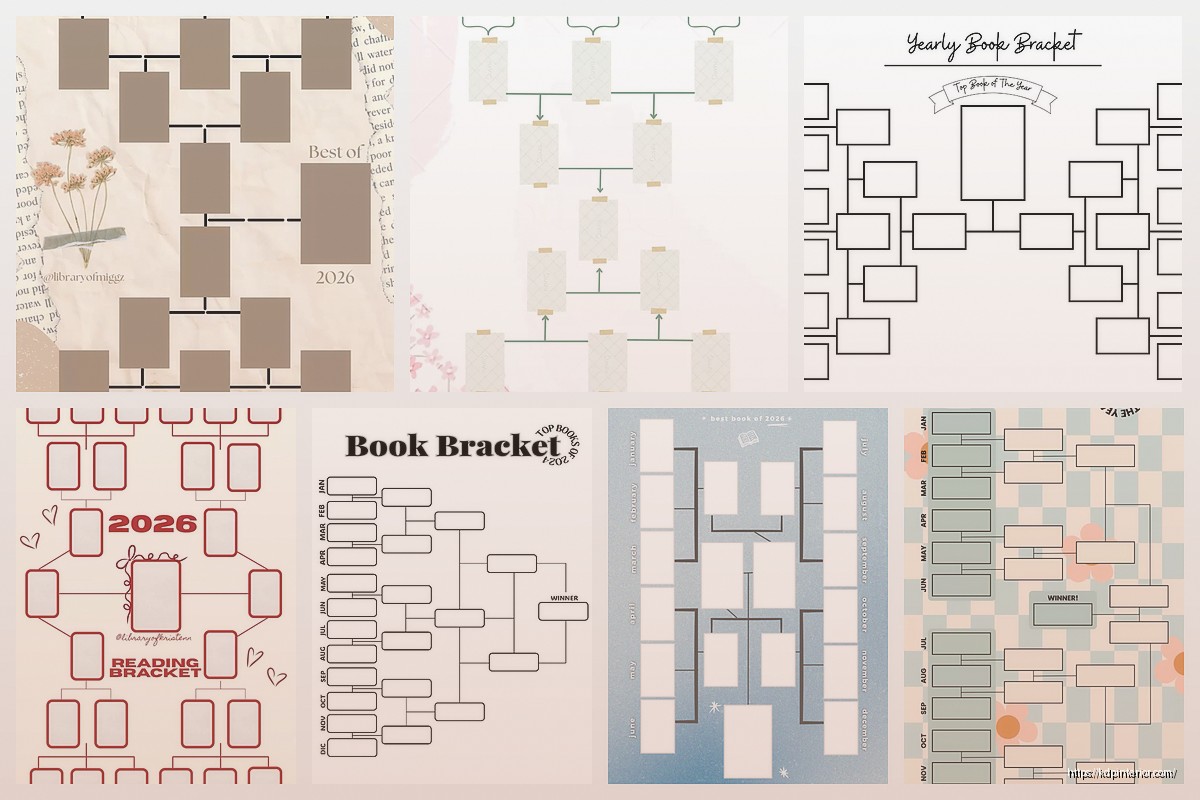
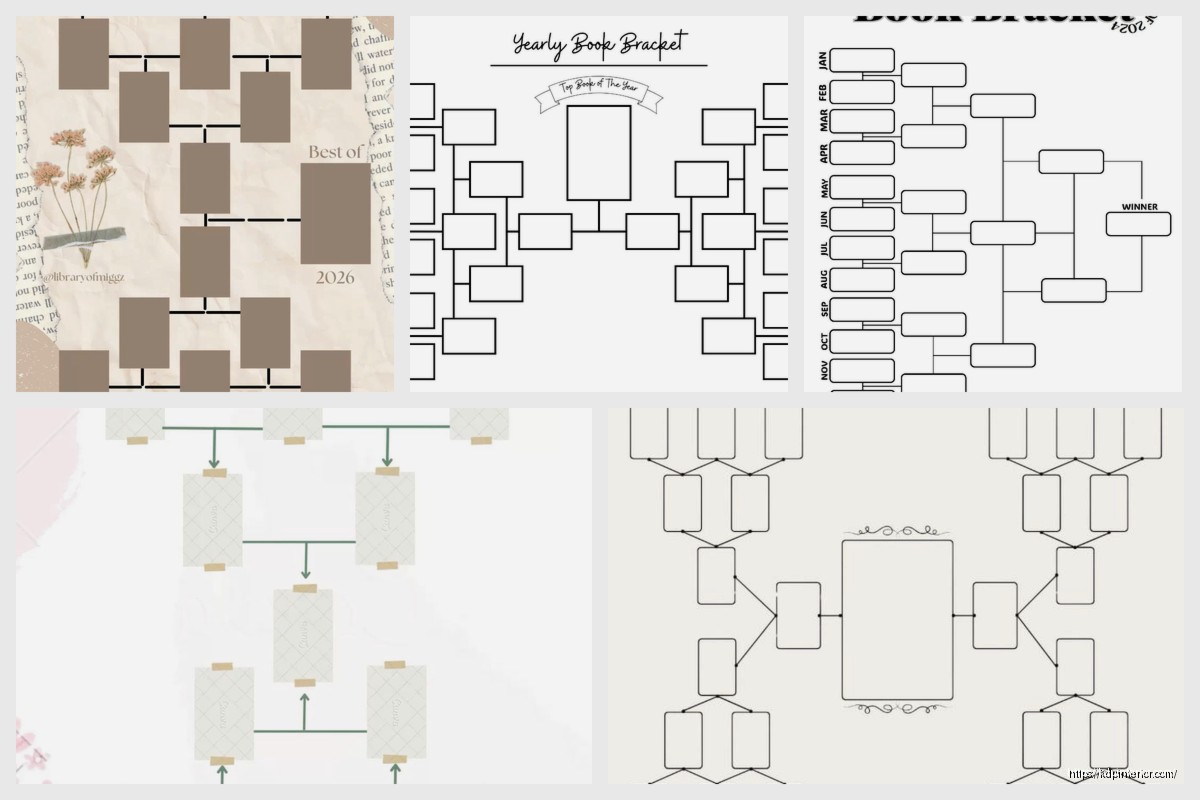
The template itself is pretty straightforward. You can build one in Google Sheets, Excel, or even Canva if you want it to look nice for social media. I’ve done all three and here’s the thing – Google Sheets is best if you’re running this with a group because everyone can see updates in real time. Excel works if you’re doing it solo or with like a book club that meets in person. Canva templates look gorgeous but they’re kind of a pain to actually update during the tournament.
The seeding is where people mess up constantly. You can’t just randomly throw books into slots because you’ll end up with all your popular books eliminating each other in round one. What I do is list all my books and roughly rank them by how popular I think they’ll be, then I seed them tournament-style.
So like your #1 book faces your #16 book, your #2 faces #15, and so on. This way the “championship” round should theoretically be between your two most popular books. Although funny story – last March I did this with romance novels and a random small-press book absolutely destroyed everything in its path, completely threw off my predictions.
Your template needs these columns at minimum:
I also add a separate tracking sheet that lists vote counts because people always ask “how badly did my favorite lose” and you want those numbers handy.
This is where it gets real. You need to decide upfront how people vote and stick with it. I’ve tried:
Instagram Stories polls – Super visual, people love them, but you’re limited to 24 hours per matchup and the data disappears unless you screenshot everything. Also Instagram’s algorithm is weird lately so not everyone sees every poll.
Google Forms – More work to set up but you get permanent records and can include book covers, descriptions, whatever. People can’t see how the voting is going though which some folks hate.
Twitter/X polls – Quick and dirty, everyone sees the running count, but you’re stuck with 4 options max so you can only do 2 matchups per poll. Gets messy.
Comments voting – Like on Facebook or your blog where people just comment with their choice. Sounds simple but counting is tedious and people will comment stuff like “both are great but probably A” and then you gotta decide if that counts.
I usually go with Google Forms for round 1 when there are lots of matchups, then switch to Instagram Stories for semifinals and finals when it’s more exciting and people are invested.
Okay so this is gonna sound weird but don’t do one matchup per day unless you have like 8 books total. People lose interest SO FAST.
For a 16-book bracket I do:
Total tournament time is about 10 days. Any longer and you lose momentum. I tried spreading one over a month once and by week three nobody cared anymore except me.
When you’re actually building this thing in a spreadsheet, use merged cells for the bracket lines. It looks cleaner. I make each matchup its own row with the book titles in adjacent cells, then use borders to create that classic bracket look with lines connecting winners to the next round.
Color coding helps too – I use yellow for matchups that are currently open for voting, green for completed matchups, and gray for future rounds that haven’t started yet. My dog knocked over my coffee onto my laptop last week while I was updating one of these and I lost like an hour of work, so also save constantly.
Don’t just list titles. People need context, especially in later rounds when they’re choosing between books they maybe haven’t read. For each book I include:
I learned this the hard way when I ran a tournament with just titles and people kept asking “which one is the mystery” or “is that the one with the sad ending” and I was answering the same questions constantly.
You WILL have ties. Decide before you start what happens. Options:
I usually do the 12-hour revote for semifinals or finals, higher seed wins for early rounds.
Also people will complain about upsets. Last tournament I ran, this literary fiction book beat a super popular romantasy in round 2 and the comments were WILD. Just stay neutral, post the results, keep moving. Don’t get into debates about whether the voting was fair unless you have actual evidence of cheating.
Once you’ve done a basic tournament, you can add cool stuff:
Statistics tracking – Closest matchup, biggest blowout, most total votes in a round. People eat this up.
Prediction brackets – Let people fill out their predictions before round 1 starts, then track who got the most right. I use a separate Google Form for this.
Book stats sidebar – Average publication year of books that made it to semifinals, most represented genre, etc.
Historical comparison – If you run these regularly, show how books or genres have performed over time.
Wait I forgot to mention – if you’re doing this for a classroom or library, you can make it educational by having students research the books and write short arguments for why their pick should win. Then post those arguments with each matchup. Takes more work but the engagement goes way up.
Making the bracket too small – 8 books is over too fast
Making it too big – 64 books is overwhelming unless you have a massive engaged audience
Forgetting to include a place for voting links or instructions
Not leaving space for notes about close calls or funny moments
Using tiny font sizes that nobody can read when you share it on social media
Oh and another thing – test your template with dummy data before you populate it with real books. I once built this elaborate Excel bracket with formulas to auto-advance winners and it completely broke when I entered actual book titles because they were too long for the cell width I’d set. Spent two hours fixing it.
If you’re running this on social media you need static images of the bracket that update each round. I take screenshots of my working template and add them to Canva with a nice background. Post these to Instagram feed, Facebook, wherever.
The actual working template can be messier since that’s just for you to track everything. The public-facing version should look clean.
Some people make printable PDFs of the bracket so followers can print it out and fill in their predictions. This works great for book clubs or classroom settings.
Post updates between rounds – “Only 3 hours left to vote in the semifinal matchup”
Share close race alerts – “This matchup is within 5 votes, every vote counts”
Thank people for participating
Highlight interesting voting patterns
Ask people to explain their choices in comments
The engagement drops off after round 1 no matter what you do, but these things help. I also found that posting at consistent times each round helps – like always opening voting at 9am and closing at 9am two days later. People get into a rhythm.
Once you crown a winner, post final statistics and maybe a wrap-up graphic. I keep all my old tournament data in a spreadsheet because it’s interesting to see patterns over time – like certain genres always underperform in my tournaments even though people say they love them.
You can also do fun stuff like “tournament of champions” with winners from previous brackets, or themed tournaments like “best book with blue cover” which sounds ridiculous but people love silly themes.
The template itself becomes reusable once you build a good one. I have a master template I just duplicate and fill in new book titles each time. Saves so much time compared to building from scratch every tournament.
Just make sure you keep the voting data somewhere permanent because Google Forms responses and Instagram story polls don’t last forever and you’ll want those numbers later when someone asks which tournament had the closest championship or whatever.
DISCOVER OUR FREE BEST SELLING PRODUCTS
Editable Canva Lined Journal: Express Your Thoughts – KDP Template
Lined Pages Journal 120 pages Ready to Upload PDF Commercial Use KDP Template 6×9 8.5×11 5×8 for Notebooks, Diaries, Low Content
Lined Pages Journal 120 pages Ready to Upload PDF Commercial Use KDP Template 6×9 8.5×11 5×8 for Notebooks, Diaries, Low Content
Cute Dogs Coloring Book for Kids | Activity Book | KDP Ready-To-Upload
Daily Planner Diary : Diary Planners for Everyday Productivity, 120 pages, 6×9 Size | Amazon KDP Interior
Wolf Coloring KDP interior For Adults, Used as Low Content Book, PDF Template Ready To Upload COMMERCIAL Use 8.5×11"
Coloring Animals Head Book for Kids, Perfect for ages 2-4, 4-8 | 8.5×11 PDF
Printable Blank Comic Book Pages PDF : Create Your Own Comics – 3 Available Sizes
Notes KDP interior Ready To Upload, Sizes 8.5×11 6×9 5×8 inch PDF FILE Used as Amazon KDP Paperback Low Content Book, journal, Notebook, Planner, COMMERCIAL Use
Black Lined Journal: 120 Pages of Black Lined Paper Perfect for Journaling, KDP Notebook Template – 6×9
Student Planner Journal 120 pages Ready to Upload PDF Commercial Use KDP Template 6×9" 8.5×11" for Low Content book
Recipe Journal Template – Editable Recipe Book Template, 120 Pages – Amazon KDP Interior