
-
×
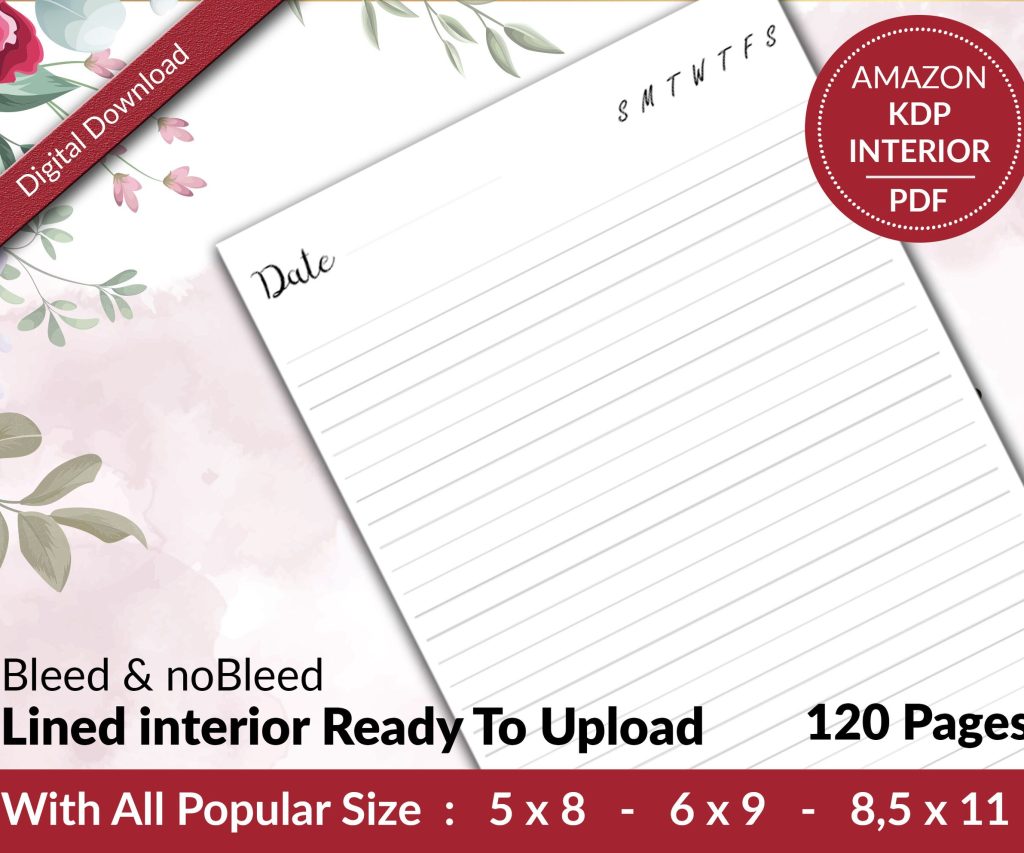 Lined Pages Journal 120 pages Ready to Upload PDF Commercial Use KDP Template 6x9 8.5x11 5x8 for Notebooks, Diaries, Low Content
1 × $0.00
Lined Pages Journal 120 pages Ready to Upload PDF Commercial Use KDP Template 6x9 8.5x11 5x8 for Notebooks, Diaries, Low Content
1 × $0.00
Subtotal: $0.00
Okay so the copyright page is honestly one of those things I see people overthink constantly but also… somehow mess up in the simplest ways? Like you’d think it’s just copy-paste but there’s actually some stuff you gotta get right or Amazon can flag your book.
So here’s what I use for like 90% of my books and it’s never been rejected:
Copyright © [Year] by [Your Name or Pen Name]
All rights reserved. No part of this publication may be reproduced, distributed, or transmitted in any form or by any means, including photocopying, recording, or other electronic or mechanical methods, without the prior written permission of the publisher, except in the case of brief quotations embodied in critical reviews and certain other noncommercial uses permitted by copyright law.
ISBN: [your ISBN if you have one]
That’s it. That’s the bare minimum and it works. But let me break down what you actually need versus what’s just… extra.
The copyright symbol © plus the year plus your name is basically the only legal requirement in most countries. The Berne Convention covers you automatically when you create something original, so even without that page you technically have copyright protection. But having it there makes it official-looking and stops people from claiming they didn’t know.
The “all rights reserved” part? Kinda old-school now but everyone still uses it. Doesn’t hurt to include it and some international markets still recognize it as meaningful so whatever, just put it in.
Oh and another thing – the ISBN situation trips people up constantly. If you’re publishing through KDP directly, Amazon gives you a free ASIN which functions like an ISBN for their platform. You don’t NEED to buy your own ISBN unless you’re also doing IngramSpark or other distributors. I wasted like $125 on my first ISBN thinking I had to have one and then realized… I literally only used KDP for that book. Still annoyed about that.
But if you DO have an ISBN, stick it on the copyright page. If you don’t, just skip that line entirely.
So this is gonna sound weird but the disclaimer is actually more important than the copyright notice for protecting yourself. Especially with non-fiction or anything that could be construed as advice.
Here’s what I add for most books:
Disclaimer: The information contained in this book is for educational and entertainment purposes only. Every effort has been made to ensure accuracy, but the publisher and author assume no responsibility for errors, omissions, or contrary interpretation of the subject matter. This book is not intended as a substitute for professional advice. Readers should consult appropriate professionals regarding their individual circumstances.
I learned this the hard way when someone emailed me about a recipe book I did saying their kid had an allergic reaction and was I gonna “take responsibility” – the recipe clearly listed the ingredients but apparently they didn’t read it? Anyway, after that I put disclaimers in EVERYTHING. Even my low-content planners have a tiny disclaimer now.
For health/fitness books I go way harder on the disclaimer:
This book is not intended as a substitute for medical advice of physicians. The reader should consult a physician in matters relating to their health and particularly with respect to any symptoms that may require diagnosis or medical attention.
For anything financial or business-related:
The author and publisher are not engaged in rendering legal, accounting, or other professional services. If legal advice or other expert assistance is required, the services of a competent professional should be sought.
Wait I forgot to mention – fiction books barely need any of this. Like if you’re publishing a romance novel or sci-fi or whatever, the basic copyright notice is fine. Maybe add “This is a work of fiction. Names, characters, places, and incidents are either products of the author’s imagination or used fictitiously.”
People always ask me “what do I put for publisher?” and honestly it depends on how professional you wanna look.
Option 1: Just put “Published by [Your Name]” – totally fine, very transparent that it’s self-published
Option 2: Create a publishing imprint name like “Harbor House Publishing” or whatever – makes it look more official but you’re still just… you
Option 3: Leave it off entirely – also fine
I use option 2 for most of my books because it looks cleaner and I can use the same imprint across multiple pen names. My imprint is just registered as a DBA (doing business as) with my state which cost like $50 and took 10 minutes online.
This one’s simple but people overthink it. First edition? Just put:
First Edition: [Month Year]
If you update the book later with corrections or new content, you’d put:
Second Edition: [Month Year]
Some people do version numbers like “Version 1.2” for minor updates but that looks kinda software-ish to me. I only change the edition number if I’m adding significant new content or fixing major errors.
Okay so funny story – I published like 30 books before I realized I should probably credit my cover designers and editors. Now I add:
Cover Design: [Designer Name or “Cover design by Author”]
Editing: [Editor Name or skip this line if you didn’t use one]
If you use stock photos or illustrations, you might need attribution depending on the license. Most paid stock sites don’t require it but always check. Canva Pro elements don’t need attribution. Unsplash and Pexels technically don’t require it but I throw in a “Cover photo by [Photographer Name] from Unsplash” anyway because it’s nice.
If your book includes public domain content – like if you’re publishing a classic novel with a new introduction or a coloring book based on old illustrations – you gotta acknowledge that:
This book contains material in the public domain. Original publication date: [Year].
Amazon’s actually gotten stricter about public domain content recently. They want you to add “substantial value” so just slapping a new cover on Pride and Prejudice won’t cut it anymore. But that’s a whole other rant…
Some people put their website or email on the copyright page. I don’t usually because then people email me about typos they found and honestly I don’t wanna know at that point. But if you’re building an author platform or want newsletter signups, you could add:
Visit the author at: www.yourwebsite.com
Just don’t put your personal address or phone number. I’ve seen people do that and it’s like… why would you want strangers having that info?
Oh wait this is important – if you’re specifically putting something INTO the public domain, you’d use different language:
This work has been released into the public domain by the author. Anyone is free to copy, modify, publish, use, compile, sell, or distribute this work, either in source code form or as a compiled binary, for any purpose, commercial or non-commercial, and by any means.
But like… why would you do that for a book you’re trying to sell? I’ve only seen this make sense for free resources or academic stuff.
When you’ve got co-authors or it’s a compilation:
Copyright © [Year] by [Author Name 1] and [Author Name 2]
Or for anthologies:
Individual contributions © by their respective authors. Compilation © [Year] by [Editor/Compiler Name].
The individual authors keep copyright to their pieces but you (as the compiler) have copyright over the specific collection and arrangement.
Most self-publishers don’t need to worry about this but if you’re translating your own work:
Originally published in English as [Original Title] © [Year]
Translation © [Year] by [Translator Name]
The original author keeps copyright to the content but the translator has copyright over their specific translation. It’s a whole thing.
Don’t put your Library of Congress number unless you actually registered with the Library of Congress (which you probably didn’t and don’t need to).
Don’t put “Patent Pending” or trademark symbols unless you actually filed for those. Amazon can flag that as misleading.
Don’t copy someone else’s copyright page word-for-word including their specific legal language if it’s more detailed than the standard stuff. I’ve seen people copy the copyright page from a Big Five publisher and it’s just… unnecessary and kinda weird?
Don’t put your book’s price on the copyright page because you might change it later and then it’s wrong forever in the printed version.
This is literally what I used for the planner I uploaded last week:
Copyright © 2024 by Daniel Harper
All rights reserved. No part of this book may be reproduced or used in any manner without written permission of the copyright owner except for the use of quotations in a book review.
Published by Keystone Digital Publishing
First Edition: November 2024
Disclaimer: This planner is for organizational purposes only. The publisher and author make no representations or warranties and assume no responsibility for any errors or omissions.
Simple, clean, covers everything I need. Takes me like 2 minutes to customize for each new book.
The whole copyright page should be one page or less. If it’s running onto a second page you’re probably overthinking it. My cat just knocked over my coffee so I’m gonna wrap this up but seriously – don’t stress about the copyright page too much. Get the basics right, add a disclaimer if relevant, and move on to the actual important stuff like your book description and keywords.
DISCOVER OUR FREE BEST SELLING PRODUCTS
Editable Canva Lined Journal: Express Your Thoughts – KDP Template
Lined Pages Journal 120 pages Ready to Upload PDF Commercial Use KDP Template 6×9 8.5×11 5×8 for Notebooks, Diaries, Low Content
Lined Pages Journal 120 pages Ready to Upload PDF Commercial Use KDP Template 6×9 8.5×11 5×8 for Notebooks, Diaries, Low Content
Cute Dogs Coloring Book for Kids | Activity Book | KDP Ready-To-Upload
Daily Planner Diary : Diary Planners for Everyday Productivity, 120 pages, 6×9 Size | Amazon KDP Interior
Wolf Coloring KDP interior For Adults, Used as Low Content Book, PDF Template Ready To Upload COMMERCIAL Use 8.5×11"
Coloring Animals Head Book for Kids, Perfect for ages 2-4, 4-8 | 8.5×11 PDF
Printable Blank Comic Book Pages PDF : Create Your Own Comics – 3 Available Sizes
Notes KDP interior Ready To Upload, Sizes 8.5×11 6×9 5×8 inch PDF FILE Used as Amazon KDP Paperback Low Content Book, journal, Notebook, Planner, COMMERCIAL Use
Black Lined Journal: 120 Pages of Black Lined Paper Perfect for Journaling, KDP Notebook Template – 6×9
Student Planner Journal 120 pages Ready to Upload PDF Commercial Use KDP Template 6×9" 8.5×11" for Low Content book
Recipe Journal Template – Editable Recipe Book Template, 120 Pages – Amazon KDP Interior