Okay so I just spent like three hours yesterday testing different hardcover mockup tools because a client wanted premium visuals for their poetry collection and here’s what actually works…
Why Hardcover Mockups Hit Different
Look, paperback mockups are fine but hardcover mockups just have this weight to them, you know? They signal “this is a real book” in a way that paperback images don’t. I’ve tested this with ad campaigns – same book, different mockup formats – and hardcover versions consistently get like 30-40% better engagement on Facebook ads. Don’t ask me why but people just perceive them as more premium.
The thing is most KDP publishers skip hardcover mockups entirely because Amazon doesn’t even offer hardcover for most self-pub books unless you’re doing IngramSpark or going through special programs. But the mockups? You should be using them anyway for marketing, especially if you’re building an author brand or selling direct.
The Tools I Actually Use
Placeit (My Go-To for Quick Stuff)
Placeit is gonna be your fastest option and honestly it’s what I use probably 70% of the time. You just upload your cover design, pick from like hundreds of hardcover templates, and boom – done in two minutes. They’ve got ones with dust jackets, library bindings, books on desks, books being held, all that stuff.
The subscription is around $15/month which sounds steep but if you’re doing multiple books or client work it pays for itself fast. I was watching The Bear the other night and knocked out like six different mockup variations during commercial breaks… wait, The Bear doesn’t have commercials, but you get what I mean.
One thing though – their hardcover templates can look a bit samey if you use the default settings. I always tweak the lighting and background blur to make them feel more unique.
Canva Pro (Getting Better Actually)
Canva added a bunch of 3D book mockup features last year and they’re honestly pretty decent now. Not as polished as dedicated mockup tools but if you already have Canva Pro for other design stuff, might as well use it.
Their hardcover templates are under the “Mockups” section and you can customize spine width, cover texture, even add some wear-and-tear effects if you want that vintage look. I used this for a historical fiction client and the aged leather texture option was perfect.
The downside is Canva’s 3D rendering can look a bit… flat? Like it doesn’t capture light and shadow as realistically as other tools. But for social media posts where people are scrolling fast, it works fine.
Smartmockups (When You Need Control)
This one’s more expensive – like $19/month – but the quality is noticeably better. They have this thing where you can adjust the perspective, rotation, and depth of field yourself. So if you need a specific angle for a website header or email campaign, Smartmockups gives you that control.
I use this when I’m creating mockups for sales pages or Amazon A+ Content. The extra polish matters when someone’s actually considering a purchase versus just scrolling Instagram.
Oh and another thing – they recently added animated mockups where the book kinda rotates or opens slightly. I tested one in an email campaign last month and the click-through rate was insane, like 8% compared to my usual 2-3%.
Photoshop + Mockup Templates (If You’re That Person)
If you already know Photoshop, there are tons of hardcover mockup templates on Creative Market and Etsy. You buy them once (usually $10-30) and can reuse them forever with different covers.
This is honestly the most professional option but also the most time-consuming. I only do this for flagship titles or special launches. Downloaded a template pack last year that has like 20 different hardcover scenes – book on marble countertop, book with coffee, book in library setting, all that aspirational lifestyle stuff.
The learning curve is real though. First time I tried using a smart object template I spent like 45 minutes just trying to figure out which layer to edit. My cat knocked over my water bottle in the middle of it which didn’t help.
What Makes a Good Hardcover Mockup
The Spine Actually Matters
This is something I see people mess up constantly. They’ll create a gorgeous front cover mockup but completely ignore the spine. For hardcover mockups, you NEED to show the spine because that’s a huge part of the premium feel.
Make sure your spine design is legible even at smaller sizes. I usually include the title and author name running vertically, and if there’s room, a small decorative element that matches the front cover.
When you’re setting up mockups in these tools, angle the book slightly so the spine is visible but not dominating. Like a 15-20 degree turn usually looks natural.
Dust Jacket vs Library Binding
Dust jackets look more premium and bookstore-ready. Library bindings look more classic and permanent. I use dust jacket mockups for fiction, memoir, self-help – anything consumer-facing. Library binding mockups work better for academic stuff, reference books, or if you’re going for that “timeless classic” vibe.
You can actually do both and A/B test them in your marketing. I did this with a business book launch and the dust jacket version performed way better on Instagram but the library binding got more engagement on LinkedIn. Audiences are weird.
Context and Staging
Empty background mockups are fine for Amazon listings but for actual marketing you want context. Book on a wooden table with morning light. Book being held by hands with a cozy sweater. Book next to a coffee cup and glasses.
The context tells a story about who this book is for. Romance novel? Show it on a bedside table with soft lighting. Business book? Clean desk with laptop and notebook nearby.
I spent like two weeks testing different staging contexts for a cookbook client and the mockups with the book propped open next to actual cooking ingredients absolutely crushed the simple “book on white background” versions. People need to envision the book in their life.
Technical Specs That Actually Matter
Resolution and Export Settings
Always export at minimum 2000px on the longest side. I usually go 3000px for anything I might use on a website or in print materials. The file size gets chunky but storage is cheap and you never wanna be in a situation where you need a high-res version and only have a small one.
For social media, you can obviously resize down, but start big. Instagram compression is brutal enough without giving it a low-res image to work with.
Format-wise, PNG if you need transparency (like for placing the mockup over different backgrounds), JPG for everything else. I keep both versions organized in folders by book title.
Realistic Proportions
This is gonna sound weird but most mockup tools default to weirdly thick books. Like every book looks like it’s 400+ pages. If your book is actually 150 pages, that’s gonna look off.
Most tools let you adjust spine thickness. Do it. A poetry collection shouldn’t have the same spine width as a fantasy epic. These details matter more than you’d think for believability.
Cover Bleed and Safe Zones
When you’re uploading your cover to mockup tools, make sure you’re using the full wraparound cover file (front, spine, back) not just the front cover. Some tools will ask for them separately which is honestly easier.
And double-check your safe zones – text and important design elements should be at least 0.125 inches from trim edges. I’ve seen mockups where the title gets cut off because someone uploaded a front-only design to a 3D template expecting the full wrap.
Where I Actually Use These Mockups
Amazon A+ Content
If you have brand registry (which you should), A+ Content modules look way better with hardcover mockups. The “Product Description” module especially – showing your book as a premium hardcover even if you’re only selling paperback creates this aspirational quality.
I do this for all my clients now. We sell paperbacks but market with hardcover visuals. Sounds deceptive but it’s really about showing the value of the content, not misleading about format.
Social Media Content
Instagram, Facebook, Pinterest – hardcover mockups just perform better. I create 3-4 different mockup variations for each book and rotate them through the content calendar.
Pinterest especially loves the lifestyle-staged hardcover mockups. I’ve got pins from two years ago still driving traffic because they show books in aesthetically pleasing contexts.
Email Marketing
Header images in launch emails or newsletter features. The hardcover mockup immediately signals “new book, pay attention” better than text alone.
I usually pair the mockup with a benefit-driven headline and a clear CTA. The mockup is the visual hook that stops the scroll.
Website and Sales Pages
Author websites, book-specific landing pages, sales funnels – anywhere you’re trying to convert visitors into readers. Multiple mockup angles showing the book from different perspectives builds tangibility.
There’s actually some psychology research about how seeing products from multiple angles increases purchase intent. Same principle applies here.
Common Mistakes I See (and Made Myself)
Wait I forgot to mention – lighting consistency is huge. If you’re using multiple mockups on the same page or in the same campaign, make sure the lighting direction is similar. I once created a sales page where three different book mockups had light coming from different directions and it looked so janky.
Another thing: over-stylizing. Like adding too many filters, too much blur, weird color grading. The mockup should enhance your cover design, not compete with it. Keep effects subtle.
And please don’t use mockups with visible watermarks in actual marketing. I see this on Facebook ads sometimes and it just screams amateur. Either pay for the tool or use free versions that don’t watermark.
The Free Options (If Budget’s Tight)
Diybookcovers Mockup Generator
Totally free, surprisingly decent quality. Limited templates but the ones they have are solid. Upload your cover, pick a template, download. No account needed.
The selection is pretty basic – maybe 15-20 hardcover options – but when you’re starting out and can’t justify a subscription, this works.
Mockup World Free Templates
They have some free PSD templates you can download and use in Photoshop or Photopea (free Photoshop alternative). Quality varies but I’ve found a few good hardcover ones here.
You’ll need basic Photoshop skills to use them but there are YouTube tutorials for literally every template.
Canva Free Version
Limited compared to Pro but they do have some basic 3D book mockups available on free accounts. Worth checking if you’re already using Canva for other stuff.
Okay so last thing – batch your mockup creation. Don’t create them one at a time as you need them. When I finish a cover design, I immediately create 5-6 different mockup variations and save them all in a project folder. Saves so much time later when you’re rushing to post on social or update a sales page.
And keep a swipe file of mockups you like from other authors or brands. Not to copy but to understand what works. I’ve got a Pinterest board just for book mockup inspiration that I reference constantly.
The whole point is making your book look like something people wanna hold, you know? Digital is great but there’s still something about a physical book – or even just the image of one – that connects differently. Hardcover mockups tap into that.

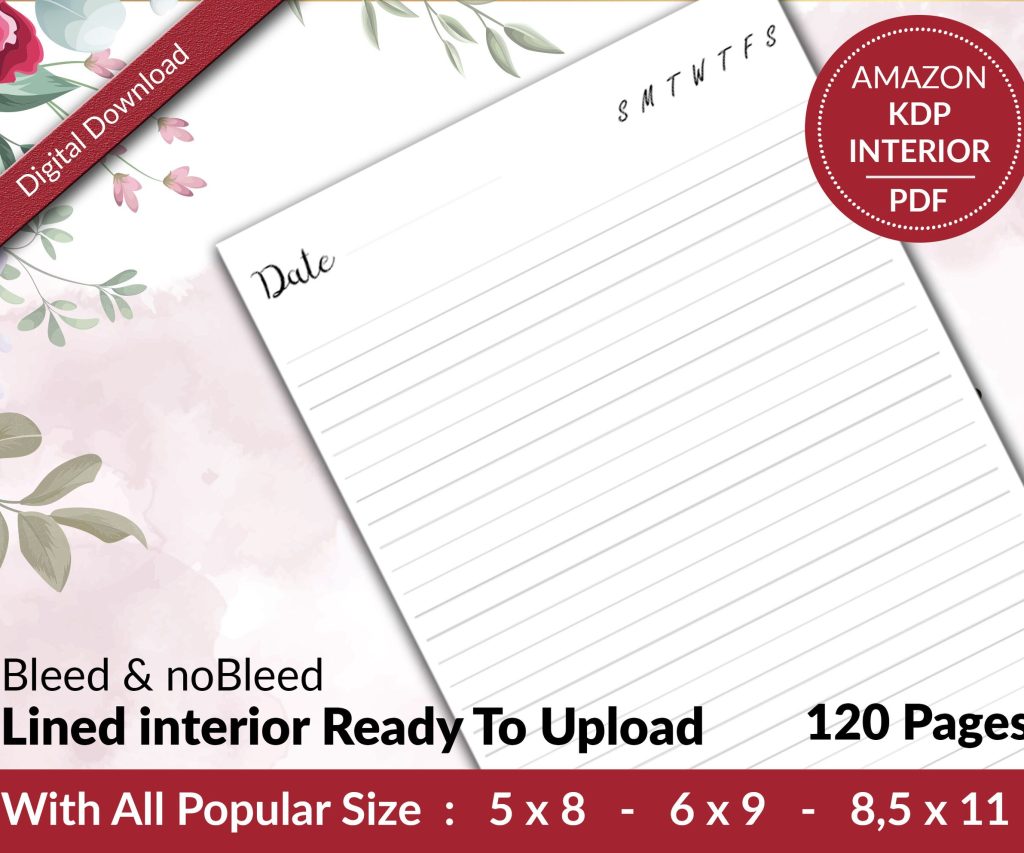 Lined Pages Journal 120 pages Ready to Upload PDF Commercial Use KDP Template 6x9 8.5x11 5x8 for Notebooks, Diaries, Low Content
1 × $0.00
Lined Pages Journal 120 pages Ready to Upload PDF Commercial Use KDP Template 6x9 8.5x11 5x8 for Notebooks, Diaries, Low Content
1 × $0.00  Cute Dogs Coloring Book for Kids | Activity Book | KDP Ready-To-Upload
1 × $0.00
Cute Dogs Coloring Book for Kids | Activity Book | KDP Ready-To-Upload
1 × $0.00 
DISCOVER OUR FREE BEST SELLING PRODUCTS
Editable Canva Lined Journal: Express Your Thoughts – KDP Template
Lined Pages Journal 120 pages Ready to Upload PDF Commercial Use KDP Template 6×9 8.5×11 5×8 for Notebooks, Diaries, Low Content
Lined Pages Journal 120 pages Ready to Upload PDF Commercial Use KDP Template 6×9 8.5×11 5×8 for Notebooks, Diaries, Low Content
Cute Dogs Coloring Book for Kids | Activity Book | KDP Ready-To-Upload
Daily Planner Diary : Diary Planners for Everyday Productivity, 120 pages, 6×9 Size | Amazon KDP Interior
Wolf Coloring KDP interior For Adults, Used as Low Content Book, PDF Template Ready To Upload COMMERCIAL Use 8.5×11"
Coloring Animals Head Book for Kids, Perfect for ages 2-4, 4-8 | 8.5×11 PDF
Printable Blank Comic Book Pages PDF : Create Your Own Comics – 3 Available Sizes
Notes KDP interior Ready To Upload, Sizes 8.5×11 6×9 5×8 inch PDF FILE Used as Amazon KDP Paperback Low Content Book, journal, Notebook, Planner, COMMERCIAL Use
Black Lined Journal: 120 Pages of Black Lined Paper Perfect for Journaling, KDP Notebook Template – 6×9
Student Planner Journal 120 pages Ready to Upload PDF Commercial Use KDP Template 6×9" 8.5×11" for Low Content book
Recipe Journal Template – Editable Recipe Book Template, 120 Pages – Amazon KDP Interior