
 Coloring Animals Head Book for Kids, Perfect for ages 2-4, 4-8 | 8.5x11 PDF
 Subtotal: $0.00
Amazon KDP guide, KDP book publishing
Book Manuscript Example: Submission-Ready Sample
23
Apr
Apr
Okay so you need to see what a submission-ready manuscript actually looks like, right? I just helped three clients with this last month and the biggest mistake everyone makes is thinking their Word doc with random formatting is gonna cut it.
The Basic Format Nobody Tells You About
First thing – publishers and agents want consistency more than they want your creative fonts. I learned this the hard way back in 2017 when I submitted my first nonfiction book and got rejected before anyone even read past page 3. The formatting was just… all over the place.
Here’s what you actually need:
- 12-point Times New Roman or Courier (yeah, Courier looks ancient but some editors still prefer it)
- Double-spaced everything – no exceptions
- 1-inch margins on all sides
- Left-aligned text, ragged right edge (don’t justify it)
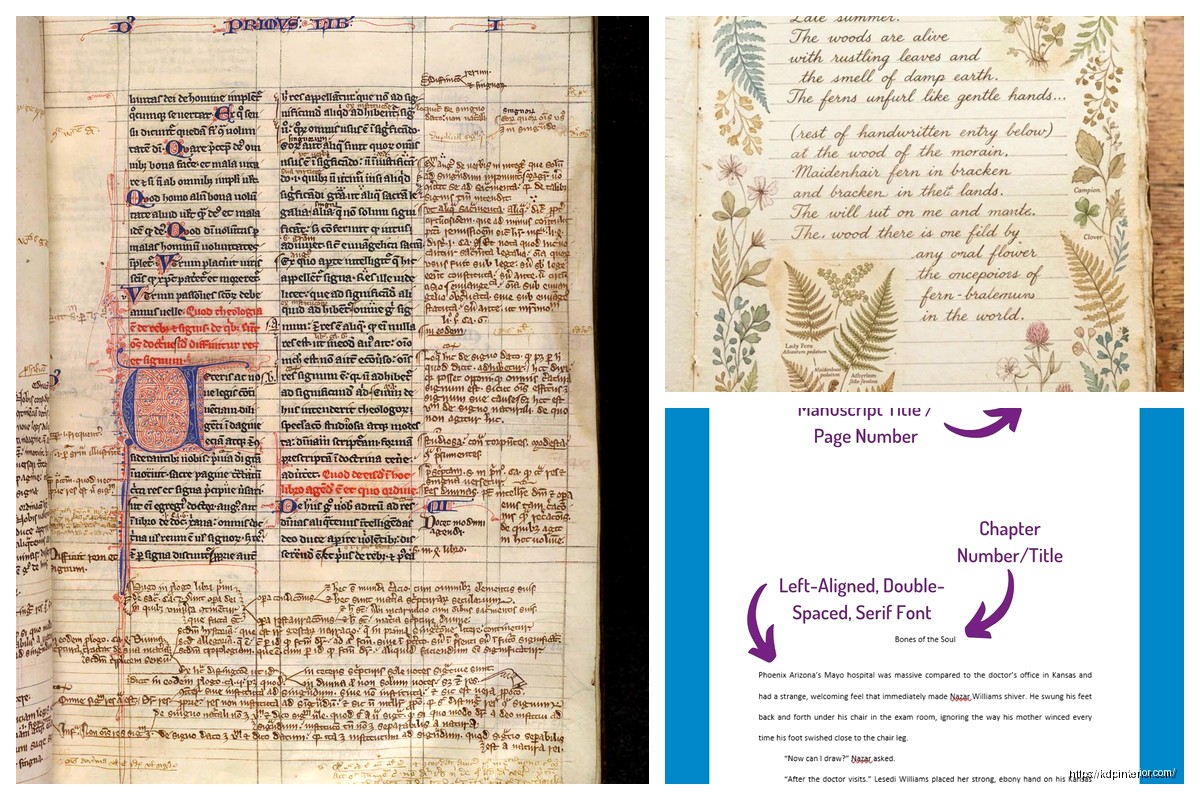
- Header on every page with your last name, book title (shortened), and page number
The header thing trips people up constantly. It should look like: Harper / Manuscript Example / 1
Put that in the top right corner. First page of each chapter gets the page number but you can skip the header text if you want. Some people do, some don’t – I’ve seen both get accepted.
Title Page Layout
Your title page is basically your first impression and it’s weirdly formal. Top left corner gets your contact info:
Your Legal Name
Street Address
City, State ZIP
Phone Number
Email Address
Website (if you have one)
Then in the center of the page, about halfway down, put your book title in ALL CAPS. Under that, the word “by” and then your name (or pen name if that’s what you’re using).
Bottom right corner is where you put the word count. Round to the nearest thousand – so like “approximately 62,000 words” or whatever.
Oh and another thing – if you’ve got an agent, their info goes in the bottom left corner instead of yours at the top. But you’re probably doing this before you have an agent so don’t worry about that yet.
Chapter Formatting That Actually Works
I was watching The Bear the other night and got distracted thinking about how their chaotic kitchen is basically what most manuscripts look like internally… anyway.
Start each chapter about 1/3 down the page. So hit enter like 8-10 times before you type “Chapter One” or whatever you’re calling it. Center the chapter heading. Then drop down 3-4 lines and start your text.
Some people use chapter numbers, some use chapter titles, some use both. I’ve done all three across different books and honestly it doesn’t matter as much as you think. Just be consistent.
First paragraph of each chapter shouldn’t be indented. Every paragraph after that gets a 0.5-inch indent. Don’t hit tab five times like I used to do – set your indent in Word’s paragraph settings. Trust me on this one.
Scene Breaks and Section Breaks
When you need a scene break within a chapter, drop down one double-spaced line, put a centered # or ***, then drop down another line. That’s it. I see people getting fancy with this and it just looks weird in manuscript format.
For section breaks that are bigger than scene breaks but not full chapters, same thing but maybe use ### instead. The actual symbol doesn’t matter that much – you just need something consistent that clearly shows “hey, we’re shifting here.”
The First Pages Are Everything
Okay so funny story – I once submitted a manuscript where page 1 started with Chapter One and I didn’t include a title page because I thought that was just for published books. The agent’s assistant emailed me back asking if I’d accidentally sent the wrong file. Embarrassing.
Your manuscript should flow like this:
- Title page
- Blank page (optional but looks professional)
- Chapter One starts
- Everything else follows
Some people include a table of contents. For fiction, don’t bother unless you’ve got a really complex structure. For nonfiction, yeah, include it after the title page.
Dialogue and Special Formatting
This is gonna sound weird but keep your dialogue formatting super simple in manuscript format. Regular quotation marks, normal punctuation rules, nothing fancy.
Don’t do that thing where you change fonts for text messages or emails within your story. Just italicize them or set them off as a block quote. When it gets published, the designer will handle making it look cool.
Same goes for emphasis – italics only. Don’t bold things for emphasis, don’t underline (unless it’s a book title or something that grammatically requires it), definitely don’t use colored text. My cat just knocked over my coffee while I’m writing this and honestly that’s about as chaotic as your manuscript formatting should NOT be.
Handling Different Elements
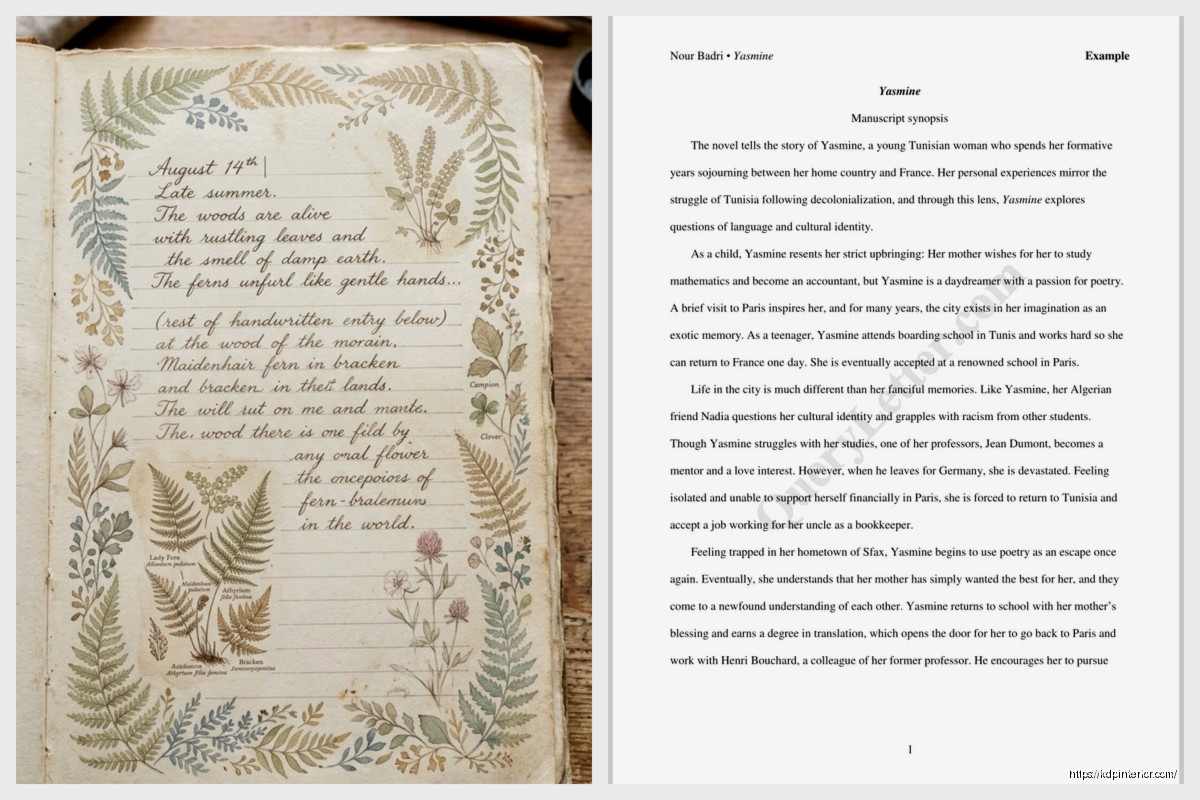
For letters, diary entries, newspaper articles, whatever – just indent the whole block an extra 0.5 inches on both sides and maybe italicize it. Keep it simple.
Epigraphs at the start of chapters should be right-aligned or centered, italicized, with the source underneath. Something like:
The only way out is through.
– Robert Frost
Put it after your chapter heading but before the chapter text starts.
What Publishers Actually Want to See
I’ve talked to probably 30+ editors and agents over the years and they all say the same thing – they want clean, readable, professional-looking manuscripts that don’t make their eyes hurt. That’s literally it.
They’re gonna reformat everything anyway for publication. Your job isn’t to make it look like a published book. Your job is to make it easy for them to read and evaluate your actual writing.
Wait I forgot to mention – page numbers start from page 1 of your actual manuscript, not from the title page. So title page has no number, then Chapter One is page 1.
Common Mistakes I See Constantly
- Extra spaces between sentences (just use one space after periods, not two)
- Justified text that creates weird spacing
- Headers that include the date or version number (don’t do this)
- Chapter headings in fancy fonts
- Page breaks in random places
- Different formatting for different chapters
That last one happens more than you’d think. People write chapters at different times and forget to match the formatting. Do a full read-through just checking formatting before you submit anywhere.
File Format and Submission
Most places want .doc or .docx files. Some want PDFs but that’s less common. Always check the submission guidelines – this is one area where you gotta follow their rules exactly.
Name your file something professional like: LastName_BookTitle_Manuscript.docx
Not like “FINAL FINAL v3 revised NEW.docx” even though we’ve all been there.
Sample Opening Pages
Let me show you how the first page of Chapter One should actually look in your manuscript:
You’d have your header up top (Harper / Manuscript Example / 1), then about 1/3 down the page you’d have:
CHAPTER ONE
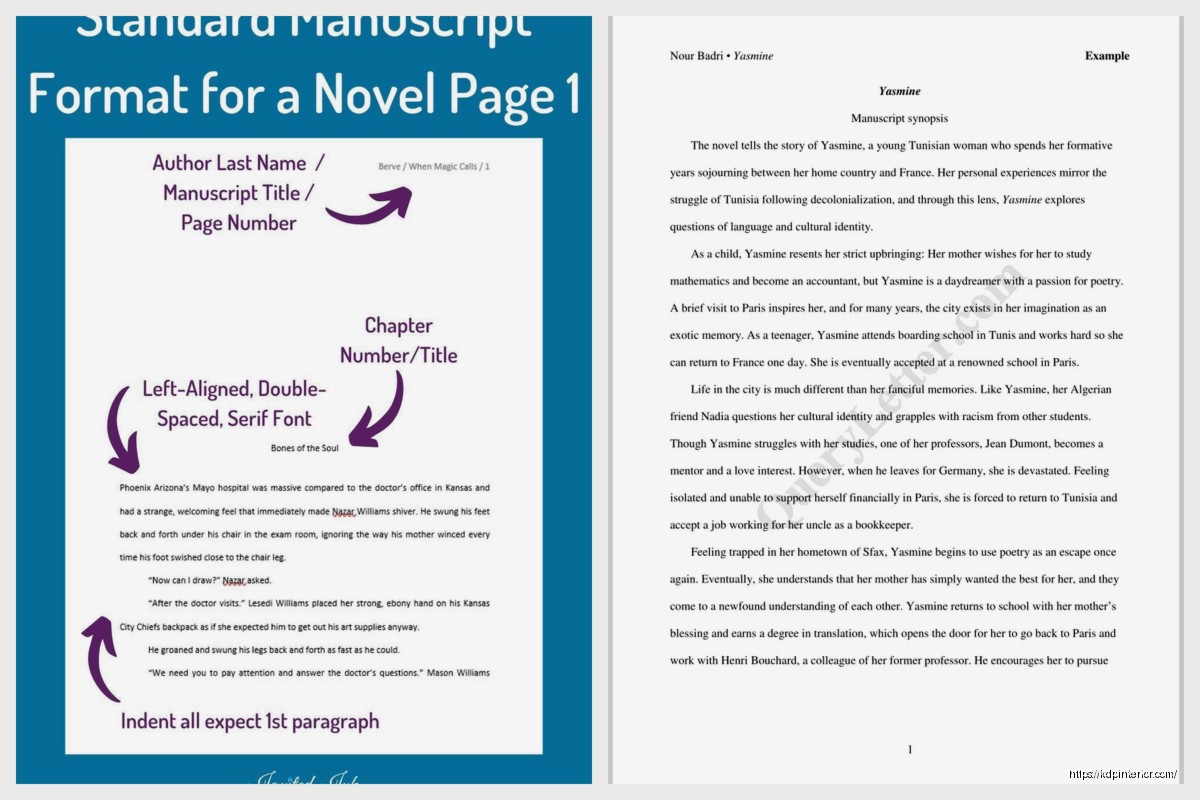
(3-4 blank lines)
The morning Sarah discovered the letter, frost still clung to the windows of her grandmother’s house. She hadn’t slept, couldn’t sleep, not with the weight of what she’d found in the attic pressing against her thoughts.
“You gonna eat that?” Marcus reached across the table, his fork already hovering over her untouched eggs.
She pushed the plate toward him. Food seemed impossible right now.
See how clean that is? No fancy stuff, just the story. The indent on paragraphs 2 and 3, no indent on the first one. Simple dialogue formatting.
Back Matter and End Pages
When you hit the end of your last chapter, just stop. Don’t write “THE END” unless that’s genuinely part of your style. Drop down a few lines and you can put a centered ### if you want to signal it’s over, but honestly just ending is fine.
If you’ve got an author bio or acknowledgments you want to include, put those on a new page after the manuscript ends. But for most submissions, you don’t need to include that stuff. They just want the manuscript.
Proofing Your Format
Before you submit anywhere, do this – print out the first 10 pages and the last 5 pages. Actually print them. You’ll catch formatting issues on paper that you miss on screen.
Check that:
- Headers are consistent
- Page numbers are sequential
- Indents are all the same
- Line spacing doesn’t randomly change
- Chapter headings all look the same
I caught a weird spacing issue last week where every chapter after Chapter 7 had randomly switched to 1.5 spacing instead of double-spaced. Would’ve been mortifying to submit that.
Different Genres, Same Rules
Whether you’re writing romance, thriller, memoir, whatever – these formatting rules stay pretty much the same. I’ve published everything from cookbooks to detective novels and the manuscript format is consistent across the board.
The only real variation is nonfiction sometimes includes more front matter – table of contents, preface, introduction. But format those the same way, just each on their own page with the same header/page number setup.
Special Cases
If you’re writing poetry, different rules apply – don’t double-space the lines of poems themselves, just between poems. If you’re doing a hybrid book with images, note in the manuscript where images should go but don’t actually embed them unless guidelines say to.
For scripts or plays, totally different formatting system. Don’t even try to use standard manuscript format for those.
What Happens After Submission
Just so you know what to expect – when you submit this beautifully formatted manuscript, the agent or editor is probably gonna read it on their computer or tablet anyway. But having it properly formatted shows you’re professional and serious.
If they request revisions, make the changes but keep the formatting identical. Don’t suddenly switch to single-spacing or different fonts. Consistency is everything.
The real thing nobody tells you is that manuscript formatting is basically invisible when done right. It should fade into the background so your writing shines. That’s the whole point.
Make sure your Word doc has all styles set to Normal for body text. Don’t use Heading 1, Heading 2, etc. for chapter titles – just manually format them. Those built-in styles can cause weird conversion issues.
Last thing – save multiple versions as you work. I learned this when Word crashed and I lost 3 hours of formatting fixes. Save often, back up to cloud storage, maybe even email yourself a copy. Losing a formatted manuscript is worse than writing it the first time.
DISCOVER OUR FREE BEST SELLING PRODUCTS
Editable Canva Lined Journal: Express Your Thoughts – KDP Template
Lined Pages Journal 120 pages Ready to Upload PDF Commercial Use KDP Template 6×9 8.5×11 5×8 for Notebooks, Diaries, Low Content
Lined Pages Journal 120 pages Ready to Upload PDF Commercial Use KDP Template 6×9 8.5×11 5×8 for Notebooks, Diaries, Low Content
Cute Dogs Coloring Book for Kids | Activity Book | KDP Ready-To-Upload
Daily Planner Diary : Diary Planners for Everyday Productivity, 120 pages, 6×9 Size | Amazon KDP Interior
Wolf Coloring KDP interior For Adults, Used as Low Content Book, PDF Template Ready To Upload COMMERCIAL Use 8.5×11"
Coloring Animals Head Book for Kids, Perfect for ages 2-4, 4-8 | 8.5×11 PDF
Printable Blank Comic Book Pages PDF : Create Your Own Comics – 3 Available Sizes
Notes KDP interior Ready To Upload, Sizes 8.5×11 6×9 5×8 inch PDF FILE Used as Amazon KDP Paperback Low Content Book, journal, Notebook, Planner, COMMERCIAL Use
Black Lined Journal: 120 Pages of Black Lined Paper Perfect for Journaling, KDP Notebook Template – 6×9
Student Planner Journal 120 pages Ready to Upload PDF Commercial Use KDP Template 6×9" 8.5×11" for Low Content book
Recipe Journal Template – Editable Recipe Book Template, 120 Pages – Amazon KDP Interior