
-
×
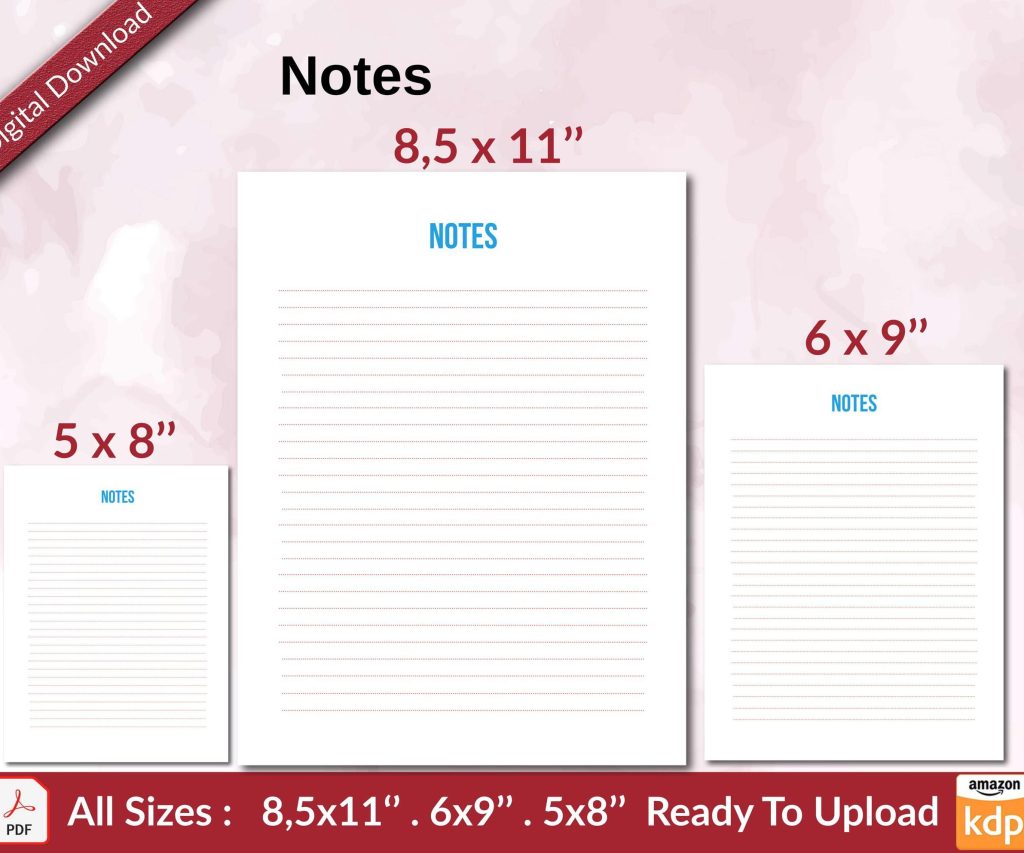 Notes KDP interior Ready To Upload, Sizes 8.5x11 6x9 5x8 inch PDF FILE Used as Amazon KDP Paperback Low Content Book, journal, Notebook, Planner, COMMERCIAL Use
1 × $0.00
Notes KDP interior Ready To Upload, Sizes 8.5x11 6x9 5x8 inch PDF FILE Used as Amazon KDP Paperback Low Content Book, journal, Notebook, Planner, COMMERCIAL Use
1 × $0.00
Subtotal: $0.00
I literally just walked a client through this yesterday and they were formatting everything in Calibri with single spacing like it was a business memo, so let me save you from that headache.
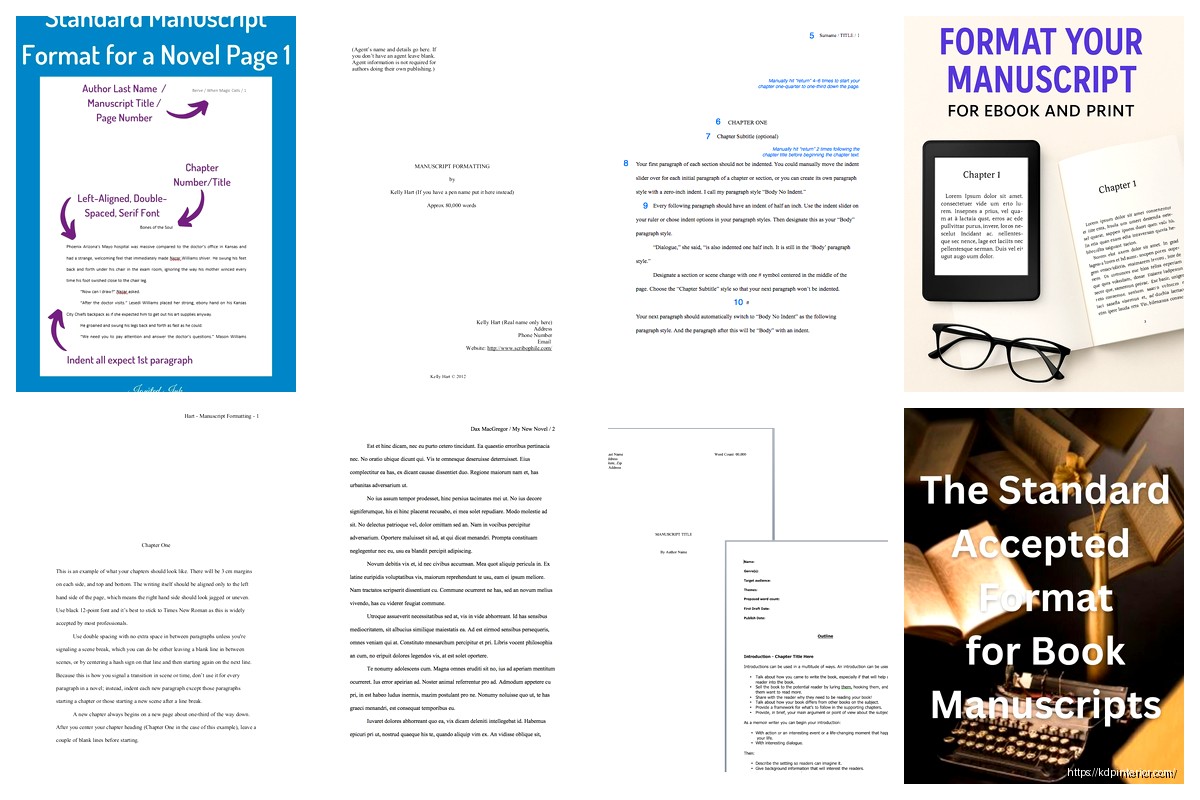
First thing – and this is gonna sound old school but I promise it matters – you want Times New Roman, 12pt font. Yeah I know, it’s boring as hell and reminds everyone of high school essays, but that’s literally the point. Publishers and agents read hundreds of these things and they want zero eye strain. I’ve tested submitting in other fonts before (because I was curious and had some extra time after a client project fell through) and the feedback was always “please resubmit in standard format.”
Double spacing. Always. Not 1.5, not 2.5 – exactly 2.0 line spacing. This isn’t about readability as much as it’s about giving editors physical room to make notes if they’re printing it out. And yeah, some people still print manuscripts in 2024, wild but true.
One inch margins on all sides. Left, right, top, bottom – just set everything to 1″ and forget about it. I see people trying to squeeze more words per page by shrinking margins to 0.7″ or whatever and it just looks amateurish when you see it laid out.
Left alignment only, not justified. This one trips people up because justified text looks “cleaner” or more book-like, but manuscripts aren’t books yet. They’re working documents. Justified text creates weird spacing issues that make word count estimates harder.
Oh and another thing – you need a header on every page except the first one. Top right corner should have: Your Last Name / TITLE IN CAPS / Page Number. So for me it’d be like “Harper / MANUSCRIPT GUIDE / 24″ – keeps everything organized if pages get separated.
Your first page is your title page and it’s weirdly specific. Top left corner gets your contact info:
Then in the center of the page, about halfway down, you put your title in ALL CAPS, then underneath “by” in lowercase, then your name (or pen name if you’re using one).
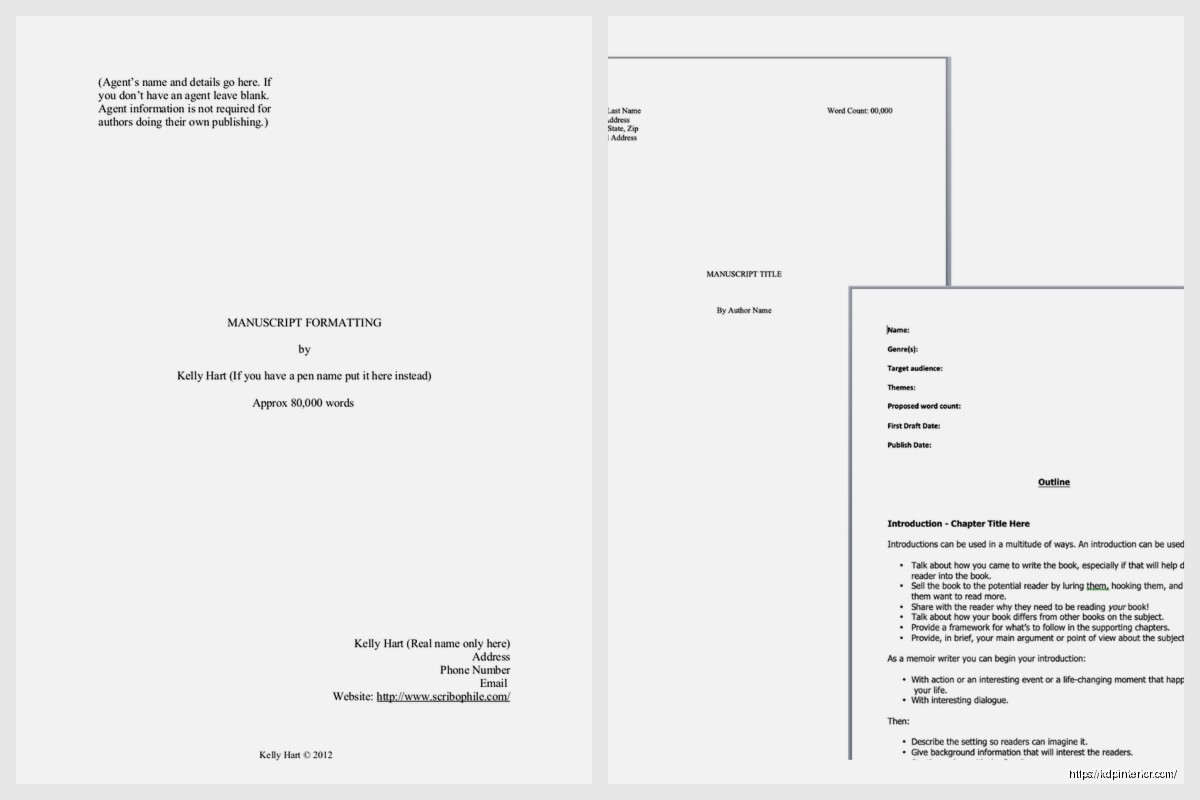
Bottom right corner is where word count goes – but here’s the trick, you round to the nearest thousand. A 47,000 word manuscript gets listed as “approximately 47,000 words” or just “47,000 words.” Don’t put the exact count like 46,847, that’s too precise and looks amateur.
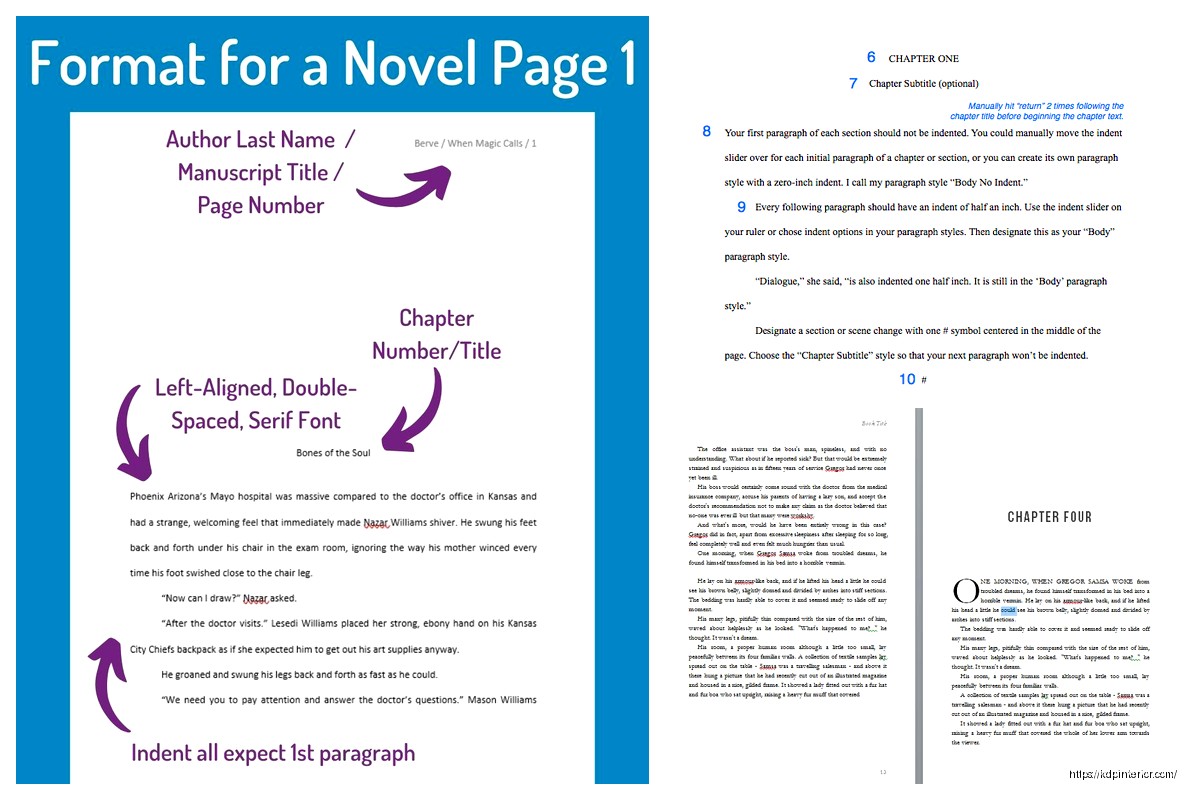
Start your first chapter about 1/3 down the first page of actual text (not the title page). Each new chapter starts on a fresh page – hit that page break, don’t just spam Enter until you get to a new page because that’ll mess up formatting later.
Chapter headings should be centered. “Chapter One” or “Chapter 1” or just “1” – whatever style you pick, stay consistent. Some people do creative chapter titles like “The Red Door” and that’s fine too, just keep it centered and in the same font as everything else.
First paragraph of each chapter OR section should be flush left, no indent. Every other paragraph gets a 0.5 inch indent. Do NOT use the space bar or tab key to create indents, use the paragraph formatting tool. I spent like three hours once fixing a manuscript where someone had manually tabbed every single paragraph and it was a nightmare when we needed to adjust formatting.
When you have a scene break within a chapter, you can’t just leave white space because it might land at a page break and then nobody knows if it’s intentional. Use either three asterisks centered (* * *) or a single hash mark (#) centered. That’s it, nothing fancy.
Don’t put “The End” at the end of your manuscript. I know it feels satisfying but it’s not standard. Just end your last sentence and stop.
This isn’t specific to manuscript format but since we’re here – em dashes (—) not hyphens (-) for interrupted dialogue. Most people don’t know how to make an em dash so they just use two hyphens — which Word will auto-convert anyway, but you can also do Alt+0151 on Windows or Option+Shift+Minus on Mac.
Ellipses are three periods with spaces between words but no spaces between the periods themselves… like that. Not . . . with spaces between each period, even though that looks cooler.
After your title page but before Chapter One, you might need some of this stuff depending on what you’re submitting:
Most publishers specifically say what they want. If they want first three chapters and a synopsis, send exactly that. If they want the full manuscript, send the whole thing but don’t include dedication pages and author bios and all that – they’ll ask for it later if they’re interested.
Save your file as .doc or .docx – Word format basically. Some places accept .rtf but Word is safest. PDF is almost never acceptable for manuscript submissions because editors can’t make changes or add comments easily.
File name should be simple: LASTNAME_TITLE.docx – so mine would be HARPER_MANUSCRIPT_GUIDE.docx. Don’t use version numbers or dates in the file name you submit.
This is gonna sound weird but turn off Track Changes before you submit. I’ve seen people accidentally submit manuscripts with all their self-edits visible in red and blue and it’s just… don’t do that.
Poetry manuscripts are completely different – they’re usually single spaced with one poem per page, title centered above each poem. But honestly if you’re submitting poetry you probably already know it’s its own weird world.
Screenplays have their own format (Courier 12pt, specific margin measurements, all caps for character names) but that’s not really my area. I stick to prose.
Children’s books under 1000 words can be single spaced because they’re so short. Picture books especially, since the text is minimal and the art is what matters.
Don’t use colored text, highlighting, or special fonts for emphasis. If you want something emphasized, use italics. That’s it.
Don’t include images, illustrations, or graphics in your manuscript unless you’re specifically submitting a graphic novel or illustrated work AND they asked for art included. Otherwise it’s just text.
Don’t mess with character or line spacing beyond the standard double space. I’ve seen people try to expand character spacing to make their word count look bigger on the page and it’s super obvious.
Page numbers are just numbers – don’t add “page” before them or put them in a fancy footer design. Just “24” in the header, that’s all.
Your manuscript should never have a cover letter attached to it or embedded in it. Cover letter is a separate thing entirely – usually in the body of your email or as a separate document. The manuscript file itself starts with title page, nothing else.
Oh and another thing – don’t justify your paragraphs with extra spacing between them unless you’re doing the no-indent block paragraph style, which is really more for online content or modern literary fiction. Traditional manuscript format has indented paragraphs with no extra space between them.
Industry standard estimate is 250 words per page with standard manuscript format. So a 75,000 word novel should be roughly 300 pages in manuscript format. This is just an estimate for planning purposes – actual count varies.
For submission purposes, most agents want to know genre-appropriate word counts:
If you’re way outside these ranges, you might wanna revise before submitting unless you’ve got a really good reason.
Okay so funny story – if you’re self-publishing on KDP like I do, you actually don’t need any of this traditional formatting. KDP wants your interior formatted for actual book layout, which is totally different. But here’s why you should still know manuscript format: if you’re hiring an editor, they’re gonna want it in manuscript format because that’s what they’re used to working with. Then after editing you convert it to book format for publishing.
My cat just knocked over my coffee, hang on.
Okay back – so yeah, manuscript format is really for the traditional publishing submission process, but it’s also just the professional standard for any editorial work. When I’m working with clients on their KDP books, I always ask for manuscripts in this format first, then we do the layout conversion after editing is complete.
Curly quotes (“like this”) not straight quotes (“like this”). Word usually does this automatically but double check, especially if you’ve copied text from somewhere else.
Apostrophes should also be curly (‘). Again, usually automatic but sometimes gets messed up.
Don’t use underlines for emphasis – that’s a holdover from typewriter days when italics weren’t possible. Now we have italics, use those instead.
Em dashes are for interruptions or abrupt changes – like this – while en dashes are for ranges like “pages 10–25” (though you probably won’t have many of those in fiction).
Only thing in your header should be that Last Name/Title/Page# combo I mentioned earlier. Nothing in the footer at all. Don’t put copyright notices, don’t put your email again, don’t put quotes or designs or anything. Just blank.
First page (title page) has no header or footer at all. Page numbering starts on the first page of actual text – which might be page 2 or 3 depending on if you have a synopsis or other front matter.
Just to clarify since this confuses people – the manuscript is just one part of a submission package. Complete package usually includes:
Each of these has its own format rules but we’re just talking manuscript today. Maybe I’ll write up query letter format another time because that’s a whole other mess.
Okay so you’re sitting down to format your manuscript from scratch, here’s the literal step-by-step:
Open Word. Set the whole document to Times New Roman 12pt before you start typing anything else. Go to Page Layout (or Layout depending on your Word version), set margins to 1″ all sides. Set paragraph spacing to 0pt before and after, line spacing to 2.0 (double). Set paragraph indent to 0.5″ for first line indent, but turn that off for the title page.
Type your title page with contact info top left, title centered, word count bottom right. Page break.
Now you’re on what will be page 1 of your manuscript. Insert header, align it right, type your last name, slash, title in caps, slash, then insert page number. Format the header to not show on first page (there’s a checkbox for that).
Drop down about 1/3 of the page (hit Enter like 8-10 times), center your chapter heading, hit Enter twice, then align left again and start your first paragraph with no indent.
From second paragraph on, make sure that 0.5″ first line indent is working. Just type and let it flow.
Every new chapter needs a page break before it, then same deal – chapter title centered, first paragraph no indent, rest indented.
That’s basically it. The format itself is not complicated, it’s just specific.
Don’t leave any. No [INSERT BETTER DESCRIPTION HERE] or [CHECK THIS FACT] notes in your submission manuscript. That stuff is fine in your working draft but clean it all out before submitting. Use Find & Replace to search for brackets if you use those for notes.
Comments and tracked changes should all be deleted or accepted before submission. Nobody wants to see your internal process.
Romance manuscripts sometimes include a heat level indicator in the query letter but not in the manuscript itself. The manuscript is just formatted normally.
Mystery/thriller writers sometimes number their chapters with more detail like “Chapter One: Monday, 6am” but this still follows standard centering and formatting rules.
DISCOVER OUR FREE BEST SELLING PRODUCTS
Editable Canva Lined Journal: Express Your Thoughts – KDP Template
Lined Pages Journal 120 pages Ready to Upload PDF Commercial Use KDP Template 6×9 8.5×11 5×8 for Notebooks, Diaries, Low Content
Lined Pages Journal 120 pages Ready to Upload PDF Commercial Use KDP Template 6×9 8.5×11 5×8 for Notebooks, Diaries, Low Content
Cute Dogs Coloring Book for Kids | Activity Book | KDP Ready-To-Upload
Daily Planner Diary : Diary Planners for Everyday Productivity, 120 pages, 6×9 Size | Amazon KDP Interior
Wolf Coloring KDP interior For Adults, Used as Low Content Book, PDF Template Ready To Upload COMMERCIAL Use 8.5×11"
Coloring Animals Head Book for Kids, Perfect for ages 2-4, 4-8 | 8.5×11 PDF
Printable Blank Comic Book Pages PDF : Create Your Own Comics – 3 Available Sizes
Notes KDP interior Ready To Upload, Sizes 8.5×11 6×9 5×8 inch PDF FILE Used as Amazon KDP Paperback Low Content Book, journal, Notebook, Planner, COMMERCIAL Use
Black Lined Journal: 120 Pages of Black Lined Paper Perfect for Journaling, KDP Notebook Template – 6×9
Student Planner Journal 120 pages Ready to Upload PDF Commercial Use KDP Template 6×9" 8.5×11" for Low Content book
Recipe Journal Template – Editable Recipe Book Template, 120 Pages – Amazon KDP Interior