
 Printable Blank Comic Book Pages PDF : Create Your Own Comics - 3 Available Sizes
 Subtotal: $0.00
Amazon KDP guide, KDP book publishing
Book Reading List Template: TBR Organizer
24
Apr
Apr
Okay so I just spent like three hours last Tuesday organizing my own TBR pile and realized I’ve been doing this completely wrong for years, which is kinda embarrassing considering I publish reading journals and planners on KDP.
The thing about reading list templates is nobody actually uses those fancy ones with like 47 fields. You open it once, get overwhelmed, and go back to scribbling titles on random sticky notes. I’ve tested probably 15 different formats and here’s what actually works.
Start With The Basics That You’ll Actually Fill Out
Your template needs like five core fields max. Book title, author, where you heard about it (this matters more than you think), priority level, and maybe genre. That’s it. I see people adding publication year, ISBN, page count, original language… and then they never update the thing past week one.
The “where you heard about it” field is weirdly crucial because six months later when you’re staring at a title you added, you have zero memory of why it’s there. Was it from that podcast episode? Your coworker’s recommendation? Saw someone reading it on the subway? This context helps you decide if you still care.
Priority Levels Need To Be Stupid Simple
I use three tiers: Read Next, Soon, and Someday. That’s it. Not “high/medium/low priority” or a number system 1-10. Just three buckets.
Read Next is your top 5-7 books max. If everything’s a priority, nothing is. This list should stress you out a little if it gets longer than 7 books because that means you’re not reading, you’re just hoarding titles.
Soon is stuff you genuinely want to read within the next 3-4 months. This can be like 15-20 books.
Someday is your dump zone for “that sounds interesting but honestly maybe never.” And that’s fine! I’ve got 80+ books in my Someday category and I’m never gonna read most of them. It’s just nice knowing they’re there.
Format Options Because Everyone Works Differently
I’ve tried spreadsheets, notion databases, physical notebooks, apps… they all work if you actually use them. The best template is the one you’ll open.
Spreadsheet Version
Google Sheets is free and you can access it anywhere which matters more than you think. Set up columns for:
- Title
- Author
- Source/Recommendation
- Priority (dropdown: Read Next/Soon/Someday)
- Genre/Category
- Date Added
- Date Started (optional)
- Date Finished (optional)
- Rating (I use 1-5 stars)
- Notes
Use data validation for the priority dropdown so you’re not typing it every time. Conditional formatting helps too – I color-code my “Read Next” rows in light yellow so they jump out.
The date added field seems pointless but it’s actually super helpful for seeing what’s been sitting there forever. If something’s been in “Read Next” for 8 months… maybe move it to Someday and stop lying to yourself.
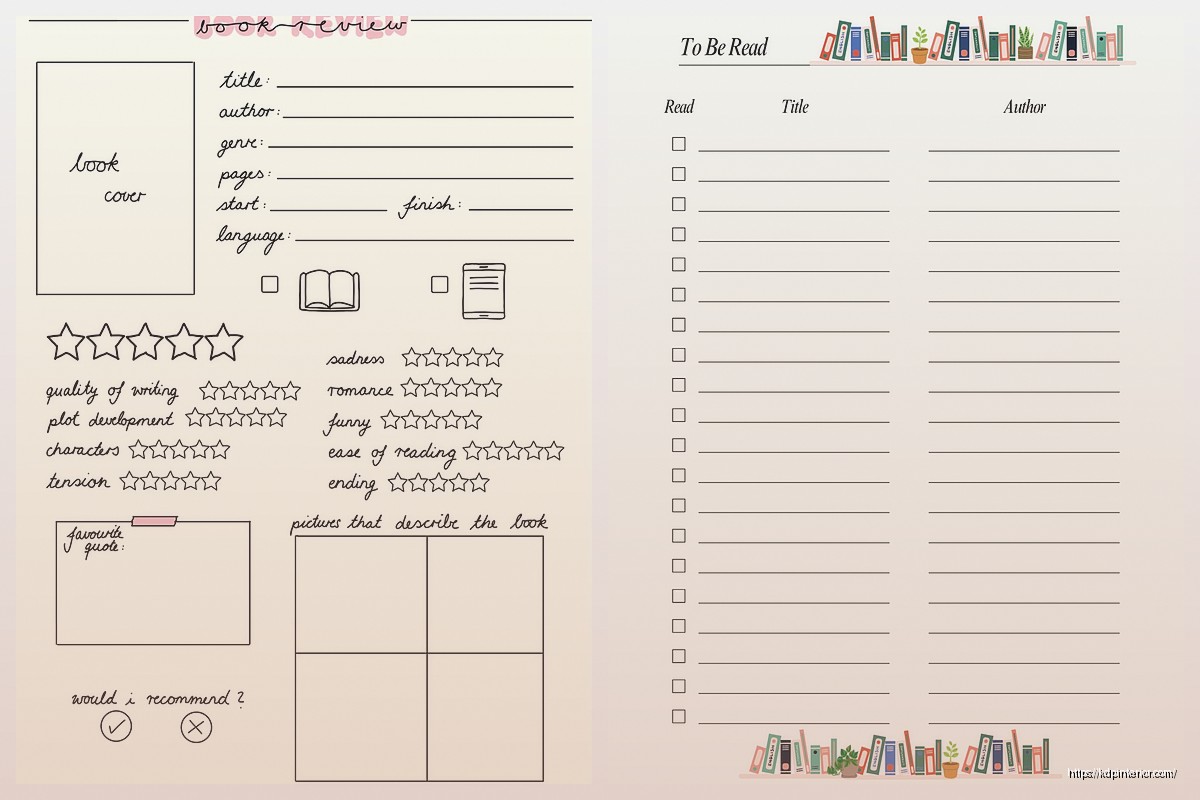
Notebook/Printable Template
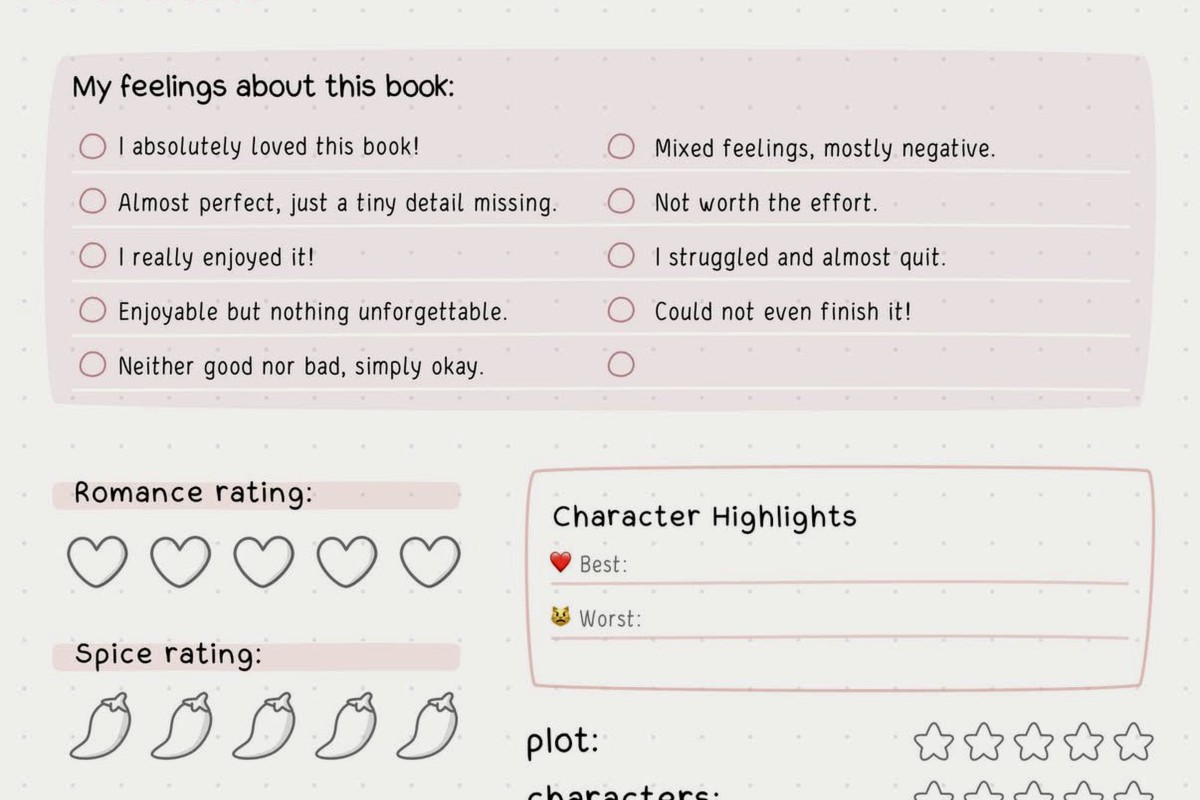
This is what I actually sell on Amazon and people seem to love physical versions even though we all have phones. Something about writing it down makes it feel more intentional I guess.
For a printable template, you want:
- A master list page with maybe 20-30 slots
- Monthly TBR pages where you commit to specific books
- Reading log pages to track what you finished
- Some kind of notes section
The monthly commitment thing works because it’s a smaller goal. “I’m gonna read these 4 books this month” feels doable. “I’m gonna read 150 books this year” feels like setting yourself up for failure.
Oh and another thing – leave white space. My first templates were so cramped trying to fit everything on fewer pages. People actually prefer more pages with breathing room than dense layouts. Learned that from customer reviews the hard way.
Category Systems That Don’t Suck
Genre tagging helps when you’re in a mood for something specific. But don’t go overboard with subcategories.
I use like 8 main categories:
- Fiction – General
- Fiction – Mystery/Thriller
- Fiction – SciFi/Fantasy
- Nonfiction – Business/Self-help
- Nonfiction – History/Biography
- Nonfiction – Science/Nature
- Classics/Literary Fiction
- Other/Misc
You can adjust based on what you actually read. If you don’t read romance, don’t have a romance category. If you read tons of poetry, add that.
Wait I forgot to mention – some people like tracking format too (physical/ebook/audiobook). This matters if you’re trying to balance or if you only read physical books in certain situations like before bed.
The Monthly Reset Thing
This is gonna sound weird but doing a monthly review changed everything for me. First Sunday of each month, I spend 20 minutes:
Looking at what I actually finished versus what I planned. Usually there’s like a 40% match rate which is… fine I guess.
Moving books between priority levels. Stuff I was excited about last month might not interest me anymore. That’s okay. Your TBR isn’t a binding contract.
Adding new books I’ve discovered. I keep a running note on my phone throughout the month and transfer them over during this review.
Deleting books I’m never gonna read. This feels wrong at first but it’s so freeing. Just because a book is “important” or “everyone says you should read it” doesn’t mean you have to.
The Mood Reading Problem
Okay so funny story – I used to plan my reading really rigidly. Next up was always whatever was at the top of Read Next. But then I’d be in the mood for a mystery and my next book was some dense historical nonfiction and I just… wouldn’t read.
Now I keep my Read Next list diverse on purpose. Mix of heavy/light, fiction/nonfiction, different genres. That way when I finish a book, I can pick based on what I’m feeling that day. The template should support mood reading, not fight against it.
Some people do separate TBR lists by mood which also works:
- Brain Off Books (easy, fun reads)
- Focus Needed (dense, challenging stuff)
- Emotional Prep Required (heavy topics)
- Comfort Rereads
Digital Tools Worth Mentioning
StoryGraph has a pretty good TBR feature built in and it’s free. The recommendations algorithm is better than Goodreads IMO. You can tag books with moods and pacing which helps with that mood reading thing.
Goodreads works fine too, it’s just clunkier. The “Want to Read” shelf is basically a TBR but you can’t organize it much beyond that without making custom shelves.
Notion is overkill for most people but if you’re already using it for other stuff, the database feature is actually perfect for this. You can create different views – by priority, by genre, by where you heard about it. I used Notion for like 6 months before realizing I was spending more time organizing my reading list than actually reading.
Tracking What You’ve Read Matters Too
Your TBR template should connect to some kind of reading log. Doesn’t have to be fancy. Just title, author, date finished, and maybe a rating or quick thought.
I do a simple 1-5 star rating plus like one sentence about whether I’d recommend it. That’s enough. Some people write full reviews but honestly who has time for that unless you’re a book blogger.
The reason this matters is patterns. After a year you can look back and see what you actually enjoyed versus what you thought you’d enjoy. I discovered I rate most business books 3 stars or below even though I keep adding them to my TBR. That told me something about my reading preferences versus what I think I should be reading.
Common Mistakes I See All The Time
Adding books you feel like you should read instead of want to read. Your TBR isn’t homework. If you don’t actually want to read Moby Dick or whatever classic is sitting there making you feel guilty, just remove it.
Making the list too complicated. Every field you add is another reason to not update it. Keep it simple.
Never cleaning it out. I purge my Someday list every few months. If I added a book 18 months ago and still haven’t felt like reading it, it’s gone.
Not having a system for library holds. This deserves its own section actually.
Library Hold Integration
If you use the library, you need a way to track what you have on hold versus what’s on your general TBR. I learned this after getting like 5 books all at once from the library and having to return 3 unread because the holds came in at the same time.
Add a column or section for “On Hold at Library” with the expected date if the library tells you. This becomes your actual reading priority because those books have deadlines.
Some people keep a completely separate library TBR versus a buying TBR. Makes sense if you’re trying to save money or reduce book buying.
The Series Problem
Tracking series is annoying. Do you add each book individually or just the series name? I do individual books but mark them like “Book Title (Series #2)” so I know the reading order.
Some people use a separate series tracker page where they list series they’re in the middle of. This prevents the thing where you accidentally start book 3 because you forgot you never read book 2.
Rereads And Comfort Books
Should rereads go on your TBR? I say yes but marked differently. I have a “Reread Someday” section because those books serve a different purpose. They’re not expanding what I’ve read, they’re comfort or revisiting something I loved.
My cat just knocked over my water bottle so gimme a sec…
Okay back. Where was I… oh yeah, rereads.
The thing about comfort rereads is they’re often what you actually reach for when you’re stressed or tired, even if you have 50 new books waiting. Don’t feel bad about that. Track them separately if you want but they count as reading.
Making It Actually Work Long-Term
The template only works if you use it consistently. I update mine every time I finish a book (add rating and notes to my log) and every time I hear about a new book I want to read (add it immediately before I forget).
Set a phone reminder for that monthly review if you need to. I do mine Sunday mornings with coffee and it’s kinda become this nice ritual.
Don’t aim for perfection. Some months I barely read and that’s fine. The list is there to support your reading, not judge you for not reading enough.
Also sometimes you’re just not gonna be in a reading phase and that’s okay too. I went like 6 weeks earlier this year barely reading because I was binging some show on Netflix and honestly whatever. The TBR was there waiting when I came back to it.
The main thing is having a system that matches how you actually operate, not how you think you should operate or how bookstagram people operate. If you’re a mood reader, build for that. If you like planning ahead, build for that. If you only read one genre, your template should reflect that.
I’ve probably made like 30 versions of reading list templates over the years and the one I actually use is dead simple. Title, author, priority, genre, date added. That’s it. Everything else was just me overthinking it.
DISCOVER OUR FREE BEST SELLING PRODUCTS
Editable Canva Lined Journal: Express Your Thoughts – KDP Template
Lined Pages Journal 120 pages Ready to Upload PDF Commercial Use KDP Template 6×9 8.5×11 5×8 for Notebooks, Diaries, Low Content
Lined Pages Journal 120 pages Ready to Upload PDF Commercial Use KDP Template 6×9 8.5×11 5×8 for Notebooks, Diaries, Low Content
Cute Dogs Coloring Book for Kids | Activity Book | KDP Ready-To-Upload
Daily Planner Diary : Diary Planners for Everyday Productivity, 120 pages, 6×9 Size | Amazon KDP Interior
Wolf Coloring KDP interior For Adults, Used as Low Content Book, PDF Template Ready To Upload COMMERCIAL Use 8.5×11"
Coloring Animals Head Book for Kids, Perfect for ages 2-4, 4-8 | 8.5×11 PDF
Printable Blank Comic Book Pages PDF : Create Your Own Comics – 3 Available Sizes
Notes KDP interior Ready To Upload, Sizes 8.5×11 6×9 5×8 inch PDF FILE Used as Amazon KDP Paperback Low Content Book, journal, Notebook, Planner, COMMERCIAL Use
Black Lined Journal: 120 Pages of Black Lined Paper Perfect for Journaling, KDP Notebook Template – 6×9
Student Planner Journal 120 pages Ready to Upload PDF Commercial Use KDP Template 6×9" 8.5×11" for Low Content book
Recipe Journal Template – Editable Recipe Book Template, 120 Pages – Amazon KDP Interior