-
×
 Daily Planner Diary : Diary Planners for Everyday Productivity, 120 pages, 6×9 Size | Amazon KDP Interior
1 × $0.00
Daily Planner Diary : Diary Planners for Everyday Productivity, 120 pages, 6×9 Size | Amazon KDP Interior
1 × $0.00
Subtotal: $0.00
 Daily Planner Diary : Diary Planners for Everyday Productivity, 120 pages, 6×9 Size | Amazon KDP Interior
1 × $0.00
Daily Planner Diary : Diary Planners for Everyday Productivity, 120 pages, 6×9 Size | Amazon KDP Interior
1 × $0.00 Subtotal: $0.00
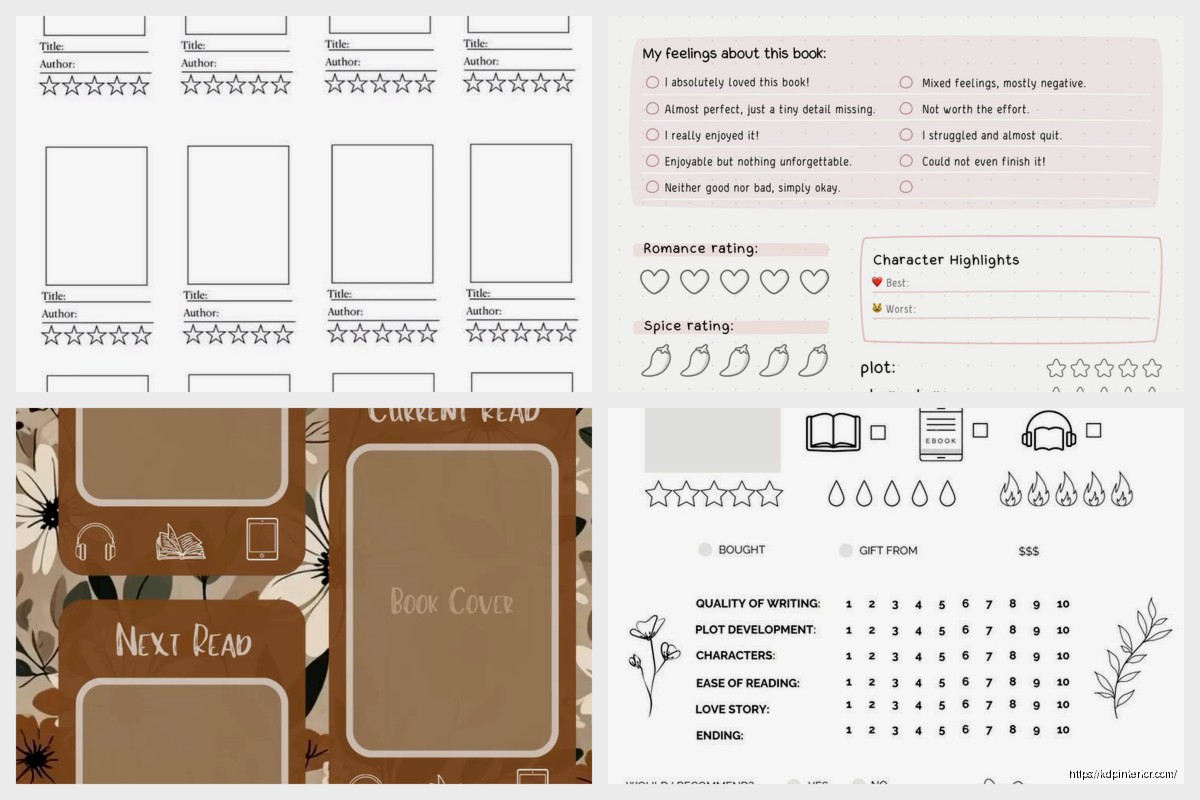
Okay so here’s the thing about reading plan templates – most people overcomplicate them and then wonder why they never stick to their reading goals. I was messing around with different formats last month while my cat kept walking across my keyboard and honestly the simplest versions work best.
Start with just tracking what you’re gonna read and when. That’s it. I see people creating these elaborate spreadsheets with like 47 columns and then they abandon them after three days. Your basic template needs:
The page tracking thing is crucial because it gives you that little dopamine hit when you update it. I use a simple Google Sheet for this and share it with nobody because it’s honestly kinda embarrassing how many romance novels are on there mixed with business books.
So what I do is break down the month into reading blocks. Let’s say you wanna read 4 books in a month – totally doable if you’re realistic about your time. Take each book’s page count and divide by the days you’re giving yourself.
Like if you’ve got a 300-page book and you’re giving yourself 10 days, that’s 30 pages per day. Write that down. Make it visible. I actually print mine out and stick it on my fridge which my partner thinks is ridiculous but whatever works.
Here’s where it gets actually useful. Create a weekly view that shows:
I learned the hard way that saying “I’ll read 50 pages today” without specifying WHEN means it never happens. You gotta block the time like it’s a meeting. Sounds corporate and weird but it works.
This is gonna sound excessive but tracking daily actually helps you see patterns. I noticed I read way more on Wednesdays for some reason – probably because that’s when I take the train downtown and have 40 minutes of uninterrupted time.
Your daily log should include:
That energy level thing is key because you’ll start noticing you retain more when you read at certain times. I’m useless after 9pm for anything complex but romance novels or lighter stuff? Perfect evening reading.
Oh and another thing – organize your reading plan by genre rotation. This was a game-changer for me last year. If you read the same type of book back-to-back you get burned out.
My rotation looks like:
Then repeat. Keeps things fresh and you’re less likely to bail on your reading goals because you’re bored.
Make a separate tab or section that lists books by genre with priority rankings. I use a simple A/B/C system:
A-priority: Books you’re genuinely excited about
B-priority: Books you should probably read (recommendations, research, etc.)
C-priority: Books that sound interesting but no rush
Pull from A-priority first obviously. Life’s too short for C-list books unless you’re stuck in an airport.
Okay so tracking progress can’t be annoying or you won’t do it. I’ve tried a bunch of methods and here’s what actually sticks:
Percentage-based tracking: Instead of pages, track percentage complete. Reading a 400-page book and you’re on page 100? You’re 25% done. Somehow this feels better psychologically.
Chapter checkboxes: Some books have like 50 short chapters, some have 10 long ones. Checking off chapters gives you more frequent wins.
Visual progress bars: If you’re into that sort of thing. I use conditional formatting in Google Sheets to create automatic progress bars. Turns green as you get closer to finishing. Very satisfying.
Wait I forgot to mention – use different colors for different types of books in your template. Fiction in blue, non-fiction in green, whatever. Your brain processes visual info faster and you can see your reading diversity at a glance.
If you’re doing one of those reading challenges (you know, read 52 books in a year or whatever), you need a dedicated tracker for that. Mine has:
The pace calculator is clutch. If you’re trying to read 50 books and you’re 20 weeks in with only 15 books done, it’ll tell you that you need to read 0.7 books per week going forward. Math doesn’t lie and sometimes you need that reality check.
This is gonna sound weird but having a notes template has made me enjoy reading more. I forget everything I read like immediately, so now I jot down:
Keep it short. Like 3-5 bullet points max per book. I was watching this show about memory last week and they said writing things down helps retention even if you never look at the notes again. So there’s that.
Book Title:
Author:
Genre:
Star Rating:
One-sentence summary:
Best for readers who like:
Memorable quote:
That’s it. Takes 2 minutes after finishing a book and you’ve got a personal database of what you’ve read. Super helpful when someone asks for recommendations and your mind goes completely blank.
Real talk – most people read multiple books at once whether they admit it or not. You’ve got your bedside book, your commute book, your bathroom book (don’t lie). Template needs to handle this.
Create sections for:
Track each separately with its own progress bar and goals. Otherwise you’ll use the other books as an excuse to avoid the one you’re actually supposed to be reading.
At the top of your template or on a summary tab, keep running totals:
This stuff is motivating when you can see it add up. I didn’t think I read that much until I looked at my 2023 recap and realized I’d finished 43 books. Not bad for someone who claimed to be too busy.
Look, use whatever you’ll actually maintain. I prefer Google Sheets because it’s accessible everywhere and I can update from my phone. But some people love their paper planners and bullet journals.
For digital templates consider:
For physical templates you’re looking at:
I’ve got a physical reading journal for when I wanna disconnect from screens but I always end up transferring the info to my spreadsheet later because I’m neurotic like that.
Don’t expect your first version to be perfect. I’ve modified mine probably 15 times over the past couple years. You’ll figure out what metrics actually matter to you and what’s just clutter.
Some people care about tracking reading speed (words per minute). I tried that for like a week and realized I don’t care how fast I read, just that I’m reading consistently.
Other people love tracking mood or weather when they read. Seems extra but if it helps you build the habit then go for it.
The template should serve you, not stress you out. If updating it feels like homework then simplify. The whole point is to read more and enjoy it, not create a second job tracking your reading.
Just start with the basics – book title, dates, page goals – and add complexity only if it’s genuinely helpful. That’s my approach with everything KDP-related too and it’s worked pretty well so far.
DISCOVER OUR FREE BEST SELLING PRODUCTS
Editable Canva Lined Journal: Express Your Thoughts – KDP Template
Lined Pages Journal 120 pages Ready to Upload PDF Commercial Use KDP Template 6×9 8.5×11 5×8 for Notebooks, Diaries, Low Content
Lined Pages Journal 120 pages Ready to Upload PDF Commercial Use KDP Template 6×9 8.5×11 5×8 for Notebooks, Diaries, Low Content
Cute Dogs Coloring Book for Kids | Activity Book | KDP Ready-To-Upload
Daily Planner Diary : Diary Planners for Everyday Productivity, 120 pages, 6×9 Size | Amazon KDP Interior
Wolf Coloring KDP interior For Adults, Used as Low Content Book, PDF Template Ready To Upload COMMERCIAL Use 8.5×11"
Coloring Animals Head Book for Kids, Perfect for ages 2-4, 4-8 | 8.5×11 PDF
Printable Blank Comic Book Pages PDF : Create Your Own Comics – 3 Available Sizes
Notes KDP interior Ready To Upload, Sizes 8.5×11 6×9 5×8 inch PDF FILE Used as Amazon KDP Paperback Low Content Book, journal, Notebook, Planner, COMMERCIAL Use
Black Lined Journal: 120 Pages of Black Lined Paper Perfect for Journaling, KDP Notebook Template – 6×9
Student Planner Journal 120 pages Ready to Upload PDF Commercial Use KDP Template 6×9" 8.5×11" for Low Content book
Recipe Journal Template – Editable Recipe Book Template, 120 Pages – Amazon KDP Interior