Okay so booklet design is actually way easier than most people think but there’s like these three things that’ll make or break the whole project and I learned this the hard way after printing 500 copies of a gardening booklet that looked amazing on screen but came back from the printer looking like a blurry mess.
First thing you gotta nail is the dimensions because booklets aren’t just small books they’re their own format entirely. The most common sizes are 5.5 x 8.5 inches which is literally just letter paper folded in half, then you’ve got 8.5 x 11 folded to 5.5 x 8.5, and the digest size at 5.5 x 8.25. I always start with 5.5 x 8.5 because printers love it, it’s cost-effective, and honestly readers find it comfortable to hold. Like you can slip it in a bag or read it on the subway without looking ridiculous.
The page count thing is super important and this trips people up constantly. Booklets need to be divisible by four because of how they’re printed and bound. So you’re looking at 8, 12, 16, 20, 24 pages etc. You can’t do 18 pages or 22 pages without leaving blanks or messing up the imposition. I made a 14-page booklet once and the printer literally called me to explain why that wouldn’t work and I felt like an idiot but whatever we all learn.
Setting Up Your Document Properly
InDesign is honestly the gold standard here but Canva works if you’re on a budget or just starting out. In InDesign you wanna set up facing pages, set your margins to at least 0.5 inches on all sides, and here’s the thing nobody tells you the gutter margin needs to be bigger. I usually go 0.75 inches on the inside because when you fold and staple the booklet, content near the spine becomes harder to read. Nothing worse than text disappearing into the binding.
Bleed is another thing. Set it to 0.125 inches minimum. This means your background colors or images extend past the trim line so when the printer cuts the pages you don’t get weird white edges. I learned this after my first batch of travel booklets came back with these janky white slivers on every page and I wanted to throw them all in the trash.
For fonts keep it simple. You’re working with a small format so fancy script fonts or thin serifs are gonna look muddy especially if someone’s reading in dim light. I stick with font sizes between 10-12pt for body text and 16-24pt for headings. Sans serifs like Montserrat or Open Sans work great for headers, and for body text I love using Georgia or Garamond because they’re readable at smaller sizes.
Layout and Flow
Oh and another thing the flow of a booklet is different from a regular book because people flip through them faster. Your title page should be punchy. Page 2 can be your intro or table of contents, then you jump right into content. Don’t waste pages on elaborate copyright stuff or dedications unless it’s absolutely necessary. Every page counts when you’re only working with 16 or 24 pages total.
White space is your friend. I know it’s tempting to cram information onto every page to maximize value but cramped pages look cheap and are exhausting to read. Leave breathing room around your text blocks, use generous line spacing like 1.3 or 1.5, and don’t be afraid of a mostly-empty page if it serves a purpose like separating sections.
For images in booklets you need high resolution stuff. I’m talking 300 DPI minimum because small format means people hold it closer to their face. A 72 DPI image might look fine on your laptop but printed at booklet size it’ll look pixelated and terrible. I source images from Unsplash or Pexels mostly but sometimes I’ll buy stock photos if I need something specific.
Color Considerations
This is gonna sound weird but consider going black and white or limited color. Full color printing costs way more and if you’re printing through KDP or a local print shop, the price difference is significant. I did a recipe booklet in two colors black and a burnt orange and it looked elegant and cost like a third of what full color would’ve been.
If you do go full color work in CMYK color mode not RGB. RGB is for screens, CMYK is for print, and the colors will look different. That bright blue you love on your monitor might print as a muddy purple if you don’t convert properly. Also proof your colors by printing test pages on your home printer just to get a rough idea of how they’ll translate.
Content Strategy for Small Formats
Wait I forgot to mention the actual content strategy. Booklets work best for focused topics. Don’t try to cover everything about gardening, make it about growing tomatoes in containers. Don’t write a general fitness guide, make it 10 bodyweight exercises for busy parents. The narrower your topic the more valuable the booklet feels because it’s actionable and specific.
I structure most of my booklets like this: cover, title page, quick intro (half page max), table of contents if needed, 3-5 main sections with clear headers, maybe a conclusion or next steps page, and back cover. The back cover is important btw you can put a call to action there, info about other booklets, or even leave it blank which sometimes looks classy.
Lists and bullet points work great in booklets. Big blocks of paragraph text feel heavy in a small format. Break things up with subheadings, numbered steps, quick tip boxes, or pull quotes. My cat literally walked across my keyboard while I was designing a productivity booklet once and I had to redo like three pages but that taught me to save more often.
Binding and Finishing Options
Saddle stitch is the most common binding for booklets that’s the two staples down the center fold. It’s cheap, it works, it lays flat when you open it. Perfect binding where pages are glued to a spine is possible for thicker booklets like 48+ pages but for anything under 32 pages saddle stitch is the way.
Coil or spiral binding looks more professional for workbooks or journals but it’s more expensive. I used it for a meal planning booklet because people needed to lay it flat on their kitchen counter and it was worth the extra dollar per unit.
Paper weight matters too. For the cover use cardstock between 80lb and 100lb. For interior pages 60lb or 70lb text weight paper works fine. Glossy paper looks nice for photo-heavy booklets but matte is easier to write on if your booklet includes worksheets or note sections.
Design Elements That Actually Work
Okay so funny story I spent hours designing these elaborate borders and decorative elements for a wedding planning booklet and my test readers said it looked cluttered and distracting. Simple geometric shapes, thin lines to separate sections, and consistent use of color accents work way better than trying to be too fancy.
Icons are great for booklets. Use them to mark different types of content like tips, warnings, examples, or action items. You can find free icon sets at Flaticon or Noun Project just make sure you check the licensing. Consistent icon style throughout the booklet makes it look professional and helps readers navigate.
Headers and footers keep people oriented especially in how-to booklets. I usually put the section title in the header and page numbers in the footer. Page numbers are important even in a 16-page booklet because if you mention “see page 12” in your text people need to be able to find it quickly.
Testing Before Printing
Print a test copy at home even if it’s just on regular paper. Fold it, staple it, see how it feels in your hands. You’ll catch layout issues that never show up on screen like text too close to the fold or images that don’t align properly across the spread.
PDF it and check it on your phone too because some people might read the digital version. Make sure the text is still readable at small screen sizes and that your layout doesn’t break when viewed digitally.
Get someone else to look at it. Fresh eyes catch typos, confusing layouts, or sections that don’t flow well. I always send drafts to at least two people before I finalize anything.
Printing and Production
For print-on-demand through Amazon KDP you’ll need to format it as a PDF with specific settings. They have templates you can download which honestly makes life easier. Local print shops give you more control over paper and binding but you gotta order minimum quantities usually 25 or 50 copies.
PrintNinja and Mixam are good for larger runs if you’re planning to sell at events or wholesale to stores. They do offset printing which gets cheaper per unit as quantity increases but you’re looking at minimums of 250-500 copies.
Price your booklets based on value not just production cost. A 20-page booklet that solves a specific problem can sell for $7-12 easily even if it only costs you $2 to print. People pay for solutions and convenience not page count.
The cover design is what sells the booklet though so don’t skimp there. Clear title, compelling subtitle, maybe one strong image, and clean typography. I use Canva for quick cover designs or hire a designer on Fiverr for like $25-50 if it’s a bigger project.
Distribution depends on your goals. KDP for passive income, Etsy for handmade or niche markets, your own website if you have traffic, or in-person at workshops and events. I’ve sold booklets at farmer’s markets, craft fairs, and networking events and people love physical products they can take home immediately.
Make sure your booklet has a purpose though. Is it a lead magnet, a product, a teaching tool, a reference guide. The clearest booklets have one main job and they do it well without trying to be everything to everyone. That focus makes design easier too because every choice serves that central purpose.

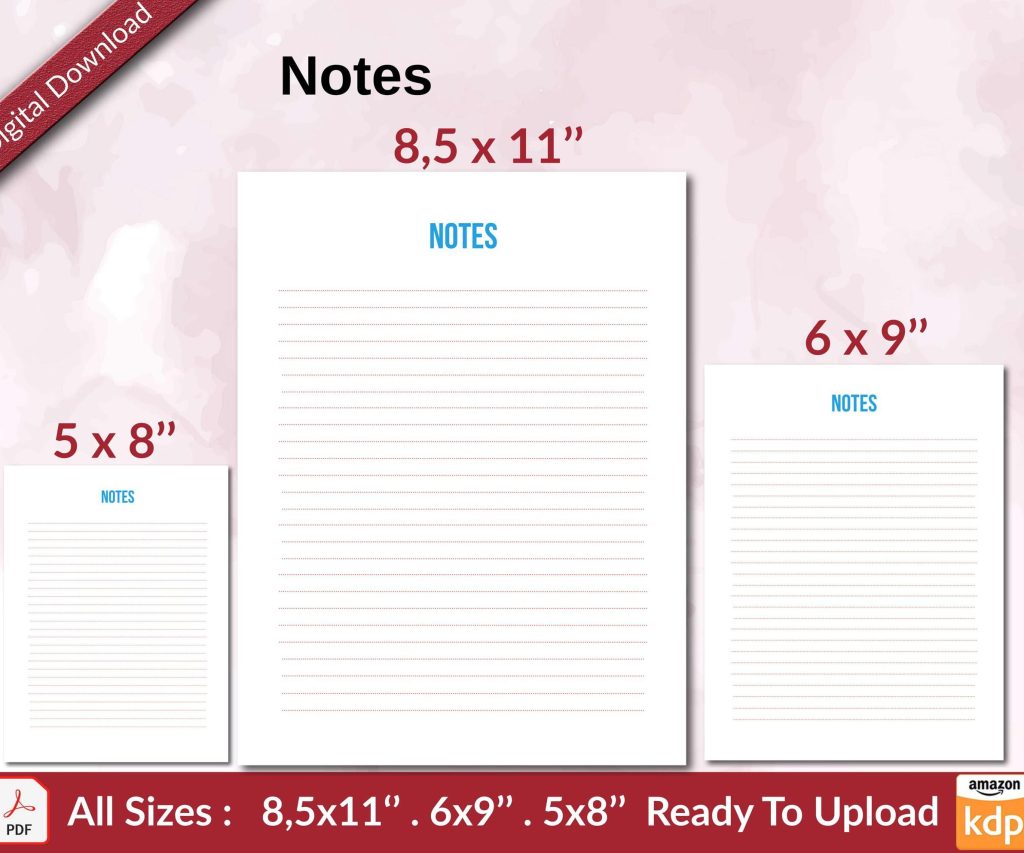 Notes KDP interior Ready To Upload, Sizes 8.5x11 6x9 5x8 inch PDF FILE Used as Amazon KDP Paperback Low Content Book, journal, Notebook, Planner, COMMERCIAL Use
1 × $0.00
Notes KDP interior Ready To Upload, Sizes 8.5x11 6x9 5x8 inch PDF FILE Used as Amazon KDP Paperback Low Content Book, journal, Notebook, Planner, COMMERCIAL Use
1 × $0.00  Wolf Coloring KDP interior For Adults, Used as Low Content Book, PDF Template Ready To Upload COMMERCIAL Use 8.5x11"
1 × $0.00
Wolf Coloring KDP interior For Adults, Used as Low Content Book, PDF Template Ready To Upload COMMERCIAL Use 8.5x11"
1 × $0.00 
DISCOVER OUR FREE BEST SELLING PRODUCTS
Editable Canva Lined Journal: Express Your Thoughts – KDP Template
Lined Pages Journal 120 pages Ready to Upload PDF Commercial Use KDP Template 6×9 8.5×11 5×8 for Notebooks, Diaries, Low Content
Lined Pages Journal 120 pages Ready to Upload PDF Commercial Use KDP Template 6×9 8.5×11 5×8 for Notebooks, Diaries, Low Content
Cute Dogs Coloring Book for Kids | Activity Book | KDP Ready-To-Upload
Daily Planner Diary : Diary Planners for Everyday Productivity, 120 pages, 6×9 Size | Amazon KDP Interior
Wolf Coloring KDP interior For Adults, Used as Low Content Book, PDF Template Ready To Upload COMMERCIAL Use 8.5×11"
Coloring Animals Head Book for Kids, Perfect for ages 2-4, 4-8 | 8.5×11 PDF
Printable Blank Comic Book Pages PDF : Create Your Own Comics – 3 Available Sizes
Notes KDP interior Ready To Upload, Sizes 8.5×11 6×9 5×8 inch PDF FILE Used as Amazon KDP Paperback Low Content Book, journal, Notebook, Planner, COMMERCIAL Use
Black Lined Journal: 120 Pages of Black Lined Paper Perfect for Journaling, KDP Notebook Template – 6×9
Student Planner Journal 120 pages Ready to Upload PDF Commercial Use KDP Template 6×9" 8.5×11" for Low Content book
Recipe Journal Template – Editable Recipe Book Template, 120 Pages – Amazon KDP Interior