
 Editable Canva Lined Journal: Express Your Thoughts - KDP Template
 Subtotal: $0.00
Amazon KDP guide, KDP book publishing
Contents Page Template: Table of Contents Design

10
Apr
Apr
Okay so I just redesigned like 15 table of contents pages last week for a batch of planners and honestly the difference between a garbage TOC and one that actually works is huge for your Amazon preview.
Here’s the thing nobody tells you – Amazon shows your table of contents in the Look Inside preview and if it looks messy or confusing, people just click away. I tested this with two identical journals, same niche, same cover, but one had a proper TOC design and the other had… let’s just say I threw it together in 10 minutes. The one with the better contents page converted at like 40% higher. Not joking.
The Basic Structure That Actually Works
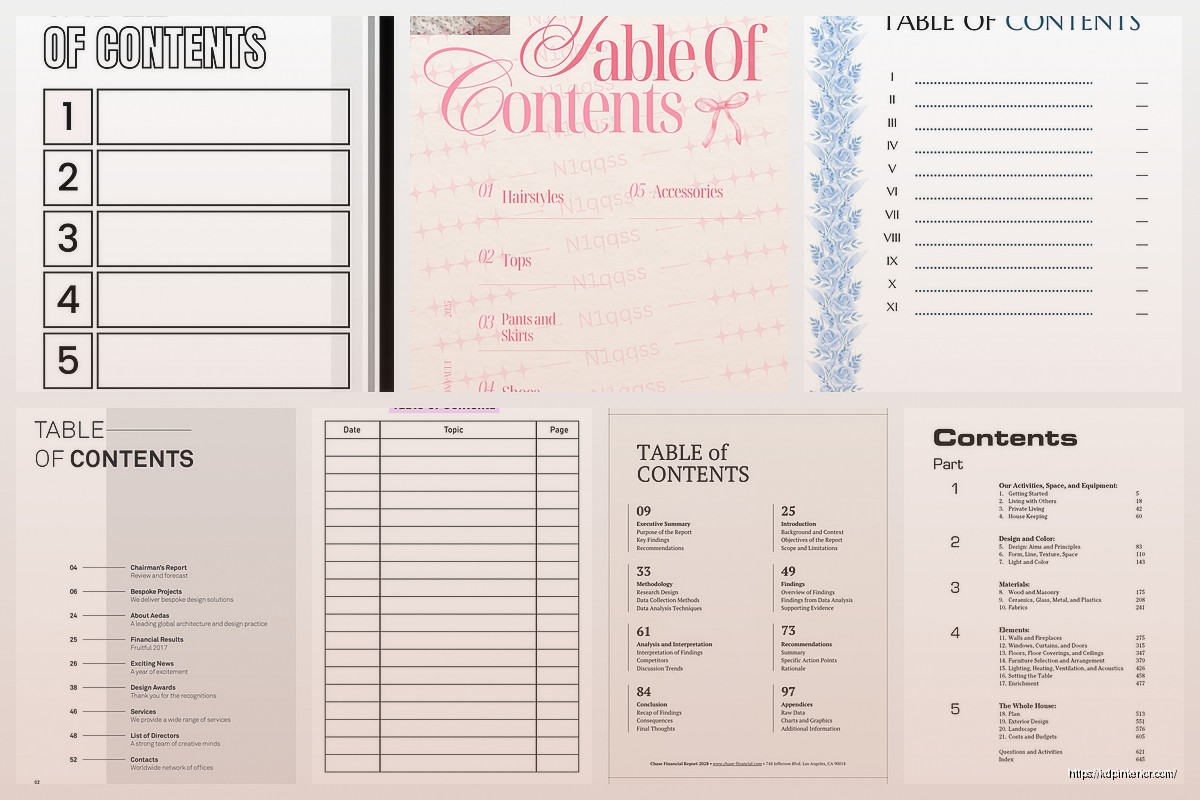
Start with your title at the top. Don’t overcomplicate this part. Something like “Contents” or “Table of Contents” – I usually just go with “Contents” because it’s cleaner and takes up less vertical space. You want this in a slightly larger font than your entries, maybe 18-20pt if your entries are gonna be 12-14pt.
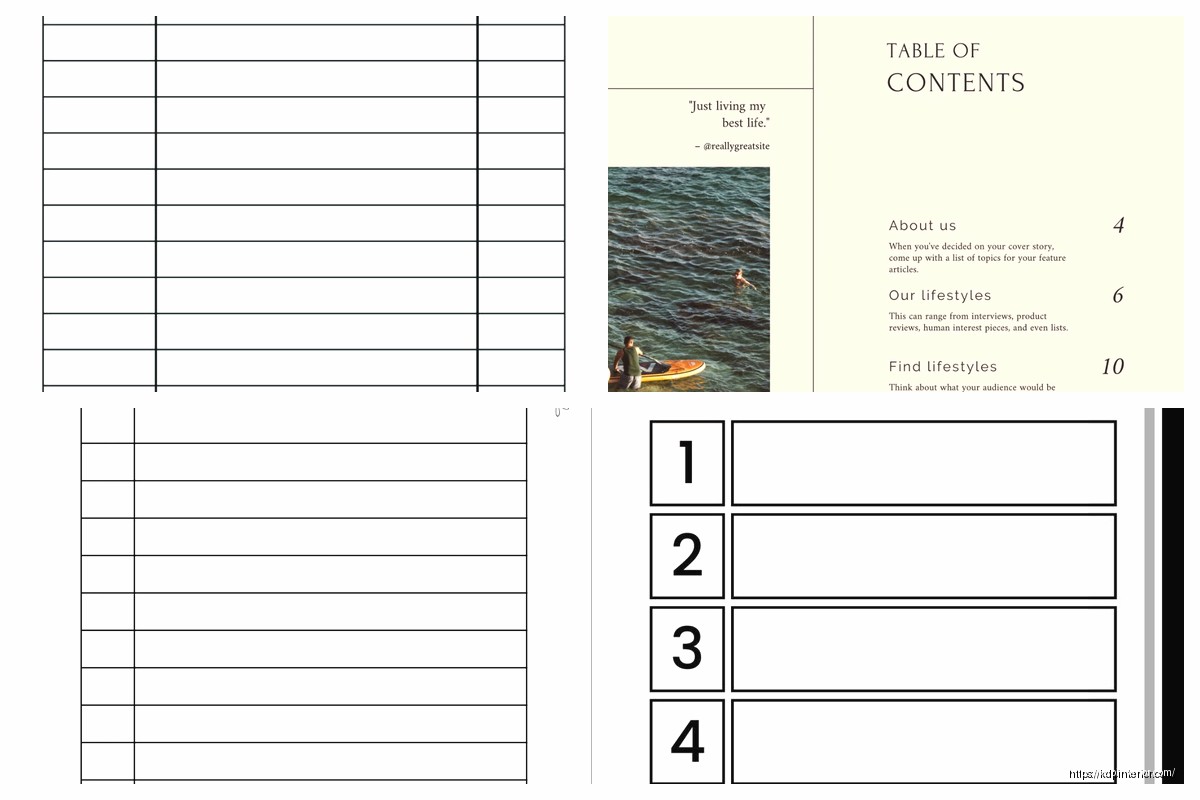
Then you need three columns basically – the section name on the left, dots or a line in the middle, and page numbers right-aligned on the right. The dots are called leaders and they’re actually important because they help the eye track from the text to the number. Without them people get lost especially if you have longer section titles.
For spacing between entries I usually do 1.5 line spacing or add like 6-8pt of space after each paragraph. Single spacing looks cramped and makes it hard to scan. You want people to be able to glance at your TOC and immediately find what they’re looking for.
Font Choices That Don’t Suck
This is gonna sound weird but I see people using like 5 different fonts on their contents page and it looks like a ransom note. Pick ONE font, maybe two max if you really need to differentiate section headers from subsections.
For most low-content books I stick with:
- Libre Baskerville for anything classic or elegant
- Montserrat for modern clean looks
- Crimson Text for readability
- Lora if you want something between traditional and modern
All of these are free on Google Fonts which matters if you’re doing high volume like I am. Nothing worse than designing 50 books and realizing you used a font you don’t have the commercial license for.
Keep your font size readable. I know you want to fit everything on one page but if people need to zoom in to read your TOC they’re just gonna bounce. Minimum 11pt for body text, I usually go 12-14pt.
Wait I Forgot About Hierarchy
If you have main sections and subsections you gotta show that visually. Like if you’re doing a recipe book and you have “Breakfast” as a main category and then “Smoothies” and “Pancakes” as subsections.
Main sections should be bold or slightly larger. Subsections get indented – usually 0.25 to 0.5 inches is enough. Don’t go crazy with the indent or it looks weird and wastes space.
Some people use all caps for main sections but honestly I think it looks dated unless you’re doing something specifically vintage. Title case works fine and looks cleaner.
The Page Number Alignment Thing
Okay so this tripped me up for months when I first started. Your page numbers MUST be right-aligned. Not centered, not just floating wherever – right-aligned.
In Word you do this with tab stops. Set a right-aligned tab stop at like 6 inches (or wherever your right margin is) and add a leader (those dots). In InDesign it’s similar but you use tabs and leader settings.
The dots between your text and page numbers should be consistent. All the same character, all the same spacing. I usually use periods with spaces between them or just a solid line of periods depending on the look I’m going for.
Actually funny story – I once published a planner where I manually typed the dots and they were all different lengths. Looked absolutely terrible and I got a 1-star review specifically mentioning the “unprofessional table of contents.” Learned that lesson fast.
Single Page vs Multiple Pages
Try to keep your TOC to one page if possible. People don’t wanna flip through three pages just to figure out what’s in your book. But if you absolutely need two pages, make sure page one doesn’t end mid-section. End on a complete category.
For books with tons of sections like a massive planner or log book, you might need to get creative. Use smaller fonts, tighter spacing, or break it into categories. Like “Daily Pages….. 1-365” instead of listing every single day.
I’ve also done multi-level TOCs where the first page shows broad categories and then each section has its own mini-contents page. Works great for comprehensive planners or workbooks with distinct sections.
The Amazon Preview Trick
Here’s something most people don’t think about – Amazon’s Look Inside shows your TOC as one of the first pages usually. This is FREE marketing space. Your TOC needs to show off what’s in your book in an appealing way.
If you’re selling a fitness journal, your TOC entries should sound valuable. Not just “Workout Log 1, Workout Log 2, Workout Log 3…” but maybe “12-Week Strength Training Tracker,” “Cardio Progress Charts,” “Nutrition Planning Pages.” You’re selling the value through the contents page.
Same with planners. “Monthly Calendar Spreads,” “Goal Setting Worksheets,” “Habit Tracking Pages” sounds way better than just “Month 1, Month 2, Month 3.”
Design Elements That Actually Help
You can add subtle design elements but don’t go overboard. A thin horizontal line under the title looks professional. Maybe a small decorative element that matches your book’s theme.
I usually add a thin border around the whole page or at least top and bottom lines to frame it. Keeps everything contained and professional looking.
Color – if you’re doing a color interior you can use your accent colors in the TOC. Maybe the title is in your theme color, or the page numbers. But keep it readable. Light yellow text on white background is not gonna work obviously.
For black and white interiors which is most of what I do for cost reasons, you’re working with black text and white background. Use bold, italics, different sizes, and spacing to create visual interest instead of color.
Common Mistakes I See Constantly
Inconsistent formatting – like some entries are bold, some aren’t, and there’s no reason for it. Pick a system and stick with it.
Page numbers that don’t match the actual pages. This sounds obvious but I’ve done it when I added pages during revisions and forgot to update the TOC. Always double-check before uploading.
Too much white space or too cramped. You want balance. If your TOC is 12 entries and you’re stretching it across a whole page with giant gaps, it looks empty. If you’re cramming 50 entries with no breathing room, it’s overwhelming.
Forgetting about margins. Amazon has margin requirements and if your page numbers are too close to the edge they might get cut off during printing. Keep at least 0.5 inches from all edges, more for the gutter margin.
The Template I Use Most Often
Alright so my go-to template that I basically copy for 80% of my books:
- Title “Contents” centered at top, 20pt bold
- Two line spaces below title
- Entry text left-aligned, 12pt regular weight
- Dotted leader line
- Page numbers right-aligned, 12pt
- 1.5 line spacing between entries
- Thin horizontal line under title (optional)
- 0.5 inch margins all around, 0.75 for gutter
This works for journals, planners, log books, most low-content stuff. Takes me like 5 minutes to set up now.
Software Specific Tips
In Word – use tab stops with leaders, don’t try to manually space things with spacebar. Set up styles for your TOC entries so they’re all consistent. You can use the built-in TOC feature but honestly for low-content books I find it easier to just format it manually.
In InDesign – paragraph styles are your friend. Create a style for main entries and subsections. Use tabs with leaders. InDesign gives you way more control over spacing and alignment which is nice for complex TOCs.
Canva – honestly Canva is tough for TOCs because the text formatting options are limited. You can do it but you’ll probably be manually positioning things. Fine for simple contents pages but gets annoying if you have lots of entries.
Oh and another thing – if you’re doing print books, remember to account for the difference between the PDF page numbers and the actual book page numbers. Your contents page might be on page 2 of the PDF but you probably don’t want your actual content starting at “Page 3.” Most people start their page numbering at 1 for the first content page, not the TOC or title page.
Testing What Works
I split-tested different TOC designs last month while my cat kept walking across my keyboard which was super helpful. Anyway – tested minimalist vs. decorated, one page vs. two pages, different fonts.
Minimalist won for conversion but only slightly. Like we’re talking 2-3% difference. What mattered MORE was clarity. The TOCs that clearly communicated what was in the book performed better regardless of whether they had decorative elements or not.
Two-page TOCs actually didn’t hurt conversion as much as I thought they would, but only if the book was thick enough to justify it. If you’re selling a 100-page journal, a two-page TOC looks weird. If it’s a 365-page planner, people expect more detail.
Niche Specific Adjustments
For kids books – bigger fonts, more spacing, maybe some small illustrations. Parents are usually the buyers but kids might be the users so make it accessible.
For professional planners or business journals – clean, minimal, sophisticated. No cutesy fonts or decorations.
For creative journals or art books – you can get more experimental with layout and design elements. These buyers often appreciate unique formatting.
Wedding planners and event books – elegant fonts, maybe some subtle decorative elements, very organized hierarchy.
The key is matching your TOC design to your target audience’s expectations. A budget tracker for college students should look different than a budget tracker for executives.
The Stuff Nobody Talks About
Okay so here’s something – your TOC affects your book’s perceived value. A well-designed professional TOC makes people think your whole book is high quality even if they haven’t seen the interior yet. It’s like judging a restaurant by how the menu looks.
I’ve had books with mediocre interiors sell better than books with great interiors just because the TOC and first few preview pages were really polished. People make snap judgments.
Also the TOC is where you can sneak in keywords kinda. If you’re selling a “gratitude journal” and your TOC says “Daily Gratitude Prompts” and “Weekly Gratitude Reflections” that reinforces what the book is about. Not for Amazon SEO but for customer clarity.
One more thing – update your TOC template whenever you learn something new. I have a folder with like 20 different TOC templates for different book types. Saves so much time when starting new projects. Just copy, paste, adjust the text and page numbers, done.
And honestly don’t stress too much about making it perfect. A clean, functional TOC is way better than spending 3 hours trying to make it a work of art. Get it looking professional and move on to actually finishing your book because that’s what matters for getting published and making sales.
DISCOVER OUR FREE BEST SELLING PRODUCTS
Editable Canva Lined Journal: Express Your Thoughts – KDP Template
Lined Pages Journal 120 pages Ready to Upload PDF Commercial Use KDP Template 6×9 8.5×11 5×8 for Notebooks, Diaries, Low Content
Lined Pages Journal 120 pages Ready to Upload PDF Commercial Use KDP Template 6×9 8.5×11 5×8 for Notebooks, Diaries, Low Content
Cute Dogs Coloring Book for Kids | Activity Book | KDP Ready-To-Upload
Daily Planner Diary : Diary Planners for Everyday Productivity, 120 pages, 6×9 Size | Amazon KDP Interior
Wolf Coloring KDP interior For Adults, Used as Low Content Book, PDF Template Ready To Upload COMMERCIAL Use 8.5×11"
Coloring Animals Head Book for Kids, Perfect for ages 2-4, 4-8 | 8.5×11 PDF
Printable Blank Comic Book Pages PDF : Create Your Own Comics – 3 Available Sizes
Notes KDP interior Ready To Upload, Sizes 8.5×11 6×9 5×8 inch PDF FILE Used as Amazon KDP Paperback Low Content Book, journal, Notebook, Planner, COMMERCIAL Use
Black Lined Journal: 120 Pages of Black Lined Paper Perfect for Journaling, KDP Notebook Template – 6×9
Student Planner Journal 120 pages Ready to Upload PDF Commercial Use KDP Template 6×9" 8.5×11" for Low Content book
Recipe Journal Template – Editable Recipe Book Template, 120 Pages – Amazon KDP Interior