okay so here’s what actually works for journal creation
So I just uploaded three new journals last week and two are already getting traction, which is pretty decent considering the market right now. Let me walk you through what I do because it’s not complicated but there’s definitely a process that matters.
First thing – and I cannot stress this enough – you gotta start with actual research before designing anything. I see people all the time just making “gratitude journals” or “fitness planners” because they sound good, but the market is completely saturated with those. What I do is open up Amazon and start typing in “journal for” and let autocomplete tell me what people are searching for. Then I check each niche with Helium 10 or Jungle Scout if you have it, but honestly even just manual checking works.
Look at the BSR (best seller rank) of journals in that category. If the top 10 results are all under 100k BSR, there’s demand. If they’re sitting at 500k+, probably skip it unless you’ve got a really unique angle.
the design part that nobody talks about correctly
Okay so for actually creating the interior – I use Canva Pro mostly, sometimes Creative Fabrica has templates that are decent starting points. Here’s the thing though… don’t just use templates as-is. Amazon’s content guidelines are getting stricter and they can tell when 50 people upload the same template with minor changes.
My process is: start with a template if you want, but change the fonts, adjust spacing, add unique elements. For a standard journal I’m usually doing 120 pages, 6×9 size because it’s the sweet spot for printing costs vs perceived value.
Interior margins are crucial – left/right margins need to be at least 0.5 inches, but I go with 0.625 to be safe. Top and bottom can be 0.5. KDP will reject your file if margins are off and it’s annoying to redo.
oh and another thing – if you’re doing lined journals, make the lines a light gray (I use #D3D3D3) not black. Black lines look cheap and make writing harder to read. I learned this after my first 10 journals bombed because they just looked… off.
cover design is where most people mess up
Your cover needs to look good as a thumbnail because that’s how 90% of people will first see it. I design at full size but constantly shrink it down to check readability. Text needs to be BOLD and clear. I usually stick with 2-3 colors max, sometimes just 2.

Last month I was watching The Last of Us and just procrastinating on a cover design, and I realized the font I was using was completely unreadable at thumbnail size. Changed it to something bolder and that journal now does about $200/month. Small things matter.
For fonts on covers, I go to Creative Fabrica or Font Bundles, grab commercial license fonts. Never use default Canva fonts if you can avoid it – too many other publishers use them. You want something recognizable but not overused.
the actual upload process
When you’re uploading to KDP, the interior file needs to be PDF. I export from Canva as PDF Print, not PDF Standard. The quality difference matters for printing. File size will be bigger but who cares.
For covers, KDP has a cover calculator – use it. You input your page count and trim size, it gives you exact dimensions including spine width. Don’t guess on this or your cover will be rejected.
Bleed settings: 0.125 inches on all sides for cover. Interior usually doesn’t need bleed unless you’re doing full-page designs that go to the edge.
pricing strategy that actually works
So here’s where it gets interesting. Most people underprice their journals thinking it’ll help them sell more. Sometimes it does, but you make no money. I price based on page count and perceived value.
For a 120-page journal, I’m usually at $6.99-$8.99 depending on the niche. My printing cost is around $2.50, so at $7.99 I’m making about $2.80 per sale with 35% royalty (you get 60% minus printing costs, essentially works out to 35-40% of list price as profit).
Wait I forgot to mention – always choose the 60% royalty option for paperbacks. There’s no reason to choose 40% unless you’re pricing under the minimum threshold.
I test prices after launch. Start at $7.99, see what happens for two weeks. If it’s not moving, drop to $6.99. If it’s selling well, I sometimes test $8.99. My cat literally walked across my keyboard once and changed a price to $12.99 and somehow that journal sold better that week… markets are weird.
keywords and listing optimization
Your title needs to be descriptive but not spammy. I use this format: “Primary Keyword: Secondary Benefit | Page Count + Size”
Example: “Migraine Tracker Journal: Daily Headache Log & Trigger Tracker | 120 Pages, 6×9”
Amazon gives you 7 keyword boxes – use all of them. Don’t repeat words from your title, it’s wasted space. Think about related searches. For a migraine journal I’d use: “headache diary, pain management journal, symptom tracker, chronic pain log” etc.
Description should be scannable. I use bullet points for features, short paragraphs. Nobody reads long blocks of text. Include page count, size, features (dated/undated, page numbers, etc).
marketing without spending much money
Okay so funny story – I spent $500 on Amazon ads for my first journal and made back like $80 in sales. Complete waste. Now I’m way more strategic.
Amazon ads DO work but you need to be smart. Start with automatic campaigns, let Amazon figure out what works. Budget $5/day max per journal when starting. Check it after 3 days, pause keywords that are eating budget with no conversions.
I look for keywords with impressions over 1000 but clicks under 5. Those aren’t working. Kill them. Look for keywords with decent CTR (over 0.3%) and add those to manual campaigns.
this is gonna sound weird but Pinterest actually drives sales for journals. I create simple pins showing the journal cover and interior pages. Link directly to Amazon. It’s free traffic and Pinterest users love buying journals and planners. I spent a few hours last month when my client canceled and just made like 20 pins for my journal line – now they just run on autopilot.
Instagram is hit or miss. If you can get into journal planning communities or find influencers in your niche, it works. I’ve had better luck with micro-influencers (under 10k followers) who actually engage with their audience. Offer them a free copy, maybe $20-50 if they’ll post about it.
what actually matters for long-term sales
Reviews are everything. Early reviews determine if your journal takes off or dies. I use Amazon’s Early Reviewer Program when available (they’re phasing it out). Otherwise, I tell friends/family to buy it and leave honest reviews. Yes, I reimburse them. It’s against TOS to incentivize reviews but reimbursing a legitimate purchase is fine.
You need at least 5 reviews before most people will take a chance on your journal. Getting those first 5 is the hardest part. After that, if the product is decent, reviews come naturally.
Update your listings periodically. Amazon’s algorithm favors active listings. Every 2-3 months I’ll adjust my keywords slightly or update the description. Doesn’t have to be major changes.
Series work better than standalone journals. If someone likes your migraine tracker, they might buy your symptom journal or pain log. I try to create 3-5 related journals in any niche I enter. Cross-promotion happens naturally when people browse your author page.
common mistakes I see constantly
Too much design. Simple sells better for journals. People want functionality, not art projects. Your lined journal doesn’t need decorative borders on every page – it’s annoying to write around.
Ignoring the preview. Always check your book preview on Amazon after it goes live. I’ve caught formatting issues that way that would’ve killed sales.
Giving up too fast. Most of my journals do nothing for the first month. Some take 3-4 months to gain traction. If you’ve done the research and the design is solid, give it time.
Not checking competitor reviews. Read the 3-star reviews of top-selling journals in your niche. People literally tell you what’s missing or what they didn’t like. Then make sure your journal addresses those complaints.
Just last week I was looking at dog training journals (random I know) and every review complained about not enough space for notes. So if I made one, I’d make sure there’s tons of note space. It’s that simple sometimes.
The journals that make me consistent money aren’t usually the ones I think will do well. It’s the random niches I test on a whim. Made a “golf score tracker” journal because I was bored and it does $400/month now. Made an elaborate “life planning journal” I spent weeks on and it sells maybe 5 copies a month.

 Cute Dogs Coloring Book for Kids | Activity Book | KDP Ready-To-Upload
1 × $0.00
Cute Dogs Coloring Book for Kids | Activity Book | KDP Ready-To-Upload
1 × $0.00 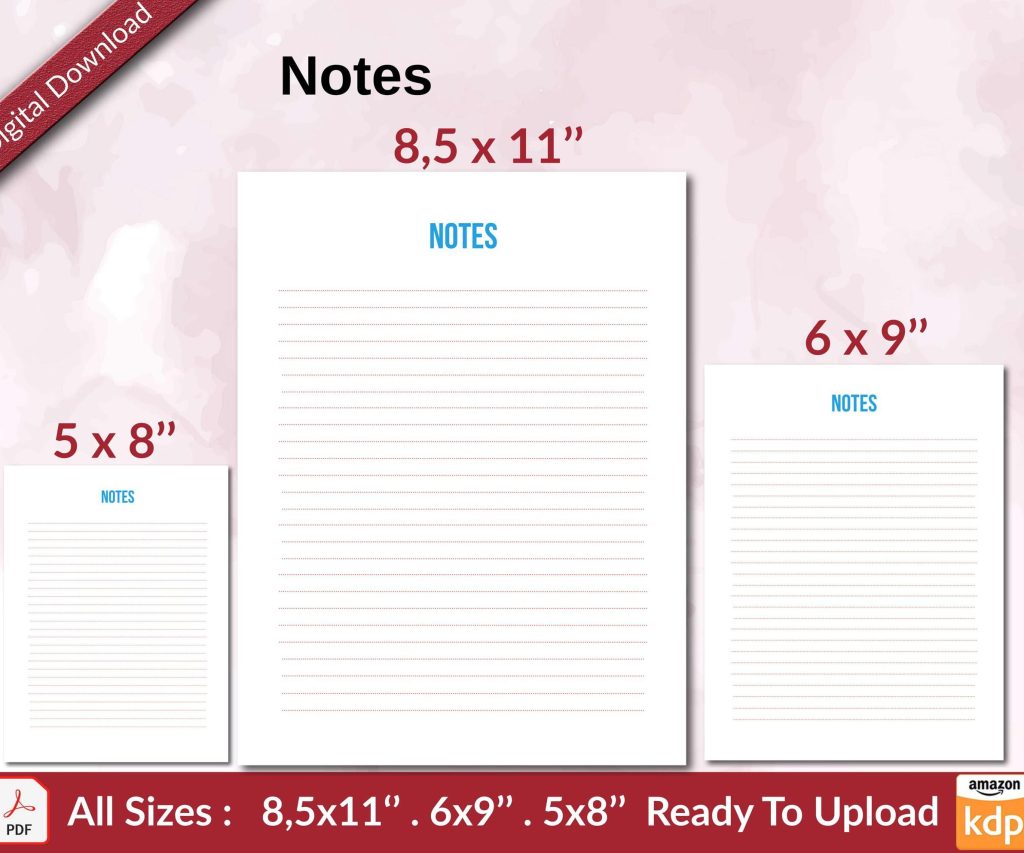 Notes KDP interior Ready To Upload, Sizes 8.5x11 6x9 5x8 inch PDF FILE Used as Amazon KDP Paperback Low Content Book, journal, Notebook, Planner, COMMERCIAL Use
1 × $0.00
Notes KDP interior Ready To Upload, Sizes 8.5x11 6x9 5x8 inch PDF FILE Used as Amazon KDP Paperback Low Content Book, journal, Notebook, Planner, COMMERCIAL Use
1 × $0.00 
DISCOVER OUR FREE BEST SELLING PRODUCTS
Editable Canva Lined Journal: Express Your Thoughts – KDP Template
Lined Pages Journal 120 pages Ready to Upload PDF Commercial Use KDP Template 6×9 8.5×11 5×8 for Notebooks, Diaries, Low Content
Lined Pages Journal 120 pages Ready to Upload PDF Commercial Use KDP Template 6×9 8.5×11 5×8 for Notebooks, Diaries, Low Content
Cute Dogs Coloring Book for Kids | Activity Book | KDP Ready-To-Upload
Daily Planner Diary : Diary Planners for Everyday Productivity, 120 pages, 6×9 Size | Amazon KDP Interior
Wolf Coloring KDP interior For Adults, Used as Low Content Book, PDF Template Ready To Upload COMMERCIAL Use 8.5×11"
Coloring Animals Head Book for Kids, Perfect for ages 2-4, 4-8 | 8.5×11 PDF
Printable Blank Comic Book Pages PDF : Create Your Own Comics – 3 Available Sizes
Notes KDP interior Ready To Upload, Sizes 8.5×11 6×9 5×8 inch PDF FILE Used as Amazon KDP Paperback Low Content Book, journal, Notebook, Planner, COMMERCIAL Use
Black Lined Journal: 120 Pages of Black Lined Paper Perfect for Journaling, KDP Notebook Template – 6×9
Student Planner Journal 120 pages Ready to Upload PDF Commercial Use KDP Template 6×9" 8.5×11" for Low Content book
Recipe Journal Template – Editable Recipe Book Template, 120 Pages – Amazon KDP Interior