
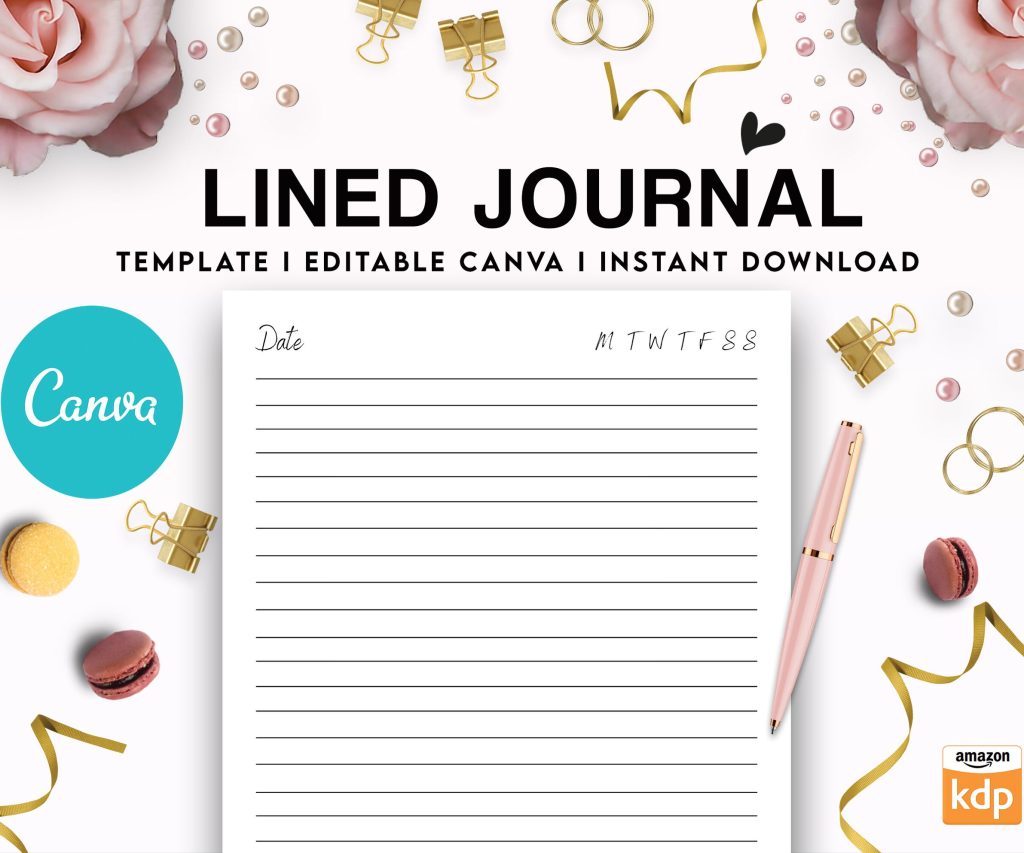
 Editable Canva Lined Journal: Express Your Thoughts - KDP Template
 Subtotal: $0.00
Amazon KDP guide, KDP book publishing
CreateSpace to KDP Migration: Complete Transition Guide
09
May
May
Okay so the whole CreateSpace to KDP thing… yeah, I migrated like 47 books when they forced everyone over back in 2018 and honestly it was way less painful than I expected but there are some gotchas you absolutely need to know about.
First thing – if you’re still sitting on CreateSpace titles that never got migrated, Amazon actually did most of them automatically. But some got stuck in limbo. Log into your KDP account and check under “Bookshelf” because they should be there already. If they’re not, you’re gonna have to do manual migration which is… well it’s a process.
The Automatic Migration Stuff Nobody Explains Right
So when Amazon moved everything over, they kept your ISBNs which is huge. Like that was my biggest fear initially – I had maybe 30 books with CreateSpace-assigned ISBNs and I thought I’d lose all the reviews and sales history. Nope. They transferred everything including the ASIN which is basically your book’s identity on Amazon. Reviews stayed, rankings stayed, all good.
But here’s what changed and it messed me up for like a week – the royalty structure is different. CreateSpace had fixed printing costs, KDP has this dynamic pricing thing based on page count and marketplace. I had a 300-page book that was making me $4.12 per sale on CreateSpace, after migration it dropped to $3.87. Not huge but across hundreds of sales monthly that adds up.
Printing Costs Are Weird Now
KDP calculates printing costs per page basically. It’s $0.85 for the first 24 pages, then like $0.012 per page after that for black and white. Color is way more expensive – $0.85 base plus $0.06 per page roughly. This is for US marketplace, UK and Europe have different rates.
What I did and you should probably do too – go to the KDP pricing calculator on their website and plug in your specs BEFORE you do anything. Because if your book was borderline profitable on CreateSpace, it might not be on KDP depending on page count.
Oh and another thing – they changed trim sizes slightly. CreateSpace had 5.25 x 8 which was my go-to size for journals. KDP doesn’t have that exact size. Closest is 5.5 x 8.5 or 5 x 8. I had to reformat like 12 books because of this. Such a pain.
Actually Migrating Books That Didn’t Transfer
If you’ve got orphaned books still stuck in CreateSpace limbo (the site still technically exists but it just redirects now), you need your original files. PDFs of interior and cover. If you don’t have them… man you’re gonna have to recreate them or order a physical copy and scan it which sounds insane but I actually did this for two books where I lost the files after a laptop died.
The migration process itself:
- Download all your files from CreateSpace – interior PDF, cover PDF, everything
- Note down your ISBN if you used a CreateSpace one
- Check your book dimensions and page count
- Log into KDP and start a new paperback project
- Enter the SAME title, subtitle, author name, description – everything identical
- Use the same ISBN in KDP
- Upload your files
Wait I forgot to mention – KDP’s cover creator is actually better than CreateSpace’s was. If you used CreateSpace’s cover templates, you might wanna rebuild them in KDP. I rebuilt about 15 covers and they looked way sharper. The templates are more modern too.
File Specifications Changed Slightly
This tripped me up bad. CreateSpace accepted PDFs that were like… not great quality honestly. KDP is pickier. Your interior PDF needs to be high resolution – at least 300 DPI for images. I had three books rejected initially because my images were 200 DPI and looked fine on CreateSpace but KDP flagged them.
Cover files need exact dimensions now with the bleed. KDP has this cover calculator tool that’s actually pretty good – you put in your page count, paper type, trim size and it spits out exact dimensions. Use it. Don’t guess. I guessed once and had to reupload covers for 8 books because the spine width was off by like 2mm.
Paper type matters more now too. CreateSpace had white and cream basically. KDP has white, cream, and this “premium” option that I haven’t really tested much. Most of my books stayed on cream paper, it’s cheaper and looks better for text-heavy content.
Pricing Strategy After Migration
Okay so this is gonna sound weird but your pricing might need to change. Not because of anything you did wrong but because KDP’s expanded distribution has different royalty cuts.
On CreateSpace, expanded distribution took like 40% of your list price. KDP’s expanded distribution takes 60%. Yeah. So if you were barely making money on expanded distribution before, you’re definitely not now. I actually turned off expanded distribution for about half my catalog after migrating because the math didn’t work.
The Amazon-only sales are better though. Royalties are higher if you just sell through Amazon.com and don’t worry about bookstores and libraries. Most of my sales are Amazon anyway so this worked out fine.
Here’s what I did – pulled up a spreadsheet (I know, I know, but trust me), listed all my books with their page counts and old CreateSpace prices. Then calculated new KDP printing costs and figured out minimum prices to maintain the same profit margin. Some books I raised by $1, some stayed the same, three actually went down because printing got cheaper somehow.
The Weird ISBN Situation
If you used your own ISBN on CreateSpace, migration is smooth. Just use that same ISBN on KDP.
If you used a free CreateSpace ISBN… it’s complicated. Those ISBNs actually belong to CreateSpace (technically Bowker via CreateSpace) and they DID transfer to KDP. You can keep using them. But here’s the thing – the imprint listed is “CreateSpace Independent Publishing Platform” and that stays. Forever. Even on KDP.
I had 8 books like this and honestly it bugs me that they still say CreateSpace on the copyright page when you look up the ISBN. Not a huge deal, nobody really checks, but if you’re particular about branding you might wanna get your own ISBN and republish.
New ISBNs are expensive though. Bowker charges $125 for one or $295 for ten. I bought the ten-pack and used them for new editions. Kept the old CreateSpace ISBNs active too so I wouldn’t lose reviews.
Distribution Changes You Need To Know
CreateSpace had those physical distribution channels – bookstores could order copies, libraries, whatever. KDP has “Expanded Distribution” which is supposed to be similar but it’s… not really. The reach is smaller from what I’ve seen.
My bookstore sales dropped to almost zero after migration. Could be coincidence, could be that KDP’s expanded distribution just isn’t as good. Hard to say. Amazon sales stayed steady though.
European marketplaces work differently now too. CreateSpace printed everything in the US and shipped internationally. KDP has print facilities in Europe so if someone in Germany orders your book, it prints there. Faster shipping, lower costs. This is actually better.
But – and this is important – you need to enable each marketplace individually. UK, Germany, France, Spain, Italy, etc. I turned them all on because why not, more potential sales. Some authors worry about foreign tax stuff but Amazon handles most of it through their tax interview process.
The Author Copy Discount Thing
CreateSpace let you order author copies at printing cost. KDP does too but the interface is different. On your KDP bookshelf, there’s a little button next to each book for “Order Author Copies” – it’s like 60% off list price.
I order author copies for giveaways and stuff. The discount is good, shipping is reasonable. No complaints here.
One weird thing though – you can’t order author copies until your book is live for like 72 hours. CreateSpace let you order immediately after approval. Minor annoyance.
Problems I Ran Into That You Might Too
Okay so funny story, I had three books that just wouldn’t migrate properly. Amazon’s automatic migration tool kept erroring out. Turned out the issue was special characters in the subtitle – I had em dashes (—) instead of regular hyphens and KDP’s system choked on them.
Fixed it by manually creating new KDP versions with regular hyphens. Problem solved but it took me like two days to figure out what was wrong.
Another issue – cover files with embedded fonts. CreateSpace was fine with it, KDP wants all fonts outlined/converted to paths. I use Affinity Publisher now and there’s an option to export PDFs with fonts as curves. Learn from my mistakes, just outline your fonts before uploading.
Page bleed is stricter on KDP. CreateSpace would let you slide with like 0.1 inches, KDP wants exactly 0.125 inches on all sides for covers. I had to adjust maybe 20 covers because of this.
Marketing URLs and Links Broke
If you were linking to CreateSpace eStore URLs in your marketing… yeah those don’t work anymore. All links need to point to Amazon now. I had to update links on my website, in email sequences, in the back of other books. Took forever.
The old CreateSpace.com/[bookID] links redirect to Amazon now but they’re ugly long URLs. Better to just use the clean Amazon ASIN link.
Also if you had CreateSpace Community forum posts or discussions, those are gone. Archive.org might have some saved but don’t count on it.
Quality Control Differences
KDP’s review process is faster but also more automated. CreateSpace had actual humans checking files it seemed like. KDP is mostly automated checks.
I’ve had fewer rejections on KDP honestly. But when you DO get rejected, the error messages are vague. “Cover file doesn’t meet specifications” – okay but WHICH specification? CreateSpace would tell you exactly what was wrong.
Print quality seems identical to me. Same printers, same paper, same binding. I’ve compared CreateSpace copies to KDP copies of the same book and can’t spot differences.
My cat knocked over coffee on my desk while I was doing one of these comparisons and I had to reorder the books because they got stained. Anyway, quality is fine.
Should You Rebrand Away From CreateSpace?
Like I mentioned with the ISBN thing, some books still show CreateSpace as publisher. If this bugs you (it bugs me), options are:
Get new ISBNs and republish as new editions. You lose reviews and sales history though. Painful but clean break.
Just leave it. Most readers don’t check ISBN records or care about imprint names.
I did a mix – high-performing books with lots of reviews stayed with CreateSpace ISBNs. New books and low-sellers got new ISBNs and fresh starts.
There’s no right answer here, just what feels right for your catalog.
Final Random Tips
Download ALL your sales reports from CreateSpace before they disappear completely. Archive everything.
Update your author bio and book descriptions to remove any mention of CreateSpace if you had it in there.
Check your book’s Amazon page after migration to make sure everything transferred right – title, description, categories, keywords.
Test order a copy of each migrated book to verify print quality and catch any formatting issues.
The whole migration took me about two weeks working a few hours each day. It’s tedious but not complicated. You’ll be fine.
DISCOVER OUR FREE BEST SELLING PRODUCTS
Editable Canva Lined Journal: Express Your Thoughts – KDP Template
Lined Pages Journal 120 pages Ready to Upload PDF Commercial Use KDP Template 6×9 8.5×11 5×8 for Notebooks, Diaries, Low Content
Lined Pages Journal 120 pages Ready to Upload PDF Commercial Use KDP Template 6×9 8.5×11 5×8 for Notebooks, Diaries, Low Content
Cute Dogs Coloring Book for Kids | Activity Book | KDP Ready-To-Upload
Daily Planner Diary : Diary Planners for Everyday Productivity, 120 pages, 6×9 Size | Amazon KDP Interior
Wolf Coloring KDP interior For Adults, Used as Low Content Book, PDF Template Ready To Upload COMMERCIAL Use 8.5×11"
Coloring Animals Head Book for Kids, Perfect for ages 2-4, 4-8 | 8.5×11 PDF
Printable Blank Comic Book Pages PDF : Create Your Own Comics – 3 Available Sizes
Notes KDP interior Ready To Upload, Sizes 8.5×11 6×9 5×8 inch PDF FILE Used as Amazon KDP Paperback Low Content Book, journal, Notebook, Planner, COMMERCIAL Use
Black Lined Journal: 120 Pages of Black Lined Paper Perfect for Journaling, KDP Notebook Template – 6×9
Student Planner Journal 120 pages Ready to Upload PDF Commercial Use KDP Template 6×9" 8.5×11" for Low Content book
Recipe Journal Template – Editable Recipe Book Template, 120 Pages – Amazon KDP Interior