-
×
 Black Lined Journal: 120 Pages of Black Lined Paper Perfect for Journaling, KDP Notebook Template - 6×9
1 × $0.00
Black Lined Journal: 120 Pages of Black Lined Paper Perfect for Journaling, KDP Notebook Template - 6×9
1 × $0.00
Subtotal: $0.00
 Black Lined Journal: 120 Pages of Black Lined Paper Perfect for Journaling, KDP Notebook Template - 6×9
1 × $0.00
Black Lined Journal: 120 Pages of Black Lined Paper Perfect for Journaling, KDP Notebook Template - 6×9
1 × $0.00 Subtotal: $0.00
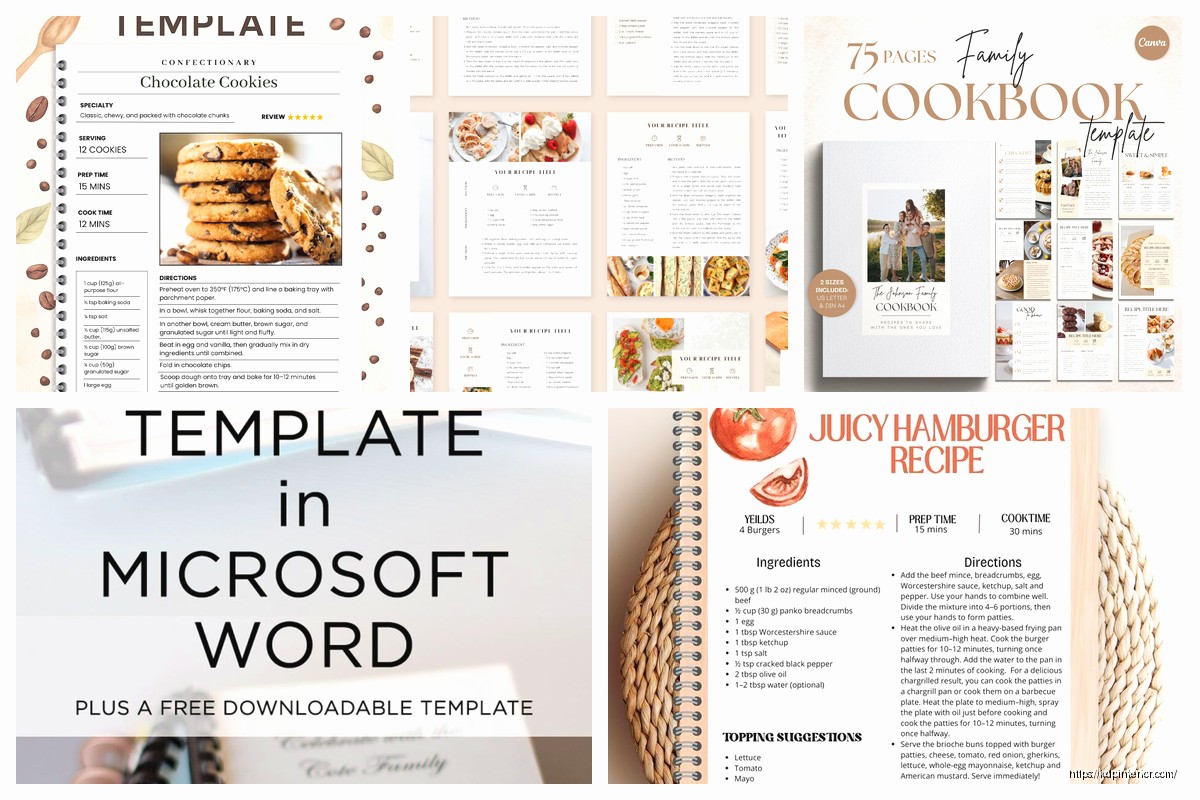
okay so I just spent the last three weeks putting together a heritage cookbook for my aunt and honestly the whole process was way easier than I thought once I figured out the template situation
The biggest thing is deciding whether you’re gonna do this digitally or print it traditionally because that changes everything. I started with Canva thinking I’d be all fancy and it was… fine? But then I realized most family cookbook projects need flexibility because you’re constantly adding “oh wait can we include Uncle Bob’s chili recipe” and Caniva gets clunky when you’re doing major edits.
So here’s what actually works – start with a Google Doc or Word template that has these sections already laid out. You want a title page obviously, then a table of contents that you can auto-generate (don’t manually type that thing out, I learned that the hard way), then divide it into categories.
Categories I’ve seen work best:
wait I forgot to mention – add a “Miscellaneous” or “Family Favorites” section at the end because there’s always weird stuff that doesn’t fit anywhere else. My aunt had this pickled egg recipe that was like… where does that even go?
Each recipe needs its own consistent format and this is where people mess up because they start out organized then recipe 47 looks completely different from recipe 3.
Here’s the template I use for each individual recipe:
Recipe Title – make it big, bold, centered or left-aligned depending on your vibe
Attribution line – “Grandma Helen’s Famous…” or “From Aunt Marie’s Kitchen” – this is the heritage part that makes it special
Story or memory (optional but recommended) – just 2-3 sentences about where this recipe came from or when it was always made. My cousin wrote “Mom made this every Christmas morning and the house smelled like cinnamon for three days” and honestly that’s the stuff people remember
Prep time / Cook time / Servings – keep it simple
Ingredients list – this needs to be CLEAR with proper measurements, and here’s a tip… list ingredients in the order they’re used in the instructions because people get confused otherwise
Instructions – numbered steps, keep each step to one action when possible
Notes section – for substitutions, make-ahead tips, whatever
oh and another thing – you’re gonna need a system for collecting recipes from everyone and this is actually the hardest part because Aunt Linda writes in cups and grams mixed together and Uncle Joe just texts you “idk I just add stuff til it looks right”
I created a Google Form with fields for:
Send that form to everyone with a deadline because without a deadline you’ll be waiting til 2027. Give them like 3-4 weeks and send reminder texts.
Some recipes you’ll get are gonna be disasters. “Bake until done” or “add flour until it feels right” – you gotta test these yourself or call the person and ask specific questions. I literally FaceTimed my grandma while she made her pie crust so I could measure what “a handful” actually meant (it was 3/4 cup btw).
okay so funny story, I spent a whole weekend photographing food for this cookbook and my dog knocked over the lighting setup and broke a plate of cookies. Anyway, photos aren’t mandatory but they make it feel more professional.
You’ve got options:
If you’re doing photos, keep them consistent – same lighting style, same editing filter, similar cropping. I use the same Lightroom preset on everything so it doesn’t look like a random Pinterest board threw up.
Your template needs some design consistency or it looks like a middle school project. Pick:
I used a serif font for recipe titles because it felt traditional and a clean sans-serif for ingredients/instructions because it’s easier to read when you’re actually cooking with flour on your hands trying to find the next step.
Page borders or decorative elements are fine but don’t go crazy. I added a simple line design to section dividers and that was enough.
Before your recipes start you need:
The introduction doesn’t have to be fancy. Mine was literally “This cookbook started because we realized nobody had written down Grandma’s recipes and we almost lost her stuffing recipe forever. Here are the dishes that made our family gatherings special.”
At the end you can add:
this is gonna sound weird but I’ve tried like 8 different approaches and here’s what works:
For simple projects: Google Docs with a custom template. Free, everyone can access it, easy to share drafts. Export to PDF when done.
For fancier projects: Adobe InDesign if you know how to use it, or Affinity Publisher which is cheaper. Canva Pro works too but the page limit on the free version is annoying.
For truly DIY: Microsoft Word with styles set up properly. People sleep on Word but if you actually learn to use styles and headers correctly it’s powerful.
I used Google Docs for collecting/editing content, then moved everything to Canva for final layout because I’m not an InDesign expert and didn’t wanna learn for one project.
Once your template is done you gotta decide how to print it:
Print-on-demand services: Blurb, Lulu, or even Amazon KDP (yeah you can make it private just for your family). These give you professional binding and you can order just a few copies. Cost is like $20-40 per book depending on size and page count.
Local print shops: Cheaper for larger quantities, can do spiral binding which is actually better for cookbooks because they lay flat. I paid $12 per copy for 20 books with spiral binding and laminated covers.
Home printing: Only do this if you’re making like 3 copies. Get a three-ring binder, print on decent paper, use sheet protectors for pages that’ll get messy. It’s not gonna look as nice but it’s functional.
Spiral or wire-o binding is best for cookbooks because the book lays flat when you’re cooking. Perfect bound (like a regular book) looks nicer but is annoying to use in the kitchen because you’re holding it open with a can of beans.
wait I forgot to mention this earlier but PLEASE test recipes before you print 100 copies. I didn’t test my uncle’s “famous” mac and cheese recipe and it turns out he left out a crucial step and everyone’s first attempt was a disaster. Test at least the ones that seem sus or have vague instructions.
Some families do both – a nice printed version and a digital PDF everyone can access. The PDF is searchable which is helpful when someone texts you “what was that cookie recipe with cardamom?”
For digital versions, add hyperlinks in your table of contents so people can click to jump to recipes. Also bookmark the PDF sections so it’s easier to navigate on phones and tablets.
From start to finish, here’s what it actually takes:
That’s if everything goes smoothly which it won’t because someone will send you 15 more recipes at the last minute.
Template creation: Free if using Google Docs or Word, $0-13/month if using Canva Pro
Photo editing: Free with basic tools
Printing per book: $12-40 depending on method and quantity
So for 20 copies you’re looking at roughly $240-800 total. Split that among family members if it’s a group gift.
Not backing up the file – Google Docs auto-saves but if you’re working in Word or design software SAVE CONSTANTLY and keep backups
Inconsistent recipe formats – set your template FIRST then stick to it
Forgetting page numbers – add them, trust me
Not leaving enough margin space – if you’re doing spiral binding you need like 0.75″ on the binding edge
Using photos that are too low resolution – they look fine on screen then print blurry, need at least 300 DPI
Printing before proofreading – there are gonna be typos, have multiple people review it
The whole thing is honestly just about staying organized and not overthinking it. Your family’s gonna love it even if it’s not perfect because it’s the recipes and memories that matter. Mine had a typo on page 34 and nobody even noticed because they were too busy arguing about whether Grandma’s original recipe used butter or margarine.
DISCOVER OUR FREE BEST SELLING PRODUCTS
Editable Canva Lined Journal: Express Your Thoughts – KDP Template
Lined Pages Journal 120 pages Ready to Upload PDF Commercial Use KDP Template 6×9 8.5×11 5×8 for Notebooks, Diaries, Low Content
Lined Pages Journal 120 pages Ready to Upload PDF Commercial Use KDP Template 6×9 8.5×11 5×8 for Notebooks, Diaries, Low Content
Cute Dogs Coloring Book for Kids | Activity Book | KDP Ready-To-Upload
Daily Planner Diary : Diary Planners for Everyday Productivity, 120 pages, 6×9 Size | Amazon KDP Interior
Wolf Coloring KDP interior For Adults, Used as Low Content Book, PDF Template Ready To Upload COMMERCIAL Use 8.5×11"
Coloring Animals Head Book for Kids, Perfect for ages 2-4, 4-8 | 8.5×11 PDF
Printable Blank Comic Book Pages PDF : Create Your Own Comics – 3 Available Sizes
Notes KDP interior Ready To Upload, Sizes 8.5×11 6×9 5×8 inch PDF FILE Used as Amazon KDP Paperback Low Content Book, journal, Notebook, Planner, COMMERCIAL Use
Black Lined Journal: 120 Pages of Black Lined Paper Perfect for Journaling, KDP Notebook Template – 6×9
Student Planner Journal 120 pages Ready to Upload PDF Commercial Use KDP Template 6×9" 8.5×11" for Low Content book
Recipe Journal Template – Editable Recipe Book Template, 120 Pages – Amazon KDP Interior