
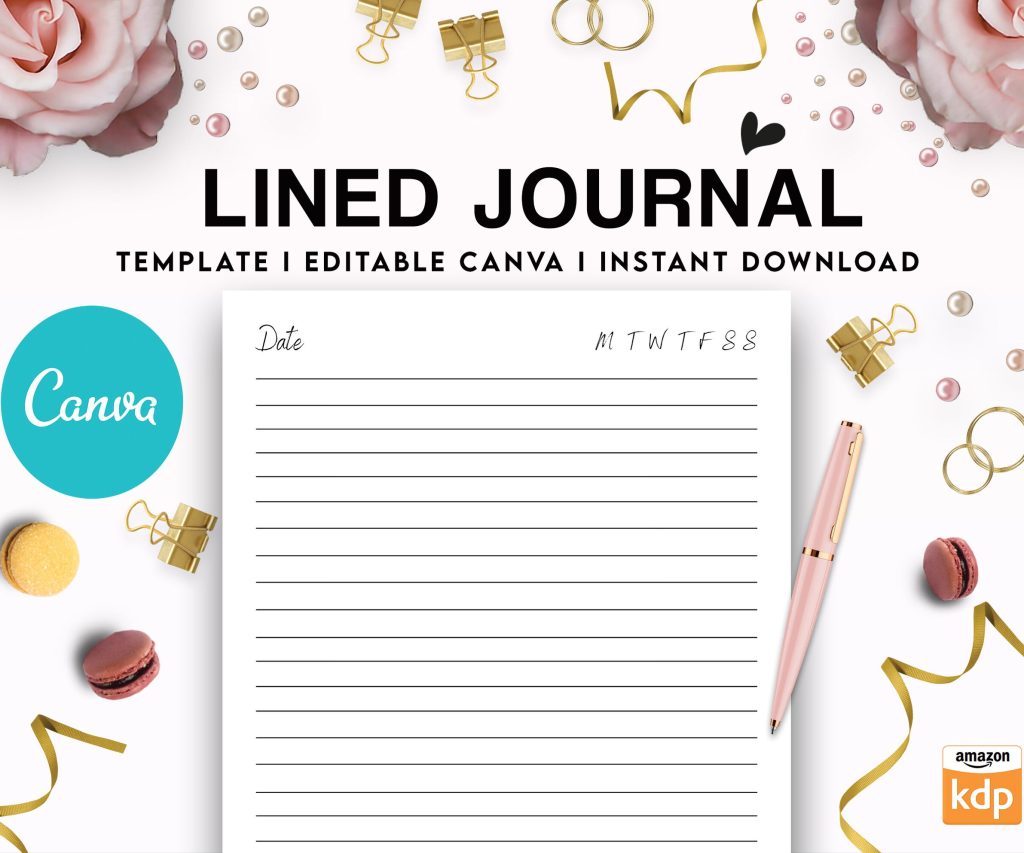
 Editable Canva Lined Journal: Express Your Thoughts - KDP Template
 Subtotal: $0.00
Amazon KDP guide, KDP book publishing
Format for Book: Publishing Standards Guide
08
Mar
Mar
Okay so I was just formatting a book last night while watching that new Netflix series and realized how many people screw up the basics, so let me break down what actually matters for publishing standards.
Manuscript Formatting Is Where Most People Lose Their Minds
The first thing you gotta understand is that formatting for print is completely different than ebook formatting. Like, completely. I spent my first year doing KDP thinking I could use the same file for both and… yeah, that was a disaster.
For print books, you’re working with actual physical dimensions. Amazon KDP’s most popular trim sizes are 6×9 inches for non-fiction and 5×8 for fiction. I use 6×9 for basically everything now because it just works and readers expect it. Your margins need to be asymmetrical – and this is where people mess up constantly. The inside margin (gutter) needs to be wider than the outside because of the binding. I typically do 0.75″ outside, 0.875″ inside for books under 150 pages, then bump the gutter to 1″ for anything thicker.
The Bleed Thing That Nobody Explains Properly
Bleed is honestly one of those terms that sounds way more complicated than it is. If you’re doing a book with images or colored backgrounds that go to the edge of the page, you need bleed. That means your background extends 0.125″ beyond the trim line on all sides. So if you’re doing a 6×9 book with bleed, your actual document size needs to be 6.25×9.25 inches.
Most low-content books don’t need bleed though. Unless you’re doing full-page coloring books or photo books, just skip it and save yourself the headache.
Fonts and Typography Standards
Here’s what actually works in the real world – not what design books tell you. For body text, stick with serif fonts for print. Times New Roman, Garamond, Baskerville, Georgia. I use Garamond at 11pt for most of my books and it’s never failed me. The reason is readability over long periods, and serif fonts just perform better on paper.
For ebooks though, flip that completely. Sans-serif fonts like Arial, Calibri, or Helvetica work better on screens. But here’s the thing – for ebooks you should let the reader choose their font anyway, so don’t stress too much about it.
Line spacing matters more than you think. Single spacing looks cramped and unprofessional. I use 1.15 or 1.2 line spacing for most books. Double spacing is way too much unless you’re doing large print editions.
Headers and Footers That Don’t Look Amateur
Oh and another thing – headers and footers are where you can tell someone’s first book from someone who knows what they’re doing. Your front matter pages (title page, copyright, table of contents) should NOT have headers or page numbers. Start your page numbering on the first page of actual content.
For headers, I typically put the book title on left pages and chapter title on right pages. Keep them small – like 9pt or 10pt max. And position them at least 0.5″ from the top edge.
Page numbers can go center bottom, outside bottom, or outside top. Just be consistent. I prefer center bottom because it’s the easiest to format and looks clean.
Front Matter Structure
This is gonna sound tedious but the order actually matters for looking professional:
- Half-title page (just the book title, nothing else)
- Blank page
- Title page (full title, subtitle, author name)
- Copyright page
- Dedication (optional)
- Table of contents
- Foreword or preface (if you have one)
Most of my books skip the half-title because honestly it’s kinda old-fashioned and wastes a page. But if you’re going for that traditional publishing look, include it.
Your copyright page needs to have the copyright symbol, year, your name, “All rights reserved,” and your ISBN. I also throw in a disclaimer and the edition number. Something like “First Edition, 2024” so if you update it later you can track versions.
Chapter Formatting Standards
Each chapter should start on a new page – this is non-negotiable for professional books. Whether you start chapters on right pages only (recto) or allow left pages too depends on your book type. Fiction can start anywhere. Non-fiction looks more polished starting on right pages only, but that means adding blank pages sometimes.
Chapter titles should be bigger than body text obviously. I use 18pt to 24pt depending on the book size. Position them about 1.5 to 2 inches from the top of the page. Some people center them, some align left – I prefer left alignment for non-fiction and center for fiction.
The first paragraph after a chapter title or section break should NOT be indented. Every other paragraph gets a 0.3″ to 0.5″ indent. Never use tab spacing for indents – set it as a paragraph style or you’ll have nightmares trying to fix it later.
Widows and Orphans Are Real Problems
A widow is when the last line of a paragraph appears alone at the top of a page. An orphan is when the first line appears alone at the bottom. They look terrible and scream amateur hour. Microsoft Word has settings to prevent these automatically – turn on “Widow/Orphan control” in paragraph settings.
Wait I forgot to mention – never ever use extra line breaks between paragraphs in a print book. That’s a web formatting thing that doesn’t translate. If you want scene breaks within a chapter, use a centered symbol like ### or *** or just three asterisks.
Ebook Formatting Is Its Own Beast
Okay so for ebooks everything changes. You’re not controlling the page size anymore – readers can resize text, change fonts, switch between devices. Your job is to create a clean structure that adapts.
Use styles religiously. In Word, set up Heading 1 for chapter titles, Heading 2 for section titles, and Normal for body text. This creates the navigation structure in the ebook file. Amazon’s Kindle Create tool will read these and auto-generate your table of contents.
Images need to be handled differently too. For ebooks, embed images at 300 DPI but keep file sizes reasonable. Amazon recommends the entire ebook file stay under 650 MB but honestly if you’re over 100 MB you’re probably doing something wrong. I compress images to around 150 KB each for ebooks.
The KDP Upload Process Reality Check
When you upload to KDP, they’re gonna convert your file. For ebooks, you can upload Word docs, EPUBs, or HTML. I’ve had the best luck with Word docs using Kindle Create to preview first. For print, upload a PDF – always a PDF, never a Word doc for print.
My cat just knocked over my coffee talking about PDFs… anyway, when you export to PDF for print, use the “Press Quality” or “High Quality Print” setting. Embed all fonts. Don’t compress images too much or they’ll look pixelated. I keep print images at 300 DPI minimum.
Interior Color vs Black and White
This affects your formatting choices. Black and white interiors are cheaper to print and that’s what most books use. If you’re doing color, you need to work in CMYK color mode, not RGB. RGB is for screens, CMYK is for print. Converting at the last minute can make colors look way different than you expected.
For black and white, make sure any images are actually grayscale, not just black and white RGB. The file size and printing quality will be better.
Common Formatting Mistakes That Kill Sales
Inconsistent spacing drives me crazy when I see it in books. Pick your spacing rules and stick to them throughout. Don’t randomly switch between one space and two spaces after periods. Don’t vary your indentation sizes.
Justified text looks professional but can create weird spacing rivers if you’re not careful. I use justified for print books but left-aligned for ebooks. The reflow in ebooks makes justified text look wonky sometimes.
Using too many fonts is another dead giveaway. Two fonts maximum – one for headings, one for body. Three if you absolutely need a special font for callouts or quotes. More than that and it looks like a ransom note.
File Size Optimization
This matters more for ebooks than print. Amazon charges delivery fees based on file size for ebooks priced between $2.99 and $9.99 on the 70% royalty option. At $0.15 per megabyte, a bloated file can eat your profits.
Compress images, remove embedded fonts you’re not using, strip out unnecessary metadata. I’ve gotten ebook files from 50 MB down to 5 MB just by optimizing images properly.
Testing Before Publishing
Always always always order a proof copy for print books. I don’t care how perfect it looks on screen – paper is different. Colors shift, margins look different, text weight changes. I’ve caught errors in proof copies that would’ve been embarrassing to miss.
For ebooks, use the Kindle Previewer tool and test on actual devices if you can. Check it on a phone, a tablet, and an e-reader. What looks good on one might be broken on another.
The KDP previewer shows you common issues but it’s not perfect. I once had a book that looked fine in previewer but the table of contents was completely broken on actual Kindles because I didn’t use heading styles properly.
Professional Polish Elements
Drop caps at the start of chapters look fancy but they’re honestly optional. Same with decorative section breaks. These can add visual interest but they’re not necessary for a professional book.
What IS necessary – consistent capitalization in titles, proper quotation mark styles (curly quotes, not straight), em dashes instead of double hyphens, and proper ellipses (… not three periods).
Oh and another thing – make sure your copyright page has the right year. I’ve seen books published in 2024 with 2022 copyright dates because someone used an old template. Looks sloppy.
The back matter should include an author bio and ideally a call-to-action to review or check out your other books. Keep it short – one page max.
Your formatting isn’t gonna make or break your book sales, but bad formatting will definitely hurt them. Good formatting is invisible – readers don’t notice it, they just have a smooth reading experience. That’s what you’re aiming for.
DISCOVER OUR FREE BEST SELLING PRODUCTS
Editable Canva Lined Journal: Express Your Thoughts – KDP Template
Lined Pages Journal 120 pages Ready to Upload PDF Commercial Use KDP Template 6×9 8.5×11 5×8 for Notebooks, Diaries, Low Content
Lined Pages Journal 120 pages Ready to Upload PDF Commercial Use KDP Template 6×9 8.5×11 5×8 for Notebooks, Diaries, Low Content
Cute Dogs Coloring Book for Kids | Activity Book | KDP Ready-To-Upload
Daily Planner Diary : Diary Planners for Everyday Productivity, 120 pages, 6×9 Size | Amazon KDP Interior
Wolf Coloring KDP interior For Adults, Used as Low Content Book, PDF Template Ready To Upload COMMERCIAL Use 8.5×11"
Coloring Animals Head Book for Kids, Perfect for ages 2-4, 4-8 | 8.5×11 PDF
Printable Blank Comic Book Pages PDF : Create Your Own Comics – 3 Available Sizes
Notes KDP interior Ready To Upload, Sizes 8.5×11 6×9 5×8 inch PDF FILE Used as Amazon KDP Paperback Low Content Book, journal, Notebook, Planner, COMMERCIAL Use
Black Lined Journal: 120 Pages of Black Lined Paper Perfect for Journaling, KDP Notebook Template – 6×9
Student Planner Journal 120 pages Ready to Upload PDF Commercial Use KDP Template 6×9" 8.5×11" for Low Content book
Recipe Journal Template – Editable Recipe Book Template, 120 Pages – Amazon KDP Interior