-
×
 Wolf Coloring KDP interior For Adults, Used as Low Content Book, PDF Template Ready To Upload COMMERCIAL Use 8.5x11"
1 × $0.00
Wolf Coloring KDP interior For Adults, Used as Low Content Book, PDF Template Ready To Upload COMMERCIAL Use 8.5x11"
1 × $0.00
Subtotal: $0.00

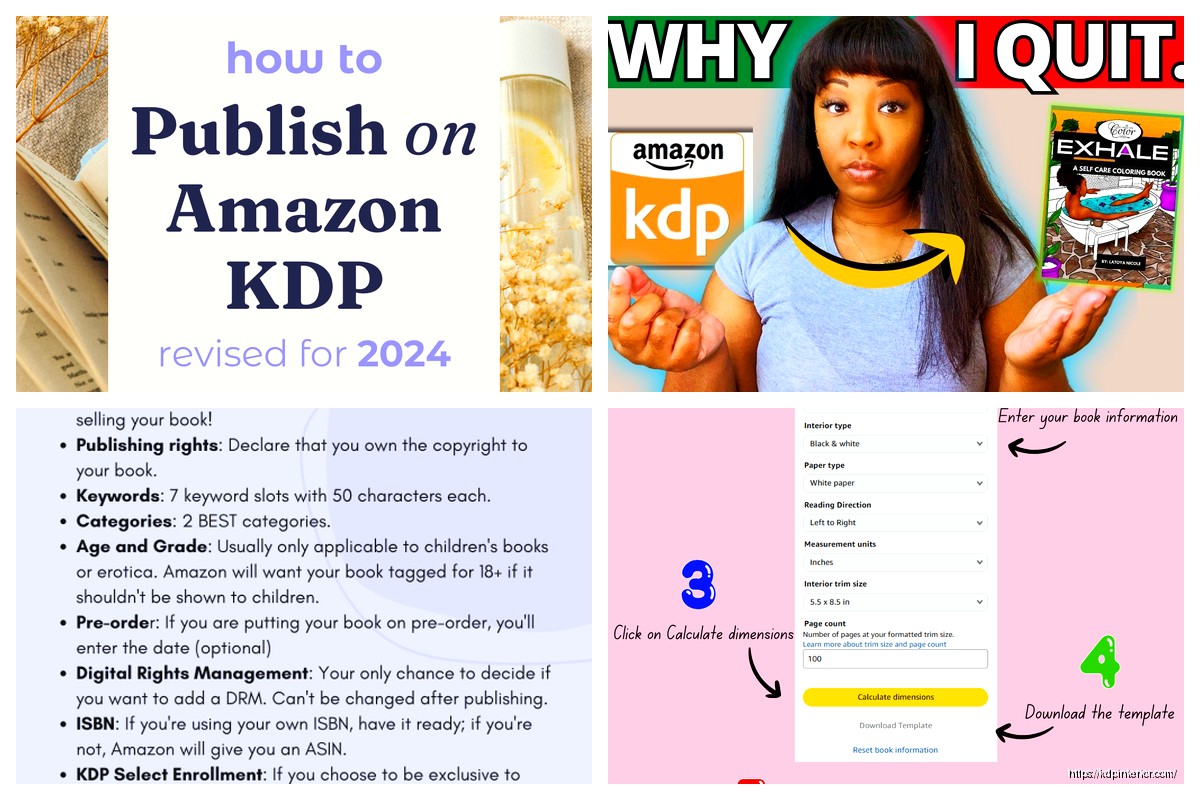
Okay so the whole KDP and Amazon connection thing is actually way simpler than people make it sound but there’s some weird quirks you gotta know about.
First off, KDP is literally Amazon’s self-publishing platform, right? So when people say “connecting to Amazon” they usually mean one of three things – getting your KDP account linked to your regular Amazon customer account, understanding how the royalty payments work through their system, or trying to figure out why their book isn’t showing up in search. Let me break down what actually matters.
When you first create a KDP account, Amazon’s gonna ask for your regular Amazon login. This confuses people because they think they need separate accounts. You don’t. Your KDP account IS connected to your Amazon account from day one. I’ve had people email me freaking out about this and honestly it’s designed to be seamless.
The thing is, you need to add tax information and banking details to KDP specifically. Amazon doesn’t just pull that from your shopping account because obviously that would be a security nightmare. So even though you’re using the same login credentials, you’re setting up a publisher profile within your Amazon ecosystem.
This is where people get stuck and honestly I still find it annoying even after doing it like a hundred times. Amazon needs to know if you’re a US person or international because it affects withholding. If you’re in the US, you fill out a W-9. International publishers do a W-8BEN.
Here’s what nobody tells you – if you mess up the tax interview, your account gets stuck in this weird limbo where you can upload books but can’t publish them. I did this once in 2018 because I was watching Stranger Things and just clicking through without reading… had to contact support and wait three days to fix it.
The tax form is under Account Settings, then click “Getting Paid” and you’ll see the tax interview link. Just have your SSN or EIN ready if you’re in the US. International folks need their tax ID number from their country.
So Amazon pays through direct deposit for most countries, or they use wire transfer or check for others. The payment threshold is $10 for direct deposit, $100 for check or wire. This trips people up because if you’re making like $8 a month from your coloring book, you won’t see money for a while.
You add your bank info in the same “Getting Paid” section. For US accounts, you need routing number and account number. International publishers might need SWIFT codes and all that banking stuff.
Oh and another thing – Amazon pays approximately 60 days after the end of the month you earned royalties. So January royalties get paid end of March. It’s not instant. I still see people expecting money the day after their book goes live and that’s just not how it works.
If you publish to multiple Amazon marketplaces – like Amazon.com, Amazon.co.uk, Amazon.de – you can choose to get paid in different currencies or convert everything to your primary currency. This is in the same payment settings area.
I usually just convert everything to USD because dealing with multiple currency deposits is a headache my accountant charges extra for. But if you’re selling tons in the UK marketplace specifically, might be worth getting GBP payments to avoid conversion fees eating your margins.
When you publish a book through KDP, it doesn’t immediately appear everywhere on Amazon. There’s this propagation thing that takes like 24-72 hours. Your book gets an ASIN (Amazon Standard Identification Number) which is basically Amazon’s internal tracking code.
For paperbacks, you also get an ISBN. Amazon provides free ISBNs through KDP but here’s the catch – those ISBNs are tied to Amazon. If you wanna sell your book through other distributors later, you need to buy your own ISBN from Bowker or whoever handles ISBNs in your country.
The integration between your KDP dashboard and the actual Amazon marketplace is automatic once your book is live. When someone buys your book on Amazon.com, that sale data feeds back to your KDP reports usually within like 6-12 hours. It’s not real-time but it’s pretty fast.
This is where it gets interesting. Your book’s metadata – title, subtitle, keywords, categories – that all feeds into Amazon’s A9 search algorithm. A lot of people don’t realize that KDP is directly plugged into Amazon’s recommendation engine.
When you choose your seven keywords during book setup, Amazon’s system indexes those and starts matching your book to customer searches. But here’s what’s weird – Amazon also scans your book description and pulls keywords from there even if you didn’t specifically list them.
I tested this last month actually with a journal about gratitude. I didn’t use “mindfulness” as a keyword but put it in the description three times, and the book started showing up for mindfulness searches within a week. The integration is smarter than people think.
If you enroll in KDP Select, your ebook gets integrated into Kindle Unlimited and the Kindle Owners’ Lending Library. This is a 90-day exclusive commitment where your ebook can ONLY be available on Amazon.
The integration here is automatic – once you check that KDP Select box during publishing, Amazon’s system handles the rest. Your book shows up with the “Read for Free” badge for KU subscribers.
Pages read through KU get tracked and reported in your KDP dashboard. Amazon counts normalized pages (KENPC) which is their own calculation. A 200-page book might be 180 KENPC or 220 KENPC depending on formatting. The system calculates this when you upload your manuscript.
Payment for KU reads comes from the KDP Select Global Fund, which is a pool of money Amazon sets aside each month. You get paid per page read, and the rate fluctuates. Right now it’s around $0.004 per page but I’ve seen it as high as $0.005 and as low as $0.0035.
When you’re in KDP Select, you get promotional tools that integrate with Amazon’s deal systems. Free book promotions make your book free for up to 5 days per 90-day enrollment period. The system automatically adjusts pricing and tracks downloads.
Countdown Deals are different – they create a time-limited discount that shows up with a special badge on your product page. These are only available for books priced between $2.99 and $24.99 normally.
Both of these tools are managed through your KDP Bookshelf. You schedule them and Amazon’s platform handles the price changes automatically. I’ve never had a Countdown Deal fail to start on time, the integration is pretty solid there.
Wait I forgot to mention Author Central. This is a separate but connected Amazon service where you can create an author profile, add a bio, photos, and link your books together.
You access it at authorcentral.amazon.com and log in with your same Amazon credentials. It pulls your KDP books automatically once you verify you’re the author. The connection isn’t instant though – new books take a few days to show up in Author Central after they go live on KDP.
Through Author Central you can also see more detailed sales data and customer reviews from all Amazon marketplaces. It aggregates data that your KDP dashboard doesn’t show as clearly.
If you publish both paperback and ebook versions of the same book through KDP, Amazon’s supposed to automatically link them on the product page. Sometimes this works immediately, sometimes it takes weeks, and sometimes it just… doesn’t happen.
The system matches books based on similar titles, author names, and content. But if there’s any discrepancy – like you used a middle initial on one version but not the other – the auto-linking fails.
You can contact KDP support to manually link editions. I’ve done this probably fifty times. Usually takes 2-3 days for them to fix it. This is gonna sound weird but I’ve found that having identical descriptions on both versions helps the auto-linking work better.
Amazon’s advertising platform for books connects directly to your KDP account. You can create Sponsored Product ads right from your KDP dashboard now – they added that feature in 2020 I think.
The ads pull your book’s metadata automatically. You just set your bid amount and targeting. Amazon’s system tracks clicks and sales that came from ads, and that data shows up in both your KDP reports and your advertising console.
One thing that’s actually really useful – Amazon Ads connects attribution across the entire Amazon ecosystem. So if someone clicks your ad for a paperback but buys the Kindle version instead, you still get credit for that sale in your advertising reports.
My cat just knocked over my coffee but anyway…
For paperbacks, KDP uses Amazon’s print-on-demand system. When someone orders your book, Amazon’s fulfillment centers print and ship it. You don’t touch inventory.
The integration here is completely behind the scenes. Your KDP account connects to Amazon’s printing network automatically. You just upload your PDF files and cover, and Amazon’s system checks them for print readiness.
If there’s issues – like your margins are too small or your cover dimensions are wrong – the KDP system rejects the file before it even gets to the printing stage. The error messages are usually pretty clear about what needs fixing.
Expanded Distribution is an option that connects your paperback to libraries and bookstores beyond Amazon. It’s a checkbox during setup. This reduces your royalty slightly but gets your book into additional catalogs that retailers can order from.
Your KDP dashboard has reports showing sales, royalties, pages read, and more. This data comes from Amazon’s entire marketplace network and consolidates into your account.
There’s usually a delay in reporting. Sales from today won’t show up until tomorrow or the day after. The “Prior Month’s Royalties” report is the most accurate and appears around the 15th of each month.
You can filter reports by marketplace, format, and date range. The system lets you export data as CSV or Excel files. I download my reports monthly for my accountant because the raw data from KDP has everything needed for tax purposes.
KDP doesn’t have a public API for authors to access programmatically. Some third-party tools claim to connect to KDP but they’re usually just scraping your reports or using workarounds.
Tools like Publisher Rocket and KDP Spy analyze Amazon’s marketplace data but they’re not directly integrated with your KDP account. They’re separate services that look at public-facing Amazon pages.
The closest thing to real integration is if you use print distributors like IngramSpark alongside KDP. Those systems don’t talk to each other though – you’re managing separate accounts for each platform.
Honestly the walled garden approach Amazon takes makes sense from their perspective but it’d be nice to have more automation options. I’d love to pull sales data into my own spreadsheets automatically without manual downloads but that’s not available.
Books not showing up in search after publishing – this happens when Amazon’s indexing gets stuck. Usually fixes itself within 48 hours. If it doesn’t, contact support.
Wrong marketplace showing up for payments – check your account settings to make sure your primary marketplace is set correctly. This affects where your author page lives and how certain features work.
Reviews not appearing – Amazon’s review system is separate from KDP and sometimes there’s delays. Reviews posted by customers can take hours to show up. Also Amazon filters reviews aggressively so some never appear at all.
The linking between all these Amazon systems – KDP, Author Central, Advertising, the marketplace itself – it’s mostly automated but there’s definitely gaps where things don’t sync perfectly. After seven years I’ve learned to just give it a few days before panicking when something looks off.
DISCOVER OUR FREE BEST SELLING PRODUCTS
Editable Canva Lined Journal: Express Your Thoughts – KDP Template
Lined Pages Journal 120 pages Ready to Upload PDF Commercial Use KDP Template 6×9 8.5×11 5×8 for Notebooks, Diaries, Low Content
Lined Pages Journal 120 pages Ready to Upload PDF Commercial Use KDP Template 6×9 8.5×11 5×8 for Notebooks, Diaries, Low Content
Cute Dogs Coloring Book for Kids | Activity Book | KDP Ready-To-Upload
Daily Planner Diary : Diary Planners for Everyday Productivity, 120 pages, 6×9 Size | Amazon KDP Interior
Wolf Coloring KDP interior For Adults, Used as Low Content Book, PDF Template Ready To Upload COMMERCIAL Use 8.5×11"
Coloring Animals Head Book for Kids, Perfect for ages 2-4, 4-8 | 8.5×11 PDF
Printable Blank Comic Book Pages PDF : Create Your Own Comics – 3 Available Sizes
Notes KDP interior Ready To Upload, Sizes 8.5×11 6×9 5×8 inch PDF FILE Used as Amazon KDP Paperback Low Content Book, journal, Notebook, Planner, COMMERCIAL Use
Black Lined Journal: 120 Pages of Black Lined Paper Perfect for Journaling, KDP Notebook Template – 6×9
Student Planner Journal 120 pages Ready to Upload PDF Commercial Use KDP Template 6×9" 8.5×11" for Low Content book
Recipe Journal Template – Editable Recipe Book Template, 120 Pages – Amazon KDP Interior