Okay so you wanna get your KDP account approved and honestly it’s gotten way more complicated than when I started back in 2016, like they used to approve pretty much anyone but now… different story.
The Basic Stuff You Need Before You Even Start
First thing, and I can’t stress this enough because I’ve seen people mess this up constantly in my consulting calls – you need real information. Like your actual legal name, your actual address, your actual tax info. Amazon’s verification system cross-references everything now and if something doesn’t match up, you’re gonna sit in approval limbo for weeks or they’ll just reject you outright.
I had this one client last month who tried using a PO Box because she was worried about privacy and yeah that didn’t work at all. Amazon wants a physical address where they can actually verify you exist. If you’re worried about privacy I get it but you gotta use your real residential address or a legit business address if you have one.
Here’s what you need ready before you even click that sign up button:
- Government-issued ID (driver’s license, passport, state ID)
- Bank account information for direct deposit
- Tax information (SSN if you’re in the US, or your country’s equivalent)
- Phone number that can receive text messages
- Valid email address that you actually check
Oh and another thing – use an email you’re gonna remember. I know that sounds obvious but I’ve literally had authors lose access to their accounts because they signed up with some random email they created years ago and forgot about.
Actually Starting the Application
So you go to kdp.amazon.com and hit the sign up button. They’re gonna ask if you have an Amazon customer account and honestly? I always recommend using a separate email from your regular Amazon shopping account. Keeps things cleaner, easier to manage, and if something ever goes wrong with one account it doesn’t mess up the other.
The form itself is pretty straightforward but here’s where people screw up – they rush through it. Don’t do that. Amazon‘s looking for consistency across everything you enter.
When you’re filling out your author/publisher name, think about this for a second. Are you publishing under your real name? A pen name? A publishing company name? Whatever you choose here needs to match what you’re gonna put on your book covers and in your book details later. I’ve seen accounts get flagged because someone put “John Smith Publishing” in their account but then their books said “Published by JS Press” or something and Amazon’s fraud detection went off.
The Tax Interview Part That Everyone Hates
Okay so after the basic info you hit the tax interview and this is where like 60% of people I talk to start panicking. It looks complicated but it’s really not if you just read carefully.
If you’re in the US you’re filling out a W-9. If you’re outside the US you’re doing a W-8BEN (for individuals) or W-8BEN-E (for entities/companies). The interview walks you through it but here’s the thing – answer everything truthfully and consistently with what you put in your account info.
Your legal name on the tax form has to match your legal name everywhere else. If your driver’s license says “Robert” but you go by “Rob” – use Robert. Amazon matches this stuff against government databases and any mismatch is gonna cause problems.
I remember last year I was watching this random documentary about cults while doing a client’s account audit and I found out they’d put their nickname on the tax form instead of their legal name and that’s why they’d been stuck in pending status for three weeks. Fixed that one thing and boom approved within 24 hours.
The Verification Process (Where Things Get Real)
So after you submit everything Amazon’s gonna verify your identity. This used to be pretty quick but now they’re way more thorough. You might get approved immediately or you might have to go through additional verification steps.
If they ask you to verify your identity they’ll usually want one of these things:
- Photo of your government ID
- Bank statement or utility bill showing your address
- Business registration documents if you’re set up as a company
- Additional tax documentation
Wait I forgot to mention – make sure your documents are clear and readable. I had someone send me a photo of their driver’s license that was so blurry you couldn’t read anything and they were confused why Amazon kept rejecting it. Like take the photo in good lighting, make sure everything’s in focus, all four corners visible.
The Waiting Game
Verification can take anywhere from a few minutes to several weeks depending on a bunch of factors. New accounts in certain countries take longer. If you’re in a country where Amazon sees a lot of fraud attempts (unfortunately this includes some perfectly legitimate countries) you’re gonna wait longer.
During this time don’t create multiple accounts thinking it’ll speed things up. That’s actually one of the fastest ways to get permanently banned. Amazon sees that as trying to circumvent their verification process and they don’t mess around with that.
I usually tell people to wait at least 7-10 business days before you start worrying. If it’s been two weeks with no response then yeah reach out to KDP support.
Common Rejection Reasons And How To Fix Them
Okay so funny story – my cat knocked over my coffee right as I was about to submit an application for a client once and in my distraction I entered the wrong birth date. Account got rejected. Took two weeks to sort out because Amazon thought we were trying to commit some kind of fraud.
Here’s the most common reasons accounts get rejected:
Mismatched Information – This is the big one. Your name on your tax form doesn’t match your ID. Your address on your bank account doesn’t match your application. Your phone number is registered to someone else. Amazon’s looking for consistency across everything.
If you get rejected for this you need to figure out exactly what doesn’t match and fix it. Sometimes you gotta update your bank account info with your bank first or get a new ID if you moved recently.
Previously Banned Account – If you or someone at your address had a KDP account that got terminated you’re gonna have a hard time. Amazon bans by person, by address, by IP address, by device… it’s extensive. If this is your situation honestly you might need to reach out to KDP support directly and explain the situation. Sometimes they’ll work with you if the previous ban wasn’t yours but it’s tough.
Suspicious Activity Detected – Using a VPN during signup, creating multiple accounts, using temporary email addresses, sketchy bank account info. Amazon’s fraud detection is really sophisticated now and if anything seems off they’ll reject you.
Incomplete Documentation – You didn’t upload all the verification documents they asked for or the ones you uploaded were unclear. Just… do it right the first time. Clear photos, all pages if it’s a multi-page document, nothing cut off.
What To Do If You Get Rejected
Don’t immediately create a new account. That’s gonna make things worse I promise you.
First read the rejection email carefully. Amazon usually tells you why you were rejected even if it’s vague. Look for phrases like “unable to verify your information” or “account information inconsistent” – those tell you what the problem is.
Then you can either:
- Appeal the decision by responding to the rejection email with corrected information
- Contact KDP support directly through their contact form
- If it’s really messed up, wait 30 days and start fresh with correct info
When you appeal be professional and direct. Don’t write a novel. Just say something like “I believe my account was rejected due to [specific reason]. I have attached [correct documentation]. Please review my application again.” Amazon support deals with thousands of these they don’t need your life story.
The Bank Account Thing Nobody Talks About
So your bank account needs to match your account holder name. If you’re John Smith and your KDP account is under John Smith, the bank account better be in John Smith’s name. Seems obvious right? But I’ve had so many people try to use their spouse’s bank account or their business partner’s account and it doesn’t work.
If you don’t have a bank account yet get one before you apply. Amazon needs this for direct deposit and while you can technically add it later it’s way smoother to have everything ready upfront.
For international authors this gets trickier. Amazon can pay you through direct deposit if your bank supports it, wire transfer, or check. Direct deposit is fastest and cheapest (no fees usually). Wire transfers work but they often have fees. Checks are slow and can have issues with international mail.
Oh and another thing – some countries require you to receive payments through specific banking arrangements. Like if you’re in Brazil you need a Brazilian bank account. If you’re in India there’s specific requirements. Check Amazon’s payment guidelines for your country before you set everything up.
After You Get Approved (Don’t Mess This Up)
Okay so you got approved congrats but you’re not done yet. There’s still ways to screw this up and get your shiny new account suspended.
Don’t publish crap immediately. I see new authors get so excited they publish like 10 books in the first day and if those books have any quality issues Amazon’s gonna flag your account fast. Start with one or two books, make sure they’re actually good quality, make sure your covers don’t violate any guidelines, make sure your content is properly formatted.
I had this happen to a client who got approved on a Friday and by Monday published 15 coloring books. All of them were fine quality-wise but Amazon saw this brand new account suddenly pumping out books and their automated systems flagged it as suspicious. Account got suspended pending review. Took three weeks to sort out.
Read the content guidelines. Actually read them not just skim them. There’s stuff you can’t publish on KDP and if your first book violates guidelines your account is gonna get suspended so fast.
No public domain content that’s just copy-pasted with no added value. No books that are entirely AI-generated without disclosure (and even with disclosure it’s risky). No copyright infringement obviously. No explicit content marketed to kids. No misleading titles or descriptions. The list goes on.
Set up your account completely. Add your banking info if you haven’t already. Set up your tax interview completely. Add a phone number for two-factor authentication. The more verified and complete your account is the less likely Amazon is to randomly flag it for review later.
Two-Factor Authentication (Turn This On Immediately)
I cannot stress this enough – turn on two-factor authentication as soon as your account is approved. I know it’s annoying having to enter a code every time you log in but KDP account hijacking is a real thing and it’s devastating when it happens.
Someone gets into your account they can change your bank details, unpublish your books, publish spam under your name, or just completely tank your account before you even notice. And trying to recover a hijacked account is a nightmare that can take months.
Amazon offers SMS-based 2FA or authenticator app-based. I recommend the authenticator app (like Google Authenticator or Authy) because it’s more secure than SMS. Set it up, save your backup codes somewhere safe, and sleep better at night.
Special Situations That Complicate Things
Okay so most people have a straightforward application but there’s some situations that make things more complicated and you need to know about them before you start.
Publishing as a Company/LLC
If you’ve got an LLC or other business entity you wanna publish under the process is basically the same but you need business documentation. Your articles of incorporation or organization, your EIN (employer identification number in the US), business bank account info.
The tax interview will be different – you’ll do a W-9 but as a business entity not an individual. Make sure everything matches your business registration documents exactly.
I set up my own LLC back in 2018 for tax purposes and honestly the KDP application was smoother because everything was already documented and official. But you gotta make sure all your business paperwork is in order first.
Publishing from Countries Amazon Doesn’t Directly Support
This is gonna sound weird but some countries can’t directly sign up for KDP. Amazon has a list of supported countries and if yours isn’t on it you’re stuck. You could technically use a US address and bank account if you have access to those but that gets legally complicated with taxes and I don’t recommend it unless you actually have a legitimate presence in that country.
Some people use family members’ addresses in supported countries but again this is risky because if Amazon finds out your actual location doesn’t match your account info they can terminate you.
If You’re Under 18
You can’t have a KDP account if you’re under 18. Period. You’d need a parent or guardian to create the account in their name and manage it for you. The account would be in their legal name, use their tax info, their bank account, everything.
I’ve had teenagers reach out asking how to set up accounts and I always tell them the same thing – wait until you’re 18 or have a parent do it officially. Trying to fake your age or use fake documents is a permanent ban waiting to happen.
Dealing With KDP Support During The Application Process
If you run into issues during your application you’re probably gonna need to contact KDP support and honestly their support is… inconsistent. Sometimes you get someone who’s super helpful and knows their stuff. Sometimes you get someone reading from a script who can’t actually help with your specific problem.
My client canceled a consulting call last month so I spent like three hours comparing different support responses people had gotten and the variance is wild. Same issue, totally different answers depending on who responded.
Here’s how to maximize your chances of getting useful help:
Be specific. Don’t just say “my account won’t verify.” Say “I submitted my driver’s license for verification on [date] and received an error message saying [exact error message]. I have confirmed all information matches exactly. What additional documentation do you need?”
Include relevant details upfront. Your account email, when you applied, what verification steps you’ve completed, what error messages you’ve seen. Don’t make them ask for basic info.
Be professional but persistent. If the first response doesn’t solve your problem, respond again. Sometimes escalating to a supervisor helps. I’ve seen cases where the fifth support rep finally understood the issue and fixed it when the first four couldn’t help.
Document everything. Screenshot error messages. Save all email correspondence. Keep copies of documents you submit. If your case gets escalated or you need to appeal something later you’ll want this documentation.
Red Flags That’ll Get You Rejected Fast
Let me just run through some things I’ve seen people do that pretty much guarantee rejection because apparently common sense isn’t that common:
- Using fake names or documents – Amazon will figure it out and you’ll be permanently banned
- Creating multiple accounts “just to see if one gets approved faster” – This flags you as trying to game the system
- Using someone else’s identity with their permission – Still fraud in Amazon’s eyes even if the person said it was okay
- Signing up through a VPN to appear to be in a different country – Amazon tracks this and it looks suspicious
- Using a temporary or disposable email address – Screams “I’m up to something”
- Providing bank account info that doesn’t match your name/address – Obvious fraud indicator
- Using a virtual office address or mail forwarding service – Amazon wants real addresses
Just… be legitimate. That’s literally all Amazon wants. They’re not trying to make it hard for real authors they’re trying to keep out scammers and fraudsters and low-quality spam publishers.
Timeline Expectations (Real Talk)
So how long does this actually take? Depends on a bunch of factors but here’s what I’ve seen across probably 50+ accounts I’ve helped set up or consulted on:
Best case scenario: Application submitted, instantly approved, you’re publishing within an hour. This happens if you’re in a major market (US, UK, Canada, Australia, etc.), all your info is clean and matches perfectly, and Amazon’s systems don’t flag anything for manual review.
Average case: Application submitted, verification takes 1-3 business days, maybe they ask for one additional document, approved within a week. This is pretty typical for straightforward applications.
Complicated case: Application submitted, initial verification fails or gets flagged for manual review, they request multiple documents, back and forth with support, takes 2-4 weeks to get approved. Happens more often if you’re in certain countries, have any mismatches in your info, or just get unlucky with automated flagging.
Worst case: Application rejected, you have to appeal or reapply, multiple rounds of document submission, can take months. Usually only happens if there’s actual problems with your documentation or you’re in a situation where Amazon is extra cautious (like you had a previous account that was terminated or there’s suspicious activity on your application).
What To Do While You’re Waiting For Approval
Don’t just sit there refreshing your email every five minutes. Use this time to actually prepare for when you get approved.
Write your book if you haven’t already. Format it properly. Design your cover or hire someone to design it. Research keywords and categories. Look at your competition. Plan your pricing strategy. Set up your author social media if that’s your thing.

 Daily Planner Diary : Diary Planners for Everyday Productivity, 120 pages, 6×9 Size | Amazon KDP Interior
1 × $0.00
Daily Planner Diary : Diary Planners for Everyday Productivity, 120 pages, 6×9 Size | Amazon KDP Interior
1 × $0.00 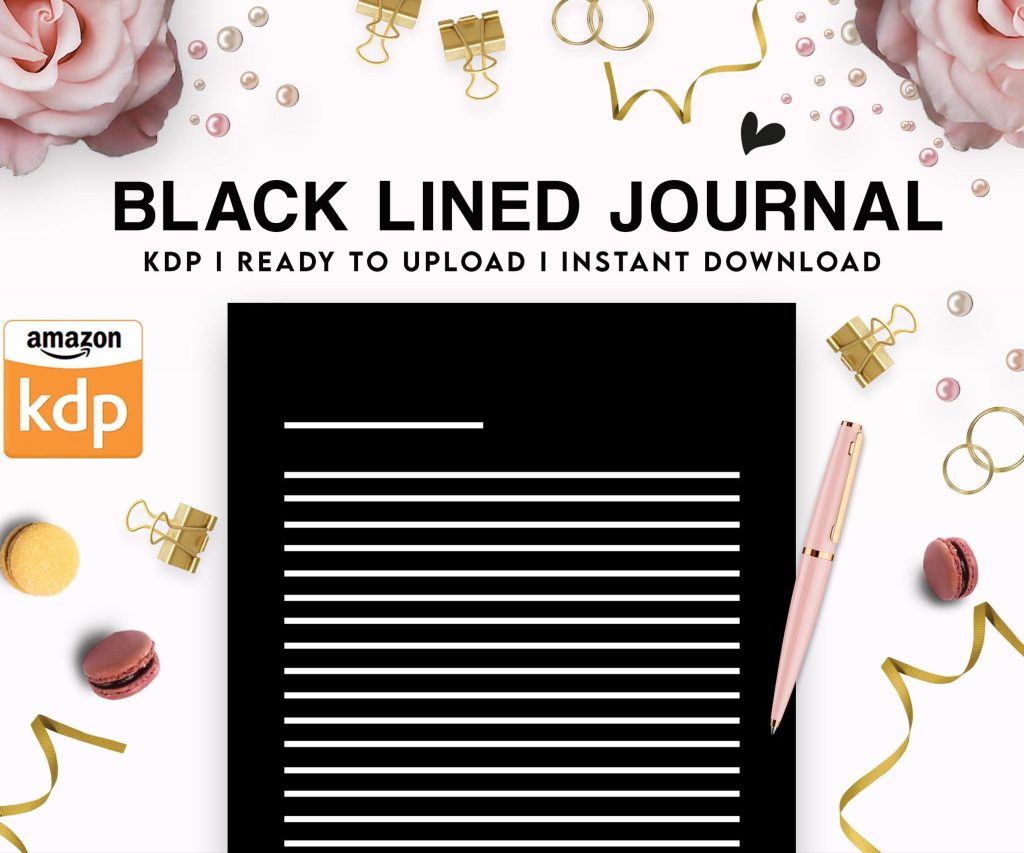 Black Lined Journal: 120 Pages of Black Lined Paper Perfect for Journaling, KDP Notebook Template - 6×9
2 × $0.00
Black Lined Journal: 120 Pages of Black Lined Paper Perfect for Journaling, KDP Notebook Template - 6×9
2 × $0.00 
DISCOVER OUR FREE BEST SELLING PRODUCTS
Editable Canva Lined Journal: Express Your Thoughts – KDP Template
Lined Pages Journal 120 pages Ready to Upload PDF Commercial Use KDP Template 6×9 8.5×11 5×8 for Notebooks, Diaries, Low Content
Lined Pages Journal 120 pages Ready to Upload PDF Commercial Use KDP Template 6×9 8.5×11 5×8 for Notebooks, Diaries, Low Content
Cute Dogs Coloring Book for Kids | Activity Book | KDP Ready-To-Upload
Daily Planner Diary : Diary Planners for Everyday Productivity, 120 pages, 6×9 Size | Amazon KDP Interior
Wolf Coloring KDP interior For Adults, Used as Low Content Book, PDF Template Ready To Upload COMMERCIAL Use 8.5×11"
Coloring Animals Head Book for Kids, Perfect for ages 2-4, 4-8 | 8.5×11 PDF
Printable Blank Comic Book Pages PDF : Create Your Own Comics – 3 Available Sizes
Notes KDP interior Ready To Upload, Sizes 8.5×11 6×9 5×8 inch PDF FILE Used as Amazon KDP Paperback Low Content Book, journal, Notebook, Planner, COMMERCIAL Use
Black Lined Journal: 120 Pages of Black Lined Paper Perfect for Journaling, KDP Notebook Template – 6×9
Student Planner Journal 120 pages Ready to Upload PDF Commercial Use KDP Template 6×9" 8.5×11" for Low Content book
Recipe Journal Template – Editable Recipe Book Template, 120 Pages – Amazon KDP Interior