
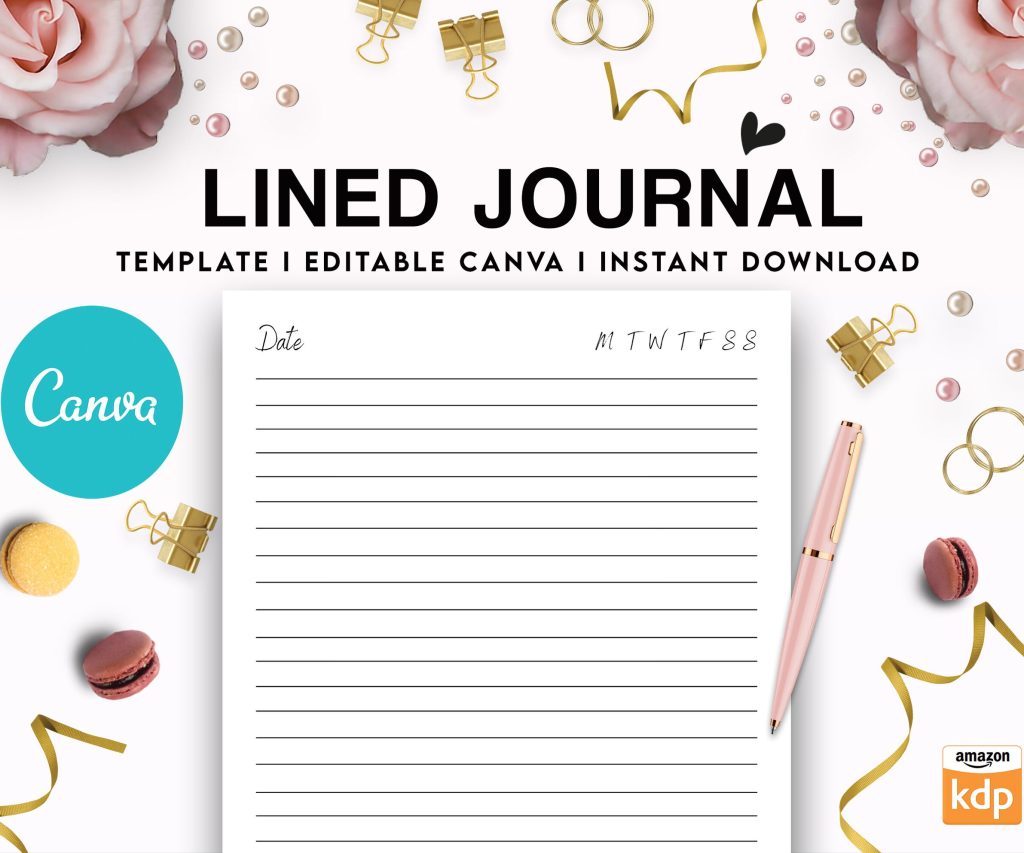
 Editable Canva Lined Journal: Express Your Thoughts - KDP Template
 Subtotal: $0.00
Amazon KDP guide, KDP book publishing
KDP Business Setup: Turn Publishing into Profit
29
May
May
Okay so here’s the deal with setting up a legit KDP business – and I mean actually treating it like a business not just uploading random notebooks and hoping for the best.
First thing you gotta do is decide on your business structure. I went with an LLC after my second year because once you’re pulling in consistent money the tax benefits are real. Like I was leaving money on the table before that. You can start as a sole proprietor which is basically just you operating under your own name or a DBA but once you hit like $10k-$15k annually seriously consider the LLC route. Protects your personal assets too if someone decides to sue over something dumb in one of your books.
The actual LLC setup cost me around $300 in my state plus I pay like $50 annual renewal. Totally worth it though because now I can write off SO much stuff. My home office, portion of utilities, all my software subscriptions, even part of my internet bill. Keep every single receipt trust me on this.
Bank Accounts and Financial Setup
Get a separate bank account for your KDP income immediately. Don’t mix personal and business finances even if you’re just starting out. I made that mistake my first year and tax time was an absolute nightmare trying to separate everything. My accountant was not happy with me.
I use a free business checking account at a local credit union – no monthly fees which is clutch when you’re starting out. Then I set up a savings account attached to it where I automatically transfer 25-30% of every payment for taxes. Because yeah Amazon doesn’t withhold taxes for you and that first tax bill will punch you in the face if you’re not ready for it.
Oh and another thing – get a business credit card. Even if you don’t think you need it. I put all my business expenses on mine and pay it off monthly. Builds business credit plus I get like 2% cash back on everything. That adds up when you’re spending money on covers, ads, software subscriptions whatever.
Software and Tools You Actually Need
Don’t go crazy buying every tool out there. Here’s what I actually use daily:
- Creative Fabrica or some similar graphics subscription – I pay $6/month and use it for literally everything
- Canva Pro for quick designs and formatting – $13/month
- Affinity Publisher for more complex interiors – one-time $70 payment way better than Adobe’s subscription model
- Helium 10 for keyword research but honestly the free version works fine when starting
- QuickBooks Self-Employed for tracking income and expenses – saves my butt at tax time
That’s really it. You’ll see people promoting all these expensive courses and tools but most of that stuff is unnecessary. I wasted probably $2000 my first year on garbage I never used.
Setting Up Your Amazon KDP Account Properly
This is gonna sound obvious but use accurate information. I’ve seen people try to get clever with multiple accounts or fake names and Amazon catches that stuff. They’re not playing around with their TOS.
When you’re filling out your tax information use your EIN if you have an LLC or your SSN if you’re sole prop. The tax interview section looks scary but just answer honestly. If you’re in the US you’ll fill out a W-9. Takes like five minutes.
For your payment info I recommend direct deposit to that business bank account we talked about. Payments come around 60 days after the end of each month which yeah is annoying but that’s how they do it. So sales from January hit your account end of March basically.
Wait I forgot to mention – decide early whether you want to publish under your real name or pen names or a publishing company name. I use a publishing imprint name because it looks more professional and I can publish different niches under different imprints. Like my kids activity books are under one name and my planners are under another. Keeps things organized and lets you build separate brands.
The Pricing Strategy Nobody Talks About
Your royalty rate depends on your price point. For paperbacks you get 60% of royalty which is your list price minus printing costs. For hardcover it’s the same deal. Printing costs vary based on page count and trim size.
Here’s something that took me forever to figure out – Amazon’s printing costs are higher than people expect. A 120-page paperback in 8.5×11 costs like $4.11 to print. So if you price it at $7.99 you’re only making like $0.72 per sale after Amazon takes their cut. That’s why you see so many low-content books priced at $9.99-$14.99. The margins actually make sense there.
I usually aim for at least $3-4 profit per book. Means most of my stuff is priced $11.99-$16.99 depending on page count and niche. Yeah it’s higher than some competitors but if your book looks premium and has good keywords it’ll still sell.
Oh and funny story – I had this whole batch of journals priced at $6.99 for like six months wondering why I wasn’t making any money. Finally did the math and realized I was making $0.42 per sale. Changed them all to $11.99 and sales only dropped like 20% but profit went up 400%. Math is important apparently.
Trademark Research Because This Matters
Before you commit to a publishing name or start creating books in a specific niche check the USPTO trademark database. It’s free and it’ll save you from getting your account shut down. Amazon is super strict about trademark infringement.
Search for your publishing company name, search for phrases you want to use in titles, search for character names if you’re doing that kind of thing. I almost published a whole series using a phrase that was trademarked and didn’t realize until someone in a Facebook group pointed it out. Would’ve been disaster.
The search interface on USPTO is clunky but just type in what you want to check and see what comes up. If something is registered for books or publishing or similar categories stay away from it.
Creating Your First Books The Right Way
Start with low-content because it’s faster to test and learn. I’m talking notebooks, journals, planners, logbooks. You can create a simple interior template once and reuse it with different covers for multiple books.
My process is usually:
1. Find a niche with decent search volume but not crazy competition
2. Create one really good interior that works for that niche
3. Design 5-10 different covers for that same interior
4. Upload them all over a week or two
5. See which ones get traction
Don’t spend weeks perfecting one book. Get stuff up and let the market tell you what works. I’ve had books I spent days on get zero sales and books I threw together in an hour become consistent sellers. You can’t predict it.
For interiors I keep it simple. Usually just lined pages or blank pages or simple prompted pages. Nothing fancy. The cover is what sells the book 90% of the time anyway.
Cover Design Tips From Someone Who Learned The Hard Way
Your cover needs to look good as a tiny thumbnail because that’s how people see it first. High contrast, readable text, clean design. I see so many covers that look okay full-size but are a muddy mess as a thumbnail.
Use mockups or at least test your cover at thumbnail size before uploading. If you can’t read the title clearly when it’s small it’s not gonna work.
Colors matter more than you think. Bright colors stand out in search results. I’ve got notebooks that are literally just solid bright backgrounds with simple text that outsell my fancy designed ones. Sometimes simple wins.
And please don’t use copyrighted images. Only use stuff you have commercial rights to. Creative Fabrica, Canva Pro, and sites like Creative Market are safe. Random Google images are not. Amazon will catch it eventually and you’ll lose your account.
Keywords and Categories Strategy
This is where you actually make money or don’t. You get seven keyword boxes in the backend – use all of them. Each box can have multiple words as a phrase.
I use Helium 10 to find keywords but you can also just search on Amazon and see what autocompletes. Look at what’s selling in your niche and check their keywords using reverse ASIN lookup tools.
Don’t stuff your title with keywords anymore. Amazon cracked down on that. Keep your title natural and readable then load up your seven backend keyword boxes. That’s where the real ranking happens anyway.
For categories pick the most specific ones you can. Don’t just choose “Crafts & Hobbies > General” when you could choose something like “Crafts & Hobbies > Needlecrafts & Textile Crafts > Cross-Stitch.” More specific categories have less competition and you can actually rank.
You can contact Amazon after publishing to get put in additional categories too. I usually pick two during upload then email for 8-10 more. More categories means more chances to rank and get that orange bestseller badge.
The Actual Publishing Process
When you’re uploading have everything ready: your PDF interior file, your cover design (or use their cover creator if you want but honestly make your own), your title, subtitle, description, keywords, categories.
The description matters for conversions. Use bullet points, make it scannable, focus on benefits not features. “Stay organized with 120 pages of premium lined paper” not “This notebook contains 120 pages.”
Preview your book using their previewer tool. Check every page. I’ve caught so many mistakes in the previewer that would’ve been embarrassing if they went live. Weird formatting, cut-off text, whatever.
Order a proof copy before you publish. It’s like $5 plus shipping. Make sure it looks good in person because that’s what customers are getting. Colors can look different printed than on screen. I learned this when a whole batch of my “black” covers printed as dark gray. Now I always check.
Scaling and Treating It Like A Business
Once you’ve got some books up and selling here’s how to actually grow this thing. Batch your work. I spend one day doing keyword research for like 10-15 book ideas. Another day creating interiors. Another day doing covers. Way more efficient than doing one book start to finish.
Track everything in a spreadsheet. Which books are selling, which keywords work, what niches are profitable. I review my numbers every Monday morning with coffee and it keeps me from wasting time on stuff that doesn’t work.
Reinvest your profits. Take some money out for yourself obviously but put a chunk back into creating more books or learning new skills or better tools. My KDP income went from $800/month to $5k+/month once I started actually reinvesting instead of pulling everything out.
Test Amazon ads once you’ve got like 20-30 books up. Start small like $5/day budget and see what happens. Some of my books do way better with ads, some don’t need them. You gotta test.
Oh and join some Facebook groups for KDP publishers. The free info and support is honestly invaluable. Just ignore the people selling courses and focus on learning from people actually publishing successfully.
Set up an email for your publishing business and check it regularly. Customers will email sometimes through Amazon, trademark lawyers might reach out if there’s an issue (hopefully not but it happens), Amazon might need verification stuff occasionally.
My cat just knocked over my water bottle all over my desk but anyway – treat this like a real business with systems and processes and it’ll actually make real money. Most people fail because they upload five books, make $50, and quit. The people making serious money have hundreds of books and consistent processes for creating more.
DISCOVER OUR FREE BEST SELLING PRODUCTS
Editable Canva Lined Journal: Express Your Thoughts – KDP Template
Lined Pages Journal 120 pages Ready to Upload PDF Commercial Use KDP Template 6×9 8.5×11 5×8 for Notebooks, Diaries, Low Content
Lined Pages Journal 120 pages Ready to Upload PDF Commercial Use KDP Template 6×9 8.5×11 5×8 for Notebooks, Diaries, Low Content
Cute Dogs Coloring Book for Kids | Activity Book | KDP Ready-To-Upload
Daily Planner Diary : Diary Planners for Everyday Productivity, 120 pages, 6×9 Size | Amazon KDP Interior
Wolf Coloring KDP interior For Adults, Used as Low Content Book, PDF Template Ready To Upload COMMERCIAL Use 8.5×11"
Coloring Animals Head Book for Kids, Perfect for ages 2-4, 4-8 | 8.5×11 PDF
Printable Blank Comic Book Pages PDF : Create Your Own Comics – 3 Available Sizes
Notes KDP interior Ready To Upload, Sizes 8.5×11 6×9 5×8 inch PDF FILE Used as Amazon KDP Paperback Low Content Book, journal, Notebook, Planner, COMMERCIAL Use
Black Lined Journal: 120 Pages of Black Lined Paper Perfect for Journaling, KDP Notebook Template – 6×9
Student Planner Journal 120 pages Ready to Upload PDF Commercial Use KDP Template 6×9" 8.5×11" for Low Content book
Recipe Journal Template – Editable Recipe Book Template, 120 Pages – Amazon KDP Interior