
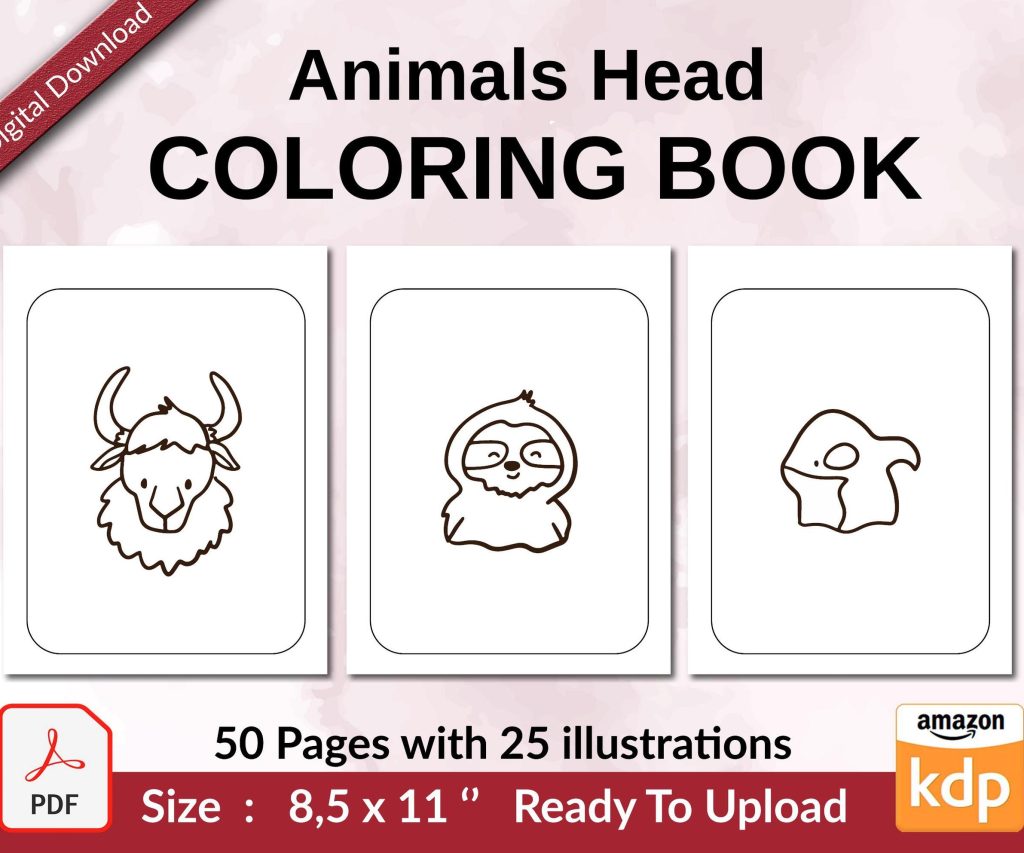
 Coloring Animals Head Book for Kids, Perfect for ages 2-4, 4-8 | 8.5x11 PDF
 Subtotal: $0.00
Amazon KDP guide, KDP book publishing
KDP Colouring Book: Create Adult Coloring Books
08
May
May
Okay so I just wrapped up creating another coloring book last week and honestly the whole process is way simpler than people make it sound but there’s definitely some stuff you gotta know upfront.
The Basic Setup You Actually Need
First thing – you need design software and I’m gonna be real with you, Canva won’t cut it for this. I mean technically you could but the resolution gets weird and Amazon’s gonna flag it during review. I use Adobe Illustrator most of the time because vector graphics scale perfectly, but if you’re just starting out Creative Fabrica Studio is like $9/month and does the job fine. Or Affinity Designer if you want the one-time payment thing.
Your book dimensions matter way more than you’d think. The standard size everyone does is 8.5 x 11 inches because it’s familiar to buyers and gives enough space for detailed designs. But here’s what nobody tells you – you need to set up your canvas with bleeds. Amazon wants 0.125 inches bleed on all sides, so your actual canvas should be 8.75 x 11.25 inches. I forgot this on my third book and had to redo like 30 pages because the preview looked terrible with white edges everywhere.
Creating the Actual Coloring Pages
So for the designs themselves, you’ve got basically three routes. You can draw them yourself if you’re artistic (I’m not), you can use PLR content which is hit or miss legally speaking, or you can create them with design elements and brushes. I do the third option mostly.
Creative Fabrica has these stamp brushes that are honestly perfect for coloring books. You grab like a mandala brush set or floral elements, arrange them in Illustrator or whatever, and boom you’ve got a page. The key is making sure your line weight is consistent – I use 2pt to 3pt strokes usually. Anything thinner and it’s hard to see when printed, anything thicker looks like a kids coloring book.
Oh and another thing – your designs need to be black lines on white background, nothing fancy. I see people trying to add gray shading or colored covers thinking it’ll look premium but Amazon’s print quality is just okay for the price point, so keep it simple. Pure black (#000000) and pure white (#FFFFFF).
Page Count and Book Structure
Amazon requires minimum 24 pages but that’s gonna look super thin and cheap. Sweet spot is between 50-100 pages depending on your niche. I usually do 60 pages of actual coloring content, which ends up being like 64-68 pages total once you add the title page, copyright, and “this book belongs to” page.
Wait I forgot to mention – you need to think about single-sided vs double-sided printing. This is huge actually. Most coloring book buyers use markers or gel pens that bleed through, so you want single-sided designs. That means every other page in your PDF needs to be blank. So if you’ve got 50 coloring designs, your PDF will actually be 100+ pages. I learned this the hard way when I got my first one-star review saying “the designs show through the page” because I did double-sided printing like an idiot.
The way you set this up – in your design software, create your coloring page on page 1, insert a completely blank page after it, then your next design on page 3, another blank on page 4, and so on. Some people put “this page intentionally left blank” text but honestly it’s not necessary and looks kinda amateur.
The Test Print Nobody Does But Should
Before you upload anything to KDP, order a test print from a local print shop. This is gonna sound weird but I’ve saved myself so much hassle doing this. What looks good on screen doesn’t always translate to paper. Lines that seem bold enough on your monitor might print too light. Details that look intricate might just look like a blob when printed.
I usually print 5-10 sample pages at Staples or wherever, costs like $3, and I actually color in one of them to see if the line weights work. My cat knocked over my coffee on one of these test prints once and I noticed the paper absorbed the liquid weird – made me realize I needed to check Amazon’s paper quality specs which yeah, it’s not amazing but it works.
The KDP Upload Process
Alright so once your PDF is ready, you head to kdp.amazon.com and set up your paperback. The interface is pretty straightforward but here’s where people mess up:
Your title needs keywords built in but also needs to sound natural. “Mandala Coloring Book for Adults: 50 Beautiful Mandala Designs for Stress Relief and Relaxation” works better than just “Mandala Coloring Book” because Amazon’s algorithm picks up on those extra terms. Don’t keyword stuff though, they’ll reject it.
For the description, you’ve got 4000 characters to work with. Use HTML formatting – bullet points especially. List what’s inside the book, mention the paper type (single-sided pages), throw in some benefit-focused language like “perfect for stress relief” or “ideal for mindfulness practice” because that’s what coloring book buyers search for.
The categories thing is limited – you only get two and they’re kinda restrictating. I usually go with “Crafts, Hobbies & Home > Crafts & Hobbies > Papercrafts, Stamping & Stenciling” and something genre-specific like “Self-Help > Stress Management” if it fits. The real keyword game happens in your seven keyword boxes on the backend.
Pricing Strategy That Actually Works
Okay so pricing is where I see people either way undercharge or get too greedy. Amazon’s printing costs for an 8.5 x 11 book with like 100 pages is around $4.50-$5.00. You need to price high enough to make it worth your time but competitive enough to get sales.
I usually price my coloring books between $6.99 and $8.99. At $7.99 with Amazon’s 60% royalty option, you’re making about $1.80-$2.00 per sale after printing costs. That might not sound like much but these books are passive income – once they’re up, they sell without you doing anything. I’ve got books from 2019 that still bring in $100-200 monthly.
Don’t go with the 35% royalty option thinking you’ll price lower and sell more. The math doesn’t work out and you just look cheap compared to other books.
Cover Design Considerations
Your cover needs to be 8.75 x 11.25 inches for the front, and KDP has this cover calculator that tells you the spine width based on page count. Total pain to figure out the first time. The spine for a 100-page book is usually around 0.25 inches, so your full cover wrap is like 17.75 inches wide.
I design my covers in Canva actually, this is the one place it works fine. Just make sure you’re exporting at 300 DPI minimum. The cover needs to pop in thumbnail size because that’s how 90% of people will see it. Bright colors, clear text, maybe show a preview of an interior design.
This is gonna sound weird but test your cover in grayscale too. Some people browse with images turned off or have accessibility settings that affect color perception. Your title should still be readable if all the color disappeared.
Niche Selection and What Sells
Generic mandala books are oversaturated like crazy. Same with basic floral patterns. You need an angle. I’ve had success with:
- Swear word coloring books (yes really, they sell great)
- Niche hobbies – like “Coloring Book for Cat Lovers” with cat-themed mandalas
- Seasonal stuff – Christmas coloring books in September/October
- Occupation-specific – “Coloring Book for Nurses” with medical-themed designs
- Affirmation coloring books with positive quotes integrated into designs
The key is searching Amazon for “coloring book [your niche]” and seeing what’s already ranking. If the top 10 results all have under 50 reviews, there’s room for you. If they’ve all got 500+ reviews, maybe pick something else unless you’ve got a unique spin.
Interior Quality Stuff Nobody Talks About
Your PDF needs to be flattened – no layers, no transparency effects. Save it as PDF/X-1a:2001 if your software has that option, it’s the print-ready standard. File size shouldn’t exceed 650 MB but honestly if your book is just black line art on white, you’ll probably land around 20-50 MB.
Make sure every page is exactly the same size. I had one book rejected because page 37 was somehow 8.49 x 11 inches instead of 8.5 x 11. No idea how that happened but Amazon’s automated system caught it immediately.
Oh wait, important thing about margins – you need at least 0.375 inches on the inside margin (the spine side) and 0.25 inches on the outside edges. If your designs go too close to the edge, they’ll get cut off during printing or the book won’t pass review.
Marketing Without Spending Much
Once your book is live, Amazon ads can work but I usually just optimize the listing first. Get a few friends or family to buy copies and leave honest reviews – you need at least 3-5 reviews before most people will take a chance on it. Yeah I know this sounds like cheating but everyone does it and as long as the reviews are genuine about the product it’s fine.
Pinterest is weirdly effective for coloring books. Create pins showing a preview page or someone coloring one of your designs. Link directly to your Amazon page. It’s free traffic and the Pinterest crowd loves this stuff.
Facebook groups for adult coloring are another option but don’t just spam your link. Actually participate, share a free sample page, build some rapport first. I’ve gotten decent sales from a butterfly coloring group I’m in just by being helpful and occasionally mentioning my books when relevant.
Common Mistakes I Made So You Don’t Have To
Don’t use copyrighted characters or logos. Disney stuff, superhero themes, trademarked phrases – Amazon will take your book down and possibly ban your account. Not worth it.
Don’t make your designs too complex on your first book. I went crazy with intricate patterns thinking it looked more professional and got feedback that people found it overwhelming. Start with medium complexity and test what your audience prefers.
Actually look at your book proof before approving it. Amazon sends you a digital proof and yeah it takes a few days but I caught a spelling error in my title on book #4 that would’ve been embarrassing. The physical proof costs like $5 plus shipping but if you’re serious about quality it’s worth ordering one.
Don’t forget to add a copyright page with your name and year. Technically optional but it looks more professional and protects your work somewhat.
The last book I published took me about 8 hours total from start to finish – 6 hours creating the 50 designs, 2 hours on the cover and upload process. Now it makes $150-300 monthly depending on season. Not life-changing money but I’ve got 12 coloring books up now and they add up to a decent side income that requires zero maintenance.
Just start with one book, get it up, see how it does, then make adjustments on the next one. You’re gonna learn way more from actually doing it than reading about it anyway.
DISCOVER OUR FREE BEST SELLING PRODUCTS
Editable Canva Lined Journal: Express Your Thoughts – KDP Template
Lined Pages Journal 120 pages Ready to Upload PDF Commercial Use KDP Template 6×9 8.5×11 5×8 for Notebooks, Diaries, Low Content
Lined Pages Journal 120 pages Ready to Upload PDF Commercial Use KDP Template 6×9 8.5×11 5×8 for Notebooks, Diaries, Low Content
Cute Dogs Coloring Book for Kids | Activity Book | KDP Ready-To-Upload
Daily Planner Diary : Diary Planners for Everyday Productivity, 120 pages, 6×9 Size | Amazon KDP Interior
Wolf Coloring KDP interior For Adults, Used as Low Content Book, PDF Template Ready To Upload COMMERCIAL Use 8.5×11"
Coloring Animals Head Book for Kids, Perfect for ages 2-4, 4-8 | 8.5×11 PDF
Printable Blank Comic Book Pages PDF : Create Your Own Comics – 3 Available Sizes
Notes KDP interior Ready To Upload, Sizes 8.5×11 6×9 5×8 inch PDF FILE Used as Amazon KDP Paperback Low Content Book, journal, Notebook, Planner, COMMERCIAL Use
Black Lined Journal: 120 Pages of Black Lined Paper Perfect for Journaling, KDP Notebook Template – 6×9
Student Planner Journal 120 pages Ready to Upload PDF Commercial Use KDP Template 6×9" 8.5×11" for Low Content book
Recipe Journal Template – Editable Recipe Book Template, 120 Pages – Amazon KDP Interior