Okay so KDP is basically Amazon’s self-publishing platform and honestly after publishing over 200 books on there I still find new features I didn’t know existed. Let me just walk you through what actually matters because there’s a lot of fluff out there.
The Dashboard Setup Nobody Really Explains
First thing – your KDP dashboard is gonna be your home base. When you log in you’ll see this bookshelf view of everything you’ve published and I’m gonna be real with you, it looks deceptively simple but there’s so much buried in the menus. Click on any book and you get sales data, but the real gold is in the “Reports” section where you can download actual spreadsheets of your sales by marketplace. I check mine every morning with coffee even though I know I probably shouldn’t obsess that much.
The marketplace thing is important because KDP automatically distributes to like 13+ Amazon stores worldwide. You’re not just selling on Amazon.com – you’re on Amazon.co.uk, Amazon.de, Amazon.ca, all of them simultaneously unless you manually turn them off. And honestly why would you? I’ve had months where my UK sales outperformed US sales on certain books.
Book Creation Features That Actually Move The Needle
So when you’re setting up a new book, KDP gives you two main options: paperback or ebook. I started with ebooks because they seemed easier but actually… wait I should mention there’s also hardcover now but the profit margins are weird on those so I mostly stick to paperback and digital.
For paperbacks the trim size options are pretty solid. You’ve got your standard 6×9 which is what most non-fiction uses, 8.5×11 for workbooks and journals (this is my bread and butter), and then smaller sizes like 5×8 for novels. The platform automatically tells you minimum page count based on your trim size which is helpful because I definitely tried uploading a 20-page 8.5×11 book once and it got rejected.
The cover creator tool is… okay it exists. I used it exactly once in 2018 and never again. You’re way better off using Canva or hiring someone on Fiverr because the KDP cover creator templates look very obviously like KDP cover creator templates. Readers can spot them a mile away and it doesn’t scream “professional” you know?
Interior File Upload Process
This is where people mess up constantly. KDP accepts PDF files for paperback interiors and honestly that’s what I recommend. You can technically use their Word doc converter but I’ve seen it do weird things with formatting. My workflow is design in Canva or InDesign, export as PDF, upload to KDP.
The previewer tool they give you is actually pretty good now – it used to be garbage but they updated it maybe two years ago? You can flip through your entire book virtually and it shows you exactly how it’ll look printed. Always check the margins because KDP has specific margin requirements and if your text is too close to the edge they’ll reject it. I learned that the hard way on book number 3 or 4.
Pricing Strategy and Royalty Options
Okay so this is where it gets interesting and also kinda frustrating. For ebooks you get two royalty options: 35% or 70%. Obviously you want 70% right? But there’s a catch – you can only select 70% if your book is priced between $2.99 and $9.99. Anything outside that range forces you into the 35% royalty tier.
Oh and another thing – the 70% royalty has a “delivery cost” that Amazon charges based on your file size. It’s like $0.15 per MB or something. So if you’ve got a massive ebook with tons of images you’re gonna get dinged on delivery fees. For text-only books it’s negligible but I’ve seen some people lose a dollar per sale on image-heavy cookbooks.
Paperback royalties are different – you get 60% of the list price minus printing costs. The printing cost varies by page count and whether you use black and white or color printing. Color printing is EXPENSIVE like I’m talking $4-5 just to print a 100-page book. Black and white is way more reasonable, usually under a dollar for standard books.
I usually price my 100-page journals around $7.99 which gives me about $2.50 profit per sale after printing costs and Amazon’s cut. Not amazing but it adds up when you’ve got multiple books selling daily.
KDP Select vs Wide Distribution
This is the big decision everyone agonizes over. When you publish on KDP you can either enroll in KDP Select (exclusive to Amazon) or go wide (available on other platforms too). KDP Select gives you access to Kindle Unlimited where readers can borrow your book and you get paid per page read. You also get promotional tools like free book days and Countdown Deals.
The catch with KDP Select is you can’t sell your ebook anywhere else – not on Apple Books, not on your own website, nowhere. It’s 90 days minimum commitment that auto-renews unless you opt out.
I’ve done both and honestly for low-content books I always go KDP Select because the promotional tools are worth it. For ebooks with longer content I sometimes go wide just to diversify. There’s no right answer and anyone who tells you there is hasn’t actually tested both strategies extensively.
The Kindle Unlimited thing is wild though – I’ve had books earn more from KU page reads than from actual sales. Amazon pays around $0.004 per page read (it fluctuates monthly) so if someone reads your entire 200-page book you make about 80 cents. Doesn’t sound like much but when you’ve got hundreds of reads per month it’s solid passive income.
Publishing Process Step by Step
Actually walking through a book upload – you start by clicking the big yellow “+ Create” button. Then you’re choosing paperback, ebook, or hardcover. Let’s say paperback because that’s what I do most.
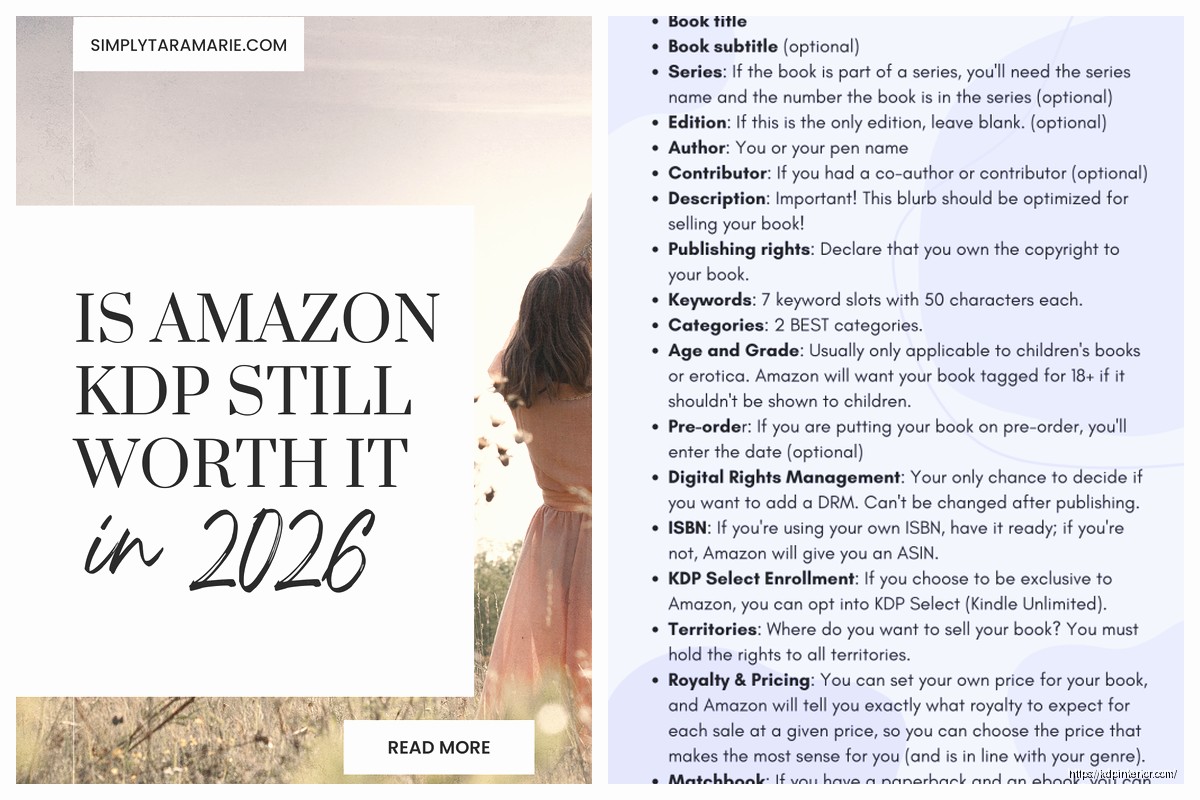
You enter your title and subtitle. Pro tip: your subtitle is actually super important for Amazon SEO. Pack it with keywords but make it readable. Something like “Daily Planner for Productivity: 120 Pages of Organized Planning” hits both requirements.
Then there’s the series field which I ignored for years but actually helps with discoverability. If you’re making multiple related books put them in a series.
Author name – you can use a pen name, doesn’t have to be your legal name. I’ve got like four different pen names for different niches. Amazon doesn’t care as long as you’re not impersonating someone.
Description section is where you write your book’s sales copy. You get HTML formatting options which most people don’t use but you should. Bold your key benefits, use bullet points, make it scannable. I usually keep mine around 200-250 words because nobody reads long descriptions anymore.
Categories and Keywords
You get to pick two categories when you upload. Choose wisely because your category determines what bestseller lists you can rank on. I always pick the most specific, least competitive categories I can find. It’s better to be #1 in a small category than #5000 in a huge one.
Keywords – you get seven keyword phrases up to 50 characters each. These don’t show up anywhere visible but Amazon uses them for search. Don’t waste them on words already in your title. Use them for synonyms and related search terms people might actually type.
Wait I forgot to mention – there’s this whole thing about choosing the right publication date. You can set it to publish immediately or schedule it for later. I usually do immediate because I’m impatient but some people like to schedule launches for specific days. Doesn’t really matter unless you’re doing a coordinated marketing push.
The Actual Useful Features You Should Know
KDP has this A+ Content thing now called “Enhanced Typesetting” for ebooks that makes the reading experience better with better fonts and formatting. It’s automatic if you upload certain file types so just make sure it’s enabled.
The “Look Inside” feature is crucial – this is the preview readers see before buying. Amazon automatically generates it from your first 10% or so of pages. Make those pages count. For journals and planners I always make sure the first pages show actual usable content not just a title page and copyright info.
You can update your books anytime after publishing which is honestly one of KDP’s best features. Found a typo? Just upload a new file. Want to change your price? Takes like 2 minutes. The changes go live within 72 hours usually, sometimes faster.
Oh and the promotional tools if you’re in KDP Select – you get five free promotion days every 90-day enrollment period. You can run your book for free which sounds counterintuitive but it boosts your visibility and gets reviews. I usually do 2-3 days free during a launch then save the remaining days for later boosts.
Countdown Deals are the other promo tool where you can discount your book for up to 7 days and Amazon shows a countdown timer on the listing. These work okay for ebooks, not available for paperbacks though.
Reports and Analytics You Actually Need
The sales dashboard shows you daily sales and KU page reads. It updates throughout the day but isn’t real-time – there’s usually a few hours delay. I check it way too often, like my dog when she hears the mailman and just won’t stop looking out the window.
The month-to-date estimate is just that – an estimate. Your actual royalties show up in the “Reports” section around the middle of the following month. You get paid 60 days after the end of the month when you earned the royalties. So January earnings get paid out end of March.
You can track which marketplaces are performing best for each book. I’ve got books that crush it in Germany for some reason while barely selling in the US. No idea why but I’m not questioning it.
The KENP (Kindle Edition Normalized Pages) read reports show you exactly how many pages were read in Kindle Unlimited. This is separate from sales. Some of my books get 10,000+ page reads per month which is wild to think about.
ISBN Situation
For paperbacks you need an ISBN. KDP gives you a free one or you can buy your own. The free one works fine and that’s what I use for 95% of my books. Only downside is it lists “Independently published” as your publisher name instead of your own imprint name.
If you care about that you can buy ISBNs from Bowker (in the US) but they’re expensive. Like $125 for one or $295 for ten. Only worth it if you’re building a publishing brand or want your books in physical bookstores which… for low-content books that’s not really a thing.
Ebooks don’t technically need an ISBN but KDP assigns an ASIN (Amazon Standard Identification Number) automatically. Works the same way basically.
Common Mistakes to Avoid
Don’t use copyrighted images in your covers or interiors. Amazon will catch it eventually and take down your book. Only use images you created, bought licenses for, or that are genuinely public domain.
Don’t keyword stuff your title. Amazon’s gotten smarter about that and books with spammy titles like “Journal Notebook Planner Diary Book for Women Men Kids” get suppressed in search now.
Don’t expect overnight success. My first book took three months to make its first sale and I thought I was doing everything wrong. Turns out it’s just a slow build for most people. Now I’ve got books that sell daily but it took time and volume.
Make sure your book actually provides value. I know that sounds obvious but there are so many low-effort cash grabs on KDP that barely have content. Those don’t sell longterm because readers aren’t stupid and they leave bad reviews.
The Reality of KDP Income
So like I mentioned I make between $5k-$30k monthly from KDP depending on the season and what new books I’ve launched. That’s across 200+ books though so it’s not like any single book is a goldmine. It’s more about having a catalog that generates consistent sales.
Most individual books make me anywhere from $0 to $300 per month. The average is probably around $30-50 per book per month but that’s skewed by the fact that some books do way better than others. I’ve got books that have made $10 total in their entire lifetime and others that have generated $5000+.
The advantage of KDP is really the passive income aspect once books are published. I can take a week off and still make money because the books are just sitting there available for purchase 24/7 across multiple countries.
Print-on-demand means no inventory risk which was huge for me starting out. I didn’t have thousands of dollars to print books upfront and hope they sold. Amazon prints them as orders come in and handles all the fulfillment.
Anyway that’s basically the rundown of KDP features that actually matter from someone who’s been grinding on the platform since 2018. There’s other stuff like advertising and Author Central profiles but that’s probably enough information for one sitting.

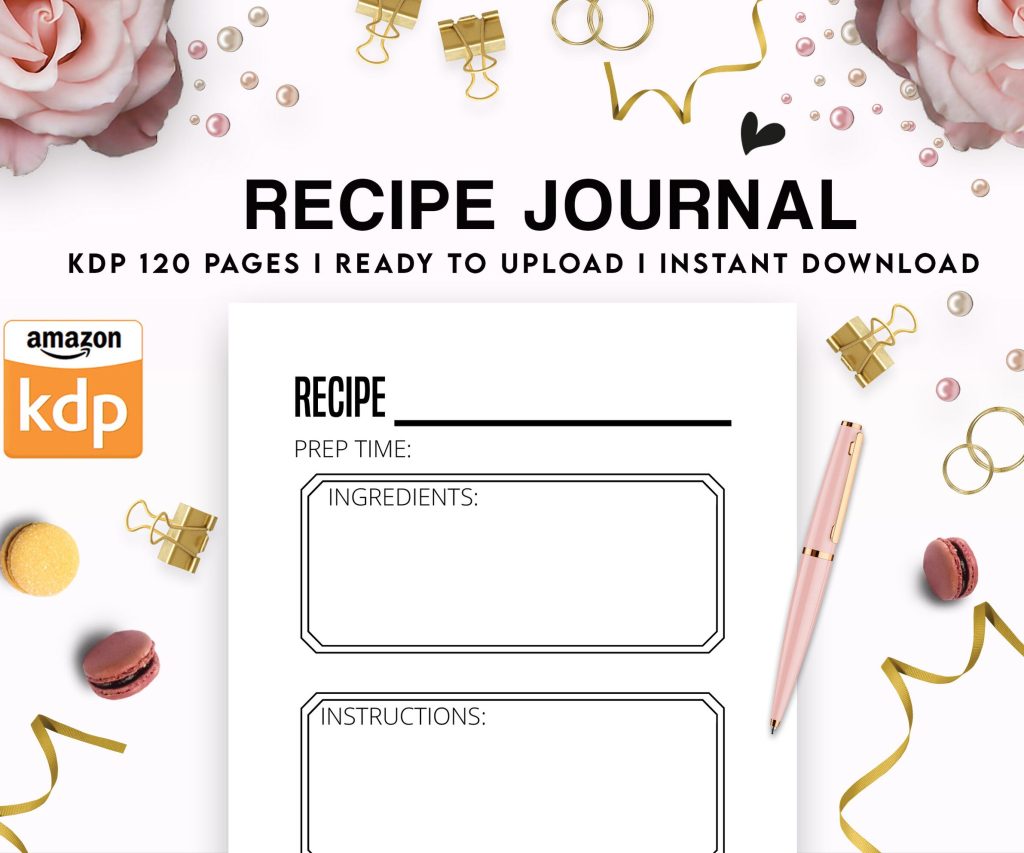 Recipe Journal Template - Editable Recipe Book Template, 120 Pages - Amazon KDP Interior
1 × $0.00
Recipe Journal Template - Editable Recipe Book Template, 120 Pages - Amazon KDP Interior
1 × $0.00  Wolf Coloring KDP interior For Adults, Used as Low Content Book, PDF Template Ready To Upload COMMERCIAL Use 8.5x11"
1 × $0.00
Wolf Coloring KDP interior For Adults, Used as Low Content Book, PDF Template Ready To Upload COMMERCIAL Use 8.5x11"
1 × $0.00 
DISCOVER OUR FREE BEST SELLING PRODUCTS
Editable Canva Lined Journal: Express Your Thoughts – KDP Template
Lined Pages Journal 120 pages Ready to Upload PDF Commercial Use KDP Template 6×9 8.5×11 5×8 for Notebooks, Diaries, Low Content
Lined Pages Journal 120 pages Ready to Upload PDF Commercial Use KDP Template 6×9 8.5×11 5×8 for Notebooks, Diaries, Low Content
Cute Dogs Coloring Book for Kids | Activity Book | KDP Ready-To-Upload
Daily Planner Diary : Diary Planners for Everyday Productivity, 120 pages, 6×9 Size | Amazon KDP Interior
Wolf Coloring KDP interior For Adults, Used as Low Content Book, PDF Template Ready To Upload COMMERCIAL Use 8.5×11"
Coloring Animals Head Book for Kids, Perfect for ages 2-4, 4-8 | 8.5×11 PDF
Printable Blank Comic Book Pages PDF : Create Your Own Comics – 3 Available Sizes
Notes KDP interior Ready To Upload, Sizes 8.5×11 6×9 5×8 inch PDF FILE Used as Amazon KDP Paperback Low Content Book, journal, Notebook, Planner, COMMERCIAL Use
Black Lined Journal: 120 Pages of Black Lined Paper Perfect for Journaling, KDP Notebook Template – 6×9
Student Planner Journal 120 pages Ready to Upload PDF Commercial Use KDP Template 6×9" 8.5×11" for Low Content book
Recipe Journal Template – Editable Recipe Book Template, 120 Pages – Amazon KDP Interior