
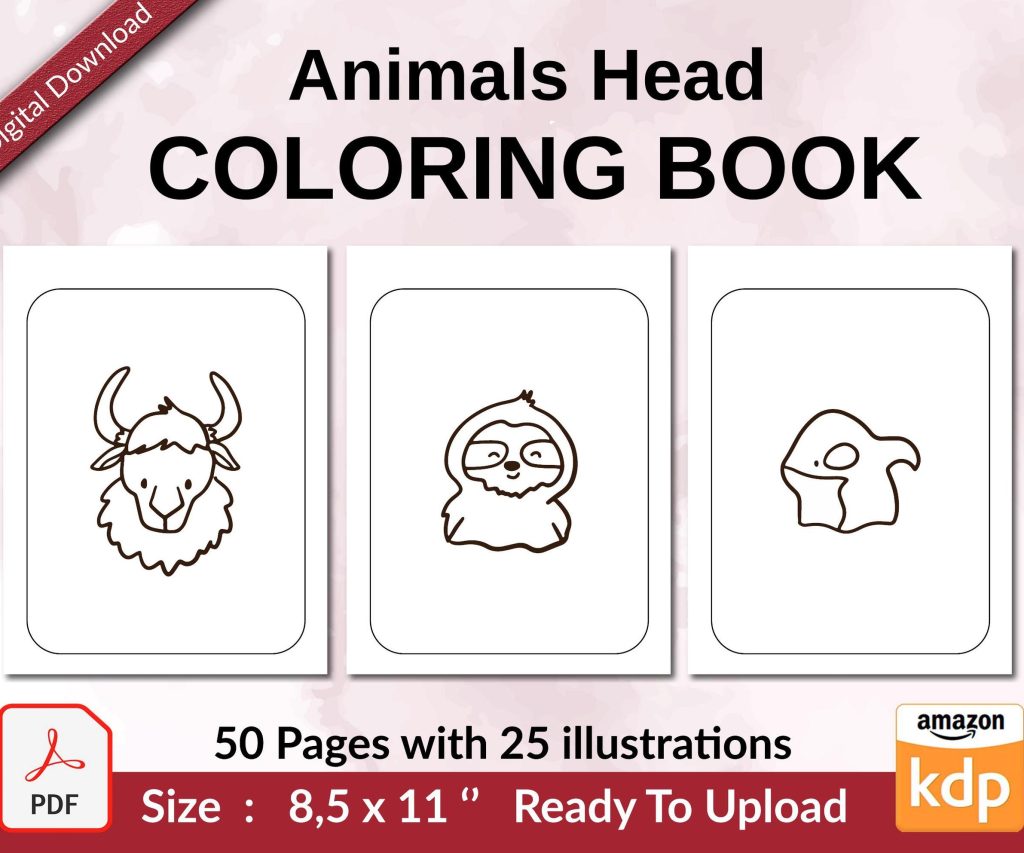
 Coloring Animals Head Book for Kids, Perfect for ages 2-4, 4-8 | 8.5x11 PDF
 Subtotal: $0.00
Amazon KDP guide, KDP book publishing
KDP Ebooks: Digital Publishing Best Practices 2026
27
Feb
Feb
okay so I just updated like 15 client books last week and here’s what’s actually working in 2026
First thing – and I cannot stress this enough – your book file formatting needs to be clean as hell. I’m talking pristine HTML or you’re gonna have reflowable text issues on different devices. I spent three hours last Tuesday fixing a client’s poetry book because they used some weird Word template and it looked fine on Kindle Previewer but absolute garbage on actual Fire tablets.
Use Kindle Create if you’re just starting out. I know everyone wants to be fancy with Vellum or Atticus but honestly for straightforward ebooks, Kindle Create does the job and it’s free. The reflowable format it spits out works across devices which is literally the whole point.
Cover Design Reality Check
Your cover needs to be readable at thumbnail size. I’m talking like 120 pixels wide. Go to Amazon right now and look at search results – that’s how small your cover appears. If someone can’t read your title and immediately understand the genre, you’ve already lost the sale.
Minimum 1600 x 2560 pixels for upload but I always go 3000 x 4500 because why not, storage is cheap. Keep text to like 30% of the cover max. I see so many people cramming their whole life story on there and it’s just… no.
oh and another thing – test your cover in grayscale. Sounds weird but some people still use ancient Kindles with e-ink displays. Your cover should still work without color.
Metadata is Where You Actually Make Money
This is gonna sound boring but your metadata matters more than your cover sometimes. I’m talking title, subtitle, keywords, categories – all of it needs strategy.
Title formula that’s been working: Main Title: Subtitle That Includes Your Primary Keyword. Amazon‘s algorithm reads your subtitle. Use it. I had a client doing like $200/month, we changed just the subtitle to include “for beginners” and two better keywords, jumped to $800/month same book.
For keywords you get seven boxes. Don’t waste them on single words. Use phrases people actually type. “weight loss for women over 50” not just “weight loss” – you’re competing with 500,000 books for “weight loss” but maybe 5,000 for the specific phrase.
The Category Game
You can pick two categories on upload but you can email KDP support and get up to ten total. I do this for every single book now. Find categories where #100 bestseller is actually achievable – sometimes that’s like 15 sales a day, sometimes it’s 3 sales a day.
Use Publisher Rocket or just manually browse Amazon’s category bestseller lists. I usually do this while watching Netflix honestly, just clicking through categories seeing what rank numbers look like. My cat knocked over my coffee last time I was doing this and I lost a whole spreadsheet but whatever.
Pricing Strategy That Makes Sense
Everyone asks about pricing. Here’s the deal – you want 70% royalty which means pricing between $2.99 and $9.99. I usually start at $4.99 for most ebooks unless it’s super niche.
But here’s what I actually do: Launch at $0.99 for first week to goose the algorithm and get some reviews. Then jump to $4.99 or $5.99. The ranking momentum from launch week at $0.99 usually carries forward even after price increase.
Some people freak out about “devaluing” their book but like… you’re unknown, no one’s gonna pay $9.99 for your first book unless you’ve got a platform already. Be realistic.
wait I forgot to mention – Length Matters Now
Amazon changed how they calculate page count for KU reads and it’s based on word count basically. Longer books = more pages = more KU money per read. I’m not saying add fluff but if your book is 15,000 words maybe expand it to 25,000-30,000 if you can do it without padding.
My sweet spot is 30,000-40,000 words for nonfiction ebooks. Long enough to feel substantial, short enough to actually finish writing. Fiction obviously different – full novels are 60,000+ usually.
The Description is a Sales Page
Stop writing your book description like a book report. It’s a sales page. You’ve got maybe 3 seconds before someone bounces.
Formula: Hook sentence, pain point or promise, bullet points of what they’ll learn/get, one paragraph of benefits, call to action (“scroll up and click buy now” – yes it’s cheesy but it works).
Use HTML formatting in your description. Bold text, headers, bullet points. You can add this through the KDP dashboard if you know basic HTML. Makes your description stand out compared to plain text blocks everyone else uses.
Look Inside Feature Setup
First 10% of your book shows in Look Inside. That means your front matter, table of contents, and first chapter need to hook people. Don’t put 15 pages of copyright info and dedications – get to the actual content fast.
I usually do: title page, copyright (brief), table of contents, then straight into introduction or chapter one. That’s it. Save the acknowledgments and author bio for the back.
Reviews Are Still King Unfortunately
You need reviews to rank and sell. It’s annoying but true. Cannot buy them, cannot incentivize them anymore without risking your account. So what do you actually do?
Include a simple review request at the end of your book. Something like “If you found this helpful, I’d really appreciate a review on Amazon.” Not pushy, just a reminder.
Use Amazon’s automated review request button in your KDP dashboard. You can request review 5-30 days after purchase. I do it at 10 days usually. The button’s hidden under like three menus but find it and use it for every order.
Join your genre’s reader groups on Facebook or wherever. Be helpful, don’t just spam your book. Sometimes people will naturally check out your stuff if you’re actually contributing value. This takes time though – this is gonna sound weird but I’ve gotten more organic reviews from helping people in forums than from any “marketing” tactic.
KU or Wide Distribution?
Kindle Unlimited exclusivity vs distributing everywhere. I go KU exclusive for first 90 days on most books. The algorithm boost from KU reads usually outweighs potential sales on other platforms when you’re starting.
After 90 days I look at data. If book’s doing well in KU (making like 70%+ of revenue from page reads), I renew exclusivity. If it’s mostly sales not KU reads, might be worth going wide to Draft2Digital for Apple/Kobo/etc.
My split is usually 60% of my catalog in KU, 40% wide. Diversification matters but KU’s algorithm favoritism is real.
Interior Formatting Details People Miss
Margins and spacing. You want comfortable reading experience. I use 0.5 inch margins all around, 1.5 line spacing for body text. Chapter breaks should always start on new page.
Font choices – stick with serif fonts for body text (Georgia, Garamond, Bookerly). Sans-serif for headers is fine. Don’t get creative with fonts, readers hate it.
Hyperlinked table of contents is required basically. Readers want to jump around. Make sure every chapter links properly. Test this in Kindle Previewer before uploading.
Back Matter That Converts
End of your book should have: review request, link to your other books, maybe a reader magnet signup. Don’t overthink it but don’t waste the space either.
I usually do a “Also by [Author Name]” page with 2-3 other books, cover images and links. Amazon lets you link between your books, use it. Someone who finished your book is warm traffic for your other stuff.
Dashboard Metrics to Actually Watch
Login to KDP dashboard and check: Kenp Reads (if in KU), Orders, Sales Rank, Review count. That’s it. Don’t obsess over hourly rank changes or you’ll go crazy.
I check metrics every 2-3 days unless I’m actively running ads. Sales rank under 100k usually means a few sales per day. Under 50k is decent. Under 10k you’re doing really well. Under 1k you’re crushing it.
Kenp Read trends matter more than daily numbers. Look at week-over-week. If reads are declining steadily, might need to refresh cover or description or run a promo.
this is gonna sound weird but – Write the Next Book
Best marketing for your current book is publishing your next book. Amazon gives new releases an algorithm boost. Each new book is a potential entry point to your whole catalog.
I see people spending six months marketing one book instead of writing book two and three. You need catalog volume. My income really took off after book 20-ish, not from any single book but from the whole ecosystem.
Aim for publishing every 60-90 days if you can. Keeps your author page fresh, keeps you in “New Releases” filters, keeps algorithm attention on you.
anyway that’s most of what I’m doing differently in 2026 compared to like two years ago – the basics haven’t changed but the execution details matter way more now with how competitive it’s gotten
DISCOVER OUR FREE BEST SELLING PRODUCTS
Editable Canva Lined Journal: Express Your Thoughts – KDP Template
Lined Pages Journal 120 pages Ready to Upload PDF Commercial Use KDP Template 6×9 8.5×11 5×8 for Notebooks, Diaries, Low Content
Lined Pages Journal 120 pages Ready to Upload PDF Commercial Use KDP Template 6×9 8.5×11 5×8 for Notebooks, Diaries, Low Content
Cute Dogs Coloring Book for Kids | Activity Book | KDP Ready-To-Upload
Daily Planner Diary : Diary Planners for Everyday Productivity, 120 pages, 6×9 Size | Amazon KDP Interior
Wolf Coloring KDP interior For Adults, Used as Low Content Book, PDF Template Ready To Upload COMMERCIAL Use 8.5×11"
Coloring Animals Head Book for Kids, Perfect for ages 2-4, 4-8 | 8.5×11 PDF
Printable Blank Comic Book Pages PDF : Create Your Own Comics – 3 Available Sizes
Notes KDP interior Ready To Upload, Sizes 8.5×11 6×9 5×8 inch PDF FILE Used as Amazon KDP Paperback Low Content Book, journal, Notebook, Planner, COMMERCIAL Use
Black Lined Journal: 120 Pages of Black Lined Paper Perfect for Journaling, KDP Notebook Template – 6×9
Student Planner Journal 120 pages Ready to Upload PDF Commercial Use KDP Template 6×9" 8.5×11" for Low Content book
Recipe Journal Template – Editable Recipe Book Template, 120 Pages – Amazon KDP Interior