-
×
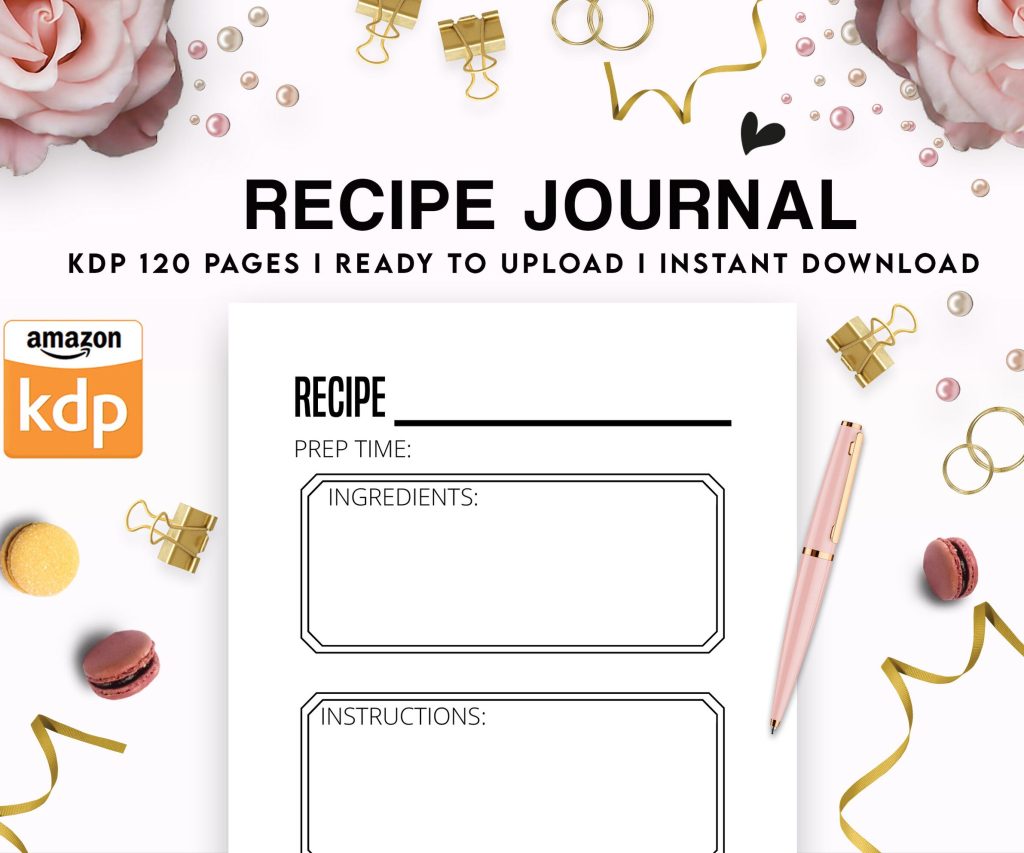 Recipe Journal Template - Editable Recipe Book Template, 120 Pages - Amazon KDP Interior
1 × $0.00
Recipe Journal Template - Editable Recipe Book Template, 120 Pages - Amazon KDP Interior
1 × $0.00
Subtotal: $0.00
 Recipe Journal Template - Editable Recipe Book Template, 120 Pages - Amazon KDP Interior
1 × $0.00
Recipe Journal Template - Editable Recipe Book Template, 120 Pages - Amazon KDP Interior
1 × $0.00 Subtotal: $0.00
Right so I just walked through this whole process with a client last week and honestly the pre-launch phase is where most people mess everything up. They rush it because they’re excited and then wonder why nobody’s buying.
First thing – and I cannot stress this enough – your manuscript needs to be uploaded at least 72 hours before you actually want it live. Amazon says 24-48 hours for review but I’ve seen it take longer, especially if you’re doing paperback AND ebook. My neighbor’s book got stuck in review for 5 days once because there was some weird formatting issue Amazon’s bot flagged.
When you’re in KDP dashboard, you’re gonna see three main sections for setup: Kindle eBook Content, Paperback Content, and rights/pricing stuff. Start with the eBook version first even if you’re planning both formats because it’s faster to get approved and you can test your metadata.
Your title and subtitle matter more than you think. I spent like three hours last month just testing different subtitle variations for a client’s coloring book and the one with specific keywords (“for adults relaxation and stress relief”) outperformed the generic one by almost 40% in impressions. Use all 200 characters Amazon gives you in the subtitle field. All of them.
Oh and another thing – your book description needs HTML formatting. Just plain text looks terrible and converts poorly. Use bold tags for key phrases, add bullet points with the ul tags, break it into short paragraphs. I usually structure mine like: hook paragraph, 3-5 bullet points of what‘s inside, short paragraph about who it’s for, then maybe a call to action.
This is gonna sound weird but you only get to pick two categories during upload and that’s not nearly enough. What I do – and this works really well – is pick two semi-competitive categories during setup, then email KDP support right after it goes live asking them to add 8 more specific categories. They’ll do it, usually within 24 hours.
You want to target categories where the #1 bestseller has a rank better than 50k but the #10 spot is achievable. I use Publisher Rocket to research this but you can also just manually browse Amazon and check BSR numbers. My dog was barking at something while I was doing this research yesterday and I lost my place like four times but anyway.
You get 7 keyword boxes and Amazon says you can use short phrases. Don’t waste these on words already in your title – Amazon already indexes those. Think about what customers would type into search. For a recipe book I launched in January, instead of “cookbook” I used “quick weeknight dinners” and “30 minute meals family” because those are actual search terms.
Wait I forgot to mention – don’t use commas in the keyword boxes. Each box is one phrase up to 50 characters. Amazon treats them as phrases not individual words when you add commas.
Your launch price should probably be lower than you want it to be. I know, I know, you worked hard on this. But here’s the deal – Amazon’s algorithm favors books that get early sales velocity. I usually price ebooks at $2.99 for the first week (that’s the minimum for 70% royalty) or sometimes even $0.99 if we’re going aggressive.
For paperbacks the math is different because printing costs eat into everything. Use Amazon’s pricing calculator and then add maybe $1-2 to whatever feels like breakeven. A 150-page paperback usually ends up around $8.99-$11.99 depending on size.
Expanded distribution sounds good but it drops your royalty significantly and I’ve never seen meaningful sales from it for most niches. I usually skip it unless someone specifically wants their book in library catalogs or something.
Okay so funny story – I forgot to set up my Amazon Author Central page before my first book launch back in 2017 and it looked so unprofessional. Do this NOW. Go to authorcentral.amazon.com, claim your author page, add a bio, link all your books to your profile. It takes like 15 minutes.
Line up at least 10-15 people who will buy and review in the first 3 days. Friends, family, your email list if you have one, Facebook groups you’re in. Early reviews signal to Amazon that people care about your book. Don’t do anything sketchy like review swaps with strangers – Amazon catches that stuff now.
Create a simple landing page or at least a dedicated social media post with your book cover and pre-written text people can share. Make it EASY for people to help you promote. Most people want to support you but won’t if they have to think too hard about what to say.
Your book usually goes live early morning Pacific time once approved. Check your KDP dashboard obsessively – we all do it even though it doesn’t help. The sales rank won’t update for a few hours after first sale so don’t panic.
Post about it everywhere you have any kind of audience. Instagram stories, Facebook, Twitter, that LinkedIn account you forgot about, email signature, everywhere. I even changed my Zoom background to show my book cover during launches which felt ridiculous but whatever.
Run Amazon ads starting day one if you have any budget at all. Even $5/day helps. Start with automatic campaigns targeting your own book and close competitor ASINs. I usually let these run for a week before looking at data because day one is too noisy.
Monitor your reviews and respond to questions in the Q&A section if anyone posts there. Check your sales rank a couple times a day – if it’s dropping fast (numbers going down is good), keep doing what you’re doing. If it’s climbing into six figures you need more promotion.
My client last week had a formatting issue show up in reviews on day 3 that we completely missed in preview. We fixed and reuploaded within hours. Amazon updates the file for everyone automatically which is nice.
Track which traffic sources are actually converting. If you’re using a tool like BookLinker or a landing page with tracking, you can see if Facebook posts are working better than Twitter or whatever. Double down on what works.
Oh and another thing – if your book isn’t gaining traction in the first week, don’t give up but do pivot strategy. Maybe your categories are too competitive. Maybe pricing is off. Maybe the cover isn’t grabbing people. I’ve relaunched books with new covers and different positioning and had them perform way better the second time.
Real momentum builds over weeks not days for most books. My best-selling journal took almost two months to really catch on and now it’s been consistently profitable for three years. Keep promoting past launch week – that’s where most people quit and why their books die.
Update your book description if you notice certain features getting mentioned in reviews. Add those to your bullet points. Test new keywords every month or two. Watch what categories you’re ranking in and request changes if needed.
Anyway that’s basically the whole launch process I use for every single book now. It’s not complicated but it is detail-oriented and you gotta stay on top of stuff that first month especially.
DISCOVER OUR FREE BEST SELLING PRODUCTS
Editable Canva Lined Journal: Express Your Thoughts – KDP Template
Lined Pages Journal 120 pages Ready to Upload PDF Commercial Use KDP Template 6×9 8.5×11 5×8 for Notebooks, Diaries, Low Content
Lined Pages Journal 120 pages Ready to Upload PDF Commercial Use KDP Template 6×9 8.5×11 5×8 for Notebooks, Diaries, Low Content
Cute Dogs Coloring Book for Kids | Activity Book | KDP Ready-To-Upload
Daily Planner Diary : Diary Planners for Everyday Productivity, 120 pages, 6×9 Size | Amazon KDP Interior
Wolf Coloring KDP interior For Adults, Used as Low Content Book, PDF Template Ready To Upload COMMERCIAL Use 8.5×11"
Coloring Animals Head Book for Kids, Perfect for ages 2-4, 4-8 | 8.5×11 PDF
Printable Blank Comic Book Pages PDF : Create Your Own Comics – 3 Available Sizes
Notes KDP interior Ready To Upload, Sizes 8.5×11 6×9 5×8 inch PDF FILE Used as Amazon KDP Paperback Low Content Book, journal, Notebook, Planner, COMMERCIAL Use
Black Lined Journal: 120 Pages of Black Lined Paper Perfect for Journaling, KDP Notebook Template – 6×9
Student Planner Journal 120 pages Ready to Upload PDF Commercial Use KDP Template 6×9" 8.5×11" for Low Content book
Recipe Journal Template – Editable Recipe Book Template, 120 Pages – Amazon KDP Interior