Okay so here’s the deal with getting your KDP books onto Audible – I literally just walked two clients through this last month and honestly it’s way less complicated than everyone makes it sound.
The Basic Setup You Need First
You gotta have your book already published on KDP, obviously. But here’s what people don’t realize – your manuscript needs to actually work as an audiobook. I had this one client who had a journal with like 200 prompts and we had to completely rethink it because who wants to listen to someone read journal prompts for 3 hours? Anyway.
Go to ACX.com (that’s Amazon’s audiobook platform, stands for Audiobook Creation Exchange). You’ll use the same Amazon login you use for KDP. Super straightforward there.
The Rights Situation – Don’t Skip This Part
This is gonna sound weird but you need to make sure you actually own the audio rights to your book. If you published through KDP you probably do, but if you used any ghostwriters or bought PLR content or whatever, double check your contracts. I’ve seen people get halfway through production and then realize they don’t have the rights. Total nightmare.
When you’re setting up your audiobook on ACX, they’ll ask about distribution rights. You’ve got two options – exclusive or non-exclusive. Exclusive means you can ONLY sell through Audible/Amazon/iTunes and you get a 40% royalty. Non-exclusive means you can sell everywhere but you only get 25% royalty.
I usually tell people to go exclusive at first because that 40% actually matters when you’re starting out, and honestly Audible is like 90% of the audiobook market anyway. You can always change it later after the 7-year term.
My Coffee Got Cold Writing This But Whatever
So once you’re in ACX, click “Add Your Title” and it’ll pull up your existing KDP books automatically. This part is actually pretty slick – Amazon connects everything behind the scenes. Pick the book you want to turn into an audiobook.
Finding a Narrator (This Is Where It Gets Real)
You’ve got three ways to do this:
- Narrate it yourself
- Hire a narrator through ACX
- Upload finished audio files if you recorded somewhere else
If you’re narrating yourself – and I’ve done this for a few books – you need decent equipment. I use a Blue Yeti mic (like $130) and record in my closet because the clothes absorb sound. My dog absolutely hates when I do recording sessions, he just stares at the door the whole time.
But honestly? For most people I recommend hiring a narrator through ACX. Here’s how that works:
The Audition Process
You post your book and narrators audition for it. You’ll give them a script sample – usually the first few paragraphs of your book. Then narrators record that sample and send it to you. I usually get anywhere from 5-30 auditions depending on the book.
Listen to every single audition. Not just the first 10 seconds – the whole thing. I almost hired the wrong narrator once because she sounded great at first but got really monotone after like 30 seconds.
Payment Structures for Narrators
This is where people get confused. You’ve got two options:
Per Finished Hour (PFH): You pay the narrator upfront. Rates range from like $50-400+ per finished hour depending on experience. A finished hour means one hour of final edited audio. So if your book is 50,000 words, that’s roughly 5-6 hours of audio, so you’re looking at $250-2400+ upfront.
Royalty Share: You don’t pay anything upfront but you split the royalties 50/50 with the narrator forever. This sounds great when you’re broke but honestly… it only makes sense for books you KNOW will sell well. Most narrators worth their salt won’t do royalty share for unknown authors anymore.
There’s also Royalty Share Plus where you pay a reduced PFH rate plus split royalties, but I rarely see that work out well for either party.
I almost always tell people to just pay PFH if they can afford it. You keep all your royalties and you’re done with the transaction.
Actually Working With Your Narrator
Once you pick someone, you’ll approve them in ACX and they start recording. They’ll upload in chunks usually – like every 15 minutes of finished audio or per chapter.
You gotta review each upload within 7 days or it auto-approves. Listen to EVERYTHING. Check for:
- Mispronounced words (especially character names or made-up terms)
- Background noise
- Mouth clicks or breathing sounds
- Pacing issues
- Whether they’re actually following your pronunciation guide
Oh and another thing – make a pronunciation guide before they start. List out character names, place names, any unusual words. I had a narrator completely butcher a character name through 8 chapters once because I didn’t do this. Had to pay for re-recording.
The Technical Requirements Nobody Tells You About
ACX has really specific audio requirements. Your narrator should know these but just so you’re aware:
- MP3 format, 192 kbps or higher, constant bit rate
- 44.1 kHz sample rate
- Mono or stereo (mono is standard for single narrator)
- Peak values no higher than -3dB
- RMS between -18dB and -23dB
- Noise floor of -60dB or lower
Don’t worry if that sounds like gibberish – any professional narrator knows this stuff. If they don’t, don’t hire them.
After Recording Is Done
Once you approve all the files, the narrator submits the complete audiobook to ACX. Then ACX reviews it – this takes like 10-15 business days usually. They’re checking for audio quality issues and making sure everything meets their specs.
If it passes (it usually does if you used a pro narrator), your audiobook goes live on Audible, Amazon, and iTunes. The whole process from starting on ACX to going live usually takes 6-8 weeks if you’re hiring a narrator, faster if you’re doing it yourself.
The Whispersync Thing Everyone Asks About
This is actually automatic now which is amazing. When someone owns your ebook and your audiobook is available, Amazon offers them the audio version at a discount. It’s called Whispersync for Voice and it just… happens. You don’t need to do anything.
The customer can then switch between reading and listening and it syncs their place. Pretty cool actually and it does help sales.
Pricing and Royalties Reality Check
You don’t set your audiobook price – Audible does based on length. Under 1 hour gets priced one way, 1-3 hours another, 3-5 hours another, etc. Generally audiobooks run $7-30.
Your 40% royalty (if exclusive) or 25% (if not) is based on that price. So a $20 audiobook gets you $8 per sale on exclusive. Not amazing but it adds up.
Here’s the kicker though – most audiobook sales come from Audible members who use credits. When someone buys with a credit, you get a different royalty rate based on some complicated calculation Amazon does. It’s usually $3-6 per credit sale regardless of the book’s list price.
This frustrated me so much when I first started but there’s literally nothing you can do about it. Just know that your actual per-sale royalty will be lower than you expect.
Wait I Forgot to Mention Marketing Stuff
Having your book on Audible doesn’t mean people will find it. You gotta actually promote it. But here’s the good news – you can give away free promo codes. ACX gives you like 100 US codes and 100 UK codes per book.
Use these for:
- Getting reviews (people WILL leave reviews if you ask and they got it free)
- Building your email list
- Giveaways
- Sending to influencers or podcasters in your niche
I usually blow through all my promo codes in the first month and it actually does help with rankings and visibility.
Also your audiobook will show up on your ebook’s Amazon page automatically which helps conversions. People browsing your ebook see they can also get the audio version – some percentage will grab both.
Common Mistakes I See All the Time
Don’t use the exact same cover for your audiobook and ebook. I mean you CAN but Audible has square requirements and your ebook cover is probably rectangular. Make sure text is readable at small sizes – people will see this as a tiny thumbnail.
Don’t cheap out on the narrator to save $100. A bad narrator will tank your audiobook reviews and returns on Audible are really easy so people WILL return it if it sucks. I learned this the hard way on my third book.
Don’t forget about the retail sample audio. This is separate from narrator auditions – it’s what potential buyers hear when they preview your audiobook. Make sure your opening is actually engaging. If your book starts with a boring introduction or foreward, consider recording that separately or starting with Chapter 1 for the sample.
My client last month had her book start with like 5 minutes of acknowledgments thanking everyone and their mother – her sample audio was terrible until we restructured it.
The Stuff That’s Actually Worth Your Time
If you’ve got a book that’s already selling decently on KDP – like 30+ copies a month – the audiobook version is probably worth doing. You’re looking at maybe a 10-20% bump in overall revenue from the audio version. Sometimes more if your genre is popular in audio (like romance or thriller).
If your book barely sells, an audiobook probably won’t change that. Fix your marketing and cover and description first.
Nonfiction usually does better in audio than people expect. My how-to books sell more audio copies than I thought they would. People listen while driving or working out apparently.
Fiction obviously does well in audio but the narrator choice matters SO MUCH MORE. A bad narrator will destroy a good story.
Low-content books – journals, planners, logbooks – don’t do this. Just don’t. Nobody wants an audiobook version of your gratitude journal. Save your money.
This Is Gonna Sound Weird But
Consider starting with your worst-performing book that you still believe in. If the audiobook version flops you haven’t lost much, but you’ve learned the whole process. Then do your bestsellers once you know what you’re doing. That’s what I did and it saved me from making expensive mistakes on my important titles.
The whole ACX process has gotten smoother over the years. When I started in like 2018 it was more clunky but now it’s pretty intuitive. Still takes time but it’s not complicated once you do it once.
Anyway that’s basically the whole thing. You’ll figure out your own workflow but the core process is: set up ACX account, add your title, hire narrator or record yourself, review files, wait for ACX approval, go live. Then promote it like any other book.

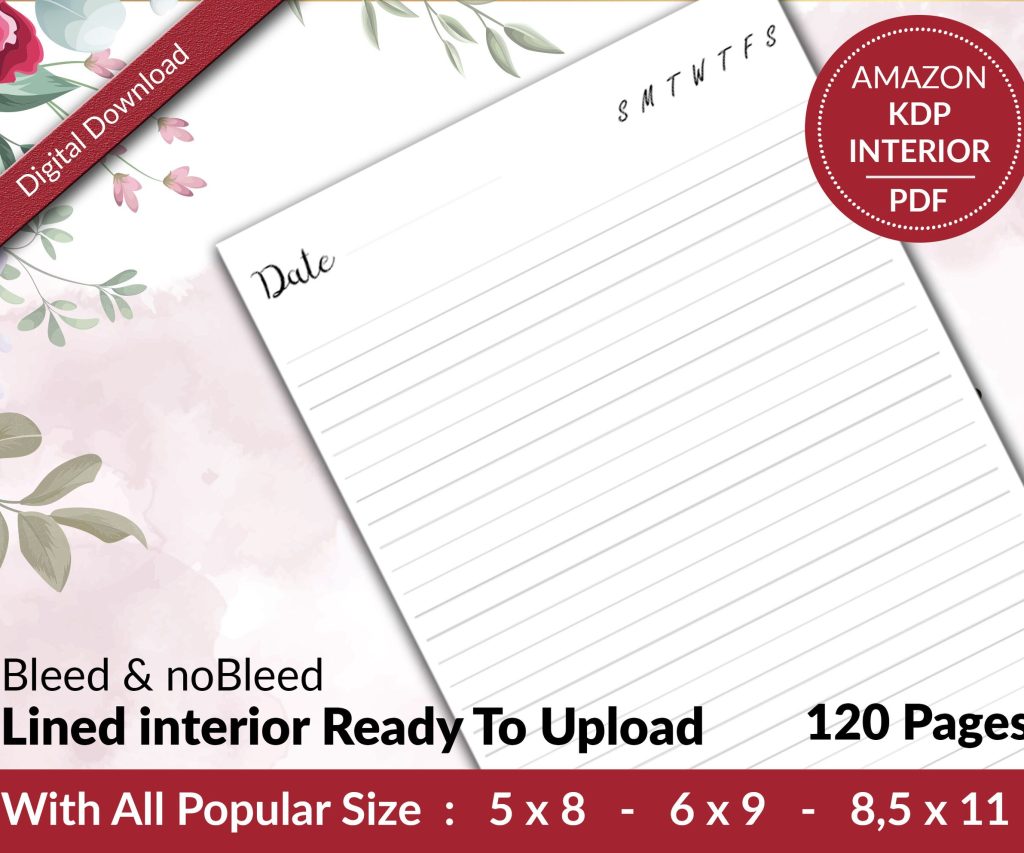 Lined Pages Journal 120 pages Ready to Upload PDF Commercial Use KDP Template 6x9 8.5x11 5x8 for Notebooks, Diaries, Low Content
1 × $0.00
Lined Pages Journal 120 pages Ready to Upload PDF Commercial Use KDP Template 6x9 8.5x11 5x8 for Notebooks, Diaries, Low Content
1 × $0.00  Cute Dogs Coloring Book for Kids | Activity Book | KDP Ready-To-Upload
1 × $0.00
Cute Dogs Coloring Book for Kids | Activity Book | KDP Ready-To-Upload
1 × $0.00 
DISCOVER OUR FREE BEST SELLING PRODUCTS
Editable Canva Lined Journal: Express Your Thoughts – KDP Template
Lined Pages Journal 120 pages Ready to Upload PDF Commercial Use KDP Template 6×9 8.5×11 5×8 for Notebooks, Diaries, Low Content
Lined Pages Journal 120 pages Ready to Upload PDF Commercial Use KDP Template 6×9 8.5×11 5×8 for Notebooks, Diaries, Low Content
Cute Dogs Coloring Book for Kids | Activity Book | KDP Ready-To-Upload
Daily Planner Diary : Diary Planners for Everyday Productivity, 120 pages, 6×9 Size | Amazon KDP Interior
Wolf Coloring KDP interior For Adults, Used as Low Content Book, PDF Template Ready To Upload COMMERCIAL Use 8.5×11"
Coloring Animals Head Book for Kids, Perfect for ages 2-4, 4-8 | 8.5×11 PDF
Printable Blank Comic Book Pages PDF : Create Your Own Comics – 3 Available Sizes
Notes KDP interior Ready To Upload, Sizes 8.5×11 6×9 5×8 inch PDF FILE Used as Amazon KDP Paperback Low Content Book, journal, Notebook, Planner, COMMERCIAL Use
Black Lined Journal: 120 Pages of Black Lined Paper Perfect for Journaling, KDP Notebook Template – 6×9
Student Planner Journal 120 pages Ready to Upload PDF Commercial Use KDP Template 6×9" 8.5×11" for Low Content book
Recipe Journal Template – Editable Recipe Book Template, 120 Pages – Amazon KDP Interior