
-
×
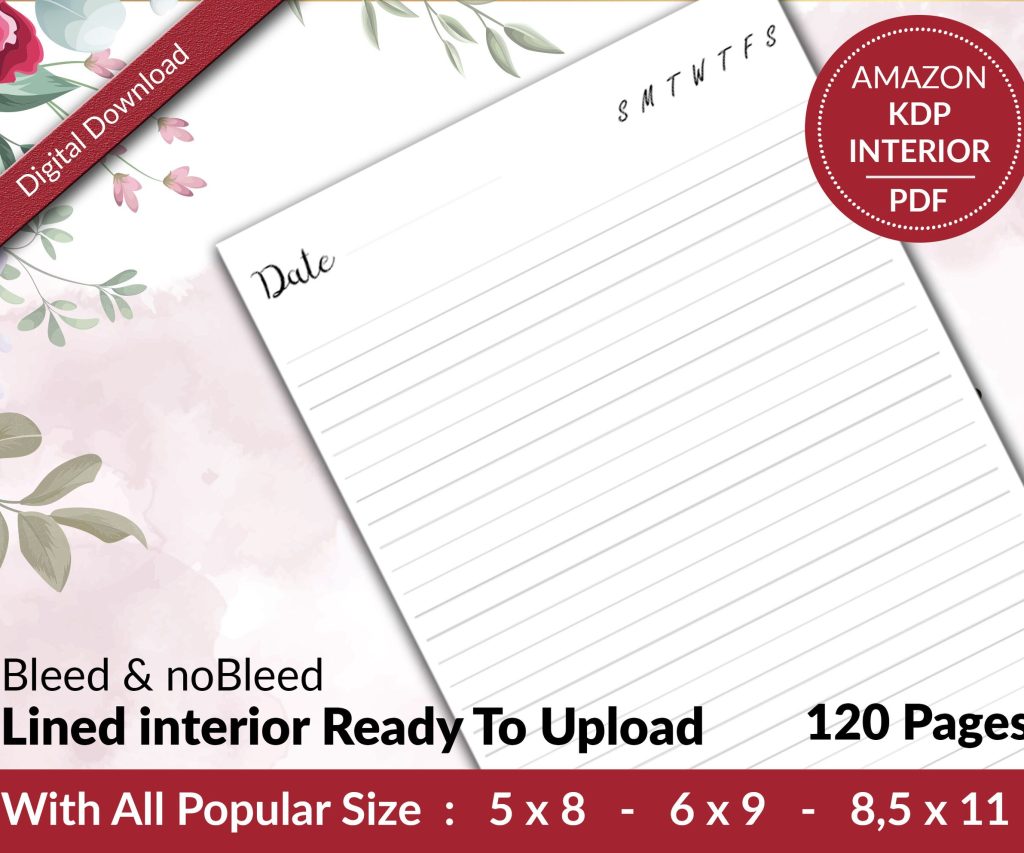 Lined Pages Journal 120 pages Ready to Upload PDF Commercial Use KDP Template 6x9 8.5x11 5x8 for Notebooks, Diaries, Low Content
1 × $0.00
Lined Pages Journal 120 pages Ready to Upload PDF Commercial Use KDP Template 6x9 8.5x11 5x8 for Notebooks, Diaries, Low Content
1 × $0.00
Subtotal: $0.00

Look, I’m gonna be real with you – most people overcomplicate this entire process and then wonder why they’re stuck in manuscript hell for weeks. I just wrapped up uploading three planners last Tuesday and the whole thing took me maybe four hours total because I finally got my system down.
First thing – and I cannot stress this enough – you gotta separate your content creation from your uploading process. Like completely. I used to try doing everything in one marathon session and my cat would literally knock my coffee over because I’d been sitting there for six hours straight. Not worth it.
Here’s what I do now: I batch create all my interiors on Mondays and Tuesdays. All of them. Doesn’t matter if it’s a journal, a planner, or a coloring book. Get that done first. Export everything as PDFs with the bleed settings already correct – 0.125 inches on all sides for anything over 24 pages, which is basically everything worth publishing.
So covers are where people lose like 80% of their time and it’s completely unnecessary. Download the KDP cover calculator template ONCE. Save it somewhere you’ll actually remember. I have a folder literally called “KDP Stuff Don’t Delete” because I kept downloading the same template every single time like an idiot.
Your cover dimensions change based on page count, obviously, but here’s the thing – if you’re doing a series of similar products (like I did with my budget planners last year), just create them all at the same page count. Makes your life so much easier. I do 120 pages for most planners now, 100 pages for journals, and the cover templates stay consistent within each category.
Wait I forgot to mention – use Canva Pro or Affinity Publisher for covers. Photoshop is overkill unless you’re doing something really complex. I switched to Canva for 90% of my covers and honestly? They look just as good and take me 20 minutes instead of two hours.
Okay so when you’re in your KDP dashboard, here’s the sequence that actually works. And I tested this last week with five new uploads because my client canceled a call so I spent the afternoon just… comparing different approaches.
Start with your title and subtitle. Don’t overthink this part but also don’t rush it. Your title needs your main keyword, subtitle needs supporting keywords. I use a spreadsheet where I keep all my keyword research so I’m just copying and pasting. Takes like 30 seconds per book instead of sitting there trying to be creative on the spot.
Categories – pick two that actually match your book. I know everyone says to game the system and pick obscure categories, and yeah sometimes that works, but Amazon’s been cracking down on that. I got a warning last year for putting a recipe journal in some random craft category. Just… don’t be dumb about it.
You get seven keyword boxes and this is gonna sound weird but I don’t fill all seven anymore. I use five really solid, researched keywords instead of seven mediocre ones. Quality over quantity became my thing after watching my ranking tank on books where I just threw random words in there.
Use phrases, not single words. “Meal planning journal for busy moms” is better than just “meal planning” or “journal” separately. Amazon’s algorithm picks up the phrase and you’re competing in a more specific niche.
Here’s where I see people mess up constantly – they either price too low trying to compete or too high because they think it makes them look premium. Neither works great.
For low-content books, I do this: calculate my minimum price based on KDP’s printing cost, add $2-3 for my royalty. That’s it. A 120-page planner usually costs about $2.50 to print, so I price it at $5.47 or $5.97. Weird numbers convert better than round numbers for some reason – tested this across like 40 books.
Oh and another thing – don’t enroll in KDP Select if you’re planning to go wide eventually. I made that mistake with my first 50 books and getting out of that 90-day cycle was annoying. Only use Select if you’re gonna actually run KDP Countdown Deals or Free promotions. Otherwise it’s just limiting your distribution for no reason.
Your PDF needs to be flattened – no layers, no transparency, everything merged. Export from whatever program you use with “PDF/X-1a:2001” settings if you can. It’s an old standard but KDP loves it and you’ll have fewer rejection issues.
File size matters more than you think. Keep it under 200MB obviously, but also try to stay under 50MB if possible. Smaller files upload faster and seem to process through KDP’s review queue quicker. Could be coincidence but I’ve noticed my smaller files go live faster.
Use the online previewer AND download the PDF proof. I cannot tell you how many times the online preview looked fine but the downloaded proof showed issues with margins or cut-off text. Check both. Every single time.
Look at the spine specifically – text on spines gets cut off more than anywhere else. If your book is under 100 pages, don’t put text on the spine. Just don’t. It’s gonna look bad and probably get cut off anyway.
Monday: Create interiors, export PDFs, name them with a system (I do “ProductType_Niche_Version_Interior” like “Planner_Budget_v1_Interior.pdf”)
Tuesday: Make all covers using those same naming conventions, calculate dimensions, export
Wednesday: Upload day. I do all my uploads in one session with my keyword spreadsheet open, my product descriptions template ready, and my pricing calculator pulled up. I can get through 5-6 books in about 90 minutes now.
Thursday-Friday: Check for approval emails, order proof copies if it’s a new format I haven’t tested
This is gonna sound excessive but I have a checklist I literally print out for each book. It has like 23 items on it including “check bleed,” “verify ISBN,” “confirm price,” all that stuff. Sounds tedious but it’s saved me from so many stupid mistakes.
Publisher Rocket for keyword research – worth the one-time cost, saves hours. Helium 10 if you’re also doing Amazon affiliate stuff, but overkill for just KDP.
Canva Pro subscription pays for itself in time saved. The resize feature alone is worth it when you’re making similar covers.
A second monitor. Seriously. Having your KDP dashboard on one screen and your files on another makes the upload process so much faster. Best $150 I spent.
People try to publish one book at a time from start to finish. That’s the slowest way to do it. Batch everything – batch your research, batch your creation, batch your uploads. You get into a rhythm and it goes way faster.
Not keeping templates. I have interior templates for every type of book I publish. When I wanna make a new gratitude journal, I open my template, change the cover, maybe tweak some interior pages, export. Done in an hour instead of starting from scratch.
Overthinking the description. I have three description templates – one for planners, one for journals, one for activity books. I swap out the specific details but the structure stays the same. People aren’t reading your entire description anyway, they’re skimming for keywords and benefits.
Waiting for perfection. Your first version doesn’t need to be perfect – you can update the interior and cover anytime. I’ve got books that are on version 3 or 4 now because I keep improving them based on reviews and what sells. Just get it published and iterate.
Upload at least 4-6 weeks before you need the book live if it’s seasonal. Amazon’s review process usually takes 24-72 hours but sometimes longer. And if you need to make changes after approval, that’s another review cycle.
I uploaded a bunch of Christmas planners in early September last year and still almost missed the buying window because one batch got stuck in review for like 10 days. No explanation, they just took forever. Better to be early.
Oh and if you’re doing a series, upload them all at once if possible. Amazon seems to link them faster when they’re uploaded close together. Could be in my head but I swear my “Volume 1, 2, 3” books get linked within days when I upload them the same week.
DISCOVER OUR FREE BEST SELLING PRODUCTS
Editable Canva Lined Journal: Express Your Thoughts – KDP Template
Lined Pages Journal 120 pages Ready to Upload PDF Commercial Use KDP Template 6×9 8.5×11 5×8 for Notebooks, Diaries, Low Content
Lined Pages Journal 120 pages Ready to Upload PDF Commercial Use KDP Template 6×9 8.5×11 5×8 for Notebooks, Diaries, Low Content
Cute Dogs Coloring Book for Kids | Activity Book | KDP Ready-To-Upload
Daily Planner Diary : Diary Planners for Everyday Productivity, 120 pages, 6×9 Size | Amazon KDP Interior
Wolf Coloring KDP interior For Adults, Used as Low Content Book, PDF Template Ready To Upload COMMERCIAL Use 8.5×11"
Coloring Animals Head Book for Kids, Perfect for ages 2-4, 4-8 | 8.5×11 PDF
Printable Blank Comic Book Pages PDF : Create Your Own Comics – 3 Available Sizes
Notes KDP interior Ready To Upload, Sizes 8.5×11 6×9 5×8 inch PDF FILE Used as Amazon KDP Paperback Low Content Book, journal, Notebook, Planner, COMMERCIAL Use
Black Lined Journal: 120 Pages of Black Lined Paper Perfect for Journaling, KDP Notebook Template – 6×9
Student Planner Journal 120 pages Ready to Upload PDF Commercial Use KDP Template 6×9" 8.5×11" for Low Content book
Recipe Journal Template – Editable Recipe Book Template, 120 Pages – Amazon KDP Interior