Okay so I just finished uploading three new ebooks last week and honestly the whole Kindle self-publishing thing is way less intimidating than people make it sound but there’s definitely some tricks you gotta know upfront.
Getting Your Amazon KDP Account Actually Set Up
First thing – you need a KDP account which is free, just go to kdp.amazon.com and sign up with your regular Amazon login. They’re gonna ask for tax information and banking details because yeah you’re technically running a business now. The tax interview freaked me out the first time but it’s just filling out a W-9 if you’re in the US or a W-8 if you’re international. Takes like 10 minutes max.
Banking info is straightforward – they deposit royalties directly but heads up, there’s a minimum threshold of $10 for direct deposit or $100 for checks. I’ve been doing this since 2017 and I still use the same checking account I started with, nothing fancy needed.
The Manuscript Format Nobody Tells You About
So here’s where people mess up constantly. Your Word document needs to be formatted correctly or Amazon’s converter is gonna make it look terrible. I learned this the hard way with my first romance novel that came out looking like someone threw the text at the page randomly.
Use styles in Word – like actually use the Heading 1, Heading 2, Normal text styles. Don’t just make text bigger and bold, that doesn’t translate properly. Your chapter headings should be Heading 1 style, subheadings Heading 2, and body text as Normal.
Page breaks between chapters are essential. Don’t just hit enter a bunch of times because different devices show different amounts of white space. Insert an actual page break (Ctrl + Enter on Windows).
Oh and another thing – images need to be at least 300 DPI if you’re including any. I did a cookbook last year and had to redo all the photos because I didn’t check resolution first. My cat knocked over my coffee while I was fixing those images, still annoyed about that.
Cover Design Without Spending a Fortune
Your cover sells the book, period. I’ve had mediocre books with great covers outsell better books with amateur covers every single time. You don’t need to spend $500 on a designer though.
Canva Pro is like $13 a month and has templates specifically sized for Kindle covers. The standard ebook size is 2560 x 1600 pixels. I make probably 80% of my covers in Canva now and they look professional enough.
If you want to hire someone, Fiverr has designers starting around $25-50. Check their portfolios, make sure they’ve done book covers in your genre before. Genre matters SO much – a thriller cover looks nothing like a self-help cover and readers have expectations.
Wait I forgot to mention – your cover needs to look good as a tiny thumbnail because that’s how most people see it first in search results. Test this by shrinking your cover down on your screen. Can you still read the title? Does it catch your eye? If not, simplify.
Title and Subtitle Strategy That Actually Works
Your title should include keywords people search for but also sound like an actual book title. I see people stuff their titles with keywords until it reads like “Keto Diet Cookbook Weight Loss Low Carb Recipes Fast Easy” and it just looks desperate.
The subtitle is where you can be more keyword-heavy. Amazon indexes both, so use that subtitle space. One of my best sellers is titled “The Minimalist Kitchen” with the subtitle “50 Simple Recipes for Busy People Who Want Healthy Meals Without the Stress” – see how that works? Natural but keyword-rich.
You get seven keyword slots in the backend when you’re uploading. Use all of them. Don’t repeat words though – if “keto diet” is in one slot, don’t put “keto recipes” in another, you’re wasting space. Amazon indexes each word separately anyway.
Categories Are Weirdly Important
Amazon lets you pick two categories during upload but this is gonna sound weird but you can email KDP support and ask them to add your book to up to eight more categories. I do this for every single book now.
The trick is picking categories where you can actually rank. There’s this thing where you wanna be a bestseller right? Well being #1 in “Books > Health > Diets > Keto” is basically impossible. But being #1 in “Books > Health > Diets > Keto > Quick & Easy” is much more doable.
Smaller niche categories = easier to rank = that orange bestseller badge = more visibility = more sales. It’s a whole thing.
Check out what categories your competitors are in by scrolling down their Amazon book pages. You’ll see the breadcrumb trail of categories listed. Copy the ones that make sense for your book.
Pricing Strategy I Wish Someone Told Me Earlier
Amazon has this royalty structure that’s actually pretty simple. If you price between $2.99-$9.99, you get 70% royalty. Outside that range, you get 35% royalty.
Most of my ebooks are priced at $2.99 or $4.99. The $2.99 price point seems to be the sweet spot for genre fiction and how-to guides. I’ve tested $0.99 and yeah you get more downloads but you only make 35 cents per sale versus $2.09 at $2.99, so you need way more volume to make the same money.
Kindle Unlimited is another decision you gotta make. If you enroll in KDP Select (which is exclusive to Amazon for 90 days), your book goes into Kindle Unlimited and you earn money from page reads. I make about 40% of my income from KU page reads honestly.
The current rate is around $0.004 per page read, changes monthly. A 200-page book that gets fully read earns you about 80 cents. Doesn’t sound like much but when you’ve got multiple books and thousands of reads per month it adds up fast.
The Actual Upload Process Step by Step
Okay so you’re in your KDP dashboard, you click “Create New Title” and choose Kindle eBook. Fill in all the obvious stuff – title, subtitle, author name, description.
Description needs HTML formatting if you want it to look good. Bold text is gonna stand out, bullet points help readability. There’s this tool called KDP Rocket or Publisher Rocket that generates HTML descriptions but honestly you can just use basic HTML tags. I usually write my description in Google Docs first, then add the HTML.
Upload your manuscript file – Word doc works fine, so does EPUB if you’re fancy. Amazon converts it to their format automatically. Then upload your cover as a separate JPG or PNG file.
Preview your book using their online previewer. Seriously don’t skip this step. I’ve caught so many formatting issues here. Check the first few chapters, the middle, and the end. Make sure page breaks work and images display correctly if you have any.
Enable expanded distribution if you want your ebook available to libraries and other retailers through Amazon. Doesn’t hurt to check that box.
Pricing and territory – I always choose worldwide rights unless there’s a specific reason not to. More markets = more potential sales.
Launch Day and What Happens After
Your book usually goes live within 12-24 hours after you hit publish but sometimes it’s faster. I’ve had books go live in 4 hours before.
The first week is kinda crucial. Amazon’s algorithm pays attention to early sales velocity. This is where having an email list helps or if you’ve got social media followers. Tell people about your book, ask for reviews (but like, don’t pay for them or do review swaps, Amazon will catch that).
Reviews are honestly the hardest part of this whole thing. You need reviews to get visibility but you need visibility to get reviews. It’s a catch-22. I usually reach out to book bloggers in my genre or use Amazon’s “Request a Review” button which sends an automated email to buyers asking for feedback.
Marketing Without Feeling Gross About It
Amazon ads are probably the fastest way to get traction. I spend between $5-20 per day per book on ads usually. Start with automatic targeting campaigns to see what keywords Amazon thinks are relevant, then create manual campaigns based on what works.
The key with ads is watching your ACoS (advertising cost of sales). If you’re spending $10 in ads to make $8 in royalties, that’s not sustainable unless you’re trying to rank and gain visibility short-term.
I was watching this documentary about advertising last night and it made me think about how we’re all just trying to get attention in a crowded market, but anyway…
Free promotions work if you’re in KDP Select. You can run up to 5 days of free promos every 90 days. Download numbers during free days don’t directly help your ranking but they can generate reviews and some of those people become fans who buy your other books.
Countdown deals are better in my opinion – you temporarily discount your book and it shows the regular price crossed out with a timer. Creates urgency and you still earn royalties.
Building a Series vs Standalone Books
Series make more money, that’s just the truth. If someone likes book one, they’ll buy books two and three without you doing much marketing. My thriller series from 2019 still sells steadily because new readers discover book one and binge the rest.
The first book in a series can be permanently free or $0.99 as a loss leader. You lose money on that first book but make it back on books 2-5. I have a three-book mystery series where book one is free and has been downloaded over 50,000 times. Even with a small conversion rate, that’s a lot of sales for books two and three.
Standalone books work too obviously, especially for non-fiction. My books on productivity and minimalism are all standalone and they do fine. Just harder to build momentum.
Common Mistakes I See All the Time
Publishing without editing – look, I get it, editors are expensive. But at minimum use Grammarly or ProWritingAid. Better yet, find a beta reader or two who’ll give honest feedback. Typos kill your credibility fast.
Ignoring your book description – this is your sales page. It needs to hook readers in the first two sentences. Use formatting, make it scannable, include social proof if you have any reviews or credentials.
Not having more than one book – one book is really hard to market. By the time I had five books published, my income basically doubled because readers found one book and bought others. Cross-promotion is huge.
Giving up after one month – this isn’t a get-rich-quick thing. My first month I made $47. Second month was $112. It took about six months before I hit $1000 in a month. Now I’m averaging $5k-$12k monthly depending on season and how many new releases I have.
Oh and another thing – seasonal books need to be published way earlier than you think. Christmas books should go up in September, summer reads in March. Give the algorithm time to pick up your book.
Tools I Actually Use Regularly
Publisher Rocket for keyword research – one-time payment of like $97, worth it.
Atticus for formatting – makes your manuscript look professional, way easier than Word.
Canva Pro for covers like I mentioned earlier.
Grammarly Premium catches mistakes I miss.
Google Sheets for tracking sales and expenses because gotta know what’s working.
The KDP reports dashboard shows you everything – sales by marketplace, KU page reads, royalties earned. I check it probably too often honestly, like multiple times a day sometimes.
You can also see which keywords are driving traffic to your book which helps you optimize future books. If you’re getting a lot of impressions but no clicks, your cover or title might need work. If you’re getting clicks but no sales, your description or price might be the issue.
Look, this whole thing takes time and consistent effort but it’s totally doable. I started with zero followers, no email list, no experience. Just wrote books and figured out the system as I went. Made plenty of mistakes but each book got better and sold more than the last one.
Start with one book, get it published, then work on the next one. Don’t wait for perfect because you’ll never publish anything.

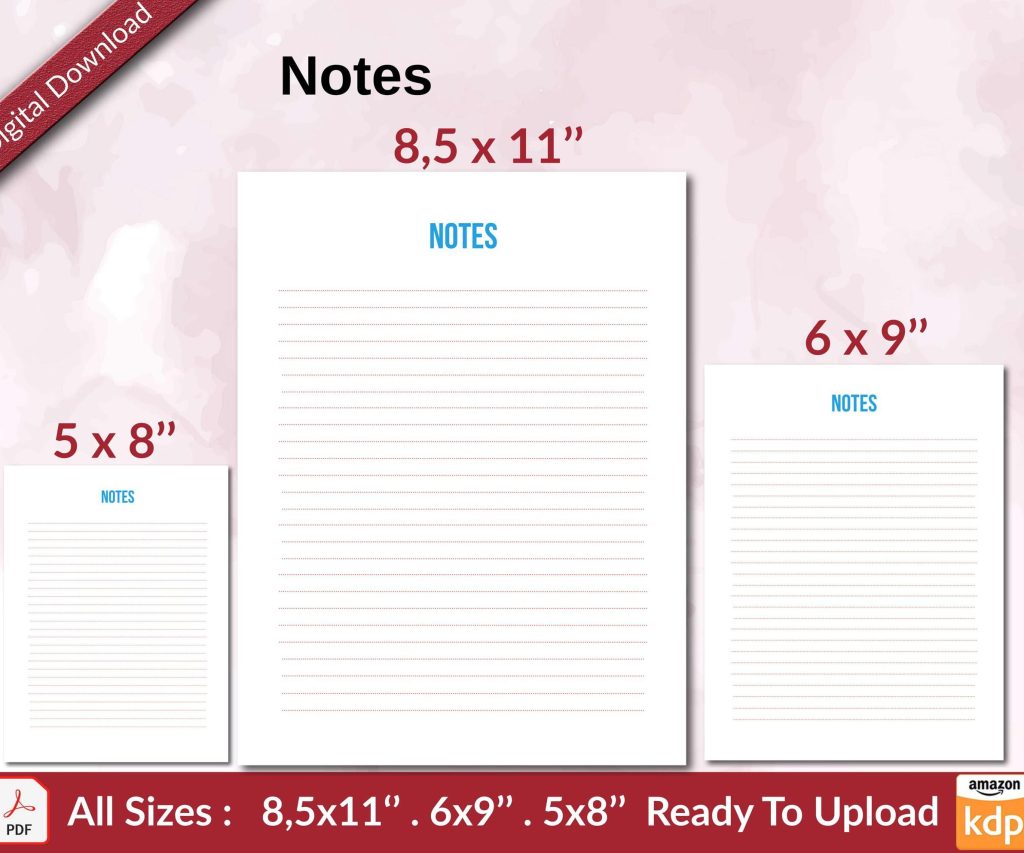 Notes KDP interior Ready To Upload, Sizes 8.5x11 6x9 5x8 inch PDF FILE Used as Amazon KDP Paperback Low Content Book, journal, Notebook, Planner, COMMERCIAL Use
1 × $0.00
Notes KDP interior Ready To Upload, Sizes 8.5x11 6x9 5x8 inch PDF FILE Used as Amazon KDP Paperback Low Content Book, journal, Notebook, Planner, COMMERCIAL Use
1 × $0.00  Wolf Coloring KDP interior For Adults, Used as Low Content Book, PDF Template Ready To Upload COMMERCIAL Use 8.5x11"
2 × $0.00
Wolf Coloring KDP interior For Adults, Used as Low Content Book, PDF Template Ready To Upload COMMERCIAL Use 8.5x11"
2 × $0.00 
DISCOVER OUR FREE BEST SELLING PRODUCTS
Editable Canva Lined Journal: Express Your Thoughts – KDP Template
Lined Pages Journal 120 pages Ready to Upload PDF Commercial Use KDP Template 6×9 8.5×11 5×8 for Notebooks, Diaries, Low Content
Lined Pages Journal 120 pages Ready to Upload PDF Commercial Use KDP Template 6×9 8.5×11 5×8 for Notebooks, Diaries, Low Content
Cute Dogs Coloring Book for Kids | Activity Book | KDP Ready-To-Upload
Daily Planner Diary : Diary Planners for Everyday Productivity, 120 pages, 6×9 Size | Amazon KDP Interior
Wolf Coloring KDP interior For Adults, Used as Low Content Book, PDF Template Ready To Upload COMMERCIAL Use 8.5×11"
Coloring Animals Head Book for Kids, Perfect for ages 2-4, 4-8 | 8.5×11 PDF
Printable Blank Comic Book Pages PDF : Create Your Own Comics – 3 Available Sizes
Notes KDP interior Ready To Upload, Sizes 8.5×11 6×9 5×8 inch PDF FILE Used as Amazon KDP Paperback Low Content Book, journal, Notebook, Planner, COMMERCIAL Use
Black Lined Journal: 120 Pages of Black Lined Paper Perfect for Journaling, KDP Notebook Template – 6×9
Student Planner Journal 120 pages Ready to Upload PDF Commercial Use KDP Template 6×9" 8.5×11" for Low Content book
Recipe Journal Template – Editable Recipe Book Template, 120 Pages – Amazon KDP Interior