-
×
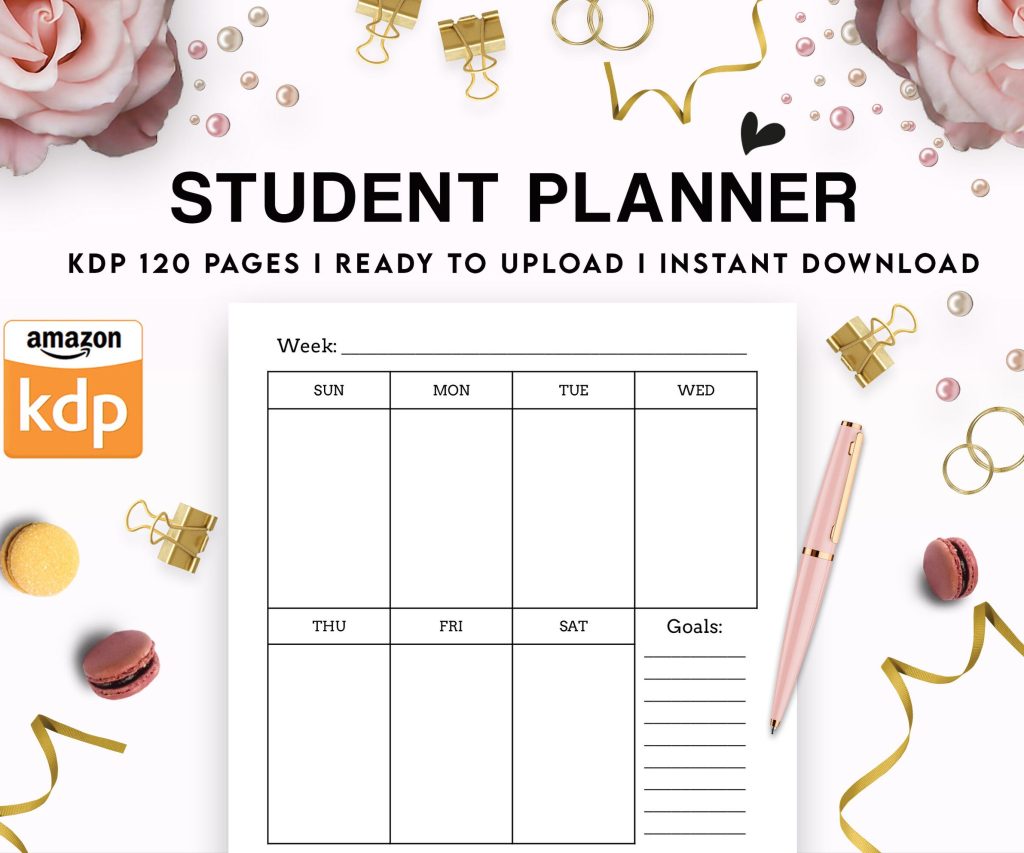 Student Planner Journal 120 pages Ready to Upload PDF Commercial Use KDP Template 6x9" 8.5x11" for Low Content book
1 × $0.00
Student Planner Journal 120 pages Ready to Upload PDF Commercial Use KDP Template 6x9" 8.5x11" for Low Content book
1 × $0.00
Subtotal: $0.00

Okay so here’s the thing about building a six-figure Kindle business – most people overcomplicate it when they’re starting out and I did the same thing back in 2017. You don’t need to write the next Great American Novel, you just need to understand Amazon’s algorithm and give people what they’re actually searching for.
Low-content books are literally the fastest way to test the waters. I’m talking notebooks, journals, planners, logbooks – stuff where the interior is mostly blank or templated pages. My first real money came from a simple gratitude journal I threw together in like 3 hours using Canva and some free templates. Made $400 the first month which doesn’t sound like much but it proved the concept.
The trick is finding niches that aren’t completely saturated. Don’t just make another “cute cat planner” because there’s already 50,000 of those. Instead look for specific combinations – like I found success with fishing logbooks for bass fishermen, then expanded to other fish species. Each variation is its own product.
You’re gonna need:
This is where people mess up. They create what THEY think is cool instead of what customers want. Go to Amazon and search broad terms like “journal for” or “planner for” and see what autofills. Those suggestions are real search data.
Look at the bestseller ranks (BSR) – anything under 100,000 in the Books category is selling at least a few copies daily. Under 50,000 is even better. Check the “Customers also bought” section because that shows you adjacent niches.
Oh and another thing – read the reviews on competing books. Seriously, people literally tell you what’s missing. “I wish this had more space for notes” or “the cover isn’t waterproof” – boom, there’s your angle.
So once you’ve got some low-content books bringing in a few hundred bucks monthly, you can leverage that into ebooks. This is where the real money scales because there’s no printing costs, you get 70% royalties instead of like 20-40%, and people buy digital impulsively.
I started with short ebooks around 10,000-15,000 words. Not full-length novels, more like guides and how-tos. My cat literally walked across my keyboard while I was formatting my first gardening ebook and somehow published it with a typo in the description that stayed there for 3 weeks before I noticed.
Here’s what changed everything for me – hiring ghostwriters. I know it sounds expensive but hear me out. On Upwork or Fiverr you can find decent writers for $0.01-0.02 per word for non-fiction. A 15,000-word ebook costs you $150-300. If it makes $500+ in its lifetime (and good ones make way more), that’s profitable.
My process now:
Wait I forgot to mention – you can also use public domain content as a starting point. Grab old books from Project Gutenberg, reformat them, add commentary or modern examples, create new covers. Totally legal and people do this successfully with classic literature, historical texts, all sorts of stuff.
Let me break down how this actually works mathematically because that’s what convinced me it was possible. Say you want to make $100,000 yearly from KDP. That’s $8,333 per month.
If your average book nets you $2 profit per sale (mix of low-content paperbacks and ebooks), you need 4,167 sales monthly. Sounds impossible right? But here’s the thing – it’s across your entire catalog.
If you publish 100 books and each averages just 42 sales per month, you hit that number. Some books will do way better, some will flop completely. My top 20% of books generate probably 70% of my revenue which is pretty standard.
This is gonna sound weird but I treat my KDP business like a stock portfolio. You diversify across different niches, price points, and formats. Some books are “dividend stocks” – low-content planners that sell steadily every month. Others are “growth stocks” – ebooks in trending niches that might explode.
I publish minimum 2-3 new books weekly when I’m in growth mode. Now that I’m more established it’s like 1-2 weekly because I’m also updating and relaunching older titles. Each book is an asset that can generate passive income for years.
The compound effect is real. First year I made maybe $8,000 total. Second year was $28,000. Third year broke $75,000 and that’s when I quit my day job. Year four hit $130,000 and I’ve been in that six-figure range since.
Okay so Amazon’s search algorithm (A9) is basically your boss now. When someone searches “keto meal planner” Amazon decides which books to show based on title keywords, subtitle, backend keywords, and sales history.
Your book title should include your main keyword. Like “Keto Meal Planner: 90-Day Low Carb Food Journal” instead of just “My Meal Planner.” The subtitle gives you space for secondary keywords.
Backend keywords are the 7 keyword boxes in your KDP dashboard – use all the space, include variations and related terms. Don’t repeat words that are already in your title though, it wastes space.
Tools I actually use:
Most beginners either price too low or too high. For low-content books, I typically price paperbacks at $6.99-9.99 depending on page count and niche. You gotta make sure your royalty after printing costs is at least $1.50-2.00 per book.
Ebooks I usually launch at $2.99-4.99. The 70% royalty tier kicks in at $2.99 so don’t go below that unless you have a specific strategy. Sometimes I’ll do a 99¢ launch for the first week to get some velocity and reviews, then raise it.
Box sets are interesting – bundle 3-4 related ebooks together at a higher price point like $9.99. People perceive it as more value and your per-sale royalty is bigger.
This changed around 2019-2020 – organic reach got harder and ads became necessary for most niches. I was stubborn about this and lost probably 6 months of growth refusing to learn ads. Don’t be like me.
Start with automatic campaigns at like $5-10 daily budget. Amazon’s algorithm will test different keywords and show you what works. After a week or two, look at the search term report and create manual campaigns targeting the keywords that got sales.
My current ad spend is around $800-1200 monthly and it generates $3000-4500 in additional sales. The ACOS (advertising cost of sale) should ideally be under 40% but when launching new books I’ll accept 60-70% just to get visibility and reviews.
Reviews are crucial but Amazon’s super strict about how you get them. You can’t offer incentives, can’t ask family/friends in a way that’s obvious, can’t buy them.
What works: Include a polite request on the last page of your book. Use Amazon’s “Request a Review” button in your KDP dashboard 5-7 days after delivery. Focus on getting more sales because conversion rate is usually 1-3%, so 100 sales might get you 2-3 reviews.
I also run promotions through BookFunnel or similar services where readers get free copies in exchange for honest reviews – this is allowed as long as you’re not requiring positive reviews specifically.
Once you’re making consistent money on KDP, you can expand to other platforms. Draft2Digital distributes to Apple Books, Barnes & Noble, Kobo, and a bunch of others. It’s way less sales volume than Amazon but it’s additional passive income for the same book.
Audiobooks through ACX (Amazon’s audiobook platform) can be profitable too. You can either narrate yourself, hire a narrator with upfront payment, or do royalty share where the narrator gets 50% of sales. I’ve got like 15 audiobooks now and they bring in an extra $500-800 monthly.
Print-on-demand through IngramSpark gets your books into physical bookstores potentially, though honestly most of my IngramSpark sales still come from online retailers.
Amazon will terminate your account if you violate their content guidelines. I’ve seen it happen to people and it’s brutal – they lose everything.
Don’t use trademarked terms in your titles/keywords unless you own them. Don’t copy other people’s book descriptions or interiors. Don’t stuff keywords unnaturally. Don’t create multiple accounts (unless you’re doing proper business entities). Don’t upload public domain content without adding substantial value.
Keep your account health good – respond to any policy warnings immediately, maintain quality standards, don’t manipulate reviews.
Oh and another thing – pay your taxes properly. Set aside like 25-30% of earnings for taxes if you’re in the US. KDP doesn’t withhold anything so you’re responsible for quarterly estimated payments once you’re making decent money.
The timeline to six figures varies wildly. Some people hit it in 18 months, others take 4-5 years. Depends on how much you publish, how good your research is, whether you’re outsourcing, and honestly some luck with trends.
My approach was aggressive publishing in year 2-3. I was putting out 8-12 books monthly, spending $2000-3000 on outsourcing and ads, reinvesting most profits. It’s a business so you gotta treat it like one.
Track everything in spreadsheets – I monitor daily sales, monthly revenue per book, ad performance, production costs. You can’t optimize what you don’t measure.
The six-figure milestone felt anticlimactic honestly. I was watching some show on Netflix when I checked my dashboard in December and realized I’d crossed $100k for the year. Didn’t fundamentally change anything except it validated that this wasn’t just a side hustle anymore.
You’re not gonna get rich quick but if you publish consistently, follow data not feelings, and treat it like a real business, six figures is absolutely achievable in this space. Just gotta put in the work and not give up when your first 20 books only make $50 each.
DISCOVER OUR FREE BEST SELLING PRODUCTS
Editable Canva Lined Journal: Express Your Thoughts – KDP Template
Lined Pages Journal 120 pages Ready to Upload PDF Commercial Use KDP Template 6×9 8.5×11 5×8 for Notebooks, Diaries, Low Content
Lined Pages Journal 120 pages Ready to Upload PDF Commercial Use KDP Template 6×9 8.5×11 5×8 for Notebooks, Diaries, Low Content
Cute Dogs Coloring Book for Kids | Activity Book | KDP Ready-To-Upload
Daily Planner Diary : Diary Planners for Everyday Productivity, 120 pages, 6×9 Size | Amazon KDP Interior
Wolf Coloring KDP interior For Adults, Used as Low Content Book, PDF Template Ready To Upload COMMERCIAL Use 8.5×11"
Coloring Animals Head Book for Kids, Perfect for ages 2-4, 4-8 | 8.5×11 PDF
Printable Blank Comic Book Pages PDF : Create Your Own Comics – 3 Available Sizes
Notes KDP interior Ready To Upload, Sizes 8.5×11 6×9 5×8 inch PDF FILE Used as Amazon KDP Paperback Low Content Book, journal, Notebook, Planner, COMMERCIAL Use
Black Lined Journal: 120 Pages of Black Lined Paper Perfect for Journaling, KDP Notebook Template – 6×9
Student Planner Journal 120 pages Ready to Upload PDF Commercial Use KDP Template 6×9" 8.5×11" for Low Content book
Recipe Journal Template – Editable Recipe Book Template, 120 Pages – Amazon KDP Interior