-
×
 Daily Planner Diary : Diary Planners for Everyday Productivity, 120 pages, 6×9 Size | Amazon KDP Interior
1 × $0.00
Daily Planner Diary : Diary Planners for Everyday Productivity, 120 pages, 6×9 Size | Amazon KDP Interior
1 × $0.00
Subtotal: $0.00
 Daily Planner Diary : Diary Planners for Everyday Productivity, 120 pages, 6×9 Size | Amazon KDP Interior
1 × $0.00
Daily Planner Diary : Diary Planners for Everyday Productivity, 120 pages, 6×9 Size | Amazon KDP Interior
1 × $0.00 Subtotal: $0.00
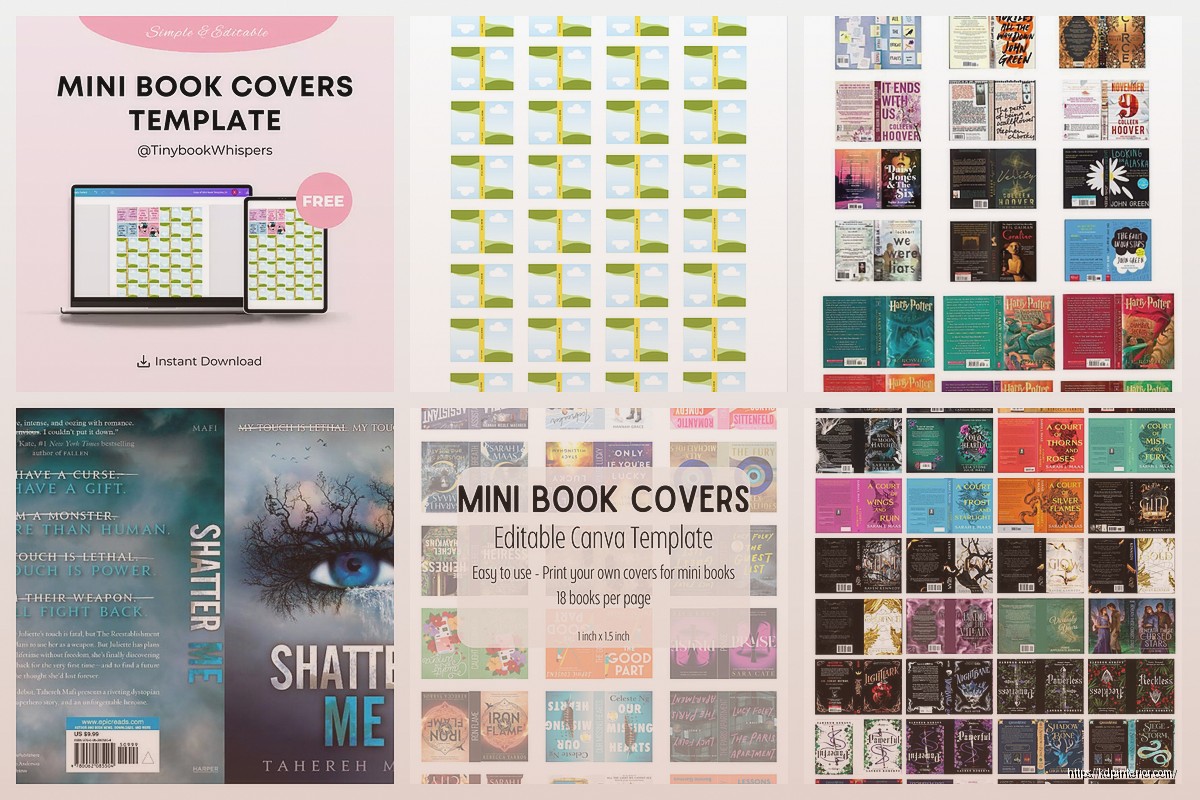
Okay so mini book covers are actually way different than regular ones and I learned this the hard way when I just shrunk down a standard 6×9 cover to fit a 4×6 format and it looked absolutely terrible on Amazon. The text was completely illegible in the thumbnail.
Here’s the thing – when you’re designing for mini books (anything under 5×7 basically), you gotta think thumbnail first, actual cover second. I know that sounds backwards but Amazon shows your cover at like 160 pixels wide in search results. At that size, all those fancy script fonts and detailed illustrations just turn into a blurry mess.
I was designing this mini gratitude journal last year and spent like three hours on this gorgeous watercolor background with delicate hand-lettering. Looked amazing on my 27-inch monitor. Uploaded it and… couldn’t even read the title in the search results. Had to start over completely.
So what I do now is design everything, then literally step back five feet from my screen. Can you still read the title? Can you tell what the book is about? If not, your fonts are too small or too fancy. This works better than the thumbnail preview sometimes because your eyes don’t lie at that distance.
For mini formats I usually stick with:
Okay so KDP’s specs are one thing but here’s what I’ve found actually converts better. For a 4×6 mini book, your full cover dimensions including spine are gonna be weird because the spine width changes based on page count.
Wait I forgot to mention – always design at 300 DPI minimum. I know that makes huge file sizes but compression for print is different than digital and you don’t want pixelation.
For a 4×6 inch book with let’s say 120 pages (pretty standard for journals):
– Spine width is roughly 0.27 inches
– Full cover width: 8.27 inches (4 + 0.27 + 4)
– Height: 6 inches
– Add 0.125 inch bleed on all sides
– Final template: 8.52 x 6.25 inches
The math changes for every page count though. KDP has a calculator but honestly I just keep a spreadsheet now with common page counts already calculated because doing it every time was driving me nuts.
This is gonna sound obvious but I see people mess this up constantly – keep all important elements at least 0.25 inches from the trim line. For mini books I actually go 0.35 inches because the cutting tolerance seems worse on smaller formats? Or maybe I just got unlucky with a few batches but better safe than sorry.
Text near the spine is especially problematic on mini books. The curve is more dramatic relative to the page size so stuff gets lost in the gutter. I learned this when my cat knocked over my coffee directly onto a proof copy I’d just received and while I was cleaning it up I noticed you literally couldn’t read the first word on some pages. Design problem, not coffee problem.
Bold colors perform way better for mini books. I tested this with two nearly identical gratitude journals – one with a soft sage green and cream color scheme, another with deep teal and bright coral. The bright one outsold it 3 to 1 in the first month.
My go-to color combos for mini covers:
Avoid: pale yellow (looks faded), light gray (disappears), brown tones (unless it’s a very specific niche), multiple pastels together (too wishy washy).
So for regular sized books you can get away with intricate patterns but mini books need simpler backgrounds. I usually do one of these:
Solid color with geometric accent – like a solid navy cover with a gold triangle or circle in one corner. Clean, readable, scales down perfectly.
Two-tone split – divide the cover diagonally or horizontally with two contrasting colors. Super easy to make eye-catching.
Minimal pattern – small dots, thin lines, or simple shapes that don’t compete with text. The key is the pattern elements need to be small enough that they read as texture in thumbnail view, not as distinct shapes.
Oh and another thing – gradients are tricky. They can look great but sometimes print darker than they appear on screen. I always order a physical proof for books with gradients because I’ve been burned before. Got a whole batch of mini planners where the gradient went from light blue to… basically navy instead of the medium blue I designed. Still sold okay but wasn’t what I wanted.
Font weight matters SO much more on mini covers. Regular weight fonts just vanish. I typically use:
Letter spacing is also critical. Tight kerning that looks sophisticated on a large format becomes illegible when scaled down. I usually increase letter spacing by 50-100 on mini book titles.
Unpopular opinion maybe but I think mini books should stick to one font family. You can use different weights and styles (bold, italic, condensed) but mixing multiple font families in a small space usually looks cluttered.
Exception: handwritten/script fonts paired with a clean sans serif can work IF the script font is only used for one small element like “a journal” or “by [author name]”. The main title needs to be that readable sans serif though.
I started with Canva because it’s easy and has KDP-specific templates. Still use it for probably 60% of my mini book covers honestly. The pro version is worth it just for the background remover and premium elements.
But here’s what I’ve moved to for covers I want to be really special – Affinity Publisher. One-time payment, super powerful, way less expensive than Adobe. The learning curve isn’t that bad if you watch a few YouTube tutorials. I was literally watching The Office for the tenth time while learning Affinity and it somehow helped? Having something familiar in the background made the learning less stressful.
Photoshop works too obviously but the subscription cost is hard to justify when Affinity does basically the same thing for cover design specifically.
Fonts: Google Fonts, DaFont (check licenses carefully), Font Squirrel
Graphics: Freepik (free tier is limited but usable), Pixabay, Unsplash for photos
Mockups: Placeit has good book mockups, or you can use free ones from Mockup World
Color palettes: Coolors.co is my favorite – just hit spacebar until you find something good
Too much going on. Mini covers need to be simple. One main focal point, clear title, done. I see people trying to cram in borders, multiple graphics, decorative elements, patterns, textures… it’s just too much.
Wrong file format. Always save as PDF for KDP upload. JPEG can work but PDF preserves quality better and handles text more cleanly.
RGB instead of CMYK. Design in RGB for how it looks on screen, but convert to CMYK before ordering a proof to see how it’ll actually print. Colors shift, sometimes dramatically.
Ignoring the spine. Even on mini books, design the spine properly. Include the title and author name if the spine is wide enough (usually needs to be at least 0.3 inches). Below that, just do a solid color or simple pattern.
Not testing the thumbnail. Before you finalize anything, shrink your cover down to 160 pixels wide and look at it. That’s what customers see first.
Clean and organized looking covers sell better. Customers want to see that same organization reflected inside. Geometric designs, structured layouts, professional fonts. Stay away from anything too whimsical unless it’s specifically a kids’ journal.
Bright, fun, energetic. Multiple colors are fine here – actually encouraged. Show what’s inside through the cover design. If it’s a puzzle book, incorporate puzzle elements into the cover design.
Minimalist usually wins. Think Moleskine aesthetic – simple, classic, maybe one accent color or design element. These buyers want sophistication in a small package.
Go bold with everything. Chunky fonts, primary colors, high contrast. The thumbnail needs to pop in a sea of other bright covers. Character illustrations work great if you have them, but make them BIG.
Just gonna walk through what I actually do when creating a new mini book cover because maybe that’s more helpful than random tips.
First I look at bestsellers in my niche. Not to copy but to see what’s working. I save like 10-15 covers that are performing well and analyze them. What colors? What fonts? How busy or simple? What’s the vibe?
Then I create a mood board in Canva with colors, fonts, and design elements I’m considering. This takes maybe 15 minutes but saves time later because I’m not starting from scratch.
I design three completely different concepts. Different color schemes, different layouts, different vibes. This is important because my first idea is rarely the best one.
Export all three as thumbnails and text them to myself. Look at them on my phone like a customer would. Which one stands out? Which one makes me want to click? Usually the answer surprises me.
Refine the winner. This is where I spend the most time – adjusting spacing, tweaking colors, testing different font weights, moving elements around by tiny increments until it feels right.
Convert to CMYK, check it again, order a proof. Always order a proof for the first book in a new format or if you’re trying a new design style.
Your cover affects how much people will pay. A cheap-looking cover signals cheap content even if your interior is great. For mini books especially, customers are already wondering if the smaller size is worth it, so your cover needs to communicate value.
Professional covers let me price my mini journals at $6.99-$8.99. Amateur-looking covers in the same niche are priced at $4.99-$5.99 and probably still selling less because people assume they’re low quality.
Worth investing time in the cover design or paying someone if design isn’t your thing. A good cover pays for itself in higher prices and more sales.
Okay I think that covers most of what I’ve learned through way too much trial and error with mini book covers. The main thing is just remember that thumbnail view is everything – if it doesn’t look good small, it doesn’t matter how gorgeous it is full size.
DISCOVER OUR FREE BEST SELLING PRODUCTS
Editable Canva Lined Journal: Express Your Thoughts – KDP Template
Lined Pages Journal 120 pages Ready to Upload PDF Commercial Use KDP Template 6×9 8.5×11 5×8 for Notebooks, Diaries, Low Content
Lined Pages Journal 120 pages Ready to Upload PDF Commercial Use KDP Template 6×9 8.5×11 5×8 for Notebooks, Diaries, Low Content
Cute Dogs Coloring Book for Kids | Activity Book | KDP Ready-To-Upload
Daily Planner Diary : Diary Planners for Everyday Productivity, 120 pages, 6×9 Size | Amazon KDP Interior
Wolf Coloring KDP interior For Adults, Used as Low Content Book, PDF Template Ready To Upload COMMERCIAL Use 8.5×11"
Coloring Animals Head Book for Kids, Perfect for ages 2-4, 4-8 | 8.5×11 PDF
Printable Blank Comic Book Pages PDF : Create Your Own Comics – 3 Available Sizes
Notes KDP interior Ready To Upload, Sizes 8.5×11 6×9 5×8 inch PDF FILE Used as Amazon KDP Paperback Low Content Book, journal, Notebook, Planner, COMMERCIAL Use
Black Lined Journal: 120 Pages of Black Lined Paper Perfect for Journaling, KDP Notebook Template – 6×9
Student Planner Journal 120 pages Ready to Upload PDF Commercial Use KDP Template 6×9" 8.5×11" for Low Content book
Recipe Journal Template – Editable Recipe Book Template, 120 Pages – Amazon KDP Interior