
-
×
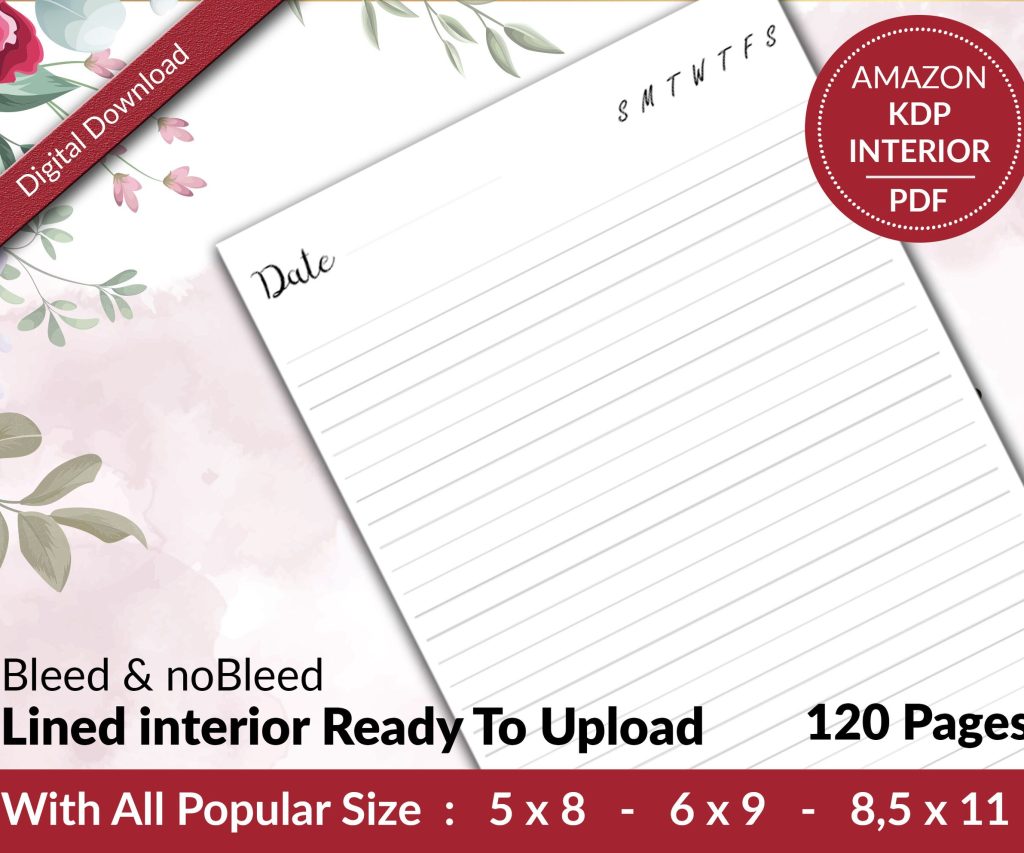 Lined Pages Journal 120 pages Ready to Upload PDF Commercial Use KDP Template 6x9 8.5x11 5x8 for Notebooks, Diaries, Low Content
1 × $0.00
Lined Pages Journal 120 pages Ready to Upload PDF Commercial Use KDP Template 6x9 8.5x11 5x8 for Notebooks, Diaries, Low Content
1 × $0.00
Subtotal: $0.00
Right so I literally just walked a client through this last month and honestly the whole process is way less scary than people make it out to be. You basically need to get your manuscript ready, set up your KDP account, upload everything, and then do the marketing stuff that nobody wants to talk about but like… you gotta.
First thing – your manuscript needs to be actually finished. I know that sounds obvious but I’ve had so many people message me like “I’m 80% done can I start uploading” and no. Finish the thing. Amazon doesn’t care about your draft, they want a complete book.
Okay so this is where people mess up constantly. Amazon KDP accepts Word docs (.doc or .docx) and also ePub files, PDFs, and some other formats but honestly? Just use Word. It’s the easiest path and their system converts it pretty well most of the time.
You’re gonna want to format your manuscript in Word before you upload. That means:
The formatting thing used to drive me crazy when I first started because my background was in low-content books where formatting barely matters. But with novels? People will leave bad reviews if your chapters run together or the spacing looks janky on their Kindle.
Look I’m just gonna say it straight – you need a professional looking cover. Your cover is doing like 70% of the sales work. Maybe more. I tested this with one of my earlier fiction projects where I used a DIY cover from Canva and it sold maybe 12 copies in the first month. Hired a designer from Fiverr for $85, same book suddenly started moving.
If you’re on a tight budget, places like Fiverr or Reedsy have designers who specialize in book covers. You want someone who knows your genre because every genre has visual expectations. Romance readers expect certain things, thriller readers expect different things. Don’t try to reinvent the wheel here.
oh and another thing – your cover needs to look good as a tiny thumbnail because that’s how most people will see it first when they’re browsing Amazon.
Go to kdp.amazon.com and sign up. You’ll need:
The tax interview part freaks people out but it’s pretty straightforward. Amazon walks you through it and basically they just need to know how to report your income. Takes maybe 10 minutes if you have your info handy.
Once your account is set up, click “Create New Title” and you’ll see options for eBook, paperback, or hardcover. Most fiction authors start with eBook because there’s zero upfront cost and it’s the fastest to publish.
Here’s what you’re filling out:
Title and subtitle: Pretty obvious but make sure your subtitle actually helps with discoverability. Don’t just make it clever, make it clear what the book is about.
Series information: If this is book one of a series, definitely mark it as such. Amazon’s algorithms love series and will recommend the next books to readers.
Author name: Use the same author name across all your books for consistency. Amazon tracks this.
Description: This is your back cover copy basically. You’ve got HTML formatting available here which most people don’t use but you should. Use bold tags for emphasis, break it into short paragraphs, maybe add some italics. I usually do a hook paragraph, then a bit more about the plot without spoiling anything, then end with a question or teaser.
wait I forgot to mention – you get 4000 characters for your description so use most of that space. Books with longer, well-formatted descriptions tend to convert better in my experience.
Amazon lets you pick two categories during upload but you can email KDP support and get up to 10 total categories. Do this. More categories means more ways for readers to find you.
For keywords you get seven keyword phrases. Don’t waste these on obvious stuff like “fiction” or “novel.” Get specific. If you wrote a cozy mystery set in a bakery, you’d want things like “cozy mystery bakery,” “culinary cozy mystery,” “small town mystery,” etc.
I spent like three hours one night (my dog was sick and I couldn’t sleep anyway) researching keyword tools and honestly the free Amazon search bar autocomplete is still one of the best tools. Start typing your genre and see what Amazon suggests – those are real searches people are doing.
Okay so pricing. Amazon gives you 70% royalty if you price between $2.99 and $9.99, but they take 35% if you go outside that range. For a first novel by an unknown author, I usually recommend starting at $2.99 or $3.99.
You can always run price promotions later. In fact you should run price promotions later because that’s one of the few marketing levers you can pull without spending money on ads.
this is gonna sound weird but I actually price my novels at $3.99 instead of $2.99 now because the higher price doesn’t seem to hurt sales and you make an extra 70 cents per sale which adds up. I tested this across six different pen names and the $3.99 price point converted just as well as $2.99.
Here’s the big decision – enroll in KDP Select (Kindle Unlimited) or go wide to other platforms like Apple Books, Kobo, etc.
KDP Select means your eBook is exclusive to Amazon for 90 days. In exchange you get:
Going wide means you can sell everywhere but you lose those KU perks and honestly? Like 60-70% of your sales would probably come from Amazon anyway for most genres.
I usually tell new authors to start with KDP Select for at least the first 90 days because the promotional tools help you get initial traction. You can always opt out and go wide after that first period.
If you want a paperback, you set that up separately but it’s linked to your eBook. The main difference is you need to deal with:
Trim size: 6×9 is standard for most fiction. 5×8 works too. Pick one and stick with it for your whole series if you’re doing a series.
Interior formatting: This needs to be a PDF now, not a Word doc. You can export from Word but make sure you check margins and gutters (the inner margin needs to be bigger for binding).
Cover becomes a full wrap: Your cover designer needs to create a print cover with front, spine, and back. Amazon has a cover calculator tool that tells you exact dimensions based on your page count.
Pricing is different: Amazon charges you printing costs which depend on page count and whether you use black and white or color interior. A 300-page novel costs maybe $3-4 to print so you need to price high enough to make a profit. Most paperbacks end up in the $12-17 range.
oh and another thing about paperbacks – they make you look more legit. Even if 90% of your sales are eBooks, having a paperback available just gives readers confidence that you’re a real author with a real book.
After you upload everything and hit publish, Amazon reviews your book. This usually takes 24-72 hours. They’re checking for:
Honestly most books sail through unless you’re doing something weird. I’ve published over 200 titles and maybe had issues with like 3 of them.
Okay so your book is live on Amazon. Now what? This is where most authors just sit back and wait for sales that never come. You gotta actually market the thing.
Launch strategy basics: Line up reviews before or right after launch. Amazon’s algorithm pays attention to early velocity so those first couple weeks matter. Ask beta readers, friends, family, other authors you know – anyone who will actually read it and leave honest reviews.
You need reviews to get visibility. Books with 10-15 reviews start showing up in “also bought” recommendations way more than books with 0-2 reviews.
Amazon Ads are probably necessary: I hate to say it but organic discovery on Amazon is tough these days. You’ll likely need to run some Amazon PPC ads. Start with Sponsored Products ads, target other books in your genre that are similar to yours. Budget like $5-10 per day to start and see what happens.
My client last month spent about $200 on ads in the first month and made back $600 in royalties so it can definitely work, you just gotta learn the system.
Build your email list from day one: Put a link in the back of your book to a reader magnet (free short story or something) in exchange for email signups. This is how you build a sustainable career not just a one-book wonder.
Not having the book professionally edited – readers can tell and they’ll mention it in reviews. Your cousin who’s good at English doesn’t count as a professional edit.
Choosing bad categories because they didn’t research what’s actually competitive vs achievable. Some categories have thousands of books, others have 50. Guess which one is easier to rank in?
Writing a book description that’s just a boring summary instead of actual sales copy that makes people want to click buy.
Not having a follow-up book planned. Your best marketing for book 2 is book 1. If someone finishes your book and loves it but there’s no book 2, you lost momentum.
Pricing too high initially. I get it, you worked hard on this. But $9.99 for an unknown author’s first novel is gonna be a tough sell.
Check your KDP dashboard regularly especially in the first few weeks. You can see:
If you’re enrolled in KDP Select, pages read can actually outpace your sales depending on your genre. Romance and sci-fi do really well in KU. Literary fiction not as much.
Look at your also-bought section on your book’s Amazon page – those are the books Amazon is associating yours with. If those books don’t match your actual genre or quality level, you might need to adjust your keywords or categories.
okay so funny story, my first novel I published back in like 2018 sold maybe 40 copies in the first six months and I thought I’d totally failed. But I kept writing and published book 2, then book 3. Now that whole series does about $800-1200 per month pretty consistently. The first book became a loss leader basically.
That’s the thing about Amazon – it rewards consistency and volume over time. One book is tough. Three books in a series is better. Five books is when you start seeing real momentum. Ten books and you’ve probably got a actual business going.
Don’t expect your first novel to make you rich or even to make back your investment immediately. Think of it as building a catalog that compounds over time. Each book adds to your author platform and gives readers more ways to find you.
And honestly you’re gonna learn so much from publishing that first one that your second book will be way better – better formatted, better cover decisions, better marketing approach, everything.
DISCOVER OUR FREE BEST SELLING PRODUCTS
Editable Canva Lined Journal: Express Your Thoughts – KDP Template
Lined Pages Journal 120 pages Ready to Upload PDF Commercial Use KDP Template 6×9 8.5×11 5×8 for Notebooks, Diaries, Low Content
Lined Pages Journal 120 pages Ready to Upload PDF Commercial Use KDP Template 6×9 8.5×11 5×8 for Notebooks, Diaries, Low Content
Cute Dogs Coloring Book for Kids | Activity Book | KDP Ready-To-Upload
Daily Planner Diary : Diary Planners for Everyday Productivity, 120 pages, 6×9 Size | Amazon KDP Interior
Wolf Coloring KDP interior For Adults, Used as Low Content Book, PDF Template Ready To Upload COMMERCIAL Use 8.5×11"
Coloring Animals Head Book for Kids, Perfect for ages 2-4, 4-8 | 8.5×11 PDF
Printable Blank Comic Book Pages PDF : Create Your Own Comics – 3 Available Sizes
Notes KDP interior Ready To Upload, Sizes 8.5×11 6×9 5×8 inch PDF FILE Used as Amazon KDP Paperback Low Content Book, journal, Notebook, Planner, COMMERCIAL Use
Black Lined Journal: 120 Pages of Black Lined Paper Perfect for Journaling, KDP Notebook Template – 6×9
Student Planner Journal 120 pages Ready to Upload PDF Commercial Use KDP Template 6×9" 8.5×11" for Low Content book
Recipe Journal Template – Editable Recipe Book Template, 120 Pages – Amazon KDP Interior