Okay so I just tested something last week with keyword stacking that actually moved the needle and I gotta tell you about it because most people are still doing this completely wrong in 2024.
The Keyword Thing Nobody Talks About
Look, everyone obsesses over the seven backend keywords but here’s what I figured out after publishing like 30 books in Q4 alone – Amazon’s algorithm is pulling from way more places than you think. Your subtitle is doing heavy lifting you’re probably not leveraging. I was watching some random Netflix thing about algorithms and it clicked… wait I forgot to mention this first.
Start treating your subtitle as a secondary keyword field. Not like stuffing it with garbage, but strategic placement. So instead of “A Journal for Creative Minds” try “Daily Writing Journal for Authors, Writers & Creative Professionals” – see what I did there? You’re hitting multiple search terms that actual humans type into that search bar.
Backend Keywords That Actually Work
The backend keyword boxes – you get 249 bytes per field, not characters. Bytes. This tripped me up for like six months when I started. Don’t waste space on:
- Plurals (Amazon handles this automatically)
- Common misspellings (they fixed this in 2022)
- Your own book title or author name
- Punctuation or repeated words
Instead, I’m using long-tail phrases that Book Bolt or Publisher Rocket aren’t showing everyone else. You gotta go into Amazon’s search bar and look at the autocomplete suggestions. Type “journal for” and see what drops down. Those are REAL searches happening right now, not some scraped data from three months ago.
Pricing Strategy That’s Working Right Now
This is gonna sound weird but I’ve been split-testing prices across similar books and the sweet spot isn’t what these gurus tell you anymore. For low-content books (notebooks, journals, planners), everyone says $6.99 to $8.99. But I’m seeing better conversion at $5.97 and $7.47.
Why? Because Amazon shows “under $6” and “under $8” as filter options. Your $5.97 book shows up in both the general results AND that filtered view. My dog literally knocked over my coffee while I was analyzing this data last month and I almost missed it.
For books with more than 100 pages, you can push higher – $9.97 works if your cover and preview scream quality. But here’s the thing… your royalty calculation changes based on page count and trim size. A 120-page 6×9 book at $7.99 nets you way more per sale than a 200-page 8.5×11 book at the same price because printing costs are different.
The Pricing Ladder I Actually Use
I set up books in series now, all different price points:
- Entry book at $5.97 (loss leader, basically)
- Main offerings at $7.47 or $8.97
- Premium/expanded editions at $11.97 to $14.97
People who buy the cheap one see “Customers also bought” and upgrade themselves. Amazon’s doing the upselling for you.
Categories Are Your Actual Superpower
Oh and another thing – you only get to pick two categories during upload but you can contact KDP support and get added to like 8 or 10 total. I usually wait about a week after publishing, then email them through the contact form with specific category paths.
Here’s what you say: “Hi, I’d like to add my book [ASIN] to the following categories:” and then list the full path like “Books > Self-Help > Journaling > Gratitude” or whatever. They usually add them within 48 hours.
The trick is finding categories that are specific enough that you can hit bestseller status with like 5-10 sales per day. I’ve got books with orange #1 bestseller badges that sell maybe 8 copies daily. But that badge does something psychological – it actually increases sales because people trust it.
Finding Dead Categories
Go on Amazon and browse categories manually. Click through Self-Help, then Journals, then whatever subcategories exist. Look at the bestseller ranks of the #1 book in that category. If the BSR is like 200,000 or higher, that’s a soft category. You can dominate it.
I keep a spreadsheet of these. Sounds nerdy but it’s literally made me thousands of extra dollars just by being strategic about placement.
A+ Content and Why You’re Sleeping On It
Okay so funny story – I ignored A+ Content for like two years because I thought it was only for vendors or whatever. Nope. Any KDP author can use it now, you just gotta enroll in Amazon Brand Registry first (which is free, just takes a week or two).
Once you have it, A+ Content lets you add image galleries, comparison charts, detailed descriptions below your regular book description. My conversion rate jumped like 15-20% on books where I added it. People scroll down, see professional-looking layouts, trust increases.
You don’t need to be a designer. Canva templates work fine. I make simple image blocks showing what’s inside the book – page spreads, example layouts, that kind of thing. Takes maybe 30 minutes per book.
The Launch Strategy That’s Not AMS Ads
Everyone’s gonna tell you to run Amazon ads immediately. And yeah, ads work, but here’s what I do for the first two weeks instead:
I price the book at $0.99 for the first 5 days. Loss leader strategy. The goal isn’t profit, it’s velocity. Amazon’s algorithm rewards fast sales in the first few days. You’re basically buying ranking position.
Then I bump to $2.99 for a week. Still cheap, still converting, but now I’m making actual royalty. Then up to final price around day 14-15.
During this time, I’m also getting friends/family/anyone I know to buy it. Sounds scammy but it’s not – Amazon wants to see initial traction. Ten sales in the first day beats zero sales for a week straight. The algorithm notices.
Email List Stuff (Yeah I Know)
If you’ve got any kind of email list, even 50 people, email them when you launch. Offer it at the $0.99 price exclusively. This is where having multiple books pays off – readers who bought Book A are way more likely to buy Book B if you tell them about it.
I use ConvertKit but honestly MailChimp’s free tier works fine when you’re starting. Just collect emails somewhere. Put a link in the back of every book to a simple landing page: “Get notified of new releases” or whatever.
Interior Quality That Actually Matters
Wait I forgot to mention this earlier – your interior matters way more than your cover for repeat purchases. Covers get the click, interiors get the review.
For low-content books, don’t use the same template everyone else bought on Etsy. Customize it. Change fonts, adjust spacing, add little design elements that make it feel premium. I spend maybe $30-50 on Creative Fabrica or similar sites for unique graphics and elements.
Page count sweet spot for notebooks is 120-150 pages. Less than that feels cheap. More than 150 and your printing costs eat your royalty. Unless you’re doing a 200+ page planner that justifies a higher price.
Bleed settings – learn them. Print a proof copy. I cannot stress this enough. Your screen doesn’t show what the physical book looks like. I’ve uploaded books where the margins were totally off and didn’t catch it until the proof arrived. Waste of time and money.
Series and Branding Strategy
This is where you start thinking bigger than individual books. Create a series. Same design template, different variations. “Daily Gratitude Journal” and “Weekly Gratitude Planner” and “Gratitude Workbook for Kids” – same niche, same general customer, different formats.
Amazon groups these in “Customers who bought this also bought” and in email recommendations. You’re basically creating your own funnel inside Amazon’s system.
I’ve got one series of productivity planners that’s like 12 books deep. They all link to each other through that recommendation engine. Someone buys one, they usually buy 2-3 more over the next few months.
Author Central Profile Setup
Set up your Author Central profile properly. Add a bio, upload a photo (doesn’t have to be you, can be a brand logo), link your books together in series. This stuff seems minor but it builds legitimacy.
Also claim your author page in every Amazon marketplace – .com, .co.uk, .ca, .de, etc. Your books are automatically distributed internationally but your author profile isn’t. Gotta do it manually for each region.
Reviews Without Breaking TOS
Getting reviews is hard and Amazon’s rules are strict. You can’t incentivize reviews, can’t trade reviews, can’t use services that offer reviews. So what actually works?
Put a soft ask in the back of your book. “If you enjoyed this journal, a review would mean the world.” Not pushy, just a reminder. Most people don’t leave reviews because they forget, not because they don’t want to.
The other thing – and this takes time – is building up enough sales volume that organic reviews happen naturally. Roughly 1-2% of buyers leave reviews. So if you’re selling 100 books a month, you’ll get 1-2 reviews. Not fast, but it’s legitimate.
I also include a QR code in the back that links to the review page. Makes it easier. People are lazy (I’m lazy), remove friction and they’ll actually do it.
When to Update and When to Leave It Alone
Don’t constantly update your books. Every time you upload a new interior or cover, Amazon treats it like a new book. You lose your reviews, your ranking history, everything.
Only update if there’s a major issue – typos in a coloring book title, wrong page formatting, something broken. Otherwise, leave it alone and let it accumulate data.
What you CAN update without consequence: your book description, keywords, categories, price. Change these whenever you want. Test different descriptions. I rewrite my descriptions every few months based on what keywords are trending.
Okay so that’s most of what I’ve learned the hard way over the past few years. The biggest thing is just publishing consistently and actually looking at your data. Don’t just upload and hope – check your reports weekly, see what’s selling, double down on what works and kill what doesn’t. Sounds obvious but most people never actually do it.

 Wolf Coloring KDP interior For Adults, Used as Low Content Book, PDF Template Ready To Upload COMMERCIAL Use 8.5x11"
1 × $0.00
Wolf Coloring KDP interior For Adults, Used as Low Content Book, PDF Template Ready To Upload COMMERCIAL Use 8.5x11"
1 × $0.00 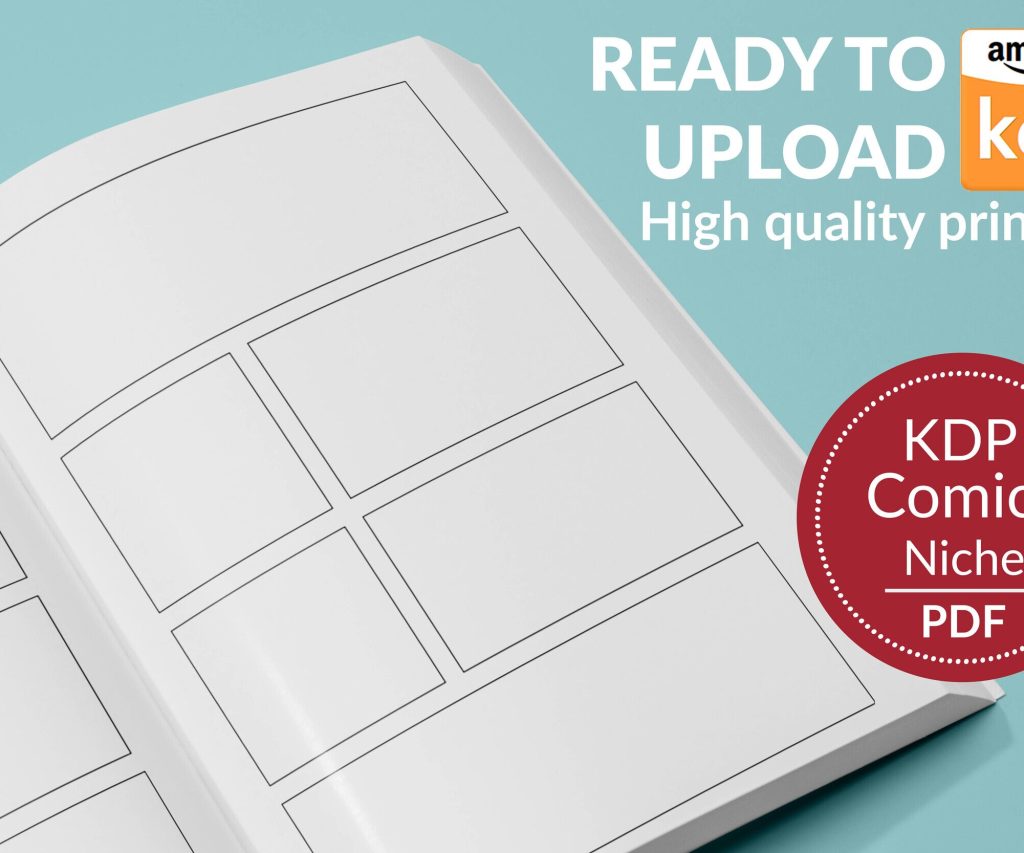 Printable Blank Comic Book Pages PDF : Create Your Own Comics - 3 Available Sizes
1 × $0.00
Printable Blank Comic Book Pages PDF : Create Your Own Comics - 3 Available Sizes
1 × $0.00 
DISCOVER OUR FREE BEST SELLING PRODUCTS
Editable Canva Lined Journal: Express Your Thoughts – KDP Template
Lined Pages Journal 120 pages Ready to Upload PDF Commercial Use KDP Template 6×9 8.5×11 5×8 for Notebooks, Diaries, Low Content
Lined Pages Journal 120 pages Ready to Upload PDF Commercial Use KDP Template 6×9 8.5×11 5×8 for Notebooks, Diaries, Low Content
Cute Dogs Coloring Book for Kids | Activity Book | KDP Ready-To-Upload
Daily Planner Diary : Diary Planners for Everyday Productivity, 120 pages, 6×9 Size | Amazon KDP Interior
Wolf Coloring KDP interior For Adults, Used as Low Content Book, PDF Template Ready To Upload COMMERCIAL Use 8.5×11"
Coloring Animals Head Book for Kids, Perfect for ages 2-4, 4-8 | 8.5×11 PDF
Printable Blank Comic Book Pages PDF : Create Your Own Comics – 3 Available Sizes
Notes KDP interior Ready To Upload, Sizes 8.5×11 6×9 5×8 inch PDF FILE Used as Amazon KDP Paperback Low Content Book, journal, Notebook, Planner, COMMERCIAL Use
Black Lined Journal: 120 Pages of Black Lined Paper Perfect for Journaling, KDP Notebook Template – 6×9
Student Planner Journal 120 pages Ready to Upload PDF Commercial Use KDP Template 6×9" 8.5×11" for Low Content book
Recipe Journal Template – Editable Recipe Book Template, 120 Pages – Amazon KDP Interior