-
×
 Student Planner Journal 120 pages Ready to Upload PDF Commercial Use KDP Template 6x9" 8.5x11" for Low Content book
1 × $0.00
Student Planner Journal 120 pages Ready to Upload PDF Commercial Use KDP Template 6x9" 8.5x11" for Low Content book
1 × $0.00
Subtotal: $0.00

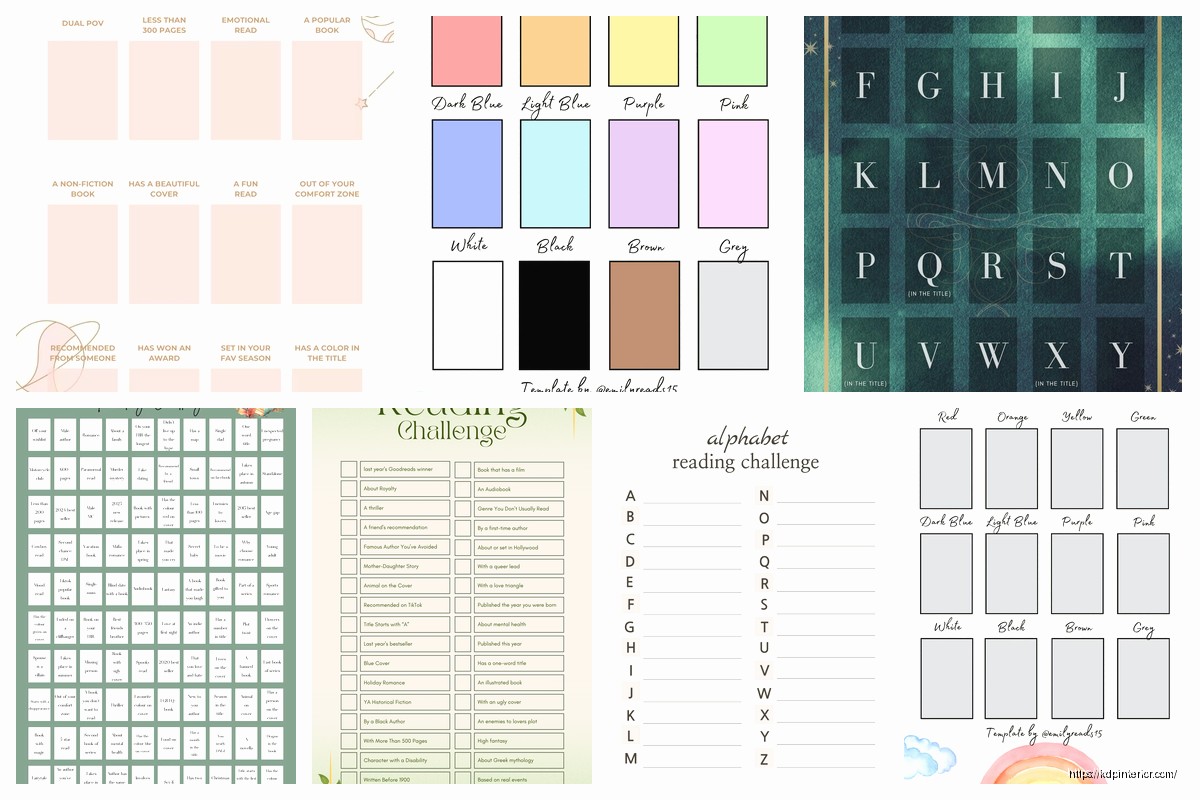
Okay so I just updated all my reading challenge templates last month and here’s what actually works for goal setting stuff.
The main thing people mess up is they make these super complicated tracking systems that look pretty but nobody actually uses them after week two. I’ve tested probably 50 different layouts over the years and the ones that sell best aren’t the fancy ones with decorative borders and stuff – they’re the ones where you can actually see your progress at a glance.
You need three core sections and honestly that’s it. First is your goal declaration page where people write down what they’re committing to. Don’t overthink this part. Just give them space to write the number of books, maybe genre preferences, and a date range. I like adding a little checkbox section for “why this matters to me” because that psychological anchor thing really helps people stick with it.
Second section is your monthly breakdown. This is where most templates fall apart because designers try to cram too much info. What actually works is a simple grid – twelve boxes for twelve months, space to write target books for that month, and maybe three lines for noting standout reads. That’s it. My cat just knocked over my coffee but anyway…
Third section is the actual tracking pages and this is where you can get creative but like, strategically creative. Not just throwing design elements everywhere.
I’ve sold thousands of these templates and the review data is pretty clear. People want to see a book spine visual or a simple numbered list. The book spine thing performs really well – you create 50 or 100 little spine shapes on a page that people color in or write titles on. It’s visual progress and that dopamine hit keeps them coming back.
But here’s what I learned the hard way – don’t make the spines too detailed. I spent like three days creating these elaborate spine designs with decorative tops and texture and people complained they were “too busy” to write on. Now I just do simple rectangles with rounded corners. Takes me ten minutes to set up in Canva and they sell just as well, probably better actually.
Some people are grid people and some are list people, you gotta offer both options honestly. Grid method is where you have boxes arranged in rows – usually 10×10 for a 100 book challenge or 5×10 for 50 books. Each box gets a number. People write the book title in there when they finish it.
List method is just numbered lines from 1 to whatever your book count is. Space for title, author, maybe date finished and a rating section. This one’s better for people who want to track more details.
Wait I forgot to mention – always include a “currently reading” section somewhere. People have asked for this in like 80% of my reviews. Just a little sidebar or dedicated page with spaces for 3-5 books they’re actively working through. It’s such a simple add but makes the template way more functional.
Okay so here’s where you separate a basic template from one people will actually pay $4.97 for instead of $2.99. You need goal-setting worksheets that aren’t just fluffy motivation stuff.
Monthly planning page – this should have sections for: books you plan to start, reading time goals (like specific hours per week), and this is gonna sound weird but a “backup book list” section. Because people inevitably don’t vibe with every book they planned and need alternatives ready. When I added that section my ratings went from 4.2 to 4.7 stars.
Genre diversity tracker – just a simple chart where people can mark off genres as they read them. Mystery, romance, sci-fi, non-fiction, whatever. Lots of readers want to branch out but forget to actually diversify without a visual reminder. Make it colorable or use checkboxes.
This is optional but the templates with reflection pages sell at higher price points. Monthly reflection prompts like “Best book this month and why” or “Reading habits I want to adjust” or “New favorite author discovered.” Keep it to 3-4 prompts max. People won’t fill out ten reflection questions, they just won’t.
End of year review page is solid too. Space to list top 5 books, biggest surprise, most disappointing read, genre you read most. Stats stuff basically – people love summarizing their year in reading.
Look, I’m not a designer, I use Canva templates and modify them, but I’ve figured out what works. Clean layouts with plenty of white space. If you’re gonna add decorative elements, stick to simple line drawings – little books, coffee cups, reading glasses, that kind of thing. Place them in corners or as section dividers, not scattered everywhere.
Font choices matter more than you’d think. Use maximum two fonts – one for headers and one for body text. I usually go with a clean sans serif for everything because it’s readable and prints well. Decorative fonts are tempting but they cause printing issues and people complain.
Oh and another thing – make sure your line spacing is generous. I see so many templates with cramped lines and people can’t write comfortably. Leave at least 0.3 inches between lines for handwriting space.
Most of my reading challenge templates are 8.5×11 because that’s standard printer size and people like printing at home. But I also create 6×9 versions for people who want a more portable tracker. The 6×9 ones sell less volume but at slightly higher prices, so it evens out.
PDF is the format, obviously. Make sure it’s high resolution – 300 DPI minimum. But also keep file size reasonable, under 10MB if possible. Large files get flagged in reviews as “took forever to download.”
I always create two versions now. A full color version and a printer-friendly black and white version. Bundle them together in your listing. The color version is for people who want it to look nice on their iPad or want to print at a copy shop. The B&W version is for home printing because colored ink is expensive and people appreciate having the option.
For the color version, stick to 2-3 main colors max. I usually do one accent color (like teal or coral) plus black and gray. Keeps it cohesive and not overwhelming.
Bookshelf inventory pages – people love these. Just simple lists where they can catalog their TBR (to be read) pile. Title, author, where they got it, priority level. Make it sortable with columns.
Reading goals beyond book count – pages for tracking reading time, pages read, books by diverse authors, classics completed, whatever. Different readers have different goals so offering variety helps.
Book recommendation pages where they can note books friends suggested or books they want to recommend to others. It’s basically a specialized list but people use it.
Monthly wrap-up stats page – a template where they fill in numbers like “books completed, pages read, average rating, genres explored” for each month. People who like data really love this stuff.
Don’t waste time on super detailed book review pages. People say they want them but they don’t actually fill them out. I had templates with full page review sections with prompts for plot summary, character analysis, themes, all that stuff. Nobody used them. They’d write a star rating and maybe one sentence.
Avoid anything that requires too much setup. I tried creating templates where people had to fill out their entire TBR list before starting and it created friction. People abandoned it.
Weekly tracking is too granular for most readers. Monthly is the sweet spot. Daily is way too much unless you’re targeting students or academic readers specifically.
Beyond the standard “read X books this year” you should create variations. The 50 book challenge is most popular, but also make 25 book, 100 book, and 12 book versions. Different reading speeds, different lifestyles.
Genre-specific challenges work well too – romance reading challenge, mystery challenge, non-fiction challenge. These are basically the same template with themed graphics and genre-specific tracking.
Seasonal reading challenges – like a summer reading challenge or cozy winter reading challenge. These are shorter term, usually 10-20 books over 3-4 months. Different market but solid.
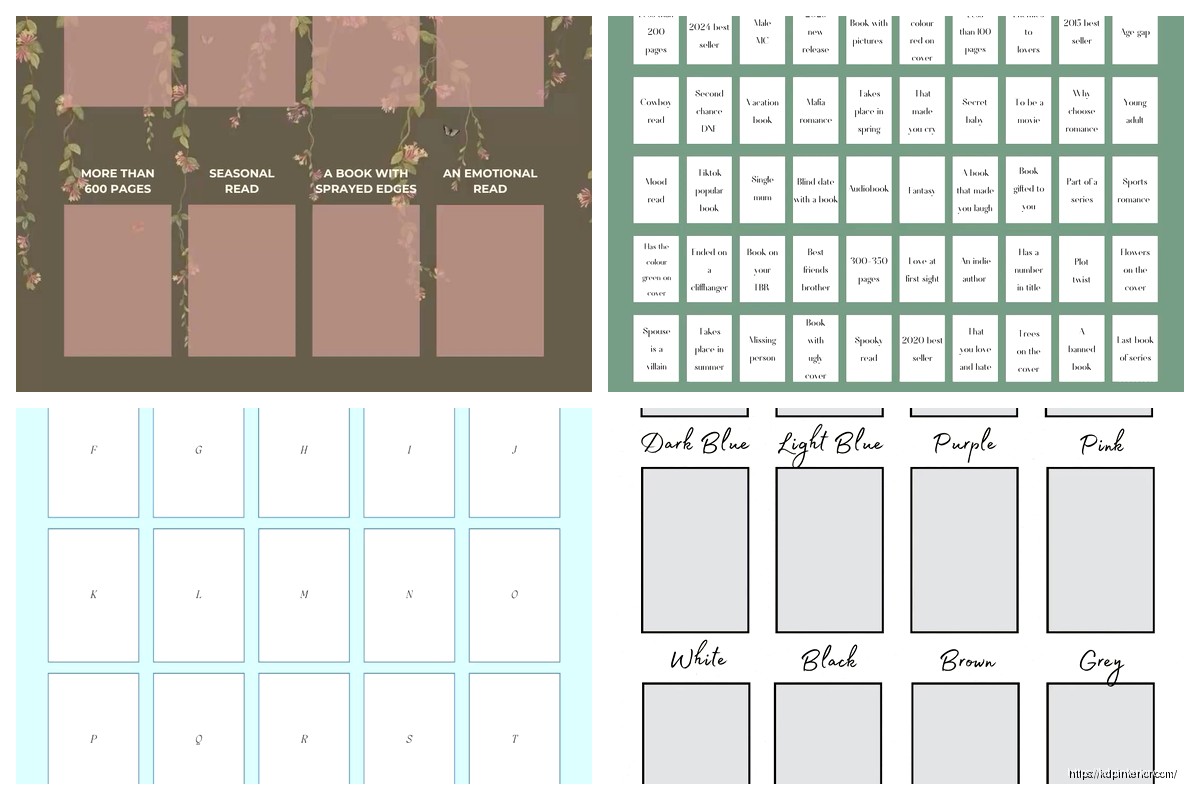
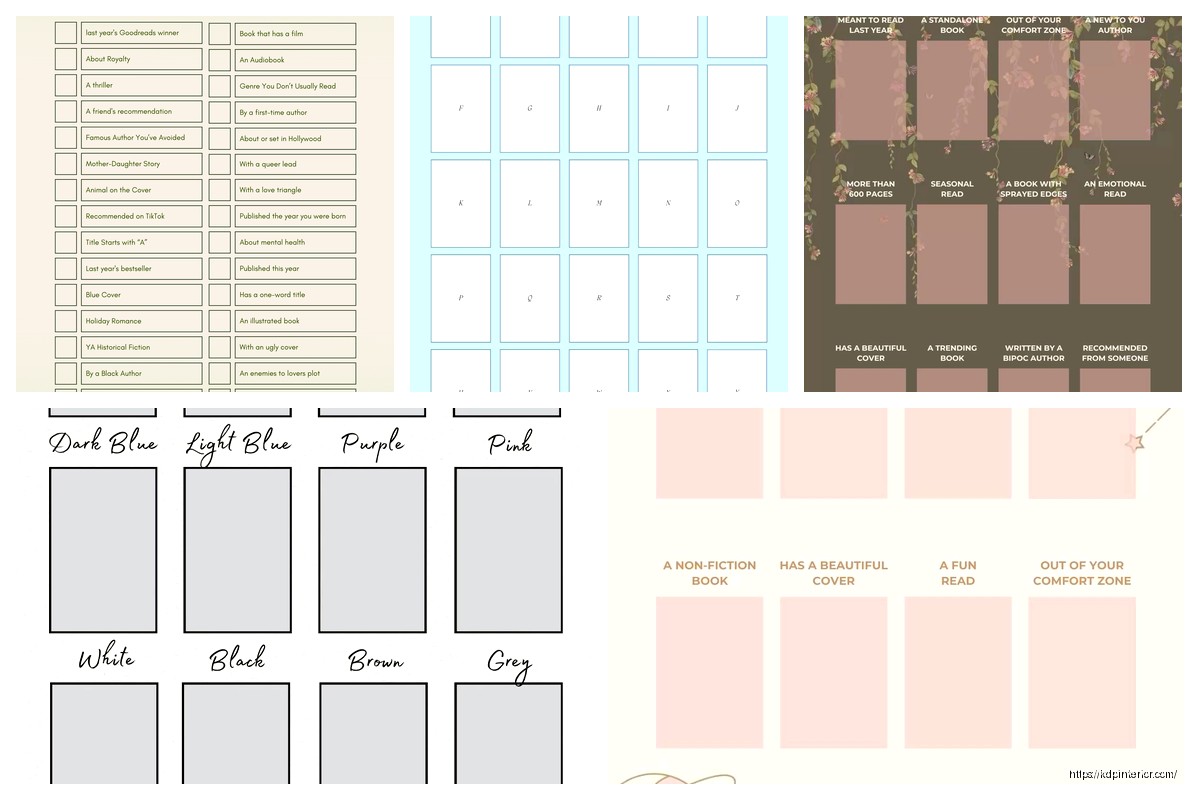
The popsugar-style challenge with specific prompts sells really well. You know, like “read a book with a color in the title” or “read a book set in another country.” Create a list of 50-100 prompts and a tracking page where people mark off each prompt as they complete it. These take longer to create but command higher prices.
When you’re setting up the template structure, use a master page system if you’re working in something like Affinity Publisher or InDesign. For Canva, just duplicate pages and keep formatting consistent. Nothing looks worse than inconsistent margins or fonts that change randomly between pages.
Test print everything before publishing. I can’t stress this enough. What looks good on screen might have issues printing – margins too small, text too light, that kind of thing. Print at least 2-3 sample pages at home and check them.
Create a cover page that clearly shows what’s inside. List all the pages and features. People skim listings fast and you gotta make it obvious what they’re getting. My best selling templates have covers that are basically a table of contents with little preview thumbnails.
Include instructions somewhere, even if it seems obvious. A simple “how to use this template” page at the beginning. Some people need that guidance and it prevents confusion.
Basic templates (just tracking pages and goal setting) can go for $2.97-$4.97. If you add substantial bonus content like monthly planning pages, reflection sections, and multiple challenge variations, you can charge $5.97-$9.97. I’ve seen really comprehensive planners with 100+ pages sell for $12.97 but those are basically full reading journals.
Bundle strategy works great – offer a “reading challenge bundle” with multiple challenge types together at a discount versus buying separately. Increases average order value.
Oh wait, one more thing that’s actually important – make your templates editable if possible. Like, some people want to type in their books instead of handwriting. If you can create a fillable PDF version, that’s a premium feature you can charge extra for. I don’t always do this because it’s more technical but when I do, those versions sell well to digital-only users.
Anyway that’s basically everything I’ve learned from selling these things for the past few years. The key is keeping it functional over fancy and actually thinking about how people will use it in real life, not just how pretty it looks in the preview images.
DISCOVER OUR FREE BEST SELLING PRODUCTS
Editable Canva Lined Journal: Express Your Thoughts – KDP Template
Lined Pages Journal 120 pages Ready to Upload PDF Commercial Use KDP Template 6×9 8.5×11 5×8 for Notebooks, Diaries, Low Content
Lined Pages Journal 120 pages Ready to Upload PDF Commercial Use KDP Template 6×9 8.5×11 5×8 for Notebooks, Diaries, Low Content
Cute Dogs Coloring Book for Kids | Activity Book | KDP Ready-To-Upload
Daily Planner Diary : Diary Planners for Everyday Productivity, 120 pages, 6×9 Size | Amazon KDP Interior
Wolf Coloring KDP interior For Adults, Used as Low Content Book, PDF Template Ready To Upload COMMERCIAL Use 8.5×11"
Coloring Animals Head Book for Kids, Perfect for ages 2-4, 4-8 | 8.5×11 PDF
Printable Blank Comic Book Pages PDF : Create Your Own Comics – 3 Available Sizes
Notes KDP interior Ready To Upload, Sizes 8.5×11 6×9 5×8 inch PDF FILE Used as Amazon KDP Paperback Low Content Book, journal, Notebook, Planner, COMMERCIAL Use
Black Lined Journal: 120 Pages of Black Lined Paper Perfect for Journaling, KDP Notebook Template – 6×9
Student Planner Journal 120 pages Ready to Upload PDF Commercial Use KDP Template 6×9" 8.5×11" for Low Content book
Recipe Journal Template – Editable Recipe Book Template, 120 Pages – Amazon KDP Interior