-
×
 Daily Planner Diary : Diary Planners for Everyday Productivity, 120 pages, 6×9 Size | Amazon KDP Interior
1 × $0.00
Daily Planner Diary : Diary Planners for Everyday Productivity, 120 pages, 6×9 Size | Amazon KDP Interior
1 × $0.00
Subtotal: $0.00
 Daily Planner Diary : Diary Planners for Everyday Productivity, 120 pages, 6×9 Size | Amazon KDP Interior
1 × $0.00
Daily Planner Diary : Diary Planners for Everyday Productivity, 120 pages, 6×9 Size | Amazon KDP Interior
1 × $0.00 Subtotal: $0.00
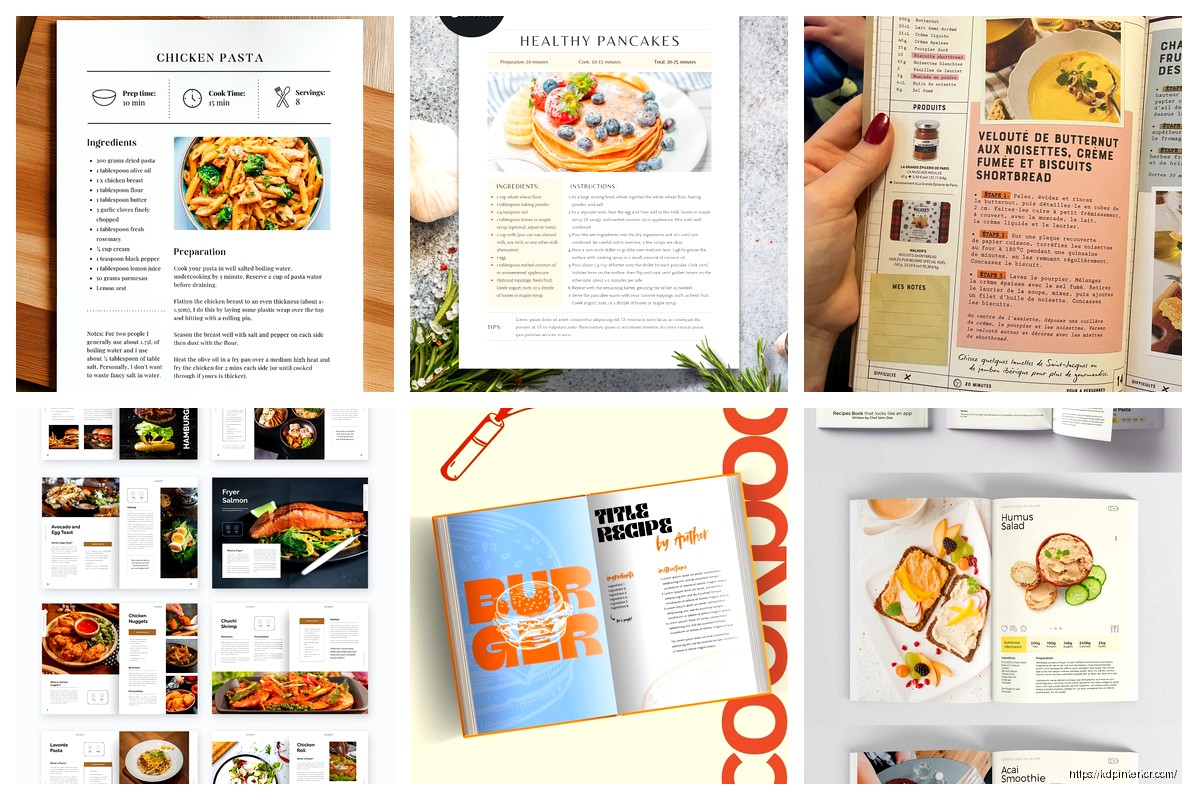
Okay so I just wrapped up designing three recipe booklets last month and honestly the mini cookbook format is having this huge moment right now because people actually want focused content, not those massive 300-page cookbooks that just sit on shelves.
The sweet spot size you’re looking for is either 6×9 inches or 5×8 inches. I’ve tested both extensively and here’s what I found – the 6×9 gives you way more breathing room for photos and ingredient lists, but 5×8 feels more “giftable” if that makes sense. Like people actually pick it up and flip through it at craft fairs or when it shows up in their Amazon order. My cat knocked over my coffee while I was measuring these dimensions with actual printed copies so now I have this weird brown stain on my reference samples but whatever.
You want between 24 to 60 pages total for a mini format. Anything less feels like a pamphlet, anything more and you’ve lost the “mini” appeal. I usually aim for 40-50 pages because that gives you room for about 20-25 recipes plus front matter and some nice spacing.
Here’s the breakdown I use:
The notes section is actually genius for getting reviews because people write in them and then they feel more connected to your book. I stumbled on this accidentally when someone left a review mentioning they’d written modifications in the notes pages.
This is gonna sound weird but you need to decide if you’re going one recipe per page or one recipe per spread (two facing pages). I’ve done both and the spread version always performs better for actual usability. People can see the whole recipe without turning pages while they’re cooking with flour-covered hands.
For a single-page layout:
For a two-page spread:
The spread format lets you use bigger fonts which older readers absolutely love. I found this out when my mom couldn’t read one of my early booklets without her reading glasses and she was pretty annoyed about it.
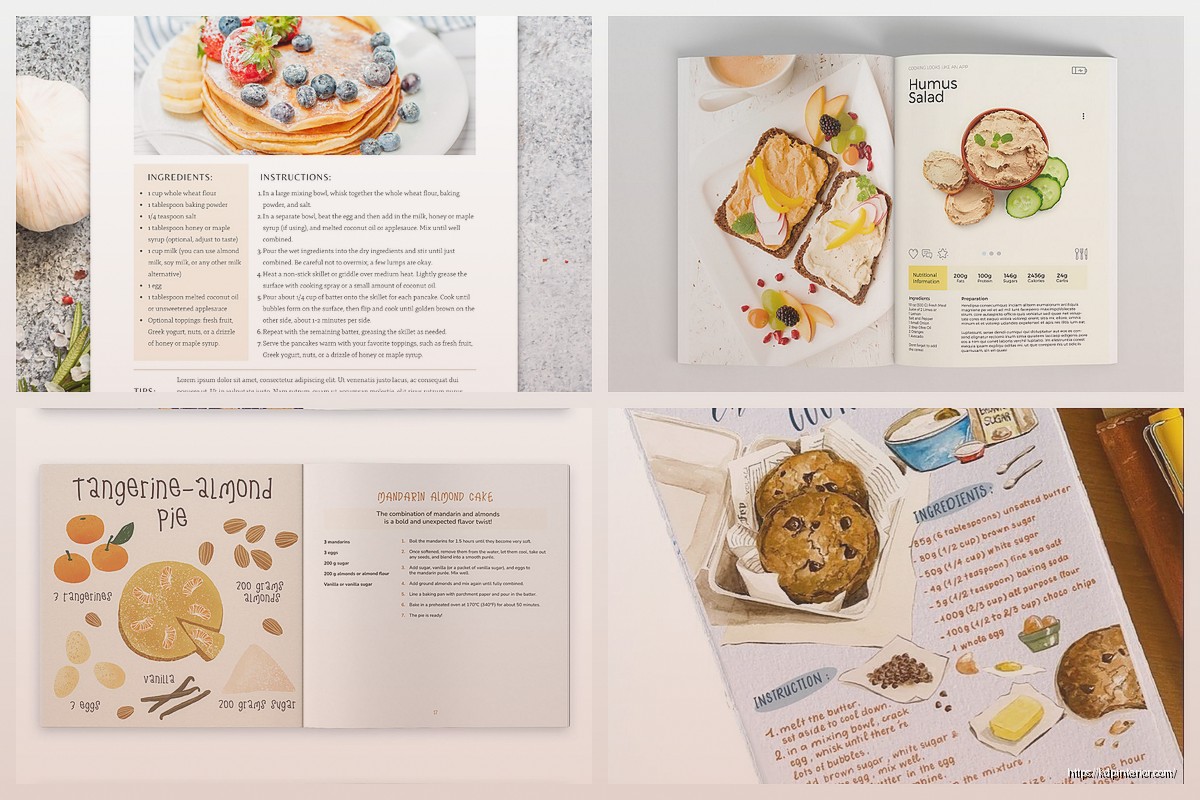
Use two fonts maximum. I’m serious, don’t get fancy here. One serif for headings and one sans-serif for body text, or vice versa.
My go-to combinations:
Body text needs to be at least 10pt, preferably 11pt. I learned this the hard way when I got feedback that my first booklet was “hard to read while cooking” which like… that’s literally the one job it has.
Oh and another thing – you gotta decide your photo strategy upfront because it affects your whole budget and timeline. Your options are:
Stock photos: Depositphotos and Adobe Stock have decent food photography. Budget around $1-3 per image if buying credits in bulk. The catch is you need to make sure they actually match your recipes. I once used a photo of pasta that clearly had ingredients not in my recipe and someone called it out in a review.
Your own photos: Way more authentic but you need decent lighting. Natural window light works better than you’d think. I shoot all mine on my iPhone now with a $20 white foam board as a reflector. Sounds janky but the results are honestly fine for a mini cookbook format.
No photos: Totally valid choice actually. Some of my best-selling booklets are text-only with decorative elements instead. Saves you money and time, plus some niches don’t really need photos (like baking conversions or spice blend recipes).
I use Affinity Publisher ($70 one-time) for everything now but I started with Canva Pro ($13/month) and it’s perfectly adequate for beginners. Canva has cookbook templates you can customize which speeds things up considerably.
InDesign is overkill unless you’re already subscribed to Adobe Creative Cloud for other reasons. The learning curve isn’t worth it for simple recipe booklets.
Google Docs technically works but formatting for print is painful. Only recommend if you’re doing a super basic text-only booklet.
This decision impacts your printing costs massively on KDP. Full color interior costs way more – like $3-4 per copy vs $1-2 for black and white at typical page counts.
I’ve found that black and white actually sells fine if you:
My breakfast cookbook is B&W interior and still sells 30-40 copies monthly at $12.99. The profit margin is so much better than my full-color books.
Wait I forgot to mention – if you DO go color, make sure you’re designing in CMYK color mode, not RGB. RGB looks great on screen but prints muddy. I learned this by wasting $200 on a proof copy that looked terrible.
KDP requires specific margins and you cannot mess this up or your book gets rejected:
I always use 0.75 inches for the gutter and 0.5 inches for other margins because it looks less cramped. Text running too close to the binding is amateur hour.
Full-bleed means your images extend past the trim line so there’s no white border after cutting. Looks professional but you need to set it up correctly with the bleed settings.
Don’t just throw recipes in random order. People want some logical flow. Options that work:
By meal type: Breakfast, lunch, dinner, snacks, desserts. Basic but effective.
By main ingredient: Chicken recipes, beef recipes, vegetarian, etc. Good for focused booklets.
By cooking method: Slow cooker, instant pot, air fryer, one-pan meals. Super popular right now.
By difficulty: Easy, medium, advanced. Helps beginners feel less overwhelmed.
By season: Spring, summer, fall, winter recipes. Works great for certain niches.
I did a “30 Minute Meals” booklet organized by protein type and it’s been my most successful one. The organization was literally the selling point mentioned in half the reviews.
Your copyright page needs to be page 2 (back of title page). Include:
The disclaimer sounds paranoid but it’s necessary. Someone once messaged me claiming they had an allergic reaction and tried to blame my book. Nothing came of it but having that disclaimer gave me peace of mind.
Table of contents should list recipe names with page numbers. Seems obvious but make sure those page numbers are actually correct before uploading. I’ve definitely published books with wrong page numbers in the TOC because I moved recipes around last minute and forgot to update it.
This is where you can pad your page count a bit while actually being helpful:
The blank recipe pages thing is genius for perceived value. Adds maybe 6-8 pages, costs you nothing extra in design time, but people love it.
Your cover needs to look good at thumbnail size because that’s how most people first see it on Amazon. Text should be readable when the image is like 1 inch tall on a phone screen.
Elements that work:
I use Canva for covers too. Their book cover templates are sized correctly for KDP already which saves headaches. Just make sure you’re downloading the right dimensions for your trim size.
Oh and another thing – test your cover in grayscale because some people browse in B&W mode or have color blindness. If your cover disappears or becomes unreadable in grayscale, adjust your contrast.
You need to actually test your recipes or at least thoroughly research them if you’re compiling public domain recipes. I know someone who got roasted in reviews because their baking recipes had incorrect oven temperatures. People get really mad about wasted ingredients.
If you’re not a recipe developer, consider these approaches:
The smoothie booklet approach is actually pretty smart for beginners because people are more forgiving with those ratios.
Mini cookbooks typically sell between $9.99-$16.99 depending on page count and whether they’re color or B&W interior. I price mine at:
Your printing costs eat into profit significantly so calculate this before settling on a price. KDP has a calculator on their site. You want at least $3-4 profit per sale or it’s not worth your time honestly.
Save your interior as a PDF with these settings:
KDP’s previewer tool will catch most issues but always order a proof copy before going live. I repeat ALWAYS order the proof. Digital previews don’t show you how colors actually print or whether your margins are really correct.
The proof takes like a week to arrive and costs maybe $5-10 depending on your specs. Worth every penny to catch mistakes before customers do.
Okay I think that covers most of the critical stuff for designing a recipe booklet in mini format. The key is just keeping it focused and actually usable rather than trying to cram too much in there. Start with 20-25 solid recipes, nail your formatting, and you’ve got something people will actually buy and use.
DISCOVER OUR FREE BEST SELLING PRODUCTS
Editable Canva Lined Journal: Express Your Thoughts – KDP Template
Lined Pages Journal 120 pages Ready to Upload PDF Commercial Use KDP Template 6×9 8.5×11 5×8 for Notebooks, Diaries, Low Content
Lined Pages Journal 120 pages Ready to Upload PDF Commercial Use KDP Template 6×9 8.5×11 5×8 for Notebooks, Diaries, Low Content
Cute Dogs Coloring Book for Kids | Activity Book | KDP Ready-To-Upload
Daily Planner Diary : Diary Planners for Everyday Productivity, 120 pages, 6×9 Size | Amazon KDP Interior
Wolf Coloring KDP interior For Adults, Used as Low Content Book, PDF Template Ready To Upload COMMERCIAL Use 8.5×11"
Coloring Animals Head Book for Kids, Perfect for ages 2-4, 4-8 | 8.5×11 PDF
Printable Blank Comic Book Pages PDF : Create Your Own Comics – 3 Available Sizes
Notes KDP interior Ready To Upload, Sizes 8.5×11 6×9 5×8 inch PDF FILE Used as Amazon KDP Paperback Low Content Book, journal, Notebook, Planner, COMMERCIAL Use
Black Lined Journal: 120 Pages of Black Lined Paper Perfect for Journaling, KDP Notebook Template – 6×9
Student Planner Journal 120 pages Ready to Upload PDF Commercial Use KDP Template 6×9" 8.5×11" for Low Content book
Recipe Journal Template – Editable Recipe Book Template, 120 Pages – Amazon KDP Interior