
 Editable Canva Lined Journal: Express Your Thoughts - KDP Template
 Subtotal: $0.00
Amazon KDP guide, KDP book publishing
Sample Copyright Page for Self Published Book: Legal Examples
08
Apr
Apr
Okay so copyright pages are honestly one of those things most self-publishers overthink but like… you actually do need one because it’s got some legal stuff that protects you and also just makes your book look professional. I’ve published over 200 books and my early ones had these super basic copyright pages that were basically just “Copyright 2015 Daniel Harper” and nothing else. Worked fine but wasn’t really doing what it needed to do.
So here’s the deal – a copyright page needs a few key elements and then you can add optional stuff depending on what type of book you’re doing. The bare minimum is gonna be your copyright notice, your name or pen name, the year, and some kind of disclaimer about reproduction rights.
The Basic Copyright Notice That Everyone Needs
Start with something like this:
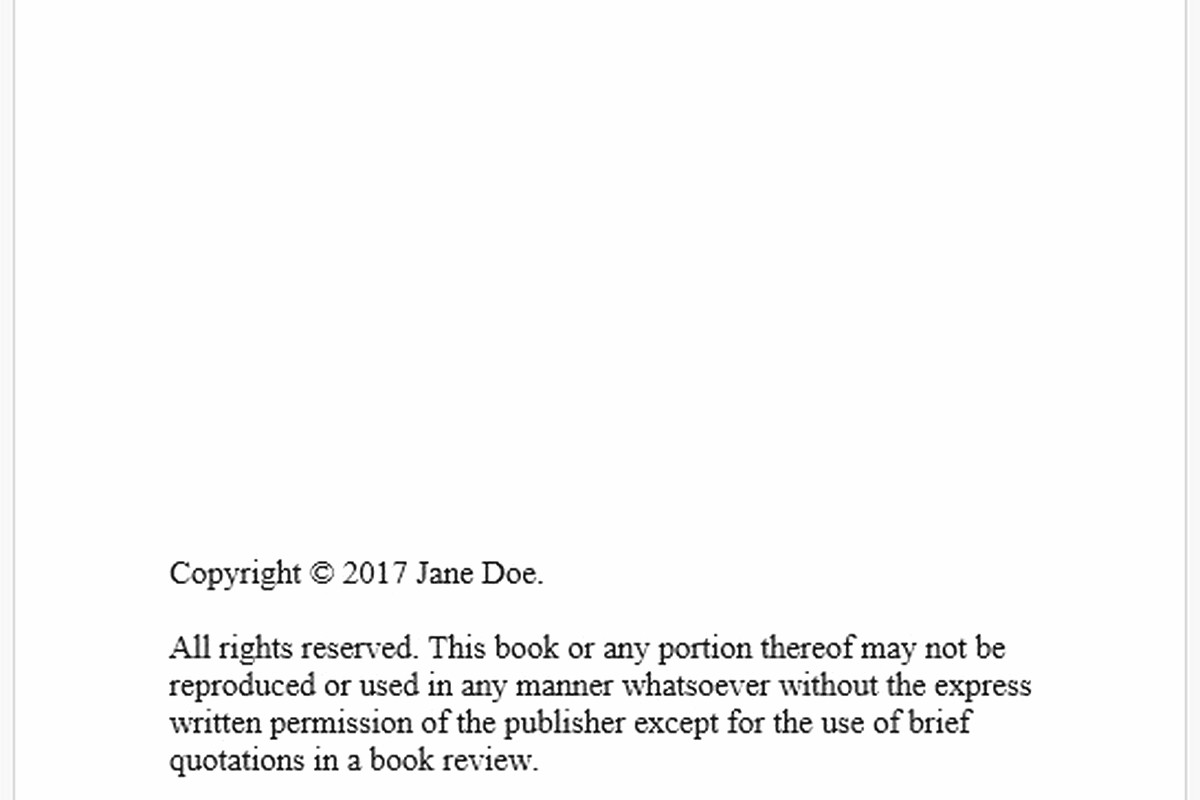
Copyright © 2024 [Your Name]
All rights reserved. No part of this publication may be reproduced, distributed, or transmitted in any form or by any means, including photocopying, recording, or other electronic or mechanical methods, without the prior written permission of the publisher, except in the case of brief quotations embodied in critical reviews and certain other noncommercial uses permitted by copyright law.
That’s like the standard language everyone uses. You don’t need to register with the copyright office to use this – your work is automatically copyrighted the moment you create it. But having this notice just makes it super clear to anyone who picks up your book.
The ISBN Thing People Always Ask About
If you bought your own ISBN (not using Amazon’s free ASIN), you gotta list it on the copyright page. Mine usually looks like:
ISBN: 978-1-234567-89-0 (paperback)
ISBN: 978-1-234567-90-6 (ebook)
Amazon’s free ISBNs don’t need to be listed because they’re not really ISBNs, they’re ASINs, but that’s a whole other conversation. I use Bowker ISBNs for my paperbacks that I wanna distribute wide but honestly for KDP-only stuff the free one works fine.
Publisher Information and Imprint Names
This is where it gets kinda fun – you can create your own publishing imprint name. Mine is “Harper Digital Press” which sounds way more official than just my name. You’d list it like:
Published by Harper Digital Press
www.yourwebsite.com
contact@youremail.com
You don’t legally need to register a business name for this unless you’re doing something more formal. Most self-publishers just use a DBA (doing business as) name and call it a day.
Edition Information
Always include what edition this is. First edition, second edition, whatever. And the publication date or at least the year.
First Edition, March 2024
I update this every time I do a significant revision. Like if I’m just fixing typos I don’t change it, but if I’m adding a whole new chapter or whatever then yeah, bump it to second edition.
Disclaimers You Actually Need (Especially for Nonfiction)
Okay so funny story – I got a weird email once from someone who tried one of the journal prompts in my self-help book and somehow blamed me when it didn’t solve all their problems. Ever since then I’ve been way more careful about disclaimers.
For nonfiction, especially anything that could be construed as advice, you need something like:
Disclaimer: The information contained in this book is for educational and entertainment purposes only. The author and publisher are not responsible for any actions taken based on the information provided. Readers should consult with appropriate professionals before implementing any strategies or advice.
If you’re doing anything health-related, financial advice, legal stuff – make that disclaimer even stronger. I’m talking like multiple paragraphs of “don’t sue me” language.
For fiction, you need the standard fiction disclaimer:
This is a work of fiction. Names, characters, places, and incidents are either products of the author’s imagination or are used fictitiously. Any resemblance to actual persons, living or dead, businesses, companies, events, or locales is entirely coincidental.
Even if your story is loosely based on real events, use this disclaimer. Trust me on this one.
The Trademark Thing Nobody Talks About
If you mention any brand names in your book – like if your character drinks Coca-Cola or drives a Ford – some people add a trademark acknowledgment section. Legally you probably don’t need this for just mentioning brands in passing, but it looks professional:
All trademarks, service marks, and trade names referenced in this publication are the property of their respective owners.
I usually skip this for fiction but include it for nonfiction where I might be discussing specific products or companies.
Optional Stuff That Makes You Look More Professional
Library of Congress number – you can get this for free from the Library of Congress if you want your book cataloged there. It’s called a PCN (Preassigned Control Number). I do this for my bigger nonfiction projects but skip it for journals and coloring books.
Library of Congress Control Number: 2024901234
Oh and another thing – some people put their author website or social media handles on the copyright page. I go back and forth on this because if you change your Instagram handle later you gotta update all your books, which is annoying.
Cover Designer and Editor Credits
Totally optional but nice if you worked with professionals:
Cover design by [Designer Name] Edited by [Editor Name]
I always credit my cover designers because they appreciate it and it’s just good karma. Plus if someone likes your cover they might reach out to use the same designer.
Sample Copyright Pages for Different Book Types
Let me show you what I actually use for different types of books because the theory is one thing but seeing real examples helps way more.
For a Fiction Novel
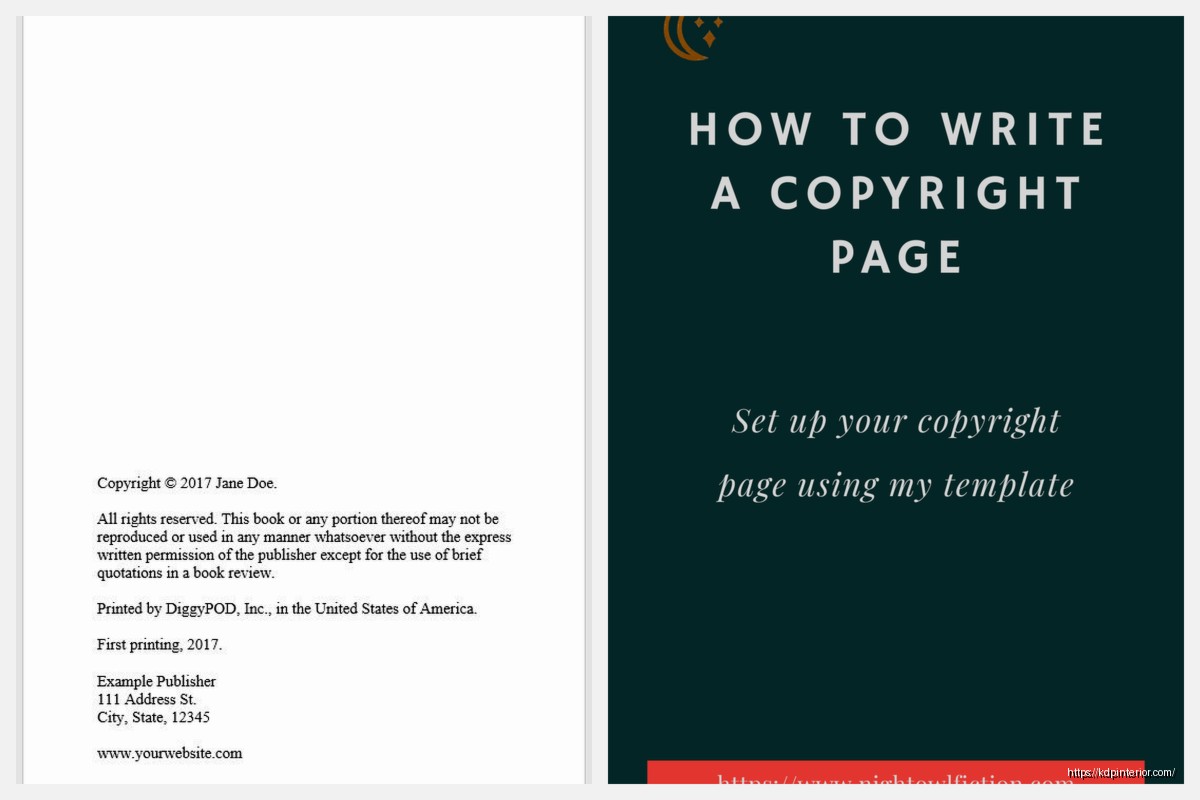
Copyright © 2024 Daniel Harper
All rights reserved. No part of this book may be reproduced or transmitted in any form or by any means, electronic or mechanical, including photocopying, recording, or by any information storage and retrieval system, without permission in writing from the author.
This is a work of fiction. Names, characters, places, and incidents either are products of the author’s imagination or are used fictitiously. Any resemblance to actual events or locales or persons, living or dead, is entirely coincidental.
Published by Harper Digital Press
First Edition, 2024
ISBN: 978-1-234567-89-0Cover design by Jane Smith
For a Nonfiction How-To Book
Copyright © 2024 Daniel Harper
All rights reserved. No portion of this book may be reproduced in any form without written permission from the publisher or author, except as permitted by U.S. copyright law.
Disclaimer: The content in this book is for informational purposes only. While every effort has been made to ensure accuracy, the author and publisher make no guarantees regarding the results you may achieve. The author and publisher shall have no liability or responsibility to anyone regarding any loss or damage caused or alleged to be caused directly or indirectly by the information in this book.
Published by Harper Digital Press
First Edition, 2024
ISBN: 978-1-234567-89-0
For a Low-Content Book (Journal, Planner, etc.)
These can be super simple because there’s not much content to protect:
Copyright © 2024 Daniel Harper
All rights reserved.No part of this publication may be reproduced or transmitted without written permission from the publisher.
Published by Harper Digital Press
ISBN: 978-1-234567-89-0
My dog just knocked over my coffee which is perfect timing because I need a break from staring at copyright language anyway.
Where the Copyright Page Actually Goes
In a print book, it’s always on the back of the title page (so like page 2 or 4 depending on how you count). In ebooks, same placement – right after your title page. Amazon will actually ding you in their quality checks if you don’t have one, though I’ve seen plenty of books without them that still got published.
Some people put it at the very end of the book but that’s weird and not standard publishing practice. Don’t do that.
Common Mistakes I See All The Time
Using “Copyright (C)” instead of the © symbol – both work legally but the symbol looks more professional. In HTML you’d use © to get it to display right.
Forgetting to update the year when you publish a new edition. I’ve done this more times than I wanna admit.
Copying someone else’s copyright page word-for-word including their specific legal language that might not apply to your book. Like I saw someone use medical disclaimer language for a cookbook once which was just… unnecessary.
Making it way too long. I’ve seen copyright pages that go on for three full pages with every possible disclaimer under the sun. Keep it to one page max, ideally half a page.
The Attribution Thing for Public Domain Content
Oh wait I forgot to mention – if you’re using public domain images or text in your book, you don’t legally have to credit them (that’s what public domain means) but it’s nice to include something like:
This book contains images from the public domain and creative commons sources.
For Creative Commons stuff you DO need to follow the specific license requirements which usually means attribution. So if you’re using CC-BY images, list them:
Image credits: [Photographer Name] via Unsplash, CC-BY license
I usually put detailed image credits in a separate section at the back rather than cluttering up the copyright page.
Do You Actually Need Legal Review?
For most self-published books? No. The standard language I’ve shown you is fine. I’ve used variations of this across 200+ books and never had an issue.
But if you’re writing something controversial, anything medical or financial, or using real people’s stories even with their permission – yeah might wanna have a lawyer look at it. Entertainment lawyers aren’t even that expensive for a one-time review, like $200-500 usually.
The Rights Reserved vs Some Rights Reserved Thing
“All rights reserved” is standard. But some people use Creative Commons licenses which would say something like “Some rights reserved” or “This work is licensed under Creative Commons Attribution 4.0” etc.
I don’t recommend Creative Commons for books you’re trying to sell because it can get messy with distribution rights and people thinking they can just copy your whole book. But for free lead magnets or whatever, sure.
Updating Your Copyright Page Later
You can always go back and update your copyright page on KDP. I do this sometimes when I realize I forgot something or want to add a new edition note.
Just upload a new interior file with the updated copyright page and boom, done. Future orders will have the new version. The old ones already out there obviously won’t change but that’s fine.
For major updates I’ll change the edition number and add a note like “Second Edition, Revised 2024” so readers know it’s been updated.
This is gonna sound weird but I actually have a template file saved with my standard copyright page language and I just copy-paste it into each new book and update the specifics. Saves so much time and ensures I’m not forgetting anything important. You should do the same once you figure out your preferred format.
Anyway that’s basically everything you need to know about copyright pages. They seem complicated but once you have your template down it takes like two minutes to customize for each book and you’re good to go.
DISCOVER OUR FREE BEST SELLING PRODUCTS
Editable Canva Lined Journal: Express Your Thoughts – KDP Template
Lined Pages Journal 120 pages Ready to Upload PDF Commercial Use KDP Template 6×9 8.5×11 5×8 for Notebooks, Diaries, Low Content
Lined Pages Journal 120 pages Ready to Upload PDF Commercial Use KDP Template 6×9 8.5×11 5×8 for Notebooks, Diaries, Low Content
Cute Dogs Coloring Book for Kids | Activity Book | KDP Ready-To-Upload
Daily Planner Diary : Diary Planners for Everyday Productivity, 120 pages, 6×9 Size | Amazon KDP Interior
Wolf Coloring KDP interior For Adults, Used as Low Content Book, PDF Template Ready To Upload COMMERCIAL Use 8.5×11"
Coloring Animals Head Book for Kids, Perfect for ages 2-4, 4-8 | 8.5×11 PDF
Printable Blank Comic Book Pages PDF : Create Your Own Comics – 3 Available Sizes
Notes KDP interior Ready To Upload, Sizes 8.5×11 6×9 5×8 inch PDF FILE Used as Amazon KDP Paperback Low Content Book, journal, Notebook, Planner, COMMERCIAL Use
Black Lined Journal: 120 Pages of Black Lined Paper Perfect for Journaling, KDP Notebook Template – 6×9
Student Planner Journal 120 pages Ready to Upload PDF Commercial Use KDP Template 6×9" 8.5×11" for Low Content book
Recipe Journal Template – Editable Recipe Book Template, 120 Pages – Amazon KDP Interior