Okay so here’s the thing about journals on KDP – I literally started with these back in 2017 and honestly they’re still pulling in like $800-$1200 monthly for me without touching them, which is kinda wild.
First thing you gotta understand is journals are “low-content” books meaning the interior pages are mostly blank or have simple patterns. So you’re not writing anything really, just designing covers and formatting interiors. The profit margin is ridiculous compared to actual books because you spend maybe 2-3 hours per journal once you get your system down.
Setting Up Your KDP Account the Right Way
If you haven’t already, go to kdp.amazon.com and create your account. They’ll need your tax info and bank details for royalties. Use your real legal name or register a business – I went the LLC route in year two but started as just myself. Takes like 10 minutes to get approved usually.
One thing nobody tells you is to enable both paperback AND hardcover options from the start. I ignored hardcovers for like 2 years because I thought nobody would buy a $25 hardcover journal but then I tested it last March and… people absolutely do. Especially for wedding planners and grief journals, weirdly specific but those categories love premium options.
Finding What Actually Sells
This is where most people mess up. They create a “gratitude journal” because they saw someone else do it and then wonder why it doesn’t sell. The market’s saturated with generic stuff.
What I do is search Amazon directly for journals and sort by Best Sellers. Look at ranks under 100k in the Books category – those are moving decent volume. Check out:
- What keywords are in the title
- Cover design style (minimalist vs busy)
- Price points that work
- Number of pages
- Review complaints (this is gold for improving your version)
I keep a spreadsheet now but honestly when I started I just had a Notes app list on my phone. Saw that camping journals were trending summer 2019 so I made 3 variations in different color schemes. One of them still makes me like $40-60 monthly which is… it’s passive income from something I spent 4 hours on total.
Oh and another thing – niche down way more than you think. “Fitness Journal” is too broad. “Powerlifting Training Log for Women” or “Marathon Training Journal with Weekly Mileage Tracker” converts better because people searching those terms are READY to buy something specific.
Creating Your Journal Interior
You have two main options here and I’ve done both extensively:
Option 1: Design it yourself in Canva or similar tools
Canva Pro is like $13/month and worth every penny. They have KDP-specific templates now which is convenient but honestly the regular templates work fine if you adjust dimensions. For a 6×9 journal (most common size), your interior pages need to be exactly 6×9 inches with 0.125″ bleed on all sides if you want edge-to-edge designs.
Most of my journals are super simple – lined pages, maybe a header that says “Date:” or dot grid pages. You can create one master page and just duplicate it 100-200 times. I usually do 120 pages because it hits a good price point without making the book too thick.
Wait I forgot to mention – always do your interior in black and white. Color interiors cost WAY more to print and your royalty gets destroyed. Even if you want “color,” use black with white backgrounds. Trust me on this.
Option 2: Buy pre-made interiors
There’s sites like BookBolt and Creative Fabrica where you can buy PLR (private label rights) interiors for like $5-20. Technically multiple people can use the same interior but if you pair it with your unique cover and niche targeting, it doesn’t really matter. I’ve done this when I’m testing a new category quickly and don’t wanna spend time on interior design.
Cover Design That Actually Converts
Your cover is like 80% of whether someone clicks on your listing. I’m not exaggerating.
I use a mix of Canva and sometimes pay for custom designs on Fiverr when I’m testing something I think will be a winner. Fiverr designers run $15-50 for a decent cover. But honestly Canva’s good enough for most journals.
Cover dimensions for 6×9 with a 120-page book is approximately 12.25″ x 9.25″ (that’s the full wrap including spine and back cover). KDP has a cover calculator that tells you exact dimensions – use that.
What works for journal covers:
- Clean, uncluttered designs
- Maximum 2-3 colors that complement each other
- Clear, readable title text even in thumbnail size
- Relevant imagery (notebooks, pens, subtle patterns)
- Matte finish usually beats glossy for journals – feels more premium
I tested this extensively in 2020 when I had like nothing else to do and made 40 different cover variations for the same interior. The minimalist covers with lots of white space outperformed busy designs by like 3:1 in click-through rate.
This is gonna sound weird but I also pay attention to what’s trending on Pinterest and Etsy for design aesthetics. That boho style with line drawings was huge in 2021-2022. Now I’m seeing more retro/70s color palettes and bold typography working well.
Uploading and Formatting on KDP
Once you’ve got your interior PDF and cover file ready, the upload process is pretty straightforward but there’s specific settings that matter.
Manuscript section:
– Upload your interior PDF (make sure it’s actually a PDF and not just a renamed image file – I’ve seen people do this)
– Choose “black and white” interior
– Select paper type – I always use white paper for journals, cream looks weird for anything with lines or grids
Cover section:
– Upload your cover as a single PDF file that includes front, spine, and back
– Or use their Cover Creator tool if you’re doing something simple, but it’s pretty limited
Pricing:
Here’s where strategy comes in. KDP shows you the printing cost before you set your price. For a 120-page 6×9 journal with white paper, printing costs around $2.50-3.00 depending on current rates.
I typically price my journals between $6.99-9.99 for paperback. At $7.99, you’re making roughly $2.50-3.00 per sale after Amazon’s cut and printing costs. Doesn’t sound like much but if you sell 100 copies monthly that’s $250-300 from ONE journal.
Hardcovers I price at $19.99-24.99. Printing costs more but your royalty per unit is higher and they feel premium. I was watching something on Netflix about consumer psychology – can’t remember what show – but basically people associate higher prices with higher quality for gift items, which journals often are.
Keywords and Categories That Get You Found
You get 7 keyword boxes in KDP and 2 categories. Use all of them strategically.
For keywords, think about how people actually search Amazon. Not single words but phrases:
- “daily journal for women”
- “travel journal with prompts”
- “workout log book”
- “bullet journal notebook”
I use a tool called Publisher Rocket ($97 one-time but pays for itself quick) that shows search volume and competition for keywords. But you can also just start typing in Amazon’s search bar and see what auto-completes – those are real searches people are doing.
Categories are tricky because you can only choose from a limited list during upload. But here’s a hack – after your book is live, email KDP support and ask them to add your book to additional categories. You can be in up to 10 total categories. I usually request 3-4 more relevant ones and they add them within 24 hours.
Being in the right categories can mean hitting “Best Seller” badges which massively boost visibility. I’ve got journals ranked #1 in super specific categories like “Books > Self-Help > Journaling > Grief” and that orange badge brings in sales by itself.
The Numbers Game Nobody Talks About
okay so real talk – your first journal probably won’t be a huge winner and that’s completely normal. This is a volume game initially.
I published 8 journals my first month and 3 of them never sold more than 5 copies total. But 2 of them started selling consistently and one became my best seller for like 18 months. You can’t really predict which ones will hit.
My strategy now is to publish 5-10 new journals monthly and see what sticks. The ones that start selling within the first 2 weeks usually continue selling. The ones that don’t sell anything in 30 days I either redo the cover or just leave them and forget about them.
Amazon’s algorithm loves new content so consistent publishing helps your entire catalog. Even journals that don’t sell much contribute to your author rank and can lead people to your better sellers.
Actual Income Breakdown from My Account
Just pulled up my dashboard to give you real numbers from last month:
– 27 active journal listings (some are variations of same interior with different covers)
– 284 units sold
– $1,247 in royalties after Amazon’s cuts
My best seller is a “Daily Planner for ADHD Adults” that I created in 2021 after seeing a gap in the market. Makes about $300-400 monthly by itself. My cat literally walked across my keyboard while I was designing the cover and created this random squiggle that I kept as a design element and people comment on it in reviews lol.
Scaling Up Without Burning Out
Once you’ve got a few journals making sales, you can scale in a couple ways:
Create variations – Take your best-selling design and create it in different colors or with slight modifications. I have the same gratitude journal in 6 different cover colors. Each one ranks separately and catches different buyers.
Expand your niche – If your fitness journal sells well, create a meal planning journal or workout tracker. People who buy one type of planner often buy related ones.
Bundle concepts – I started creating “sets” where the interior has multiple sections. Like a travel journal with budget tracking pages, itinerary pages, and memory pages all in one. These can command higher prices.
Outsource design – Once you’re profitable, paying designers on Fiverr or Upwork $20-30 per cover lets you scale faster. I did everything myself until I was making about $2k monthly, then started outsourcing.
Common Mistakes I Made So You Don’t Have To
Going too generic with my first 10 journals. “Journal for Women” doesn’t cut it anymore. Be specific.
Not testing different price points. I left money on the table for months selling at $6.99 when my journals could’ve easily sold at $8.99.
Ignoring reviews and questions. When someone leaves a review saying “wish it had more space for writing” – that’s free market research for your next version.
Forgetting about international marketplaces. Your journals automatically go on Amazon UK, DE, FR, etc. I ignored this for ages then checked one day and had sales from Germany I didn’t even know about. You can price separately for each marketplace.
Not keeping track of what works. I finally started a simple spreadsheet with cover style, price point, category, and monthly sales. Pattern recognition helps you replicate success.
Tools and Resources Worth the Money
- Canva Pro – $13/month, essential for design
- Publisher Rocket – $97 one-time, for keyword research
- BookBolt – $10-30/month depending on plan, has interior templates and research tools
- Fiverr – for outsourcing covers when you scale
Free stuff that’s actually useful:
- Amazon’s own search bar for keyword ideas
- KDP Community forums for technical questions
- Canva free version works fine when starting
The thing about KDP journals is they’re genuinely passive once they’re ranking. I’ve got journals from 2018 that I haven’t touched or thought about that still deposit money in my account monthly. It’s not gonna make you rich overnight but if you treat it like building assets rather than just “making books,” the compound effect is real.
Most people quit after publishing 2-3 journals that don’t immediately take off. The ones who stick with it and publish consistently for 6+ months are the ones I see actually building $2k-5k monthly income streams. It takes time for Amazon to trust your content and for you to figure out what your audience wants, but once you crack it for your niche, you can replicate that formula pretty reliably.

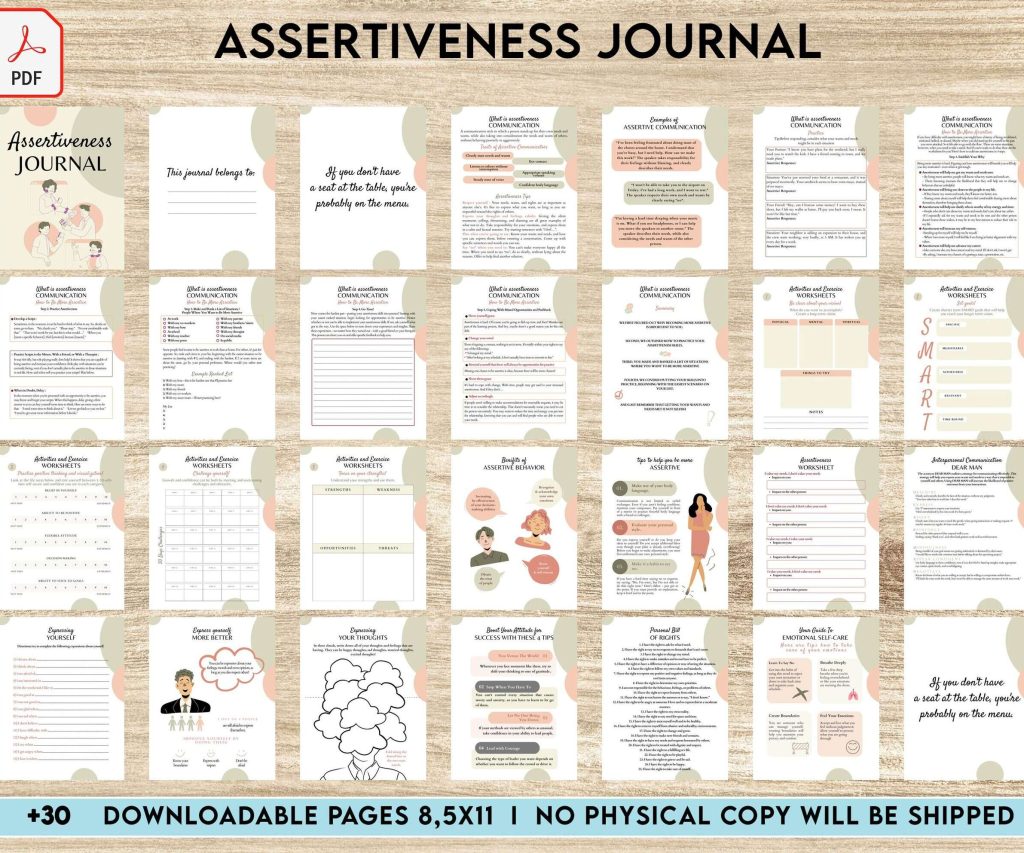 Assertiveness Workbook Pdf - Improving Assertiveness Self-Help Resources, 30 Pages - KDP Interior
1 × $4.99
Assertiveness Workbook Pdf - Improving Assertiveness Self-Help Resources, 30 Pages - KDP Interior
1 × $4.99 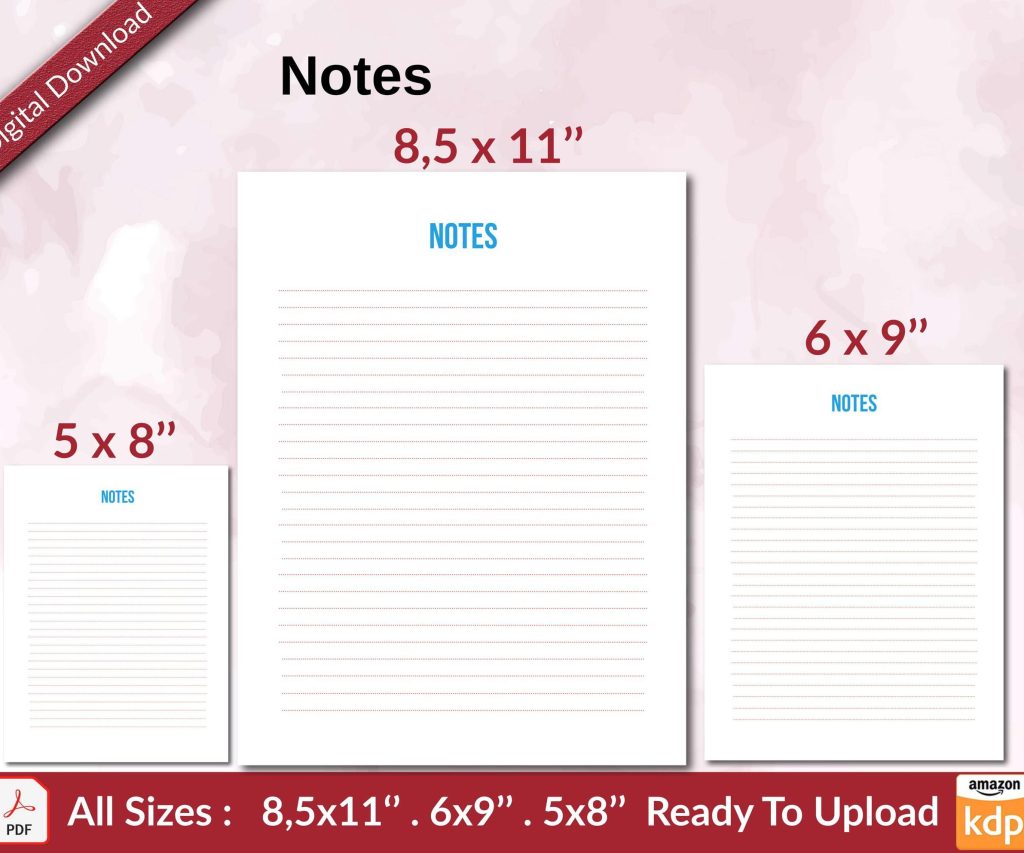 Notes KDP interior Ready To Upload, Sizes 8.5x11 6x9 5x8 inch PDF FILE Used as Amazon KDP Paperback Low Content Book, journal, Notebook, Planner, COMMERCIAL Use
1 × $0.00
Notes KDP interior Ready To Upload, Sizes 8.5x11 6x9 5x8 inch PDF FILE Used as Amazon KDP Paperback Low Content Book, journal, Notebook, Planner, COMMERCIAL Use
1 × $0.00 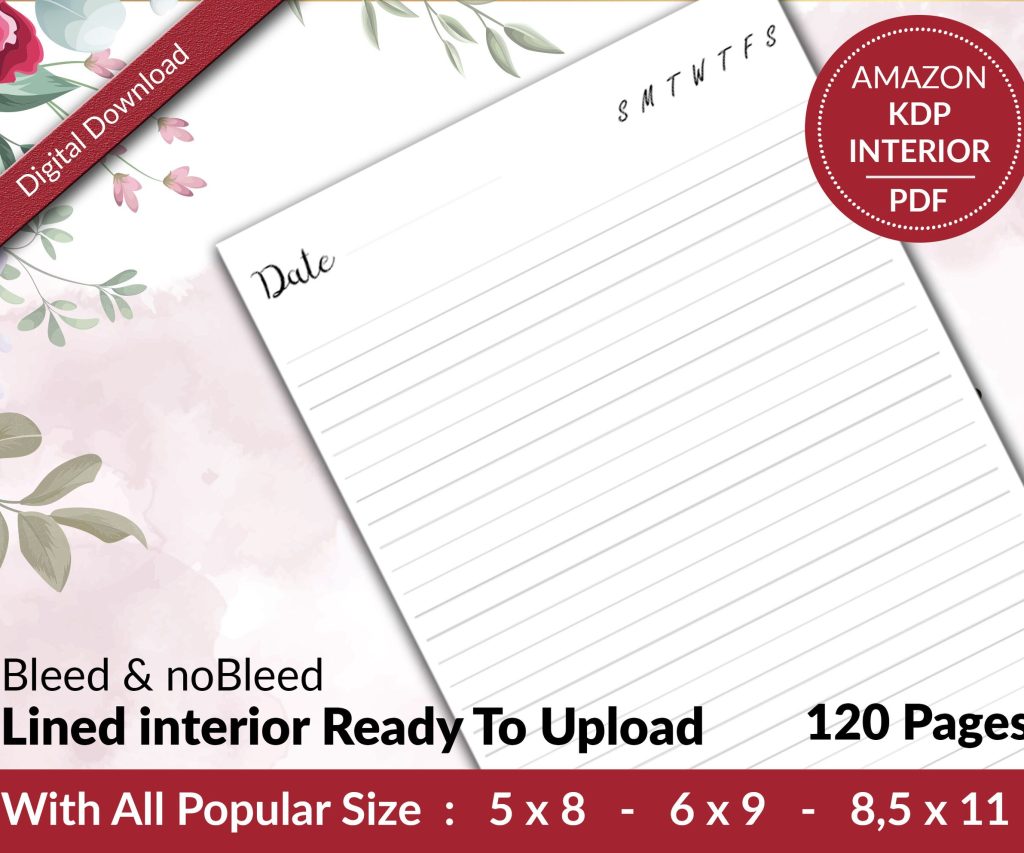 Lined Pages Journal 120 pages Ready to Upload PDF Commercial Use KDP Template 6x9 8.5x11 5x8 for Notebooks, Diaries, Low Content
1 × $0.00
Lined Pages Journal 120 pages Ready to Upload PDF Commercial Use KDP Template 6x9 8.5x11 5x8 for Notebooks, Diaries, Low Content
1 × $0.00 
DISCOVER OUR FREE BEST SELLING PRODUCTS
Editable Canva Lined Journal: Express Your Thoughts – KDP Template
Lined Pages Journal 120 pages Ready to Upload PDF Commercial Use KDP Template 6×9 8.5×11 5×8 for Notebooks, Diaries, Low Content
Lined Pages Journal 120 pages Ready to Upload PDF Commercial Use KDP Template 6×9 8.5×11 5×8 for Notebooks, Diaries, Low Content
Cute Dogs Coloring Book for Kids | Activity Book | KDP Ready-To-Upload
Daily Planner Diary : Diary Planners for Everyday Productivity, 120 pages, 6×9 Size | Amazon KDP Interior
Wolf Coloring KDP interior For Adults, Used as Low Content Book, PDF Template Ready To Upload COMMERCIAL Use 8.5×11"
Coloring Animals Head Book for Kids, Perfect for ages 2-4, 4-8 | 8.5×11 PDF
Printable Blank Comic Book Pages PDF : Create Your Own Comics – 3 Available Sizes
Notes KDP interior Ready To Upload, Sizes 8.5×11 6×9 5×8 inch PDF FILE Used as Amazon KDP Paperback Low Content Book, journal, Notebook, Planner, COMMERCIAL Use
Black Lined Journal: 120 Pages of Black Lined Paper Perfect for Journaling, KDP Notebook Template – 6×9
Student Planner Journal 120 pages Ready to Upload PDF Commercial Use KDP Template 6×9" 8.5×11" for Low Content book
Recipe Journal Template – Editable Recipe Book Template, 120 Pages – Amazon KDP Interior