-
×
 Black Lined Journal: 120 Pages of Black Lined Paper Perfect for Journaling, KDP Notebook Template - 6×9
1 × $0.00
Black Lined Journal: 120 Pages of Black Lined Paper Perfect for Journaling, KDP Notebook Template - 6×9
1 × $0.00
Subtotal: $0.00
 Black Lined Journal: 120 Pages of Black Lined Paper Perfect for Journaling, KDP Notebook Template - 6×9
1 × $0.00
Black Lined Journal: 120 Pages of Black Lined Paper Perfect for Journaling, KDP Notebook Template - 6×9
1 × $0.00 Subtotal: $0.00
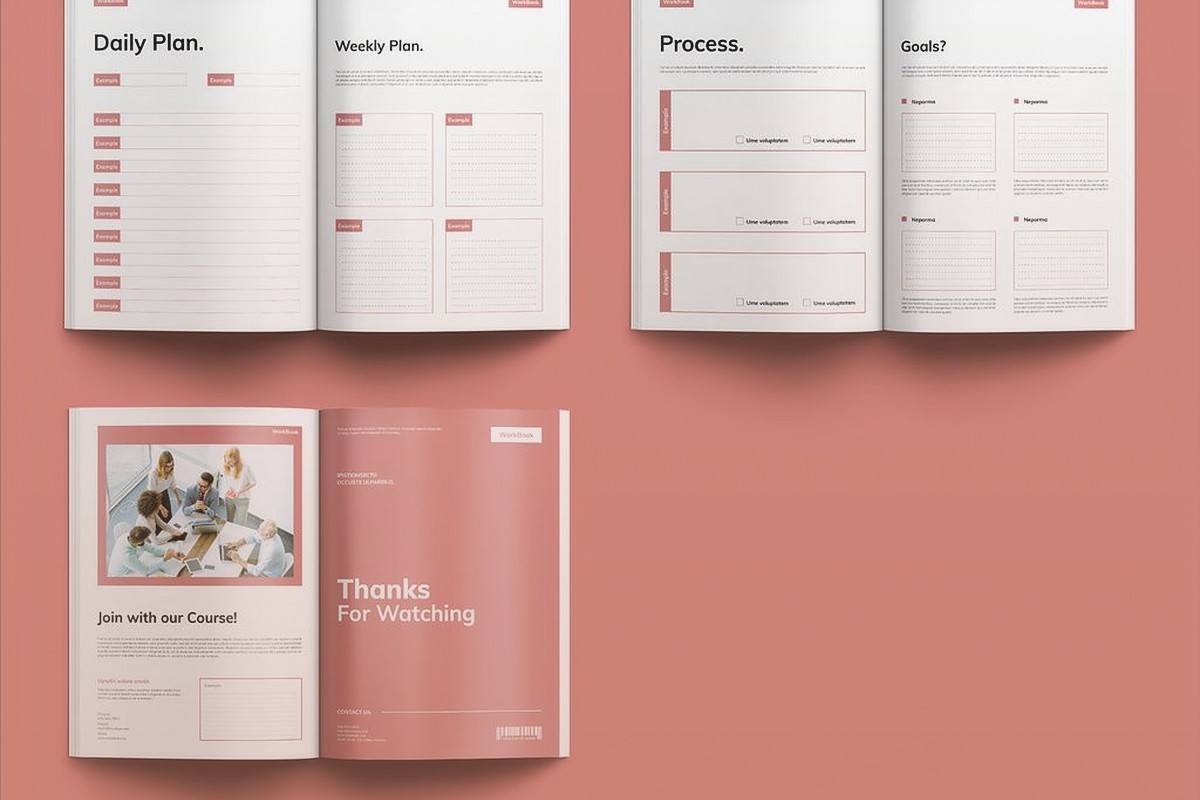
Okay so workbook templates are honestly where I make a stupid amount of passive income and nobody talks about the format variations enough. Like everyone’s obsessed with journals and planners but workbooks? Different beast entirely.
The main thing you gotta understand is educational workbooks fall into like 5-6 core formats and each one performs differently depending on your niche. I tested this extensively last year when I was binge-watching that weird cooking show on Netflix and just kept uploading different templates to see what stuck.
This is your bread and butter. Think language learning workbooks or those skill-building books for kids. The structure is basically: instruction or example at the top, then blank lines or boxes where users write answers. Super simple but the key is spacing. I learned this the hard way when I got like 8 reviews complaining there wasn’t enough room to write.
For print dimensions you want at least 0.4 inches between lines if it’s for adults, 0.5-0.6 inches for kids who are still developing handwriting. The templates I use in Canva or InDesign always start with a grid system. Page size matters too – 8.5×11 is standard but honestly 8×10 sells better for certain topics because it feels more “bookish” and less like a school assignment.
The profit margin on these is insane because once you build the master template, you just swap out the content. I have one template I’ve used for Spanish verbs, French vocabulary, Italian phrases… same exact layout, different words. Made probably $3k off that one design alone.
Put instructions in a different font or shaded box. Sounds obvious but you’d be surprised how many published workbooks just have everything in the same format and users get confused about what’s an example vs where they should write.
Headers and footers should have page numbers obviously but also consider adding the section title or topic in the header. Makes it easier for teachers using your workbook to assign specific pages.
Oh and another thing – grid formats are HUGE for math, science, habit tracking, and business planning. These are templates where most of the page is tables, graphs, or grid paper with minimal text.
I’ve got templates for:
– Math practice (graph paper with problem numbers in margins)
– Science lab notebooks (pre-formatted tables for data collection)
– Budget worksheets (income/expense grids)
– Goal tracking (weekly/monthly grids)
The mistake people make here is overcomplicating the design. Your grid should be clean, usually black or dark gray lines on white. I tried doing colorful grids once thinking it’d stand out more and got roasted in reviews because people couldn’t see their pencil marks clearly.
For Amazon KDP the file size can get weird with heavy grid work, so I always flatten my layers and save as PDF/X-1a format. Keeps everything crisp without bloating the file.
Wait I forgot to mention – if you’re doing anything with boxes or cells, make sure they’re actually big enough for human handwriting. I use a 0.25 inch minimum for small grid cells, 0.5 inch for anything where someone needs to write a word or number.
This format is killer for creative niches. Writing prompts, art challenges, self-reflection journals (technically workbooks if they have structured activities), therapy workbooks, that kind of thing.
Structure is usually: prompt or question at top, large blank space below for writing or drawing. Sometimes there’s a small icon or decorative element but mostly it’s white space. The whole point is giving users room to express themselves.
I’ve got a series of these for creative writing – like 50 prompts per book, simple design, each prompt gets one full page. Production cost is maybe $2.80 through KDP, I sell for $9.99, and they consistently move units because teachers buy them for classroom use.
The secret sauce is the prompt quality. You can’t just throw generic questions like “what makes you happy?” – gotta be specific and interesting. I literally sit with a beer and brainstorm these, then test them on Facebook groups to see which ones get engagement.
Font size for prompts should be 14-16pt minimum. You want it readable at a glance.
The writing space needs lines or do you leave it blank? Depends on your audience. Kids and ESL learners need lines. Adults doing creative work prefer blank space. I usually make two versions of the same workbook for this reason.
Okay so funny story – I didn’t include answer keys in my first math workbook and got absolutely destroyed in reviews. Teachers need answer keys, parents need answer keys, even self-learners want them to check their work.
Format-wise you have two options: answers in the back of the book, or answers on the same page as questions (usually smaller, in a different section). I prefer back of the book because it increases page count which justifies higher pricing.
The template setup is basically duplicate your question pages, then add answers. I use a different background color for answer pages (light gray usually) so they’re visually distinct when flipping through.
This doubles your page count which is great for perceived value. A 60-page workbook with 30 pages of content plus 30 answer pages feels more substantial than just 30 pages.
This is gonna sound weird but adding “interactive” elements that aren’t actually interactive (since it’s print) really boosts engagement. Things like:
– Checkboxes for completed activities
– Rating scales (circle a number 1-10)
– Match-the-following sections with lines to draw
– Cut-and-paste activities (though these are annoying for KDP because cutting pages)
My dog literally just knocked over my coffee while I’m writing this but anyway – the point is these elements make the workbook feel more hands-on even though it’s just different types of fill-in sections.
For templates I create master elements in my design software. Like I’ve got a library of checkbox styles, rating scale designs, matching columns, etc. Just drag and drop them into new workbooks.
Different educational niches need different approaches and this took me forever to figure out:
Language Learning: Needs lots of repetition, translation boxes side by side, pronunciation guides. Template should have space for English on left, target language on right, with lines below for practice.
Test Prep: Question, multiple choice options (A-D), small space for work, answer key essential. These need to mimic actual test formats so users feel prepared.
Skill Development: (like coding, music, art) needs example sections, practice sections, and reflection sections on each page. Three-part page layout works best.
Religious/Spiritual: Usually want space for scripture or quotes at top, reflection questions in middle, prayer or intention space at bottom. Very specific format expectations in this niche.
I’ve got templates for all of these and honestly once you nail the format for a niche, you can pump out variations quickly. My language learning template has made me over $12k across different languages.
Real talk – the technical side trips people up constantly. Here’s what actually matters:
Trim size options that work best: 8.5×11 (standard), 8×10 (premium feel), 7×10 (compact). Don’t get cute with weird sizes, print costs skyrocket.
Bleed settings: 0.125 inches on all sides if you have elements touching page edges. Most workbooks don’t need bleed because content is centered with margins.
Margins: minimum 0.5 inch on all sides, but I use 0.75 inches because it looks cleaner and leaves room for binding.
Paper type: white paper is standard and keeps costs down. Cream paper only if you’re doing something that needs a vintage feel, but it adds to production cost.
Wait I should explain my actual process because templates are only half the battle.
I start with market research – checking bestsellers in my target category, reading reviews to see what people complain about or wish existed. Then I outline the workbook structure. How many sections? How many pages per section? What’s the progression?
Then I build the master template with all formatting, headers, footers, page numbers, etc. This takes the longest initially but saves massive time later.
Content creation is next – writing prompts, questions, activities, whatever fits the format. I batch this, like I’ll write 50 prompts in one sitting while watching TV.
Finally I pour content into the template, export, upload to KDP. The whole process for a new workbook using existing templates is maybe 4-6 hours of actual work.
Workbooks can command higher prices than journals because they’re perceived as educational tools. I price mine $8.99-$14.99 depending on page count and niche.
The formula I use: production cost x 4 = minimum price. So if KDP charges me $3 to print, I’m listing at $12 minimum. Educational buyers are less price-sensitive than journal buyers.
Series perform better than standalone books. I’ve got a “Master Spanish Verbs” series with 4 workbooks, each focusing on different verb tenses. People buy the whole set.
Too much decoration – workbooks should be functional first, pretty second. Every design element should serve the learning purpose.
Inconsistent formatting – if page 10 has a different layout than page 30 for no reason, it’s jarring. Keep it consistent unless there’s a pedagogical reason to change.
Ignoring the gutter – that’s the inside margin near the binding. Text too close to the gutter is unreadable when the book’s open. I learned this from angry reviews.
Not testing print quality – always order a proof copy. Colors look different in print, lines might be too thin, spacing might feel off. I’ve caught so many issues in proof copies.
Look, the reality is workbook templates are probably the most scalable format in KDP because you’re building reusable assets. My template library has like 40+ master templates now and I can create a new workbook in a weekend if I want to test a new niche. The educational publishing market is huge and evergreen – people always need learning materials. Just gotta match the right format to the right audience and actually make something useful, not just pretty.
DISCOVER OUR FREE BEST SELLING PRODUCTS
Editable Canva Lined Journal: Express Your Thoughts – KDP Template
Lined Pages Journal 120 pages Ready to Upload PDF Commercial Use KDP Template 6×9 8.5×11 5×8 for Notebooks, Diaries, Low Content
Lined Pages Journal 120 pages Ready to Upload PDF Commercial Use KDP Template 6×9 8.5×11 5×8 for Notebooks, Diaries, Low Content
Cute Dogs Coloring Book for Kids | Activity Book | KDP Ready-To-Upload
Daily Planner Diary : Diary Planners for Everyday Productivity, 120 pages, 6×9 Size | Amazon KDP Interior
Wolf Coloring KDP interior For Adults, Used as Low Content Book, PDF Template Ready To Upload COMMERCIAL Use 8.5×11"
Coloring Animals Head Book for Kids, Perfect for ages 2-4, 4-8 | 8.5×11 PDF
Printable Blank Comic Book Pages PDF : Create Your Own Comics – 3 Available Sizes
Notes KDP interior Ready To Upload, Sizes 8.5×11 6×9 5×8 inch PDF FILE Used as Amazon KDP Paperback Low Content Book, journal, Notebook, Planner, COMMERCIAL Use
Black Lined Journal: 120 Pages of Black Lined Paper Perfect for Journaling, KDP Notebook Template – 6×9
Student Planner Journal 120 pages Ready to Upload PDF Commercial Use KDP Template 6×9" 8.5×11" for Low Content book
Recipe Journal Template – Editable Recipe Book Template, 120 Pages – Amazon KDP Interior