okay so here’s the thing about going digital-only with Kindle
I just had this conversation with someone yesterday and honestly, most people overthink this. You don’t need print books. Like at all. I haven’t touched print in probably three years now and my income actually went UP because I stopped spreading myself thin.
The main advantage is you can publish a book in literally three hours. I did this last Tuesday – wrote a short guide on budgeting for college students, formatted it in Vellum (more on that in a sec), uploaded to KDP, and it was live by dinner. Try doing that with paperback proofs and waiting for shipping and all that nonsense.
why digital-only actually makes sense now
So Amazon changed their algorithms around 2021-ish and ebooks started getting way more visibility in search results. I noticed my digital-only titles were ranking faster than books where I had both formats. Don’t ask me why, but the data doesn’t lie. I track everything in a spreadsheet that would make you cry it’s so detailed.
Plus the margins are insane. You price a book at $4.99, you’re getting like $3.50 per sale with the 70% royalty option. That same book in paperback? Maybe you clear $2 after printing costs if you’re lucky. And people are WAY more likely to impulse-buy a $4.99 ebook than a $12.99 paperback of the same content.
Oh and another thing – returns are basically non-existent with ebooks. Paperbacks get returned all the time for dumb reasons like “the cover got dinged in shipping” but with digital, if someone returns it within 7 days Amazon just… eats the cost usually. You still got paid.
the actual publishing process nobody explains right
Okay so you need to format your manuscript first. Everyone recommends Calibre because it’s free but honestly it’s clunky and I wasted like two months fighting with it back in 2018. Just get Vellum if you’re on Mac ($249 one-time, worth every penny) or use Atticus if you’re on PC ($147). These tools make your books look professional in like 20 minutes.
Here’s what I do: write everything in Google Docs first because it autosaves and I’m paranoid about losing work. My cat stepped on my laptop once and closed everything, learned that lesson hard. Then I export as .docx and import into Vellum. Choose a template, add chapter breaks, maybe a table of contents if it’s nonfiction, done.
The cover thing trips people up but there’s this site called BookBrush where you can make decent covers for like $10/month. I use their templates, swap out the images from Depositphotos (also subscription-based, maybe $30/month for my tier), change the fonts, export at 2560×1600 pixels for ebook covers. Takes maybe 30 minutes per cover now that I know what I’m doing.
pricing strategy that actually works
This is gonna sound weird but I price almost everything at $4.99 or $5.99. Here’s why – you need to be between $2.99-$9.99 to get the 70% royalty rate. Below that and you’re stuck at 35% which is garbage. Above that and you’re competing with traditional publishers.
I tested this extensively last year. Had a book at $2.99 making 35% royalty (about $1.05 per sale) versus the same book at $4.99 making 70% (about $3.50 per sale). The $4.99 version sold slightly fewer copies but made literally triple the revenue. The math is stupid simple.
Wait I forgot to mention – if your book is under 3 MB file size and you price it right, Amazon doesn’t charge delivery fees on the 70% royalty. But honestly those fees are tiny anyway, like a few cents. Don’t stress it.
For longer books like full novels or comprehensive guides, I’ll go up to $6.99 or $7.99. Anything over that and people start expecting traditional publishing quality with professional editing and all that. Not worth it for the self-pub digital-only model.
categories and keywords are where the money is
Okay so this is the part that took me forever to figure out. You get to pick two categories when you upload but you can email KDP support and ask for up to ten total. I always do this within 24 hours of publishing. Just send them a message like “hey can you add my book to these eight additional categories” and list them out. They usually do it within a day.
The trick is finding categories that are specific enough that you can rank but broad enough that people actually browse them. I use Publisher Rocket (paid tool, like $97 one-time) to research this but you can also just manually browse Amazon and see what categories bestselling books in your niche are using.
For keywords you get seven boxes. Don’t waste them on single words like “romance” or “cookbook” because you’re competing with 500,000 other books. Use phrases people actually search for. Like instead of “budgeting” I’ll use “budgeting for beginners paycheck to paycheck” or something specific like that.
Oh and funny story – I accidentally left a typo in my keywords once, like “recipies” instead of “recipes” and the book still ranked because apparently tons of people misspell that word when searching. Now I intentionally include common misspellings sometimes. Works surprisingly well.
KDP Select vs going wide
This is the big debate everyone has. KDP Select means your ebook is exclusive to Amazon for 90 days but you get access to Kindle Unlimited and can run free promotions. Going wide means you can also publish on Apple Books, Kobo, Google Play, etc.
I’ve done both extensively and here’s my take – for digital-only publishers like us, KDP Select wins like 90% of the time. The Kindle Unlimited page reads add up fast. I have books making $300-500/month just from KU reads alone, paying out around $0.004 per page read (it fluctuates monthly).
The other platforms combined usually account for maybe 10-15% of what I make on Amazon. Unless you’re writing literary fiction or have a huge following outside Amazon already, it’s not worth the hassle of managing multiple platforms. I tried going wide with five books last year and it was such a headache dealing with different formatting requirements and payment schedules.
the launch strategy nobody talks about
So when you publish a new book, Amazon gives you this invisible boost for the first 30 days. They’re testing to see if your book has potential. This is when you need to get sales and reviews happening fast.
What I do: I have an email list of about 2,400 people now (took four years to build, started from zero). I send them an email on launch day with a discount code if possible or just a “hey new book is out” message. That usually gets me 20-50 sales in the first week which is enough to trigger Amazon’s algorithm.
Then I run a $0.99 countdown deal starting day 3 or 4 of the launch. You can do this in KDP Select – the price drops to 99 cents for like 5-7 days then goes back to normal. This gets me onto the Hot New Releases lists in my categories which drives organic traffic.
Reviews are harder now because Amazon cracked down on everything. I just include a polite request at the end of the book asking readers to leave honest feedback if they found it helpful. Maybe 1 in 50 readers actually does it but that’s enough to build up reviews over time.
content types that work best for digital-only
Not all book types do equally well as ebooks. Fiction obviously kills it – romance, mystery, sci-fi, fantasy. People binge these on their Kindles. I don’t write fiction myself but my friends who do make way more than me honestly.
For nonfiction which is my thing, practical guides work best. How-to books, self-help, business stuff, cookbooks (yeah people use ebooks for recipes now, wild). Coffee table books or anything heavily visual? Forget it, you need print for those.
I’ve published guides on everything from “how to start a podcast” to “meal prep for one person” to “basic home repairs for renters” and they all sell consistently. The key is solving a specific problem that someone is actively searching for a solution to RIGHT NOW.
Oh wait one more thing about content – shorter is actually fine for ebooks. I have a 35-page guide on creating a morning routine that’s priced at $3.99 and sells better than my 200-page comprehensive productivity book at $7.99. People want quick answers, not textbooks.
formatting quirks you gotta know
Amazon’s ebook reader is pretty forgiving but there’s some annoying stuff. Don’t use fancy fonts because Kindle readers can override them anyway. Stick to standard fonts, use bold and italics for emphasis, keep it simple.
Images need to be under 127 KB each or they bloat your file size. I compress everything through TinyPNG before adding to my manuscript. Also anchor images properly or they’ll float to weird places on different devices.
Hyperlinks work in ebooks which is cool – I always link my other books in the back matter, plus my email signup page. These convert surprisingly well. Maybe 2-3% of readers who finish a book will click through and check out my other stuff.
One thing that drives me crazy is how different devices display the same ebook slightly differently. What looks perfect on Kindle Paperwhite might have weird spacing on the iPhone app. You just gotta accept this and preview on multiple devices before publishing. Amazon’s previewer tool shows you most variations.
the money part and realistic expectations
Okay so real talk about income because everyone wants to know this. My first year doing digital-only Kindle publishing I made maybe $800 total. It was rough. Year two jumped to around $12,000. Year three hit $28,000 and that’s when I quit my day job.
Now I’m averaging $5k-$8k per month but I have like 60+ books published. It’s a volume game unless you hit a random bestseller (hasn’t happened to me yet, still waiting).
Each book makes anywhere from $5/month to $600/month depending on the niche and how well it ranks. My best performer is a simple guide about organizing digital photos that makes around $400-500/month consistently for like three years now. No idea why that one took off but I’ll take it.
The passive income thing is real though – I published a book 18 months ago, haven’t touched it since, and it still makes $150-200/month. That’s the beauty of digital. No inventory, no shipping, no physical overhead. Amazon handles everything and just deposits money in my account every month.
tools and expenses breakdown
So monthly I’m spending probably $200-250 on tools and subscriptions. Vellum was one-time. BookBrush is $10/month. Depositphotos is $30/month. Publisher Rocket was one-time $97. I also pay for Grammarly Premium ($12/month) and MailerLite for my email list (starts free, I’m paying like $35/month now for my list size).
That might sound like a lot but it’s tax-deductible business expenses and when you’re making several thousand per month it’s totally worth it to have professional tools. I wasted so much time in the beginning using free alternatives that barely worked.
Some people also pay for ads on Amazon but I’ve honestly never cracked that code. Tried it for six months, spent like $2,000, maybe broke even. Organic ranking through good keywords and categories works better for me personally.
mistakes I see people make constantly
Publishing one book and expecting it to blow up – doesn’t work like that unless you’re incredibly lucky. You need multiple books to build momentum and cross-promote.
Terrible covers that look homemade – people absolutely judge books by covers, especially for ebooks where the thumbnail is tiny. Invest in decent cover design.
Picking super competitive niches like “weight loss” or “making money online” – yeah good luck ranking anywhere in those categories with 50,000 other books.
Not building an email list from day one – this was my biggest mistake early on. I published like 15 books before I started collecting emails. Such a waste, could’ve built a list of thousands by then.
Giving up after three months – this is a long game, not a get-rich-quick thing. My most profitable book didn’t start making good money until month 8 after I published it.
Anyway that’s pretty much the core strategy for digital-only Kindle publishing. It’s not complicated but it does require consistency and patience. I’m probably forgetting stuff but that’s the main framework I use and it’s worked out pretty well so far.

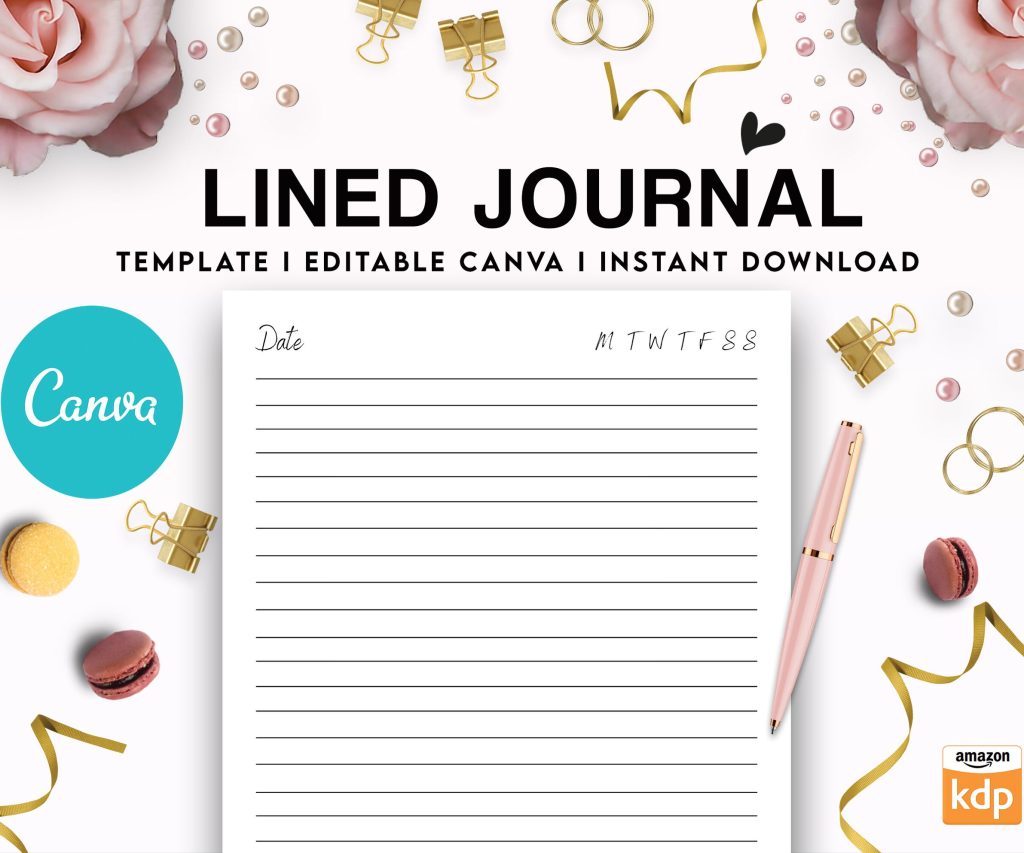 Editable Canva Lined Journal: Express Your Thoughts - KDP Template
1 × $0.00
Editable Canva Lined Journal: Express Your Thoughts - KDP Template
1 × $0.00  Daily Planner Diary : Diary Planners for Everyday Productivity, 120 pages, 6×9 Size | Amazon KDP Interior
1 × $0.00
Daily Planner Diary : Diary Planners for Everyday Productivity, 120 pages, 6×9 Size | Amazon KDP Interior
1 × $0.00 
DISCOVER OUR FREE BEST SELLING PRODUCTS
Editable Canva Lined Journal: Express Your Thoughts – KDP Template
Lined Pages Journal 120 pages Ready to Upload PDF Commercial Use KDP Template 6×9 8.5×11 5×8 for Notebooks, Diaries, Low Content
Lined Pages Journal 120 pages Ready to Upload PDF Commercial Use KDP Template 6×9 8.5×11 5×8 for Notebooks, Diaries, Low Content
Cute Dogs Coloring Book for Kids | Activity Book | KDP Ready-To-Upload
Daily Planner Diary : Diary Planners for Everyday Productivity, 120 pages, 6×9 Size | Amazon KDP Interior
Wolf Coloring KDP interior For Adults, Used as Low Content Book, PDF Template Ready To Upload COMMERCIAL Use 8.5×11"
Coloring Animals Head Book for Kids, Perfect for ages 2-4, 4-8 | 8.5×11 PDF
Printable Blank Comic Book Pages PDF : Create Your Own Comics – 3 Available Sizes
Notes KDP interior Ready To Upload, Sizes 8.5×11 6×9 5×8 inch PDF FILE Used as Amazon KDP Paperback Low Content Book, journal, Notebook, Planner, COMMERCIAL Use
Black Lined Journal: 120 Pages of Black Lined Paper Perfect for Journaling, KDP Notebook Template – 6×9
Student Planner Journal 120 pages Ready to Upload PDF Commercial Use KDP Template 6×9" 8.5×11" for Low Content book
Recipe Journal Template – Editable Recipe Book Template, 120 Pages – Amazon KDP Interior